EN 3.pdf - 第280页
Model DECAN Series Company SAMSUNG TECHWIN Module 3.15 PC RACK V ersion 01 Tit le COOLING F AN CHANGE Page 3-15-1 1 Note [COOLING F AN CHANGE] 1. T urn off the PC and turn of f the Main Switch in the front of the equipme…
Model
DECAN Series
Company
SAMSUNG TECHWIN
Module
3.15 PC RACK
Version
01
Title
POWER SUPPLY REPLACEMENT
Page
3-15-10
Note
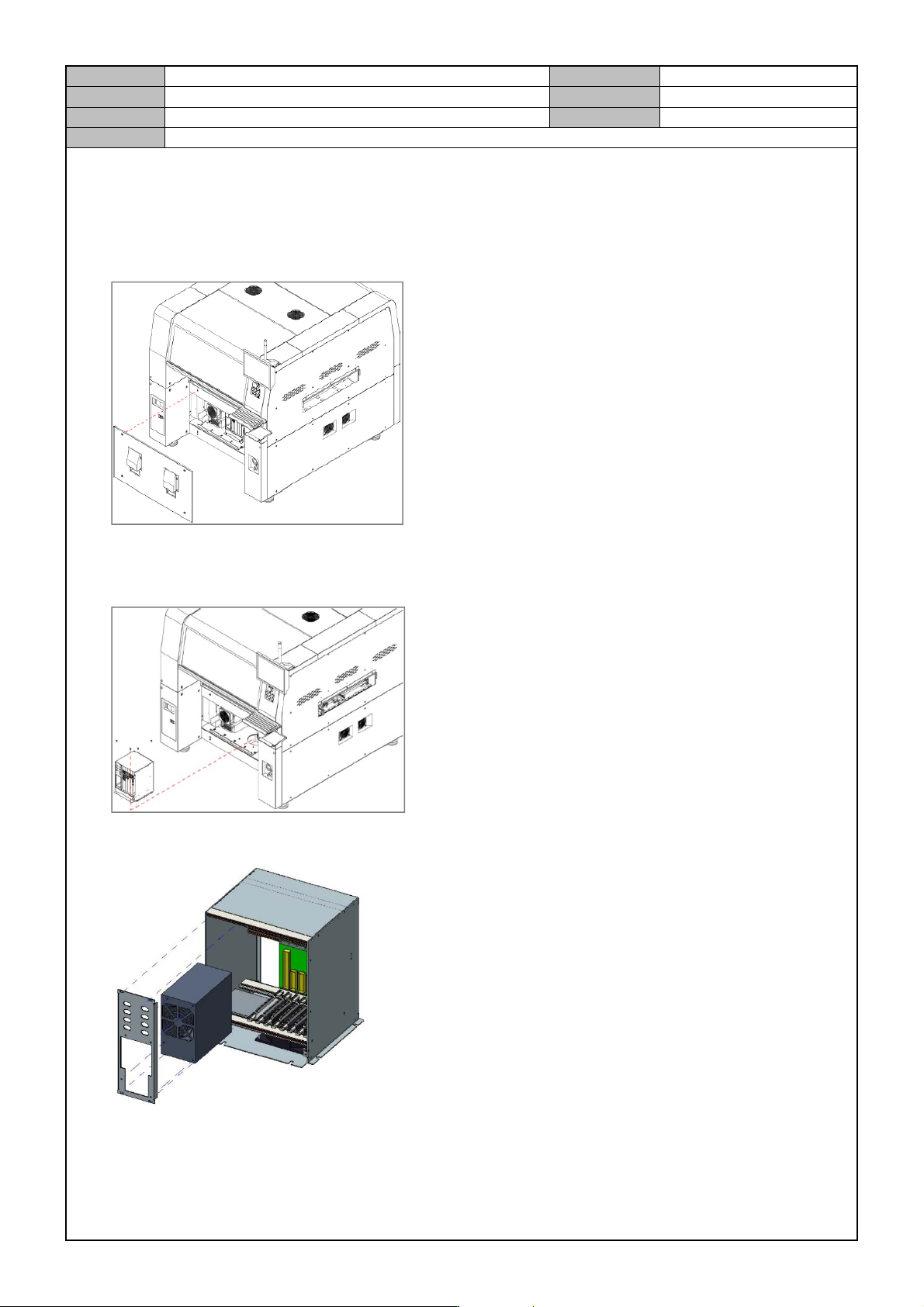
[POWER SUPPLY REPLACEMENT]
1. Turn off the PC and turn off the Main Switch in the front of the equipment.
2. Separate the front cover from the equipment.
3. Separate the cable from the PC Rack.
4. Release the fixing bolts for the PC Rack and separate the PC Rack.
5. Separate the Front Panel of the PC Rack and release the fixing bolts for the Power Supply to separate it.
6. Replace with a new Power Supply.
Model
DECAN Series
Company
SAMSUNG TECHWIN
Module
3.15 PC RACK
Version
01
Title
COOLING FAN CHANGE
Page
3-15-11
Note
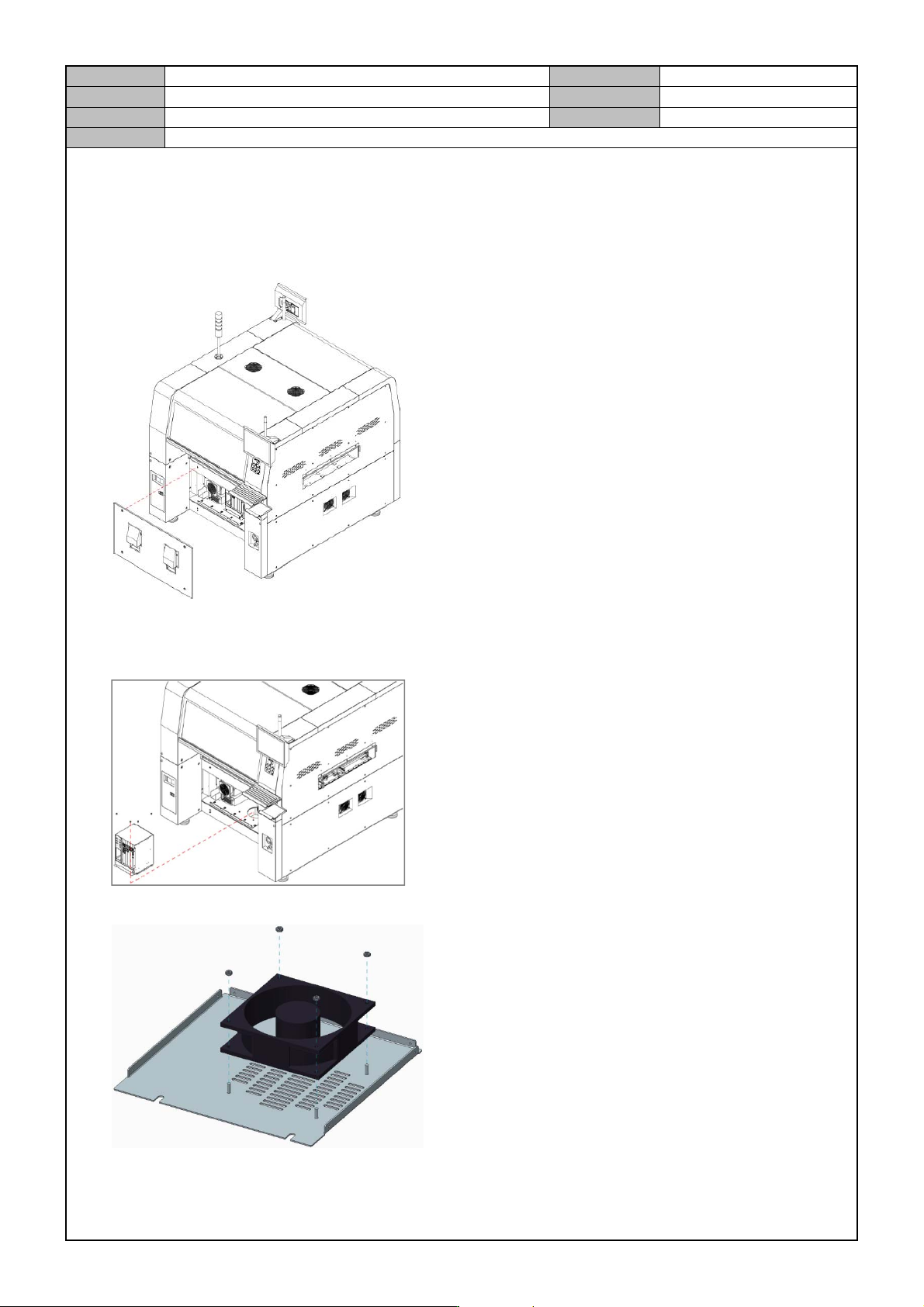
[COOLING FAN CHANGE]
1. Turn off the PC and turn off the Main Switch in the front of the equipment.
2. Separate the front cover from the equipment.
3. Separate the cable from the PC Rack.
4. Release the fixing bolts for the PC Rack and separate the PC Rack.
5. Separate the fan by releasing the fixing bolts for the fan in the bottom panel of the PC Rack.
6. Pay attention to the direction so that the new fan does not blow the wind out of the panel.
Model
DECAN Series
Company
SAMSUNG TECHWIN
Module
3.15 PC RACK
Version
01
Title
PC RACK DUMMY SLOT SEPARATION
Page
3-15-12
Note
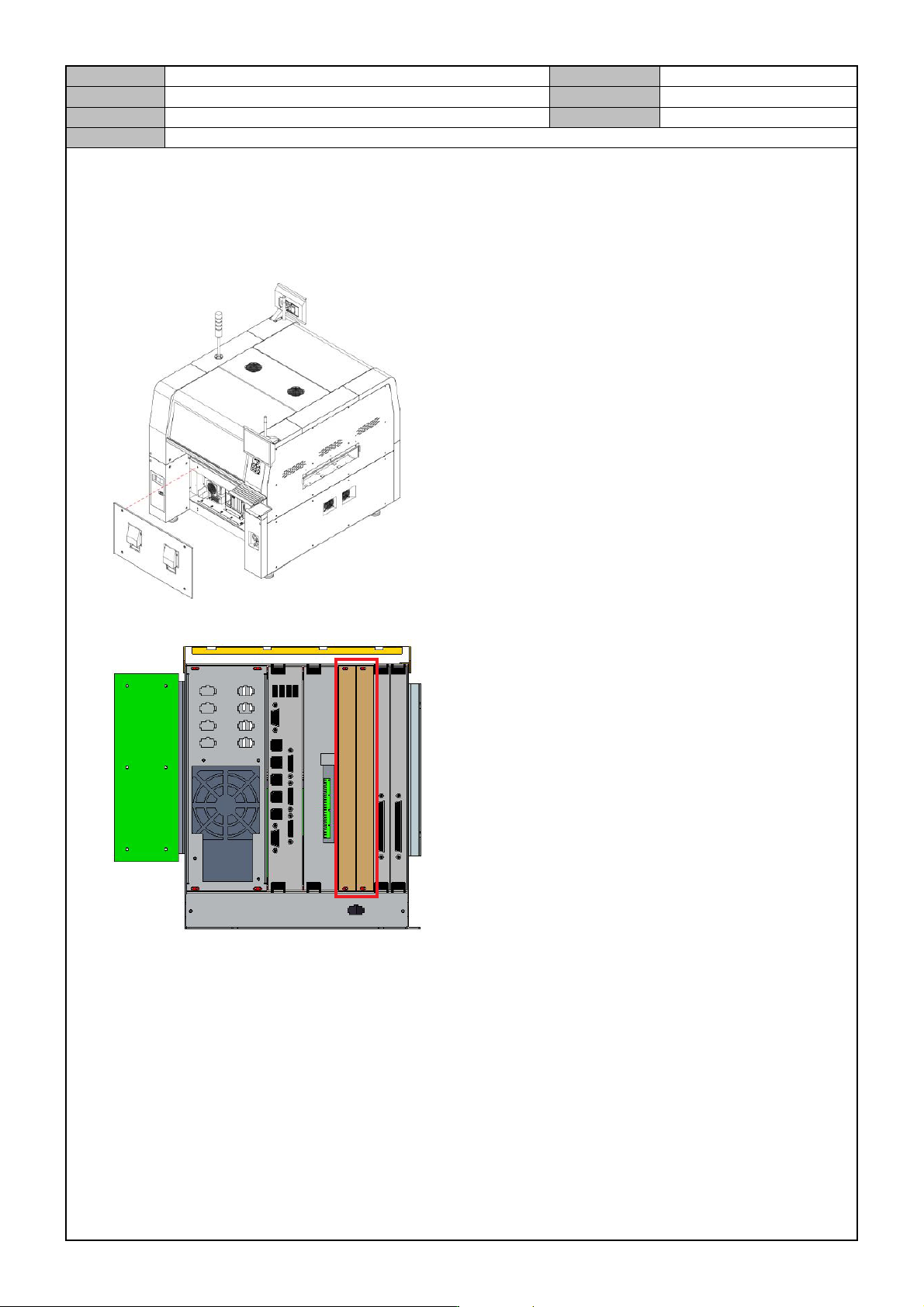
[PC RACK DUMMY SLOT SEPARATION]
1. Turn off the PC and turn off the Main Switch in the front of the equipment.
2. Separate the front cover from the equipment.
3. Separate the dummy slot cover to discharge heats from the inside of the PC rack.