EN 3.pdf - 第284页
Model DECAN Series Company SAMSUNG TECHWIN Module 3.16 X-FRAME V ersion 01 Tit le FLA T CABLE ASSEMB L Y Page 3-16-3 Note [FLA T CABLE ASSEMBL Y] 1. Assemble it carefully so that the air pressure line does not cause dama…
Model
DECAN Series
Company
SAMSUNG TECHWIN
Module
3.16 X-FRAME
Version
01
Title
FX Z PHASE CHECK & COUPLING ASSEMBLY
Page
3-16-2
Note
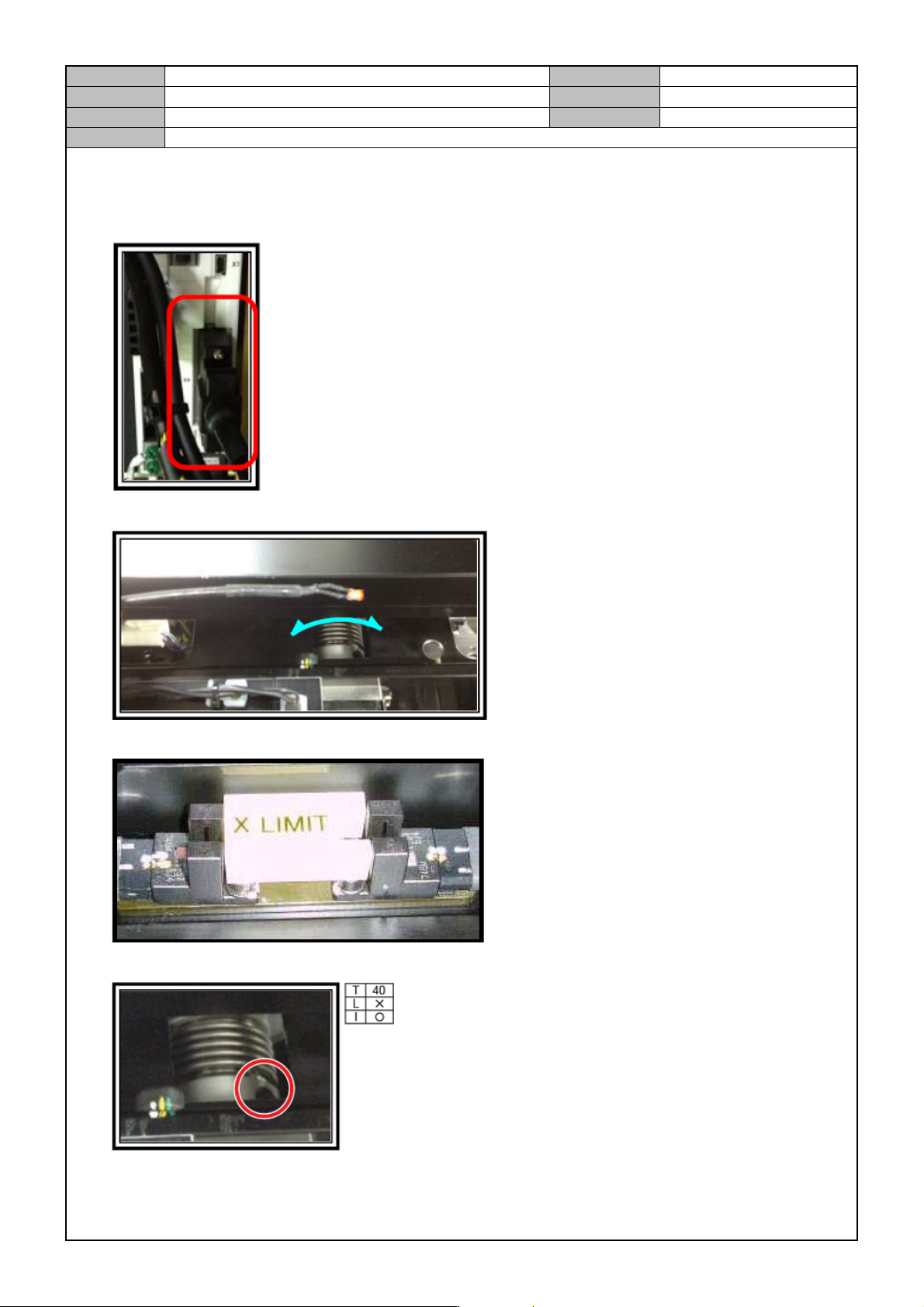
[FX Z PHASE CHECK & COUPLING ASSEMBLY]
1. Connect a two phase tool to the FX Command Connector.
2. Rotate the FX motor shaft to find the Z phase.
3. Move the X axis so that the FX axis Home Sensor and the Sensor Dog are separated by 6mm.
4. Using a torque wrench, fix the coupling on the X axis.
Model
DECAN Series
Company
SAMSUNG TECHWIN
Module
3.16 X-FRAME
Version
01
Title
FLAT CABLE ASSEMBLY
Page
3-16-3
Note
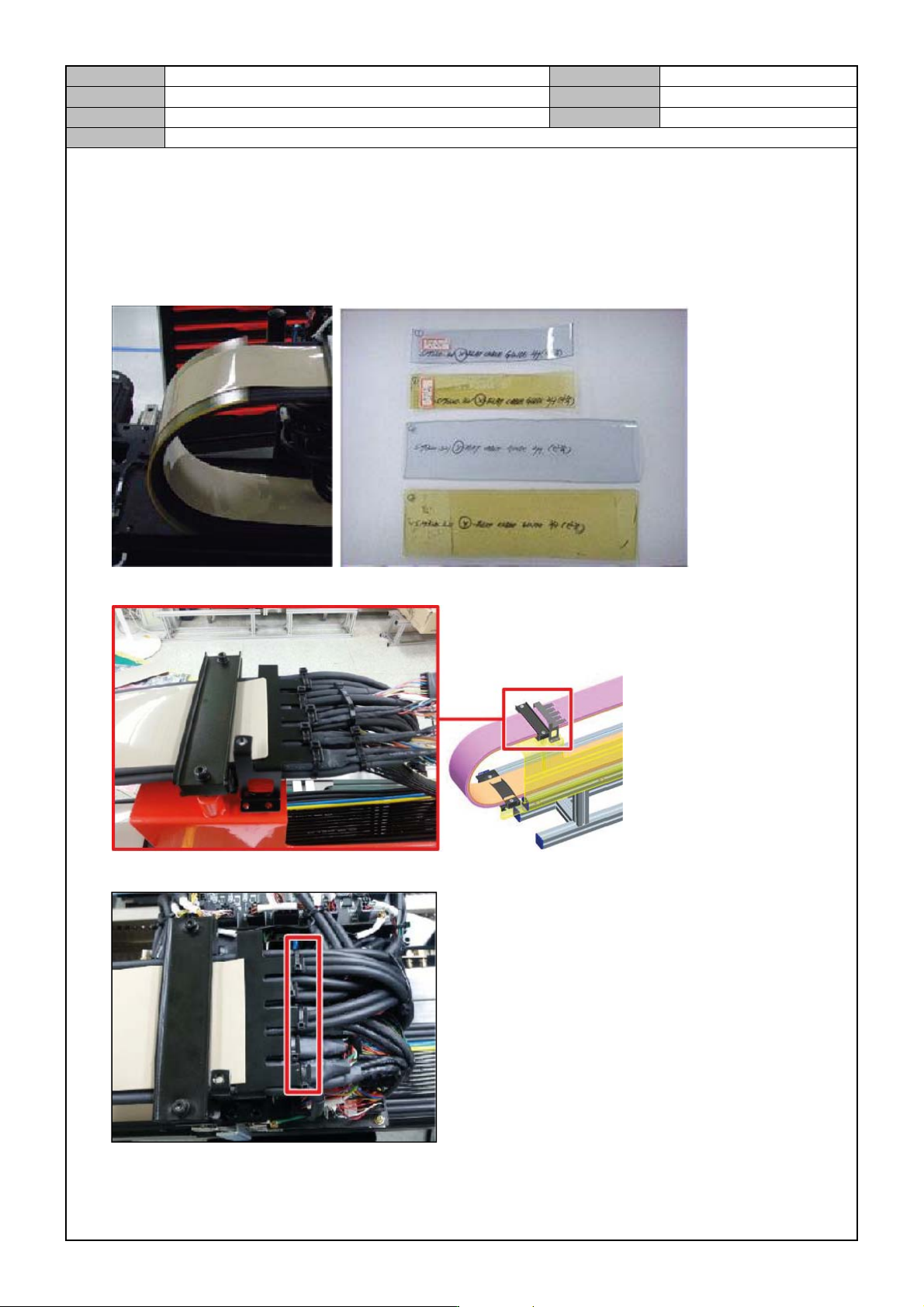
[FLAT CABLE ASSEMBLY]
1. Assemble it carefully so that the air pressure line does not cause damage to the Rubber of the Flat Cable
Guide.
2. Insert a tool between the air tube and the guide inside the Flat Cable.(insertion location : end of R.)
3. Insert and assemble the guide mat into the outside/insider of the Flat Cable.
4. Tie the three cables.
Model
DECAN Series
Company
SAMSUNG TECHWIN
Module
3.16 X-FRAME
Version
01
Title
FLAT CABLE ASSEMBLY
Page
3-16-4
Note
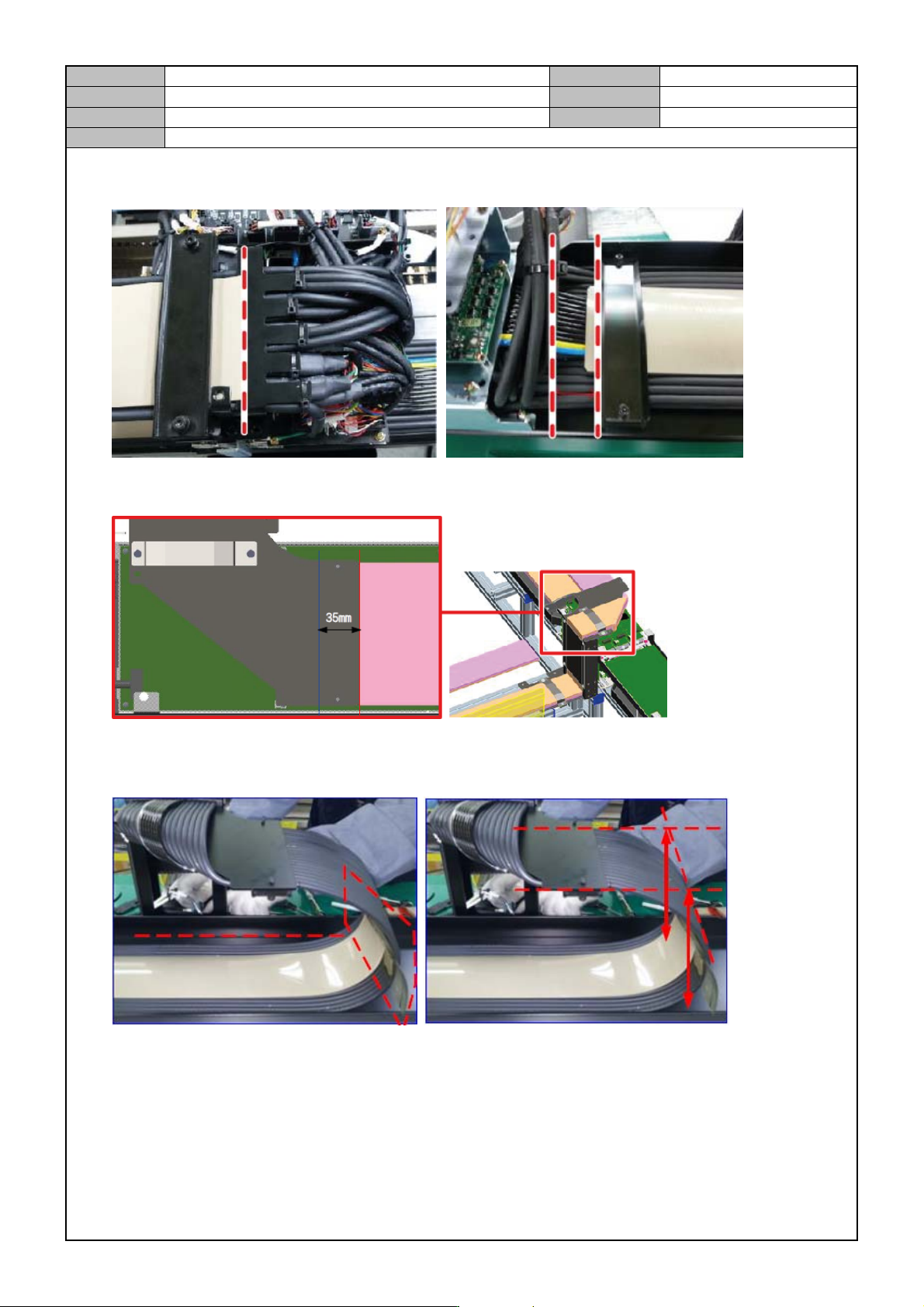
5. Cut the head of the Guide Mat for the Flat Cable at the end of the bracket. Make sure that the middle of the
X axis and the Y axis are 30~35mm long.
6. When fixing the bracket, draw a marking line again at 35mm away from the marking line of the flat cable
and make sure that marking line is in accordance with the end of the BKT when you assemble it.
7. While firmly attaching the Guide Mat to the GAP tool, check the levelness and fix the bolts.
8. Make sure that the GAP tool maintains perpendicularity to the Flat Cable and refer to the marking lines.