EN 3.pdf - 第31页
Model DECAN Series Company SAMSUNG TECHWIN Module 3.2 BOARD V ersion 01 Tit le HEAD IF BOARD REPLACEMENT Page 3-2-18 Note [HEAD IF BOARD REPLACEMENT] Head IF Board controls the Fly & Fiducial Camera lighting, and the…
Model
DECAN Series
Company
SAMSUNG TECHWIN
Module
3.2 BOARD
Version
01
Title
AXIS IO BOARD REPLACEMENT
Page
3-2-17
Note
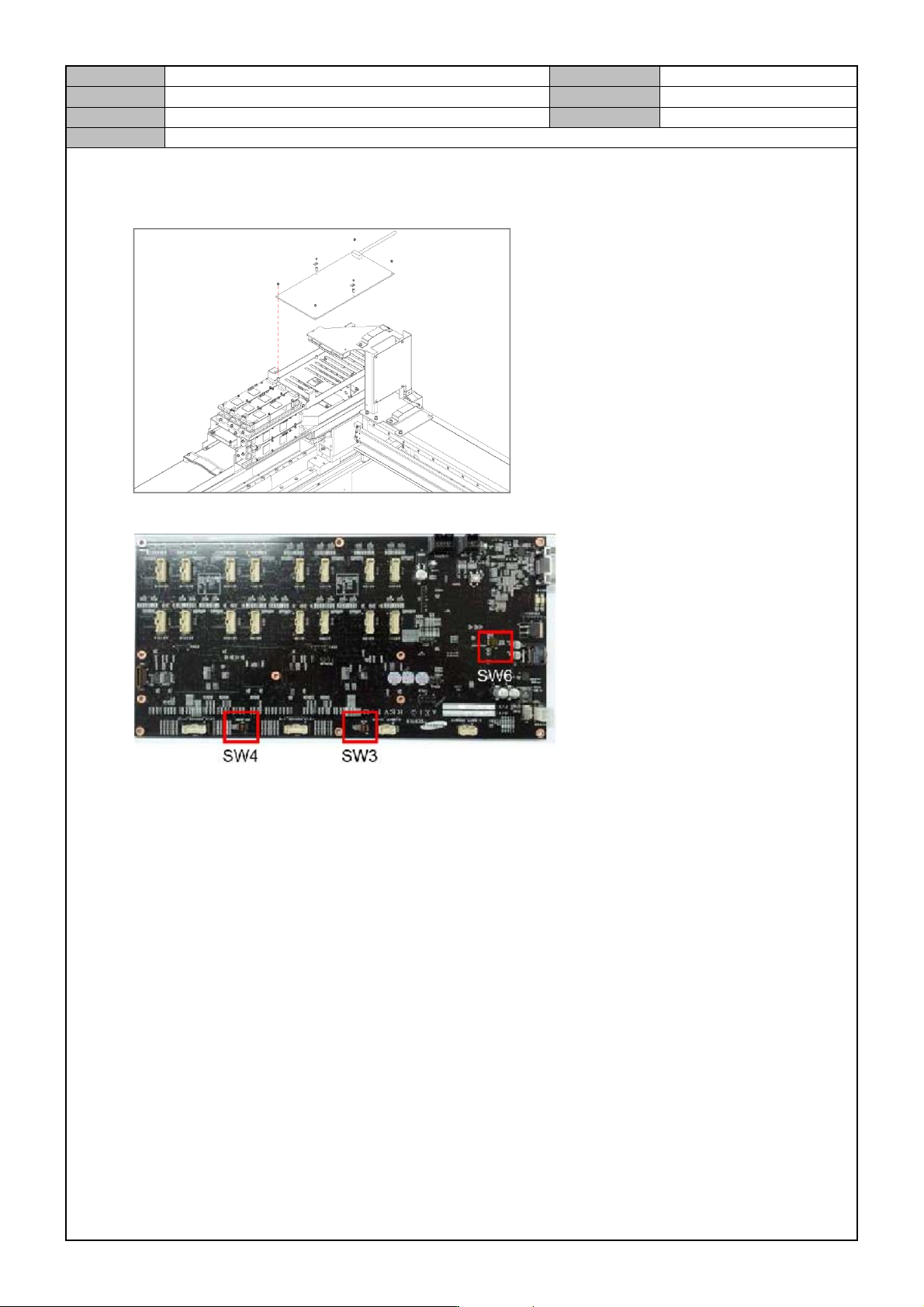
2. Separate the cable connected to the board.
3. Remove the fixing bolts for the board and replace it with a new board.
4. Set the DIP switch as follows before assembling the board.
No. 1 Board
SW3 : All Off
SW4 : All Off
SW6 : 1,2-On / 3,4-Off
No. 2 Board
SW3 : All Off
SW4 : All Off
SW6 : All Off
No. 3 Board
SW3 : All Off
SW4 : All Off
SW6 : All Off
5. Operate the equipment after connecting the cable and see if the LED is lit.(normal operation)
On LED : LED 7,8,9,45,170
Off LED : LED 26,44,47,176
Model
DECAN Series
Company
SAMSUNG TECHWIN
Module
3.2 BOARD
Version
01
Title
HEAD IF BOARD REPLACEMENT
Page
3-2-18
Note
[HEAD IF BOARD REPLACEMENT]
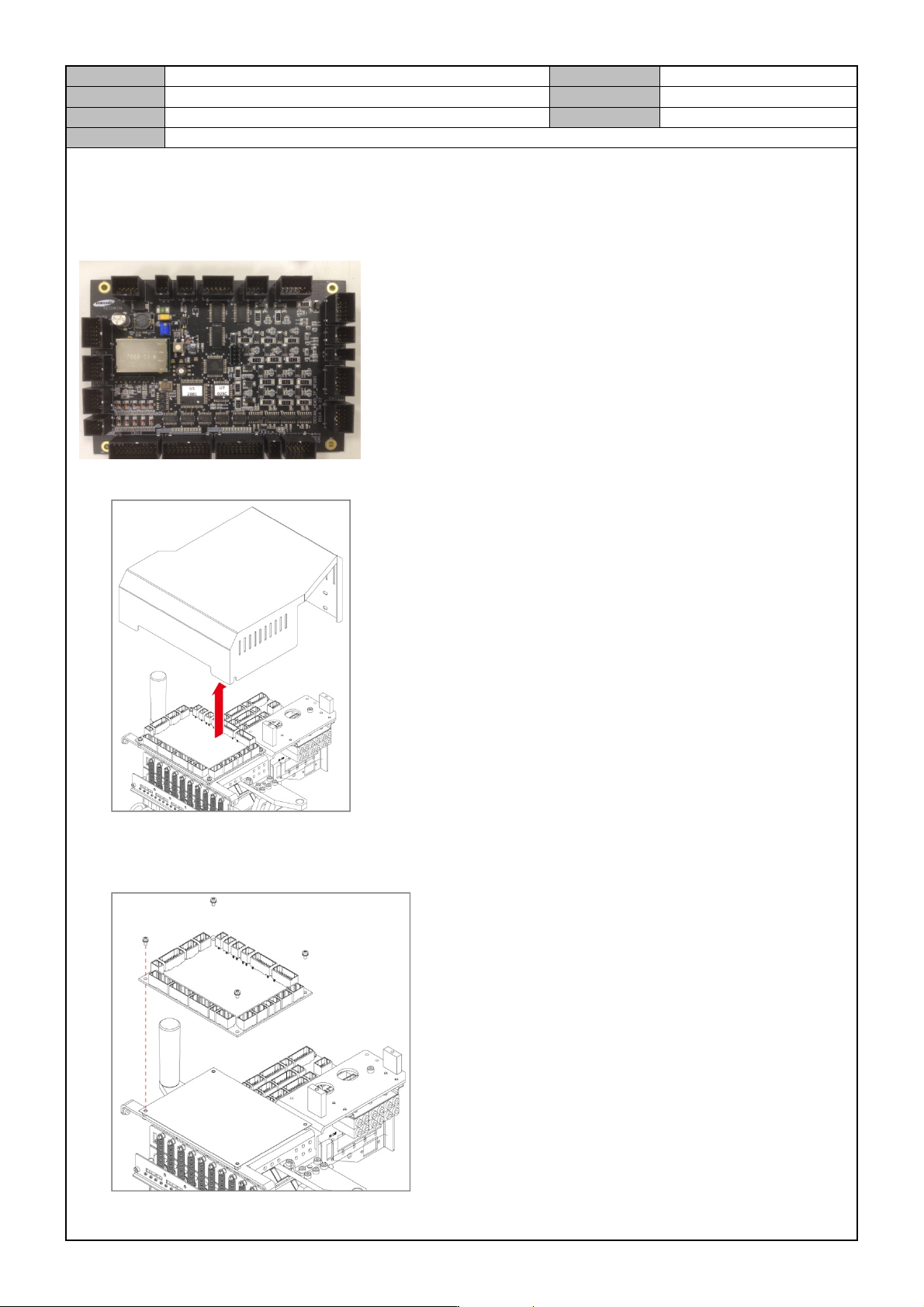
Head IF Board controls the Fly & Fiducial Camera lighting, and the Vacuum Sensor, operates the
Vacuum/Blow Solenoid and controls the Z/R axis/Mirror side Home Sensor.
1. Release the fixing bolts for the Head Top Cover and separate the Cover.
2. Separate the cable connected to the board.
3. Remove the fixing bolts for the board and replace it with a new board.
Model
DECAN Series
Company
SAMSUNG TECHWIN
Module
3.2 BOARD
Version
01
Title
HEAD IF BOARD REPLACEMENT
Page
3-2-19
Note
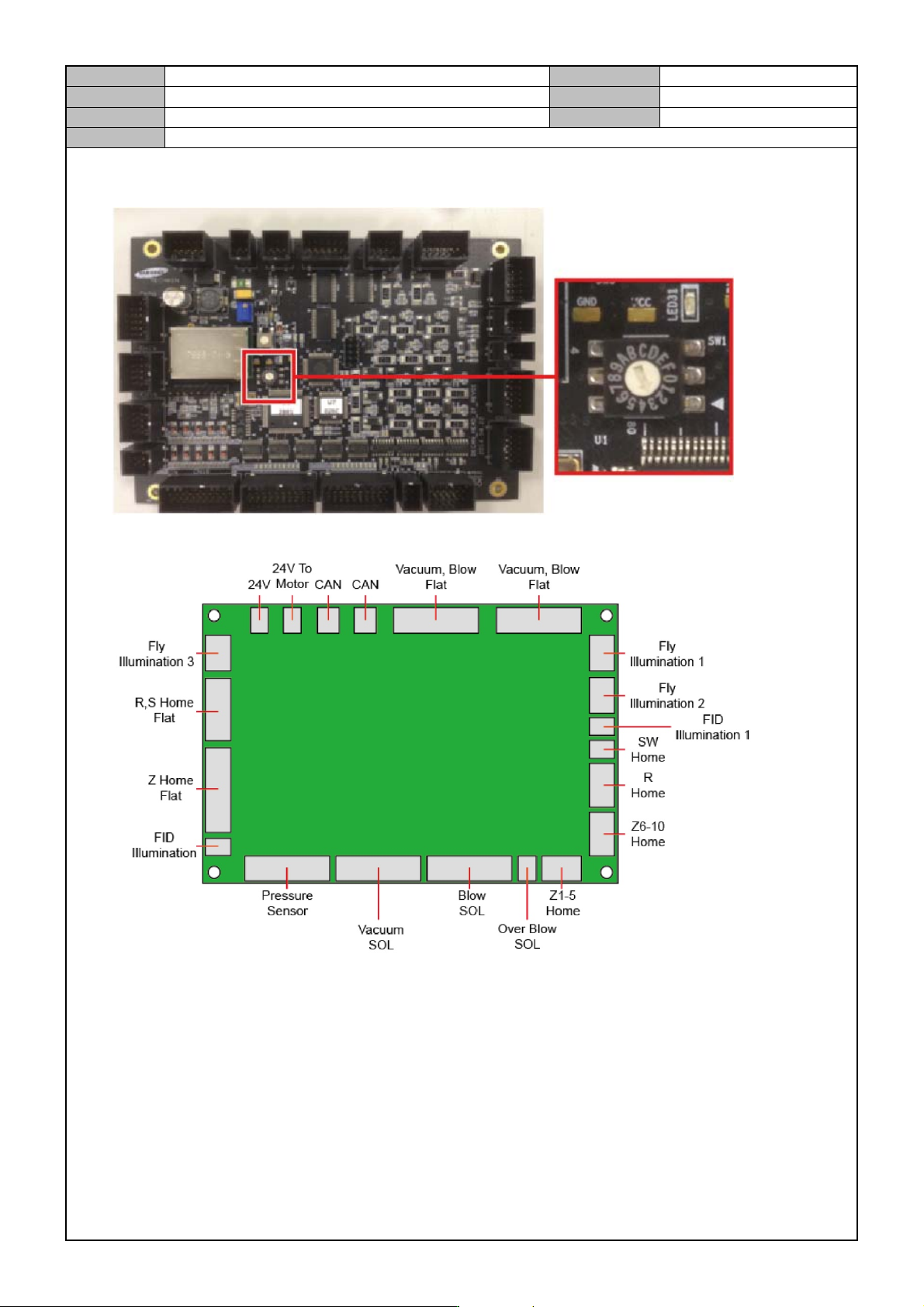
4. Set the Rotary switch as follows before assembling the board.
1 SW : Set to the 3
5. Connect the board cable while referring to the diagram below.
6. Operate the equipment after connecting the cable and see if the LED is lit.(normal operation)
On LED : LED6
Off LED : LED5