EN 3.pdf - 第318页
Model DECAN Series Company SAMSUNG TECHWIN Module 3.18 V ACUUM DEVICE V ersion 01 Tit le MAIN AI R REGULA TOR REPLACEMENT Page 3-18-10 Note [MAIN AIR REGULA TOR REPLACEMENT]
Model
DECAN Series
Company
SAMSUNG TECHWIN
Module
3.18 VACUUM DEVICE
Version
01
Title
VACUUM PUMP & AIR PRESSURE CHECK
Page
3-18-9
Note
[VACUUM PUMP & AIR PRESSURE CHECK]
Run a Running Test to check everything.(Error Log File check)
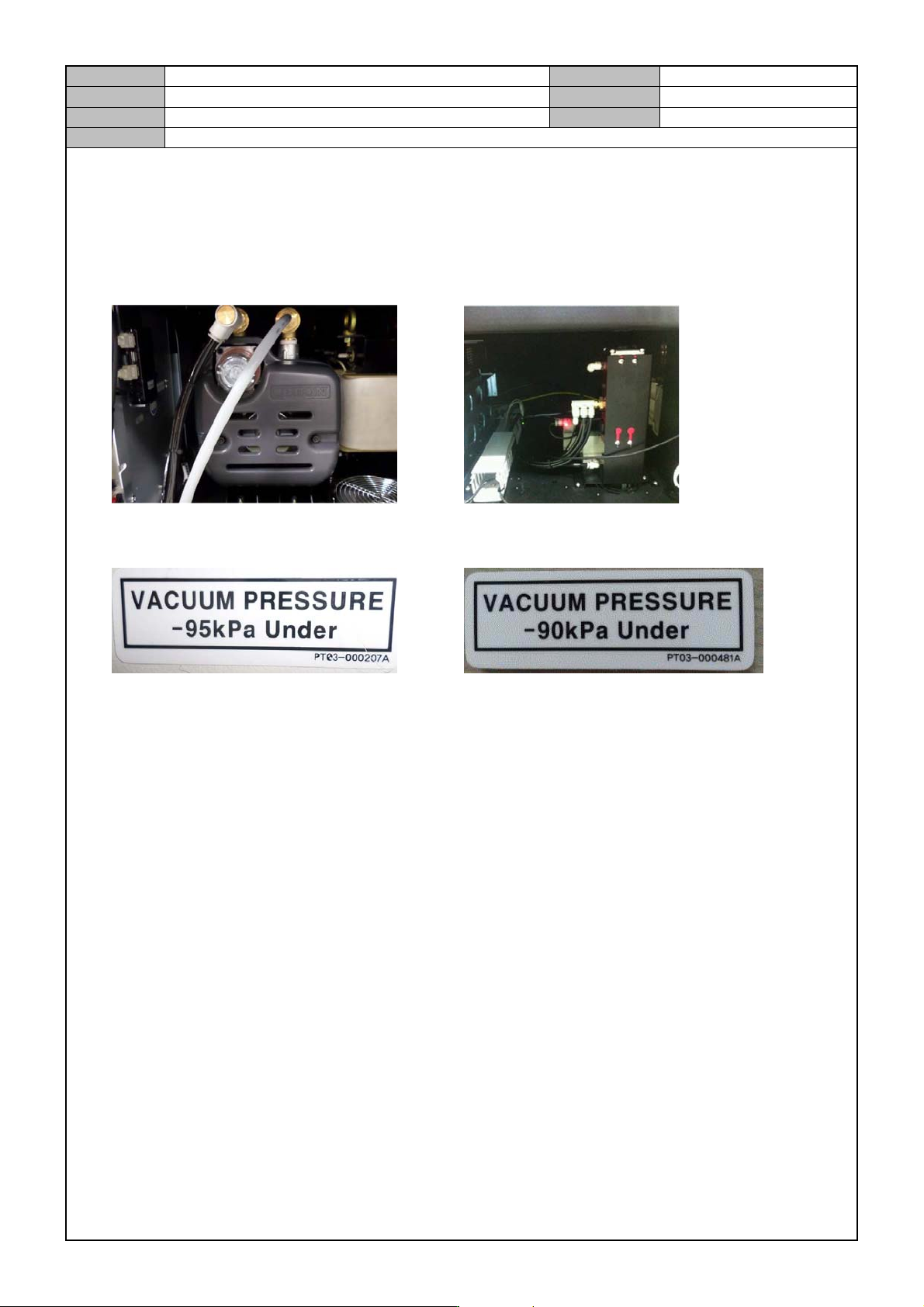
Separate the cover from the front bottom of the equipment and check the type of vacuum pump.
Pump Type Generator(Ejector) Type
See if the Vacuum Pressure sticker attached to the front is same as the Vacuum Pump Type.
Pump Type Generator(Ejector) Type
In the MMI, select <Diagnosis> → <F5(Vacuum)> and check the Vacuum Level / Blow level.
Inspection criteria
Vacuum Level "0" point check : Current Level value -9 ~ 9 mmHg or less.
When the Nozzle is not mounted, check the vacuum level for each head: For each head, 60 ~ 120 mmHg.
When the CN040 Nozzle is mounted, check the vacuum level: For each head, 480 mmHg or greater.
When the Nozzle is blocked, 600mmHg or greater.
When the CN040 Nozzle is mounted, check the amount of blow : -90 ~ -70 mmHg.
Repeat the Sol Valve Check 30 times and see if the Red Lamp is lit.
Model
DECAN Series
Company
SAMSUNG TECHWIN
Module
3.18 VACUUM DEVICE
Version
01
Title
MAIN AIR REGULATOR REPLACEMENT
Page
3-18-10
Note
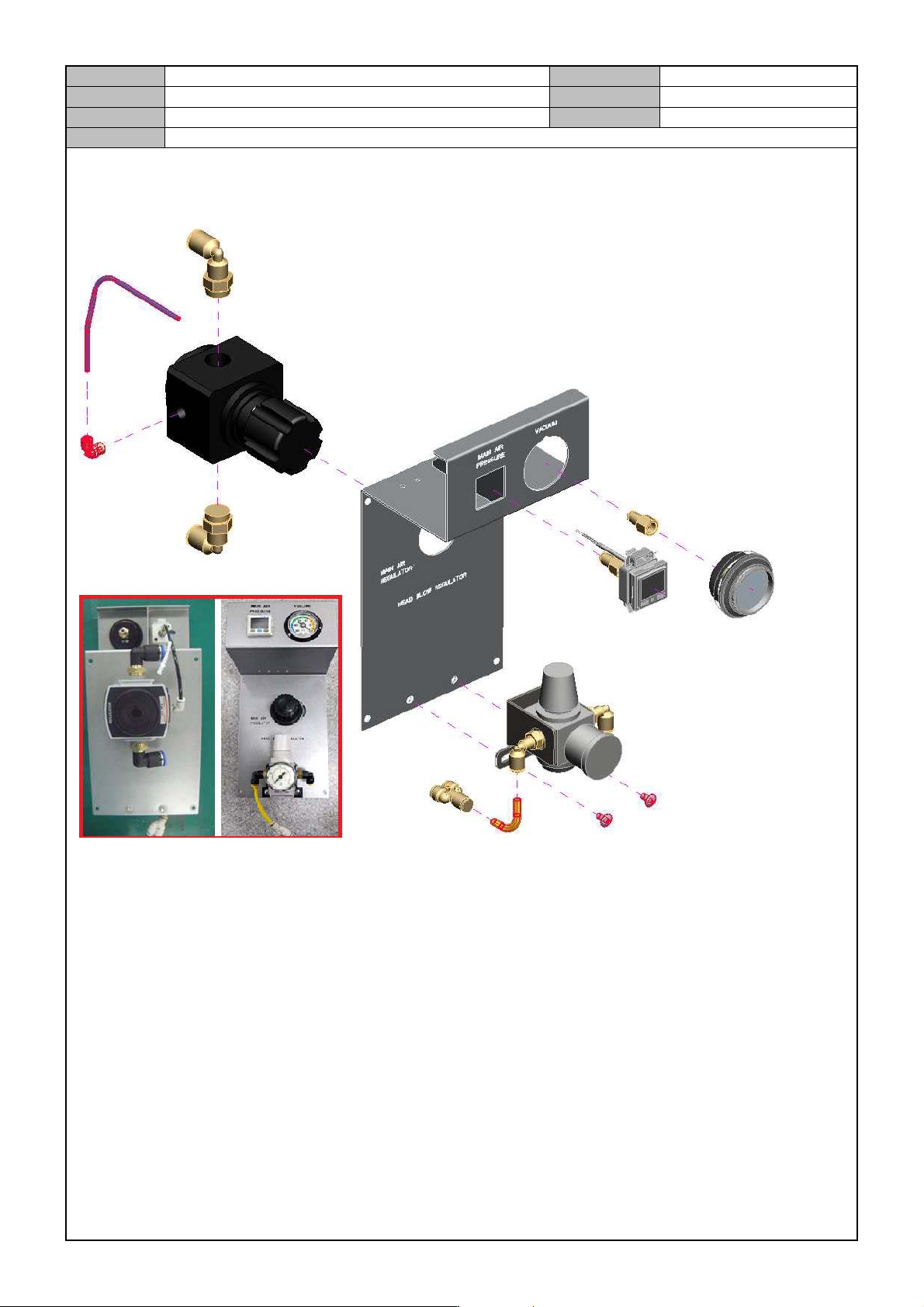
[MAIN AIR REGULATOR REPLACEMENT]
Model
DECAN Series
Company
SAMSUNG TECHWIN
Module
3.18 VACUUM DEVICE
Version
01
Title
MAIN AIR PRESSURE SETTING
Page
3-18-11
Note
[MAIN AIR PRESSURE SETTING]
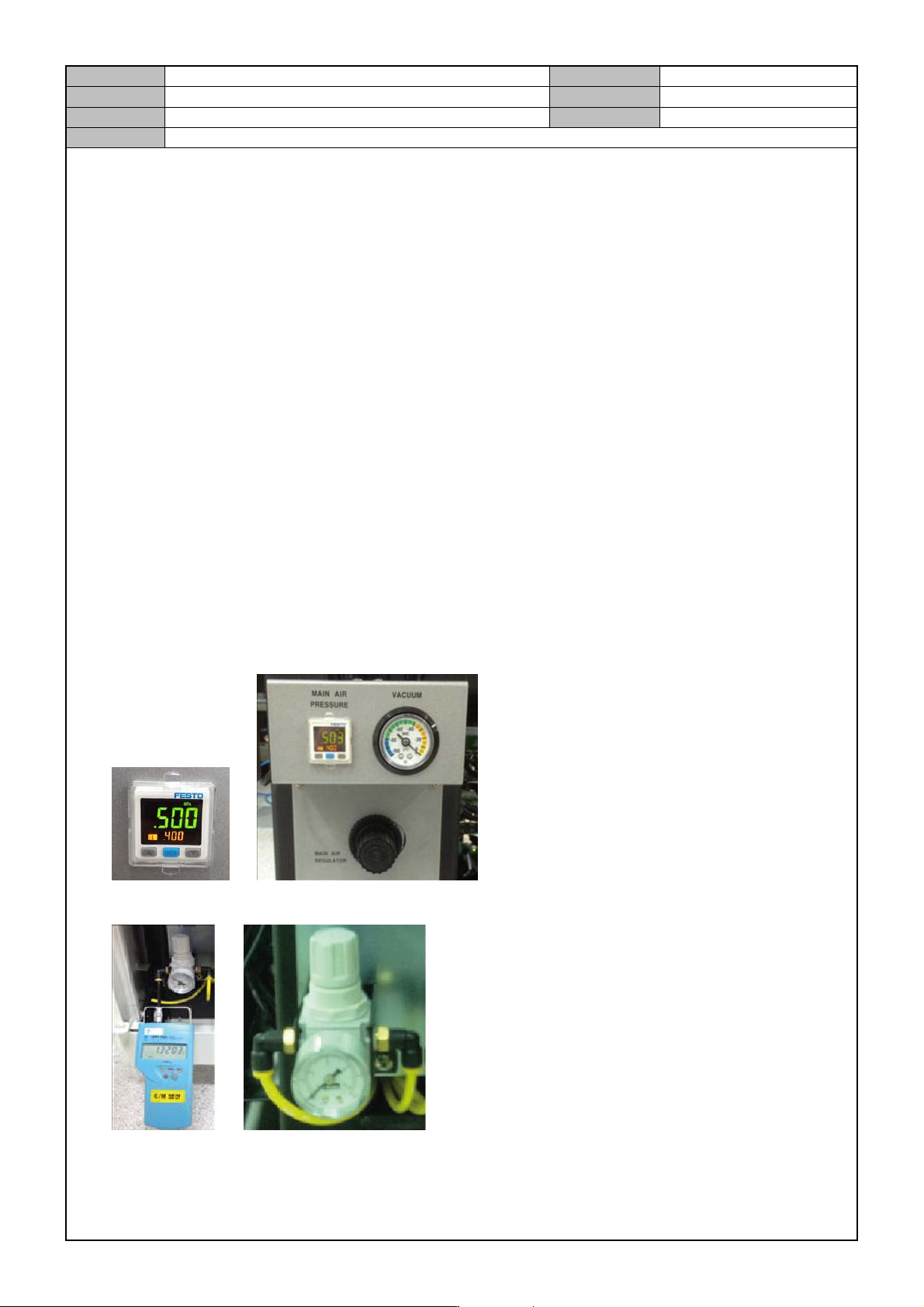
Zero point setting
When the air pressure is not applied, press ▼ and ▲ at the same time until the display window displays
<00>.
Initial setting mode
① In the initial operation condition, press the [SET] button for three seconds.
② In <ot1>, press [▼] and [▲] to set <HYS> and then press the [SET] button.
③ In <ot1>, press [▼] and [▲] to set <no> and then press the [SET] button.
④ In <ot2>, press [▼] and [▲] to set <oFF> and then press the [SET] button.
⑤ In <rES>, press [▼] and [▲] to set <2.5> and then press the [SET] button.
⑥ In <cOL>, press [▼] and [▲] to set <SoG> and then press the [SET] button.
⑦ In <uni>, press [▼] and [▲] to set <Mpa> and then press the [SET] button.
Pressure setting mode
① Press the [SET] button once to see <L1> on the sub window. Then, press the [▼] and [▲] buttons to
set it to 0.4.
② When the sub window displays <H1>, press the [▼] and [▲] buttons to set it to 0.5.
Set the Main Air Pressure Digital Gauge to below 0.5 Mpa and set the Vacuum Gauge to below-95kPa.
Connect an air pressure tester to the Regulator and set it to 0.9 ~ 1.1 BAR.