EN 3.pdf - 第330页
Model DECAN Series Company SAMSUNG TECHWIN Module 3.19 ELECTRIC DEVICE V ersion 01 Tit le REAR POWER P ANEL SUB ASSE MBL Y Page 3-19-4 Note [REAR POWER P ANEL SUB ASSEMBL Y] 1. Lift up the Panel Mounter to the top and as…
Model
DECAN Series
Company
SAMSUNG TECHWIN
Module
3.19 ELECTRIC DEVICE
Version
01
Title
FRONT POWER PANEL SUB ASSEMBLY
Page
3-19-3
Note
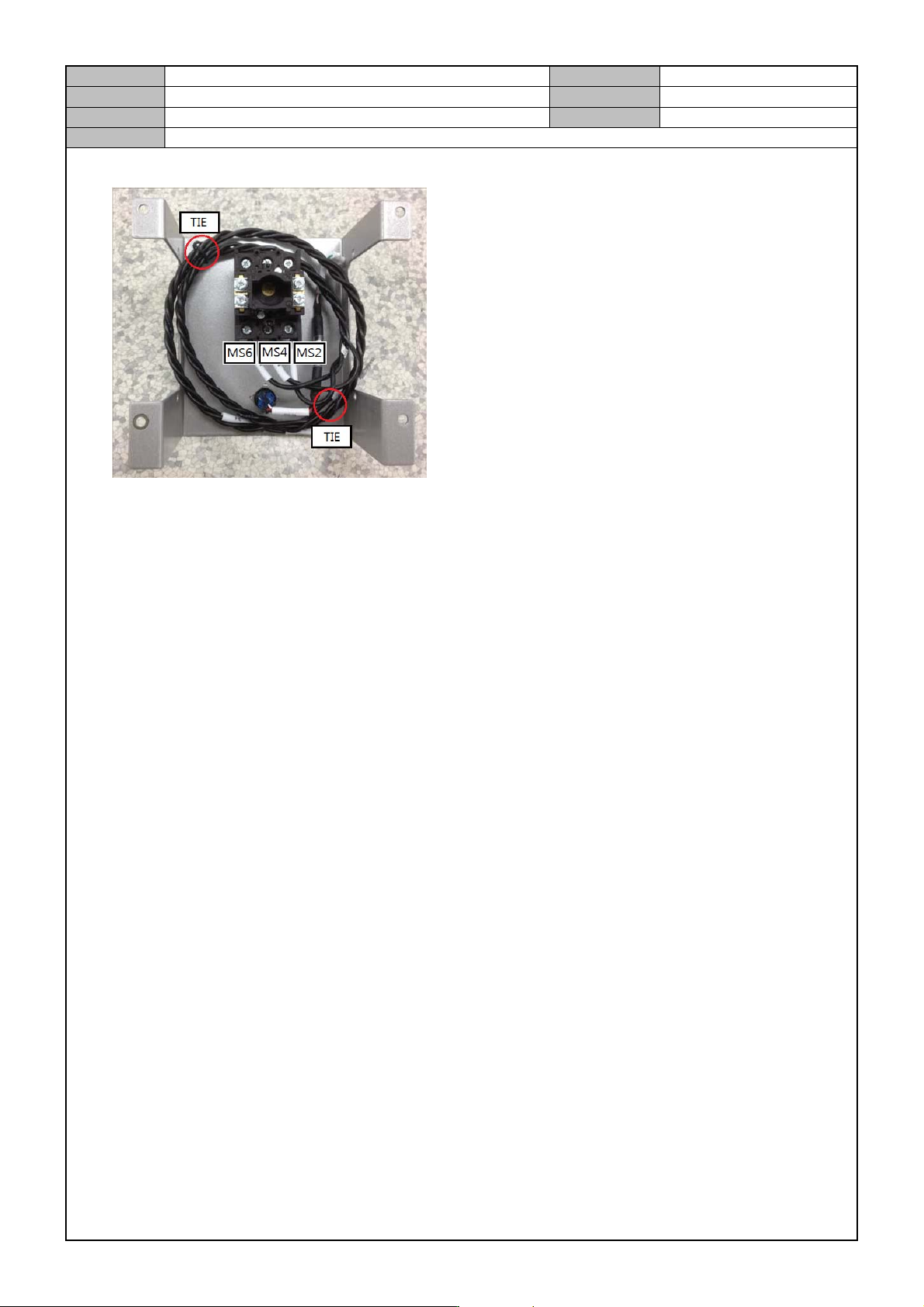
6. Using an assembly tool, connect the Cable to the Load Switch and fix the Cable with a Tie.
7. After assembly, check operational condition.
Model
DECAN Series
Company
SAMSUNG TECHWIN
Module
3.19 ELECTRIC DEVICE
Version
01
Title
REAR POWER PANEL SUB ASSE MBLY
Page
3-19-4
Note
[REAR POWER PANEL SUB ASSEMBLY]
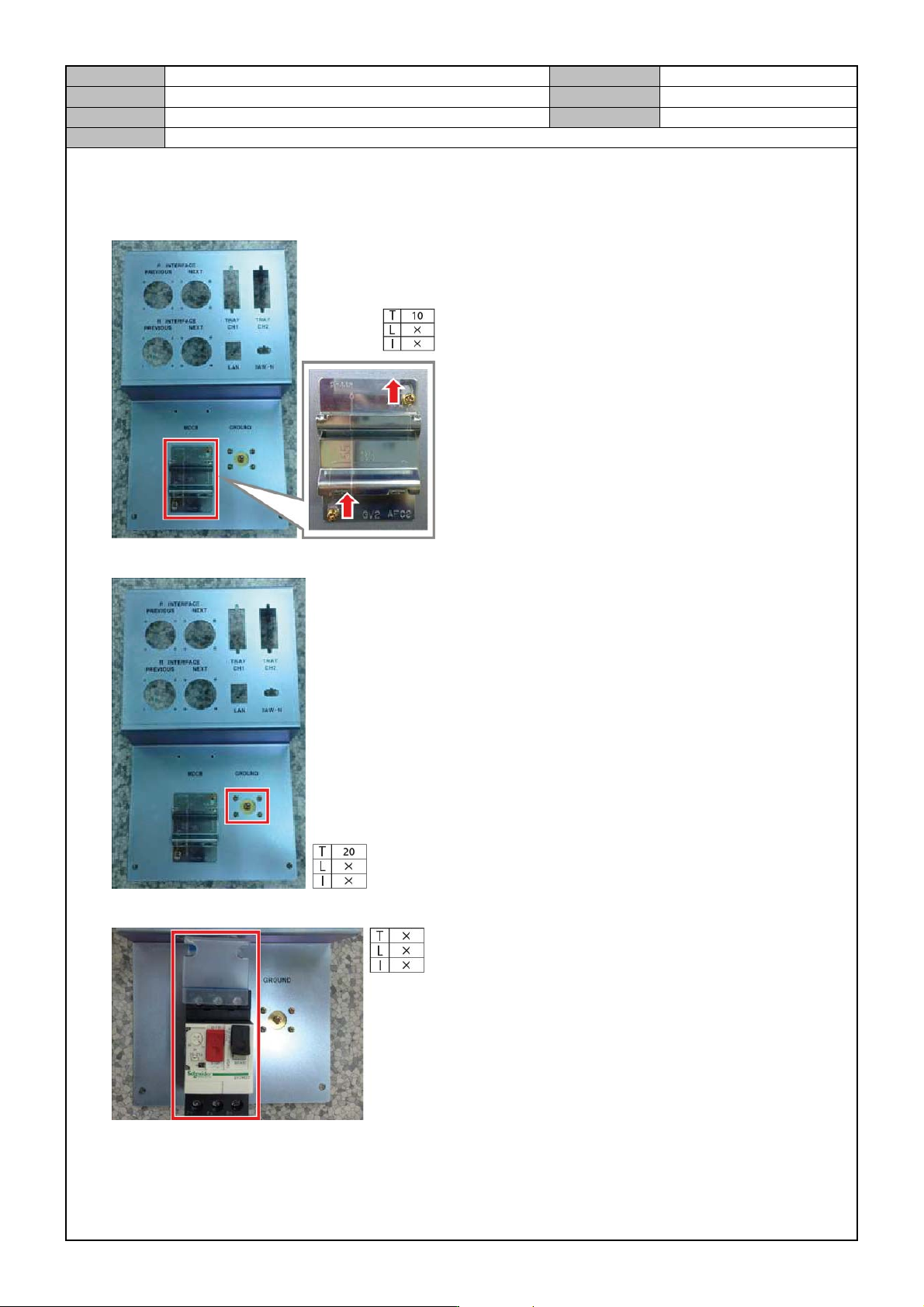
1. Lift up the Panel Mounter to the top and assemble it.
2. Assemble the Ground Terminal.
3. Assemble the Main Circuit Breaker into the Panel Mounter.
Model
DECAN Series
Company
SAMSUNG TECHWIN
Module
3.19 ELECTRIC DEVICE
Version
01
Title
REAR POWER PANEL SUB ASSE MBLY
Page
3-19-5
Note
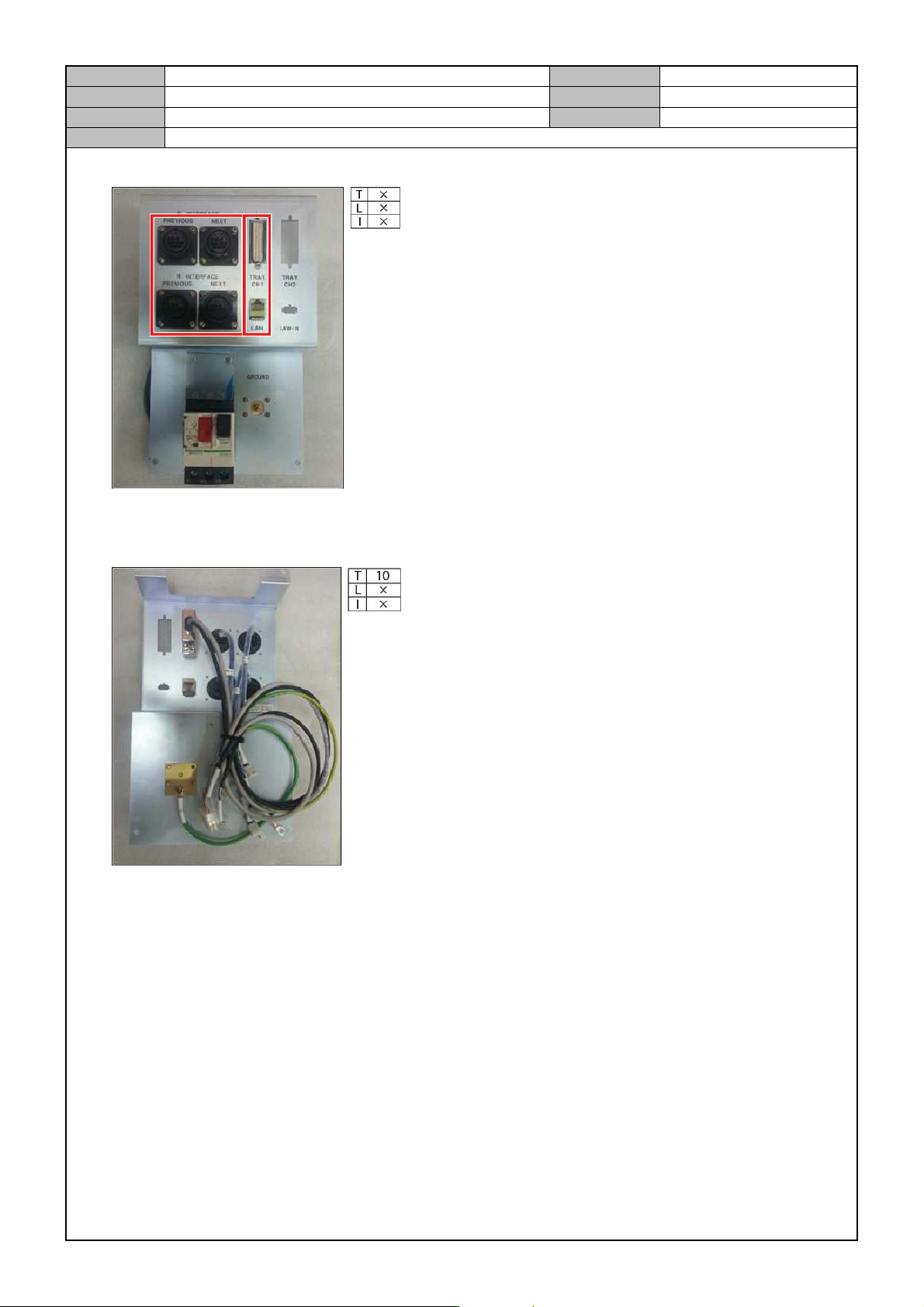
4. Assemble the Inline Cable and the Connector.
5. Connect the Ground Cable to the Ground Terminal.
6. Fix each cable with a tie.