EN 3.pdf - 第354页
Model DECAN Series Company SAMSUNG TECHWIN Module 3.19 ELECTRIC DEVICE V ersion 01 Tit le OTHER ACCESSORIES ASSEMB L Y Page 3-19-28 Note [OTHER ACCESSORIES ASSEMBL Y] To w e r L a m p LCD monitor Slightly bend the …
Model
DECAN Series
Company
SAMSUNG TECHWIN
Module
3.19 ELECTRIC DEVICE
Version
01
Title
SMEMA CHECK
Page
3-19-27
Note
[SMEMA CHECK]
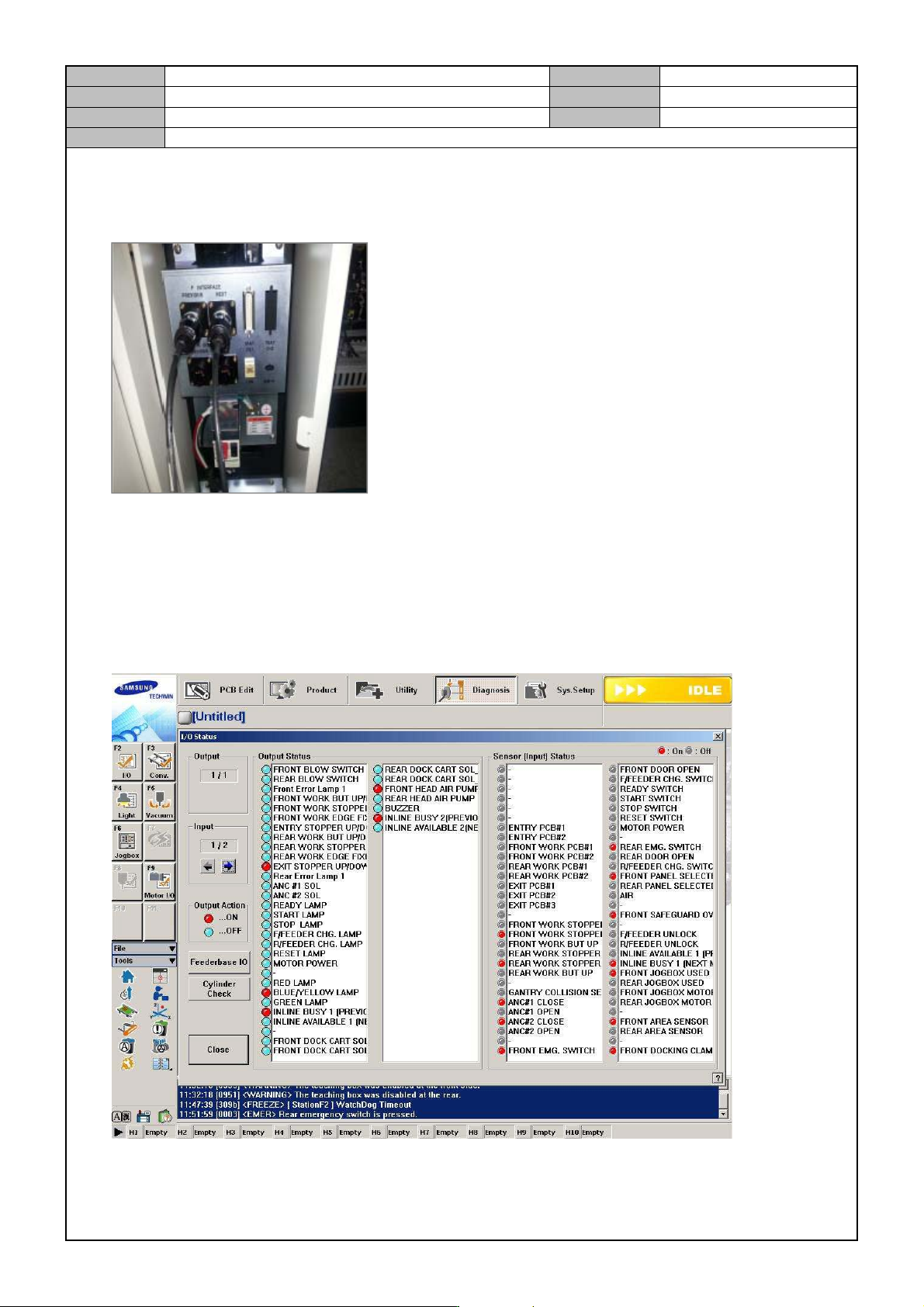
1. Connect the SMEMA tool to the equipment.
2. In the MMI menu, go to <Diagnosis>→<F2(I/O)> and select <Inline Busy[Previous]> and see if the T/Box
<Busy LED> is lit.
3. When you select <Inline Available[Next]>, check if T/Box <Available LED> is lit.
4. When you touch Teach Box's <Pre> with your hands, see if <F2(I/O)> <Inline Available [Previous]> is lit.
5. When you touch Teach Box's <Next> with your hands, see if <F2(I/O)> <Inline Busy [Next]> is lit.
Model
DECAN Series
Company
SAMSUNG TECHWIN
Module
3.19 ELECTRIC DEVICE
Version
01
Title
OTHER ACCESSORIES ASSEMBL Y
Page
3-19-28
Note
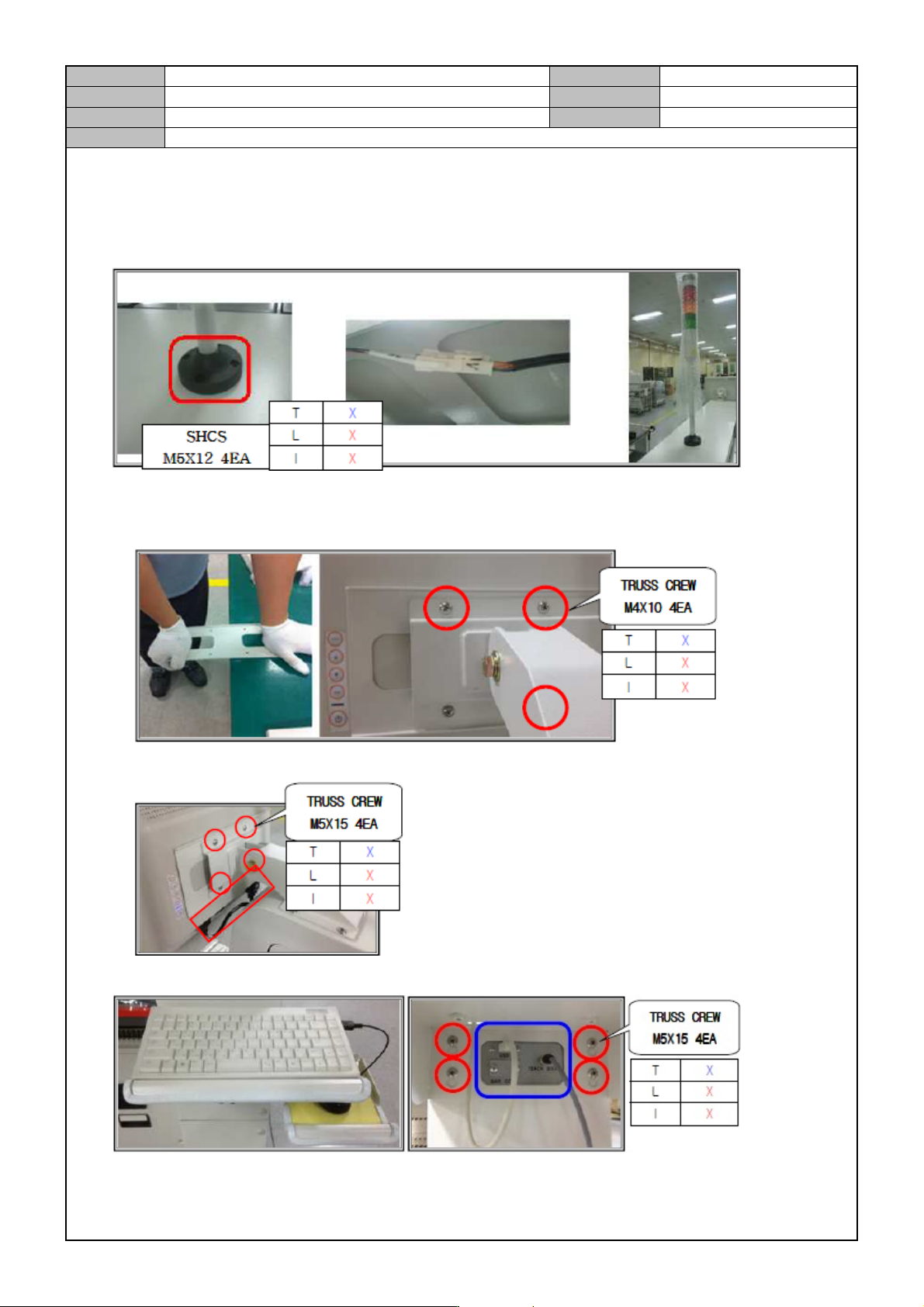
[OTHER ACCESSORIES ASSEMBLY]
Tower Lamp
LCD monitor
Slightly bend the middle part of the monitor bracket and attach it with the bracket arm to the monitor.
After attaching the monitor to the equipment, connect the signal and power cables.
Keyboard and mouse
Model
DECAN Series
Company
SAMSUNG TECHWIN
Module
3.19 ELECTRIC DEVICE
Version
01
Title
MOTOR DRIVER CABLE RECONNECTION
Page
3-19-29
Note
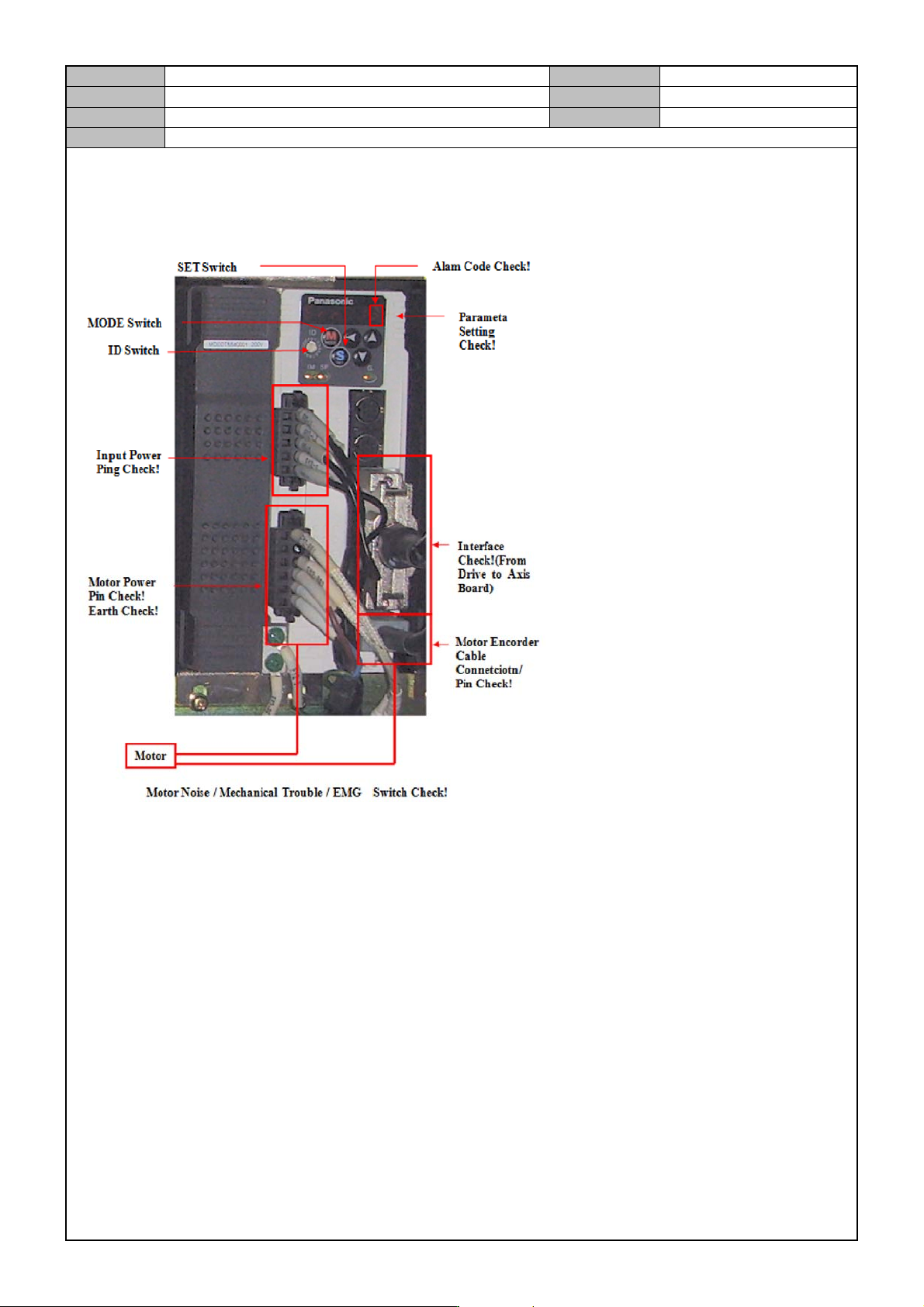
[MOTOR DRIVER CABLE RECONNECTION]
Reconnect the cable while referring to the diagram below.