EN 3.pdf - 第37页
Model DECAN Series Company SAMSUNG TECHWIN Module 3.2 BOARD V ersion 01 Tit le VISION IF BOARD REPLACEMENT Page 3-2-24 Note [VISION IF BOARD REPLACEMENT] V ision IF Board sends the signals of video recorded by the Fiduci…
Model
DECAN Series
Company
SAMSUNG TECHWIN
Module
3.2 BOARD
Version
01
Title
AXIS SENSOR BOARD REPLACEMENT
Page
3-2-23
Note
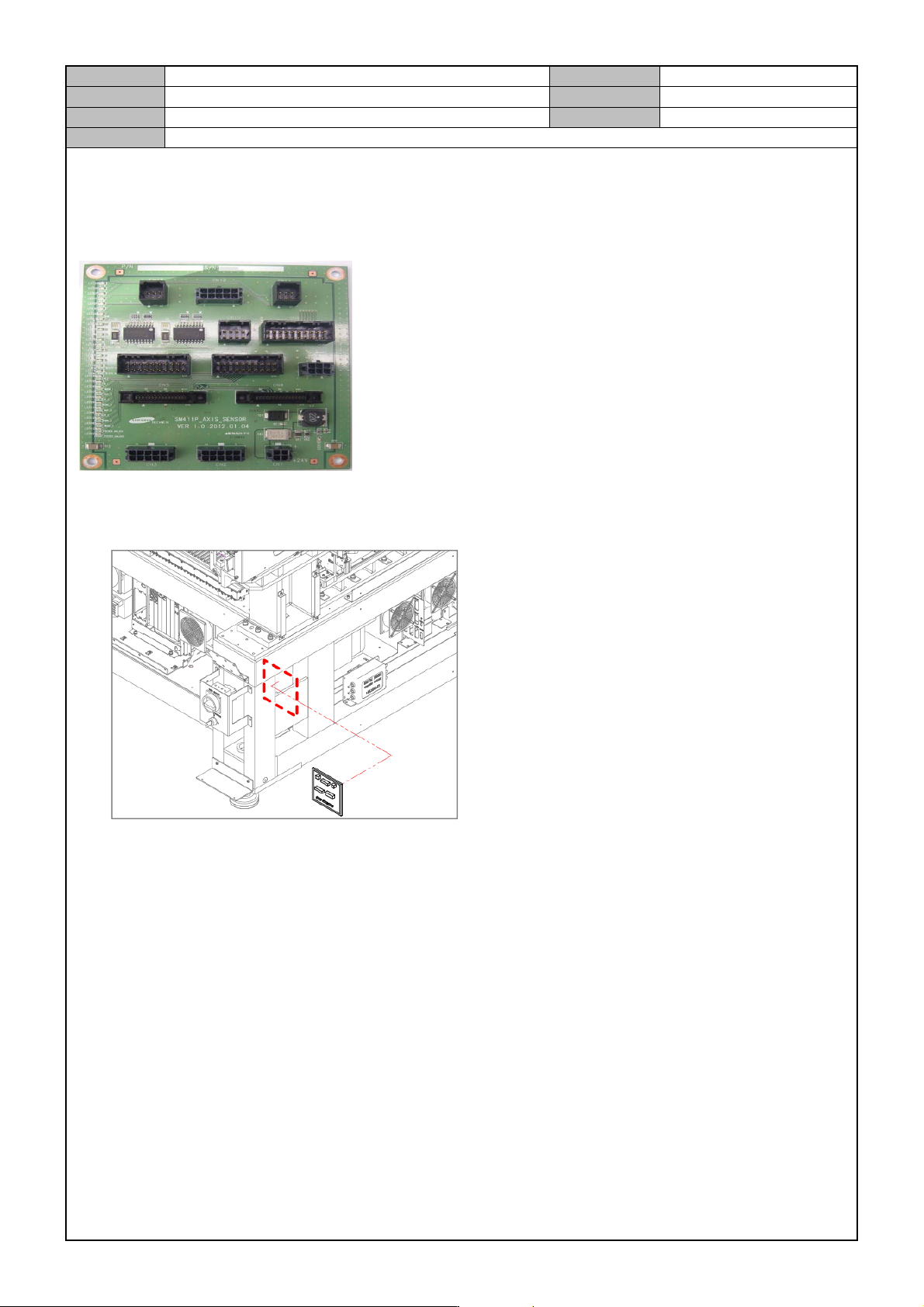
[AXIS SENSOR BOARD REPLACEMENT]
Axis Sensor Board controls the X/Y Limit Sensor, the Home Sensor, and the PCB Detection Sensor and sends
their detection signals to the Axis IO #1 Board.
1. Separate the cable connected to the board.
2. Remove the fixing bolts for the board and replace it with a new board.
3. Operate the equipment after connecting the cable and see if the LED1 is lit.(normal operation)
Model
DECAN Series
Company
SAMSUNG TECHWIN
Module
3.2 BOARD
Version
01
Title
VISION IF BOARD REPLACEMENT
Page
3-2-24
Note
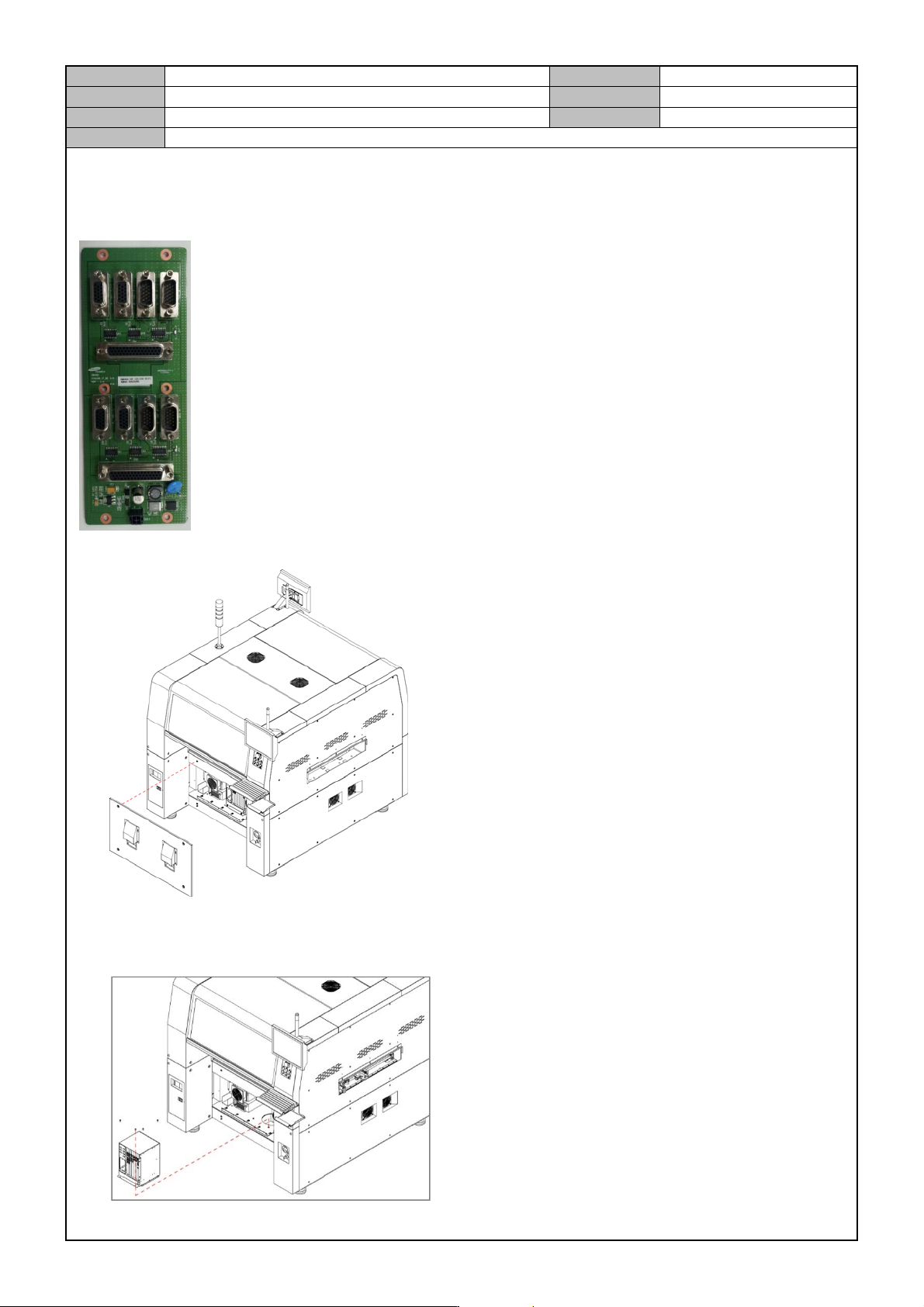
[VISION IF BOARD REPLACEMENT]
Vision IF Board sends the signals of video recorded by the Fiducial, Fly, Fix Camera to the Vision Board.
1. Separate the front cover from the equipment.
2. Separate the cable connected to the board.
3. Release the fixing bolts for the PC Rack and separate the PC Rack.
Model
DECAN Series
Company
SAMSUNG TECHWIN
Module
3.2 BOARD
Version
01
Title
VISION IF BOARD REPLACEMENT
Page
3-2-25
Note
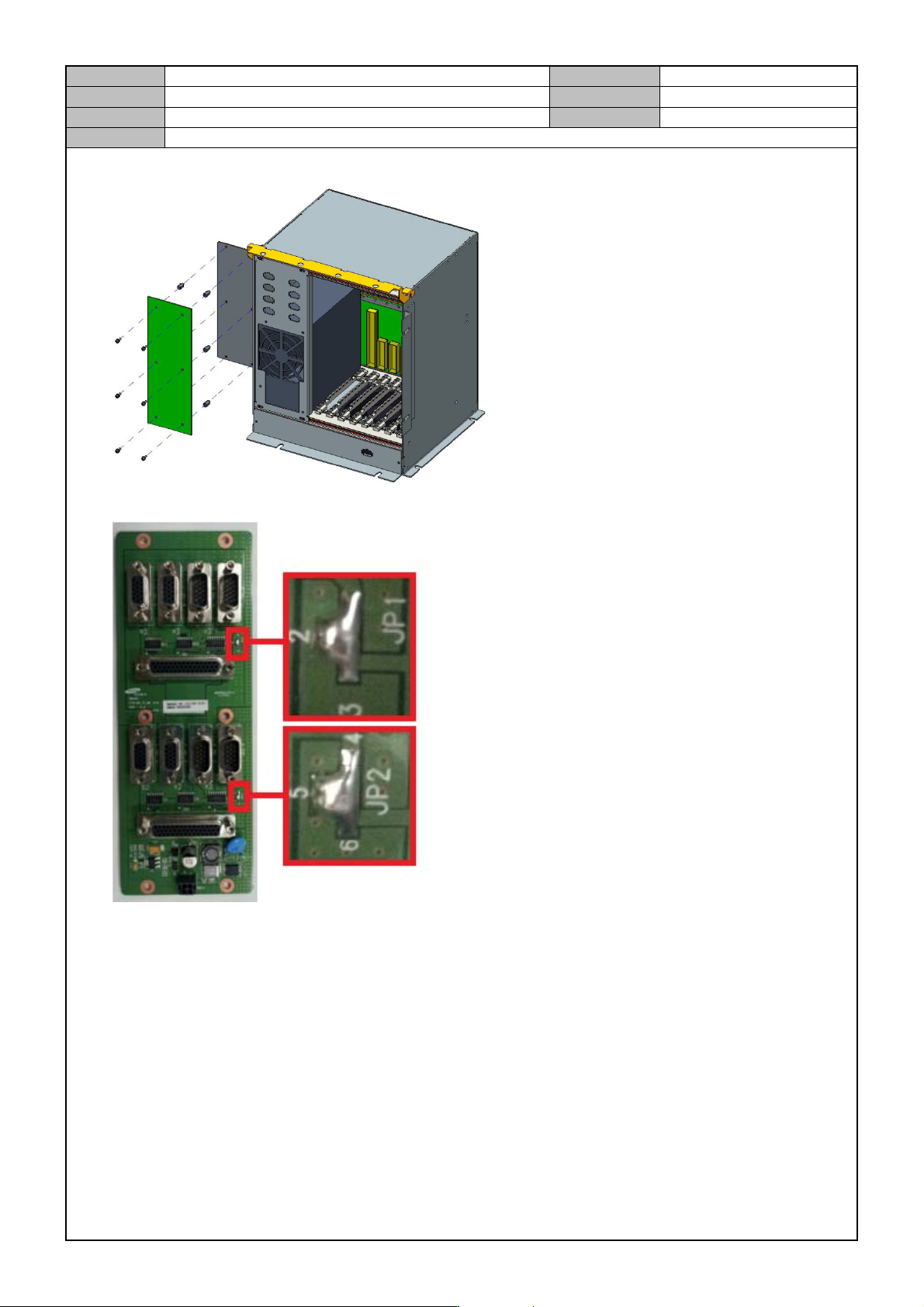
4. Release the fixing bolts for the Vision IF Board and separate the board and replace it with a new board.
5. Before assembling the Board, make a short circuit on JP1,JP2.
6. Operate the equipment after connecting the cable and see if the LED is lit.(normal operation)
LED On : LED1, LED2, LED3