EN 3.pdf - 第41页
Model DECAN Series Company SAMSUNG TECHWIN Module 3.2 BOARD V ersion 01 Tit le FEEDER BASE BOARD REPLACEME NT Page 3-2-28 Note [FEEDER BASE BOARD REPLACEMENT] Feeder Base Board supplies power to the Feeder and cont rols …
Model
DECAN Series
Company
SAMSUNG TECHWIN
Module
3.2 BOARD
Version
01
Title
PC RACK's BOARD REPLACEMENT
Page
3-2-27
Note
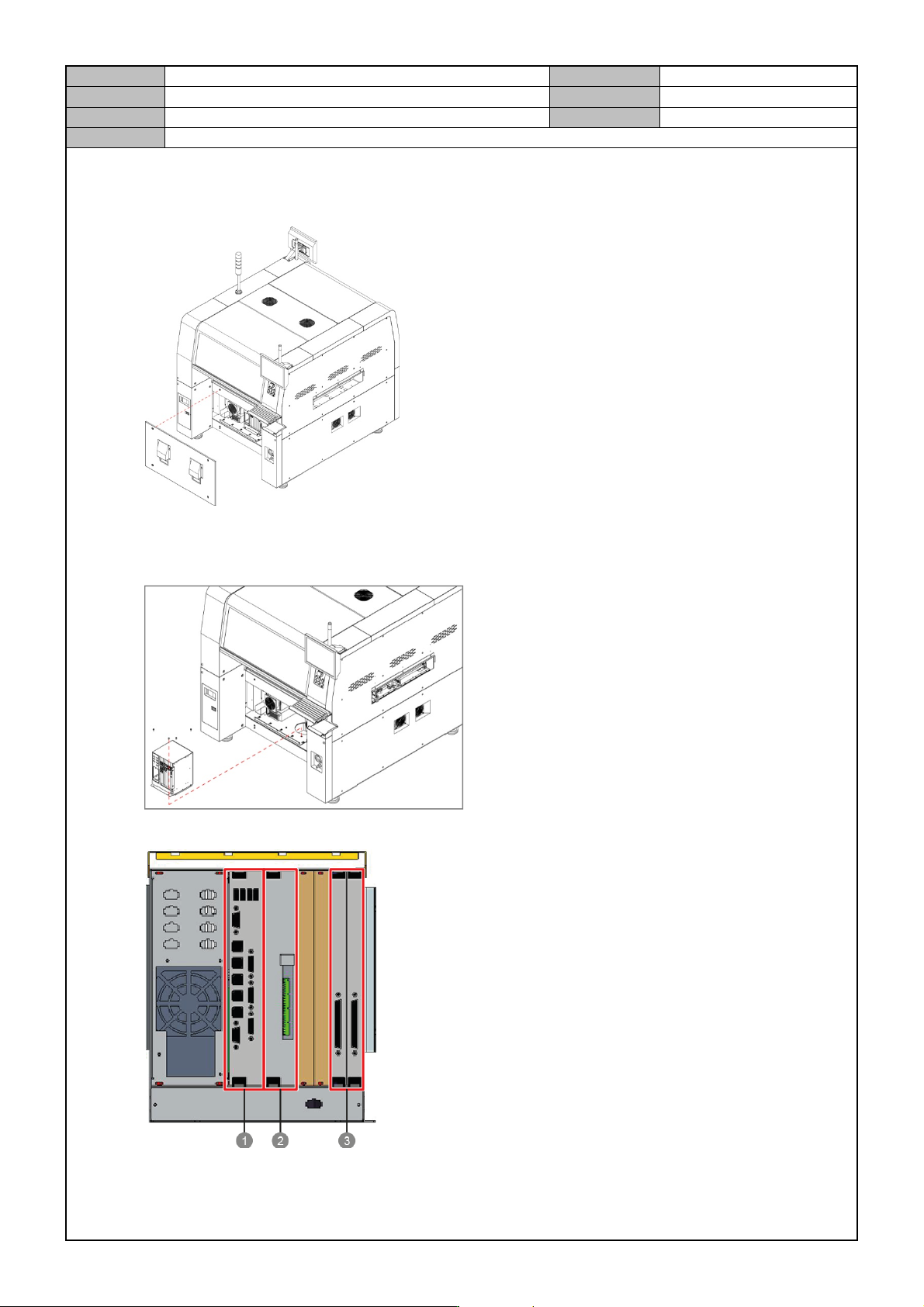
PC Rack's Board Replacement
1. Separate the front cover from the equipment.
2. Separate the cable connected to the board.
3. Release the fixing bolts for the PC Rack and separate the PC Rack.
4. Release the fixing bolts for the PC Rack and separate the PC Rack.
① SBC BOARD
② IT MASTER BOARD
③ NT-A8 BOARD
Model
DECAN Series
Company
SAMSUNG TECHWIN
Module
3.2 BOARD
Version
01
Title
FEEDER BASE BOARD REPLACEME NT
Page
3-2-28
Note
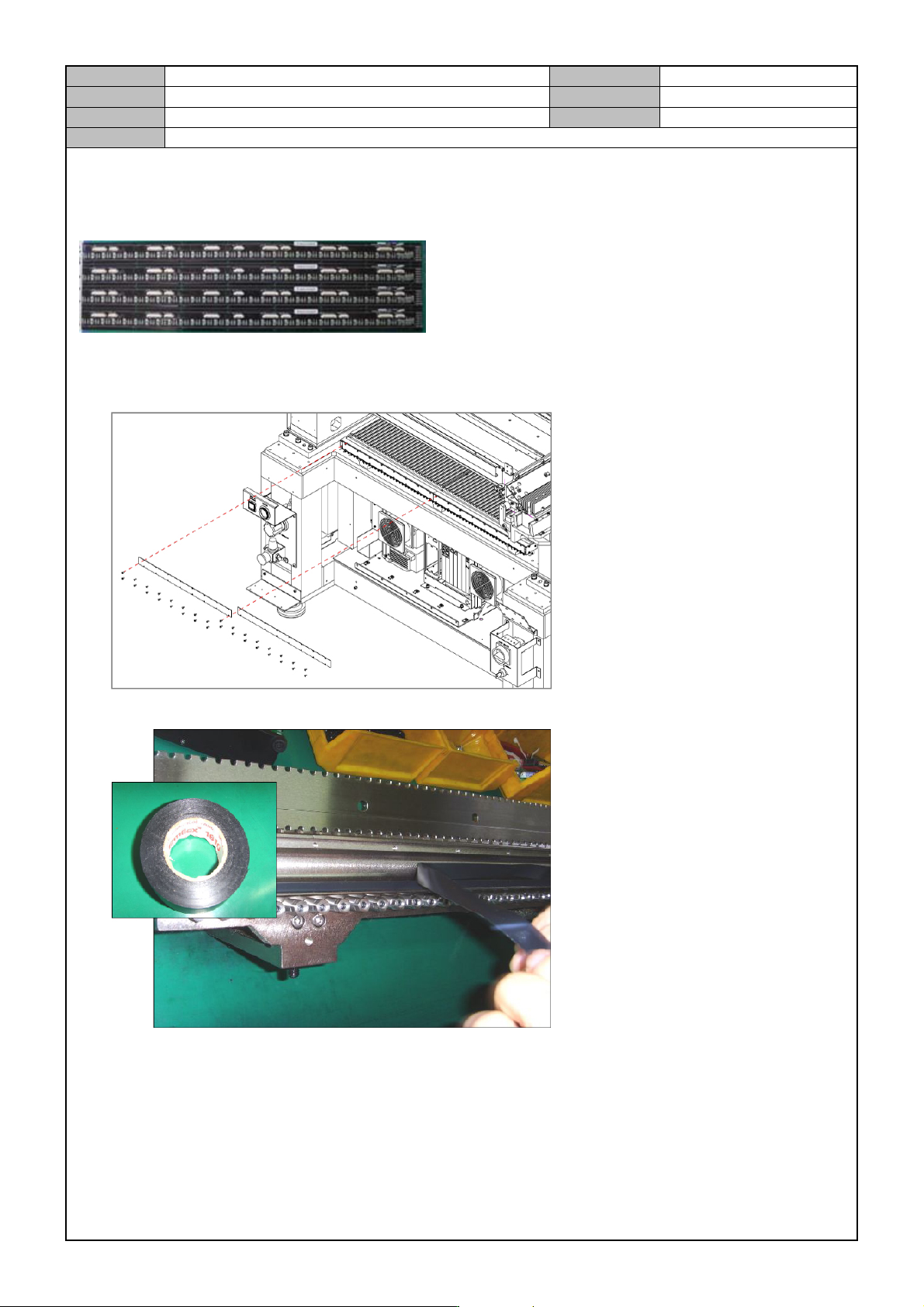
[FEEDER BASE BOARD REPLACEMENT]
Feeder Base Board supplies power to the Feeder and controls mounting/dismounting and feeding of the Feeder.
1. Separate the cable connected to the board.
2. Remove the fixing bolts for the board and replace it with a new board.
3. When assembling the board, attach an electric tape to the joint of the Feeder Base Body.
Model
DECAN Series
Company
SAMSUNG TECHWIN
Module
3.2 BOARD
Version
01
Title
FLY CAMERA IO BOARD REPLACEMENT
Page
3-2-29
Note
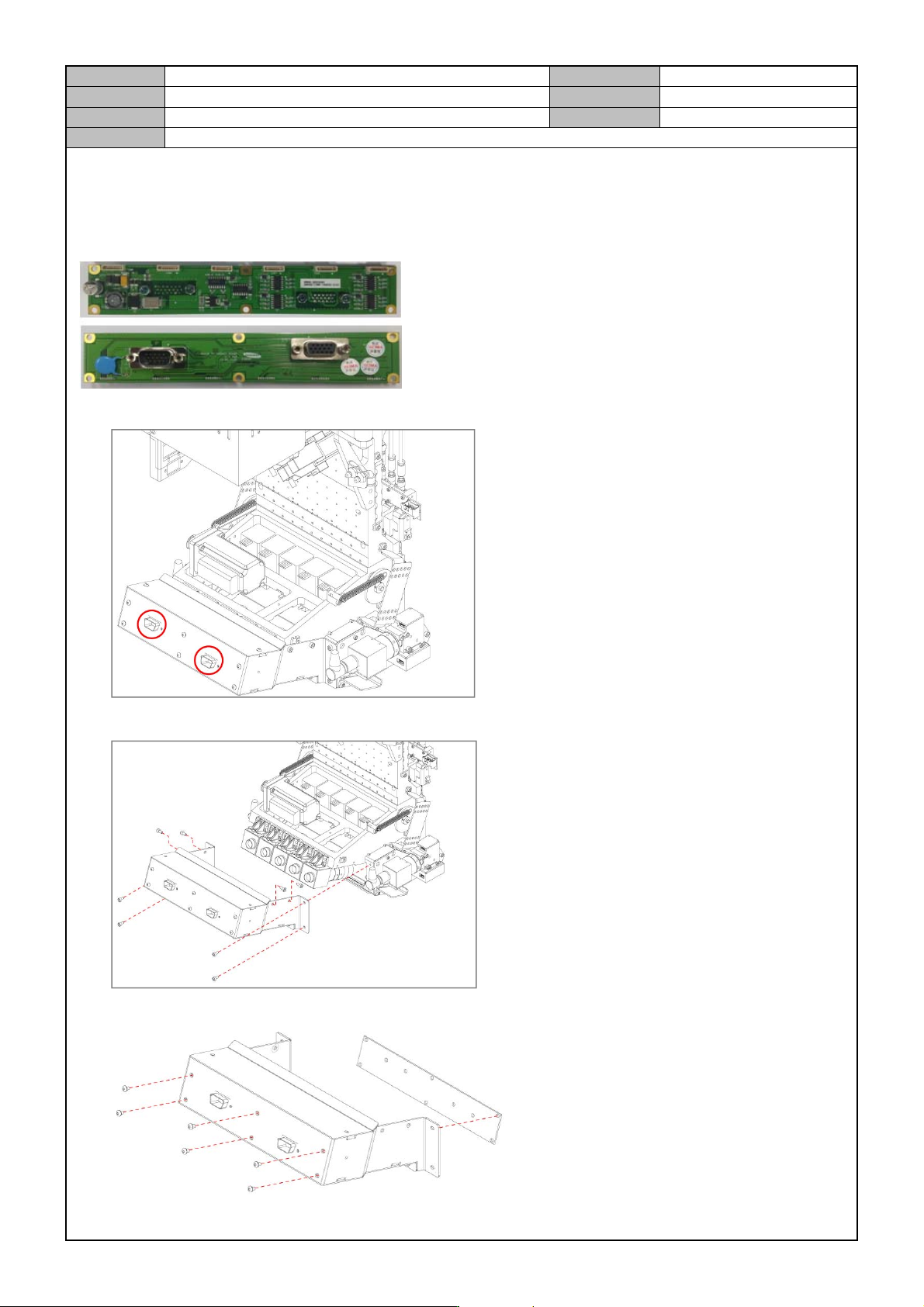
[FLY CAMERA IO BOARD REPLACEMENT]
Fly Camera IO Board supplies power to the Fly Camera and sends video recorded by the Fly Camera to the
Vision Board.
1. Separate the cable connected to the board.
2. Separate the Flying IO Board Assy by releasing the fixing bolts.
3. Remove the fixing bolts for the board and replace it with a new board.