EN 3.pdf - 第55页
Model DECAN Series Company SAMSUNG TECHWIN Module 3.4 CAMERA V ersion 01 Tit le CAMERA LI GHTING CHECK Page 3-4-4 Note Fix Camera - Select Fly Cam 1 and adjust the Light V alue to see if the Side, Outer , and Inner LED…
Model
DECAN Series
Company
SAMSUNG TECHWIN
Module
3.4 CAMERA
Version
01
Title
CAMERA LIGHTING CHECK
Page
3-4-3
Note
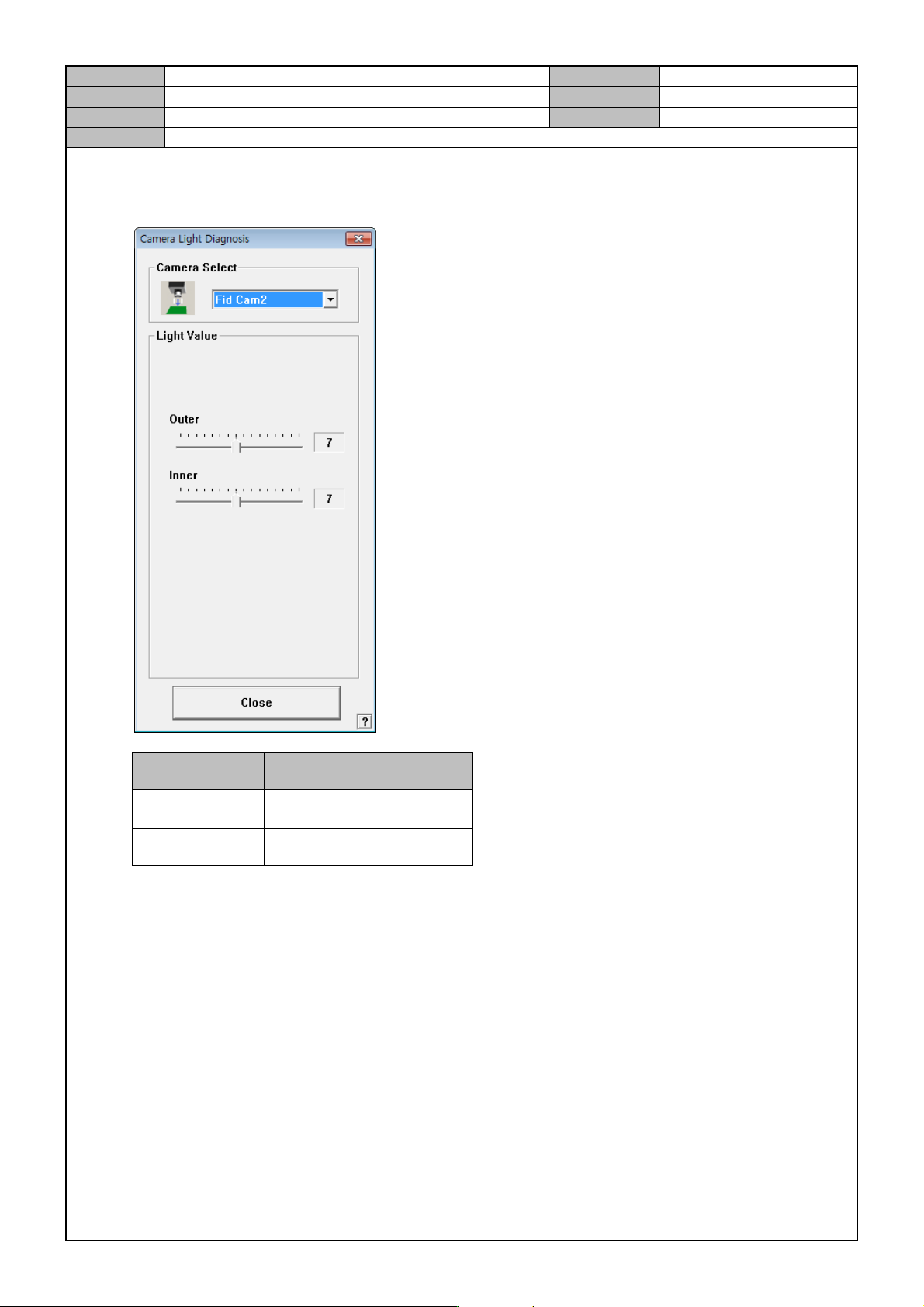
Fiducial Camera
- Select Fid Cam 2 and adjust the Light Value to check if the LED is on.
Light Light Value
Outer
Number one is turned on
first.
Inner 1 ~ 6 on.
* Fiducial camera's inner lighting is a sub lighting. So, any level from 1 to 6 on is ok.
- Check if the Fid Cam4 LED is on.
- Proceed in the same way on Fid Cam1, 3 if the option is used.
Model
DECAN Series
Company
SAMSUNG TECHWIN
Module
3.4 CAMERA
Version
01
Title
CAMERA LIGHTING CHECK
Page
3-4-4
Note
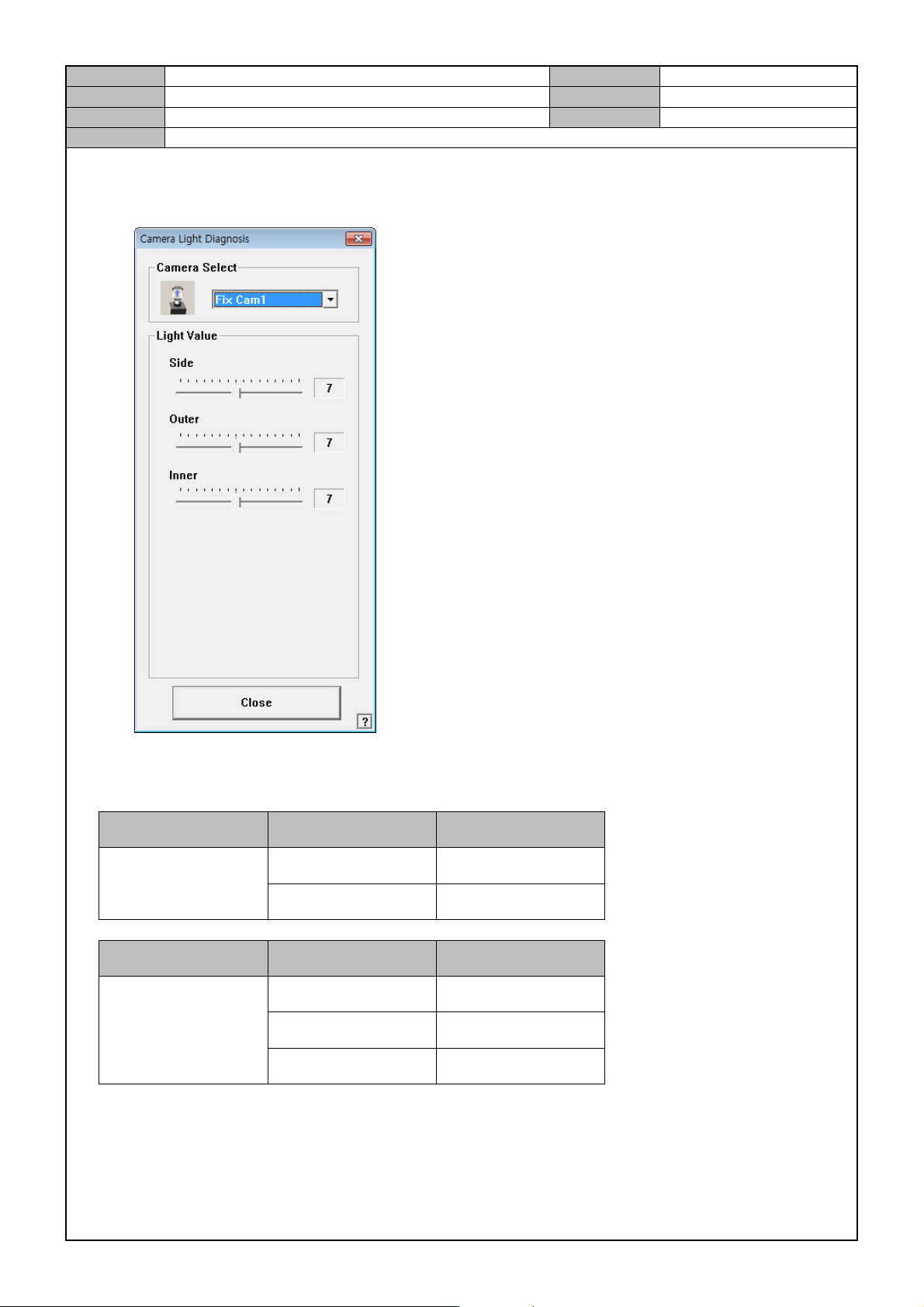
Fix Camera
- Select Fly Cam 1 and adjust the Light Value to see if the Side, Outer, and Inner LED starts turning on.
In the MMI's "Sys.Setup > Camera" set the basic Light Value.
Camera Light Default Value
Fiducial
Outer 7
Inner 7
Camera Light Default Value
Fly
Side 7
Outer 7
Coaxial 7
Model
DECAN Series
Company
SAMSUNG TECHWIN
Module
3.4 CAMERA
Version
01
Title
FIDUCIAL CAMERA OPTION SETTING
Page
3-4-5
Note
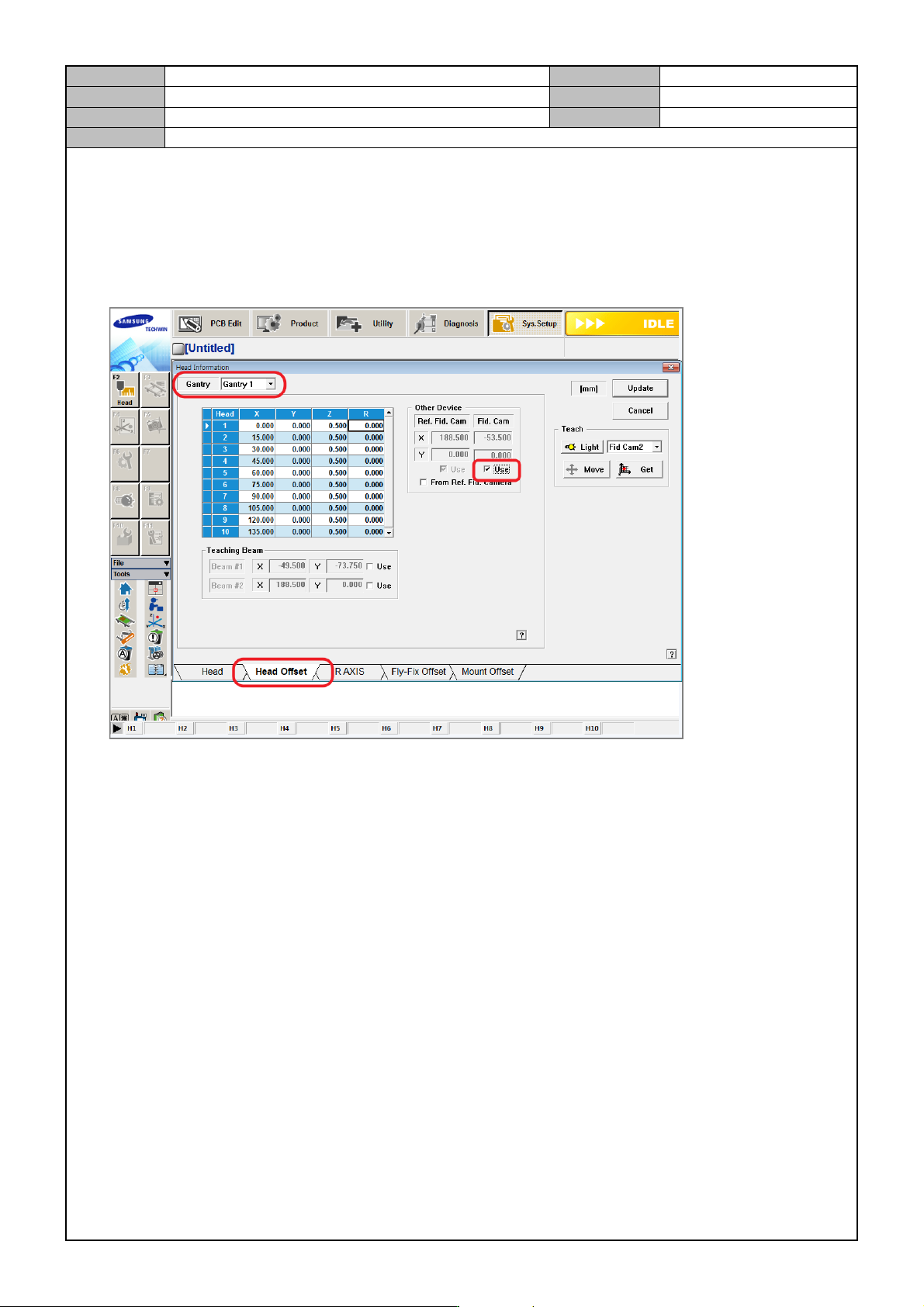
[FIDUCIAL CAMERA OPTION SETTING]
If the equipment uses two Fiducial Cameras, then go to the MMI and enable two cameras.
System Setup > Fly Camera
- If the same option is used, select Gantry 2 in <Gantry 2> and then select Fid Cam Use.