EN 3.pdf - 第58页
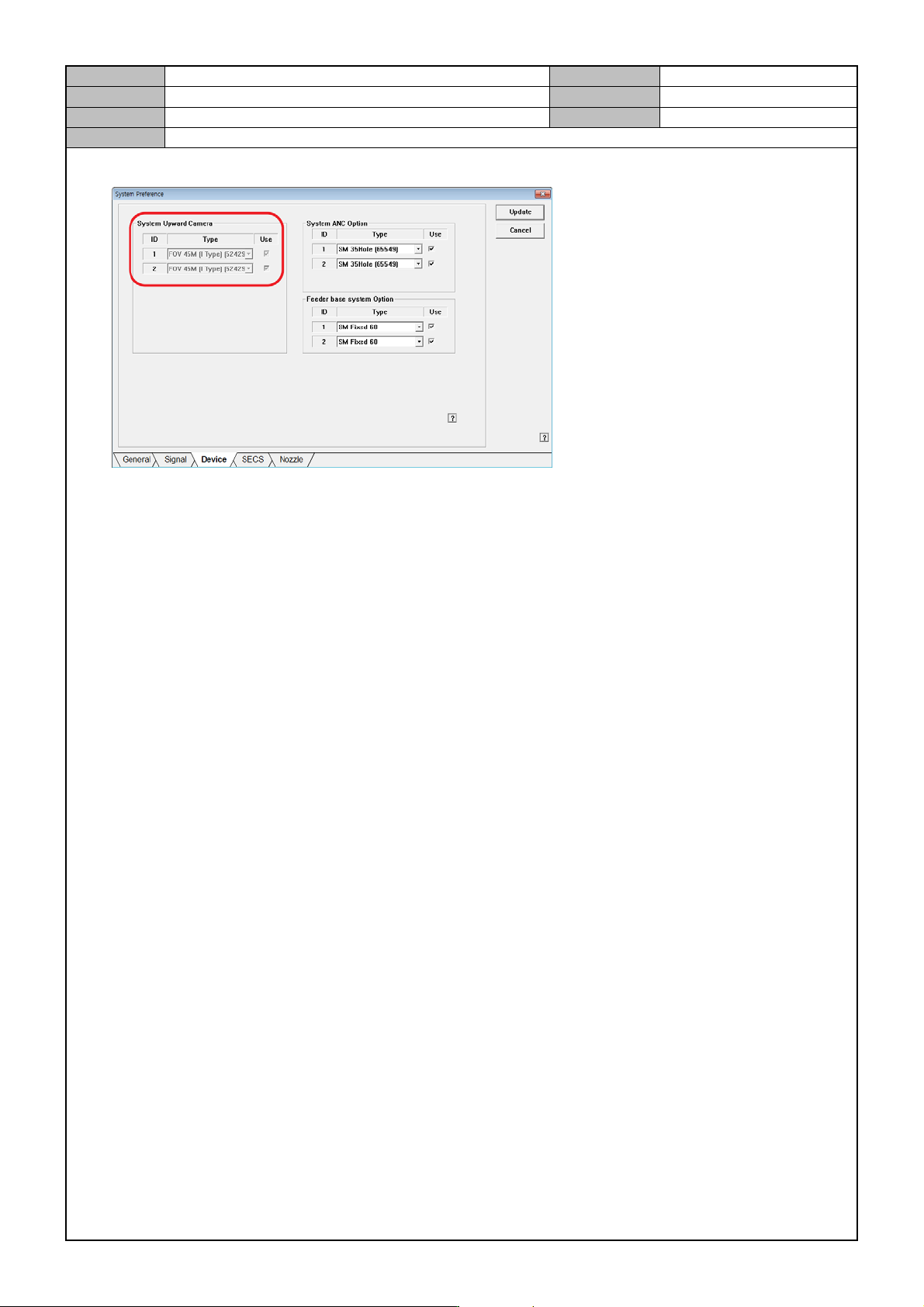
Model DECAN Series Company SAMSUNG TECHWIN Module 3.4 CAMERA V ersion 01 Tit le ST AGE CAMERA ENABLE Page 3-4-7 Note 3. In the <System Preference> menu, go the Device se lection tab and set the Stage Camera option.
Model
DECAN Series
Company
SAMSUNG TECHWIN
Module
3.4 CAMERA
Version
01
Title
STAGE CAMERA ENABLE
Page
3-4-6
Note
[STAGE CAMERA ENABLE]
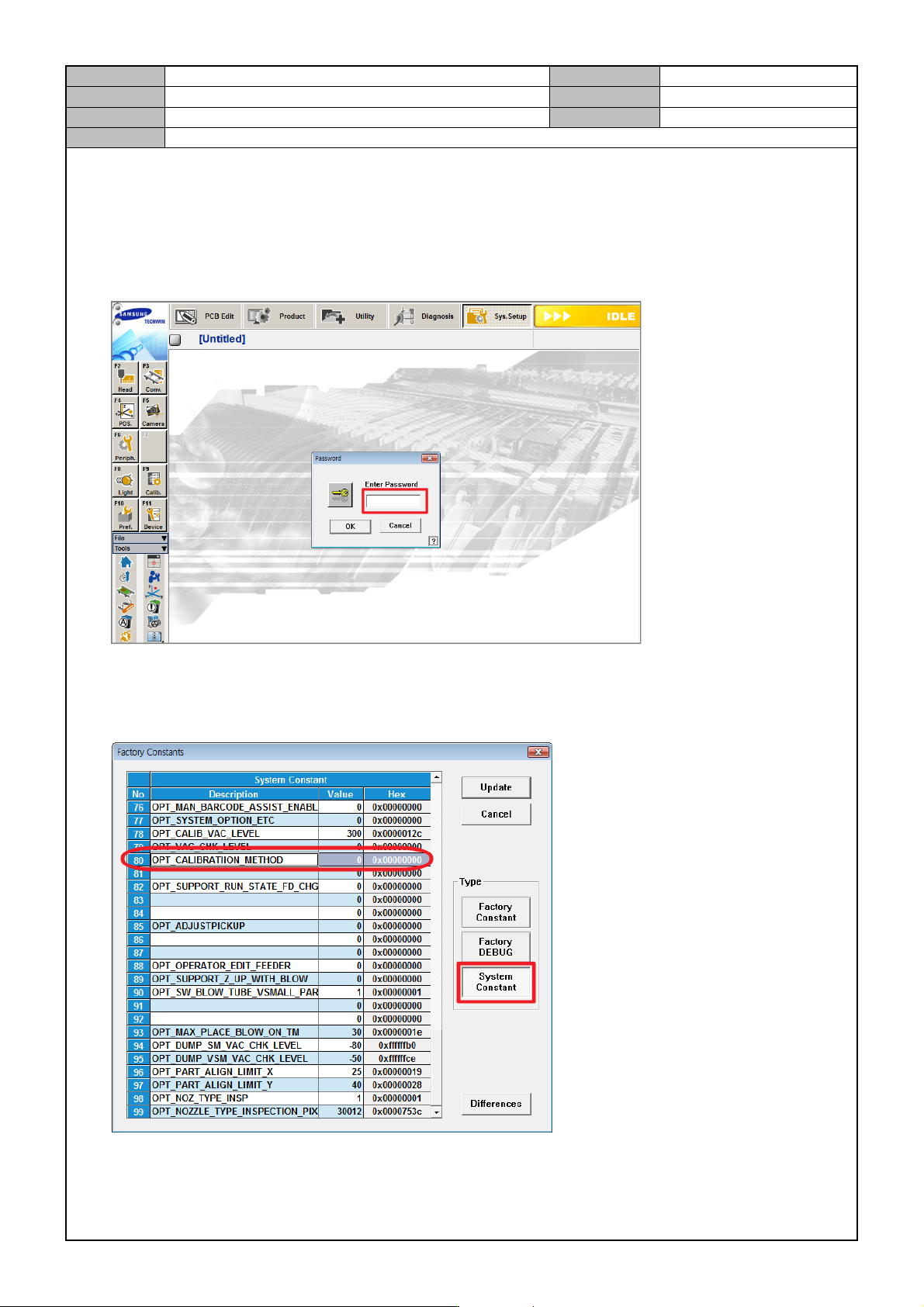
If a Stage Camera is used, then set the following in the MMI.
1. In the MMI's <Sys. Setup> menu, access the Factory mode.
ID: MARKFAC, Password: MARKFACTORY
2. In <System Constant>, enable OPT_CALIBRATION_METHOD.
0: Stage Camera enabled.
1: Stage Camera disabled.
Model
DECAN Series
Company
SAMSUNG TECHWIN
Module
3.4 CAMERA
Version
01
Title
STAGE CAMERA ENABLE
Page
3-4-7
Note
3. In the <System Preference> menu, go the Device selection tab and set the Stage Camera option.
Model
DECAN Series
Company
SAMSUNG TECHWIN
Module
3.4 CAMERA
Version
01
Title
FIDUCIAL CAME RA REPLACEME N T
Page
3-4-8
Note
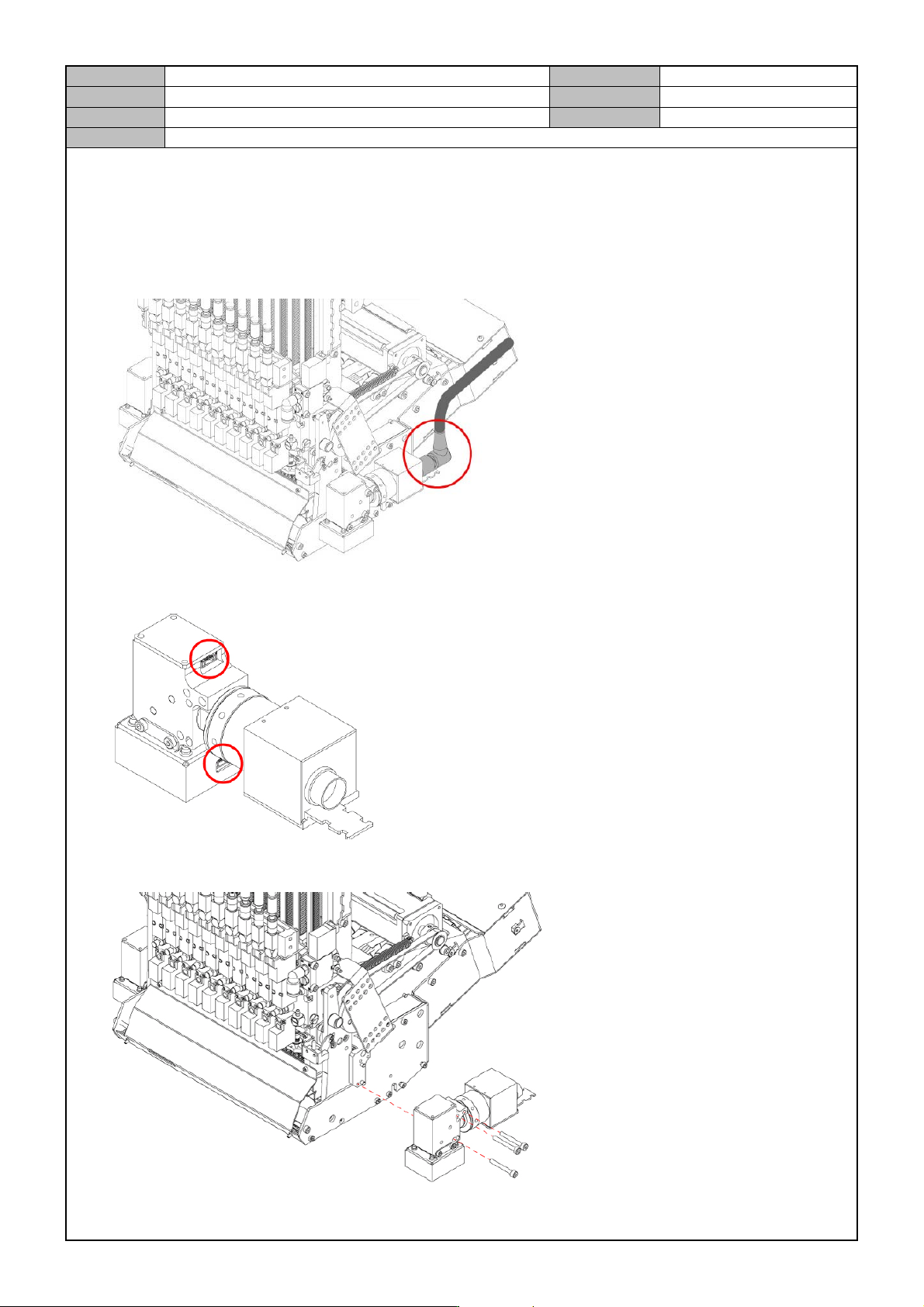
[FIDUCIAL CAMERA REPL ACEMENT]
1. Turn off the PC and the Main Switch in the front of the equipment.
2. Disconnect the video cable connector from the Fiducial Camera.
3. Disconnect the cable from the Fiducial Camera.
4. Remove the fixing bolts from the Fiducial Camera to separate it.