EN 3.pdf - 第71页
Model DECAN Series Company SAMSUNG TECHWIN Module 3.5 CONVEYOR V ersion 01 Tit le CONVEYOR OPTION CHAN GE(MMI) Page 3-5-8 Note [CONVEYOR OPTION CHANGE(MMI)] If the MMI's Conveyor option dif fers from the actual equi…

Model
DECAN Series
Company
SAMSUNG TECHWIN
Module
3.5 CONVEYOR
Version
01
Title
CONVEYOR DIRECTION C HANGE(MMI)
Page
3-5-7
Note
* Checkpoint
In the MMI, set the Conveyor Option.
After changing the conveyor direction, perform a conveyor operation test. (lasting more than 3 hours)
When operating the Entry Zone, Work Zone, or Exit Zone Belt, there should be no noises or malfunctions.
Check the sensor assembly location and there should be no sensor malfunctions on the I/O.
Conveyor's Place Stopper X coordinate should be correct.
When you perform max/min PCB loading tests, there should be no shaking or jams.
Model
DECAN Series
Company
SAMSUNG TECHWIN
Module
3.5 CONVEYOR
Version
01
Title
CONVEYOR OPTION CHANGE(MMI)
Page
3-5-8
Note
[CONVEYOR OPTION CHANGE(MMI)]
If the MMI's Conveyor option differs from the actual equipment.
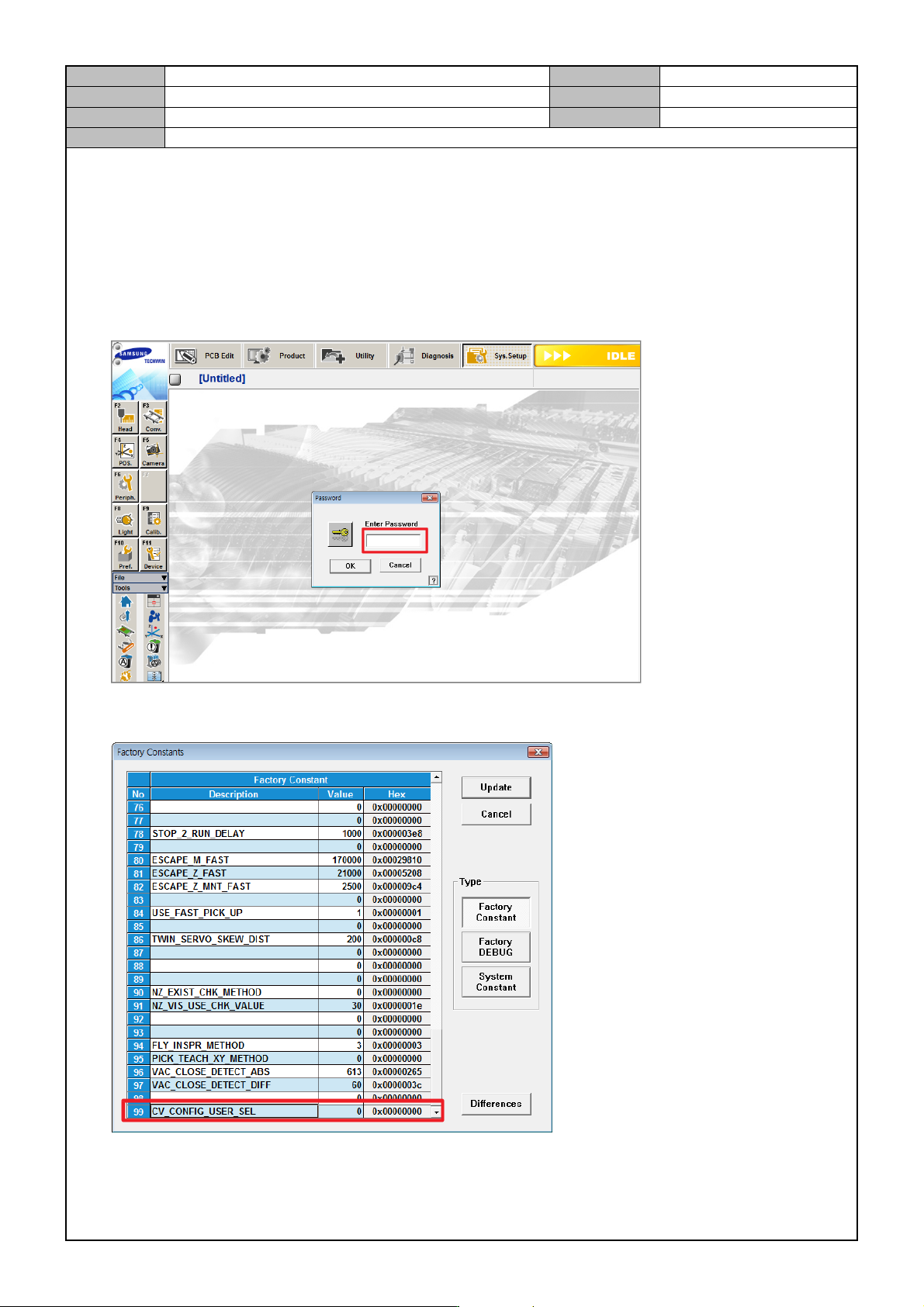
1. In the MMI's <Sys. Setup> menu, access the Factory mode.
ID: MARKFAC, Password: MARKFACTORY
2. In <Factory Setting Option>, set <CV CONFIG USER SEL> to "1".
3. Reboot the MMI.
Model
DECAN Series
Company
SAMSUNG TECHWIN
Module
3.5 CONVEYOR
Version
01
Title
CONVEYOR OPTION CHANGE(MMI)
Page
3-5-9
Note
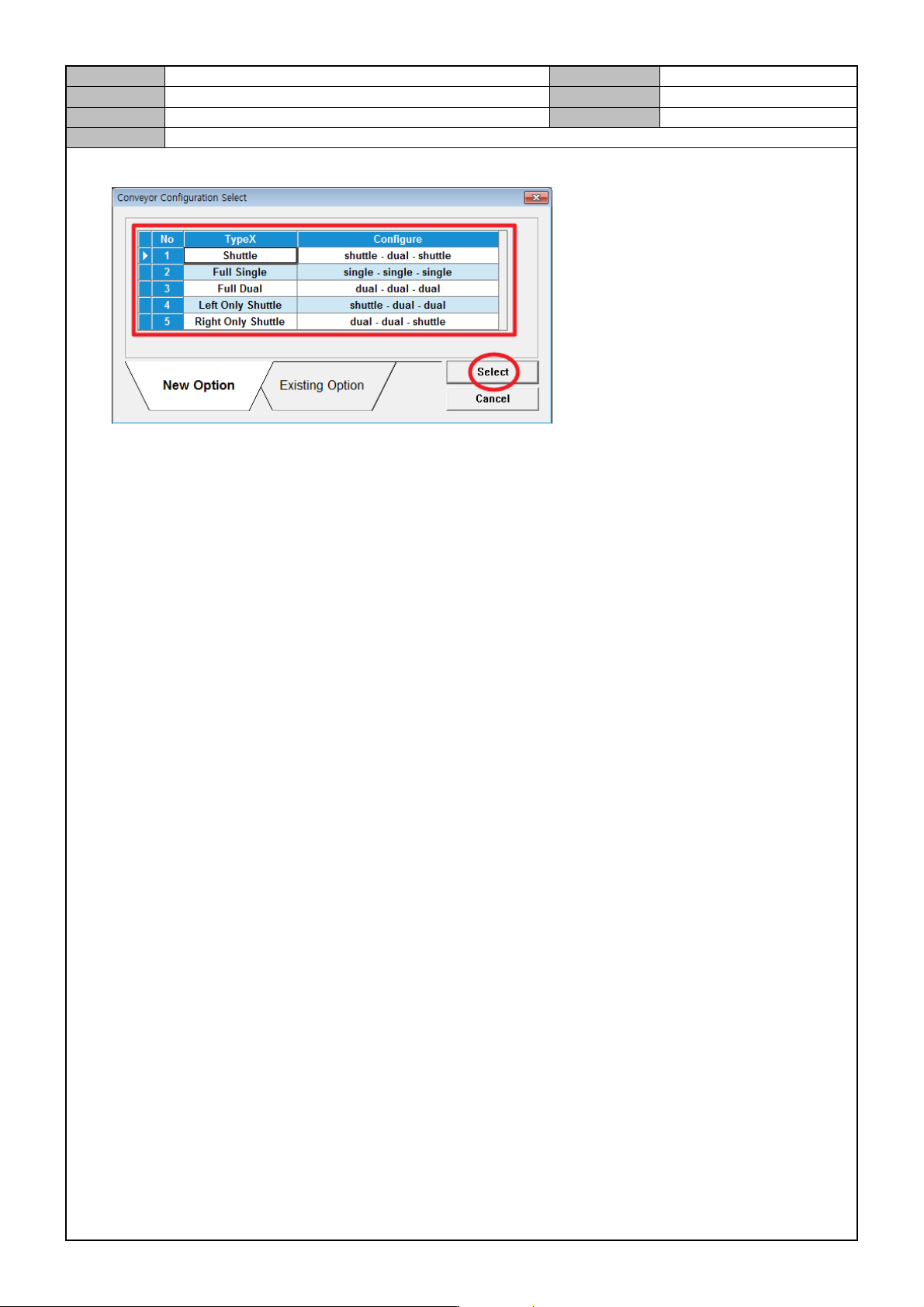
4. Conveyor option selection