EN 3.pdf - 第72页
Model DECAN Series Company SAMSUNG TECHWIN Module 3.5 CONVEYOR V ersion 01 Tit le CONVEYOR OPTION CHAN GE(MMI) Page 3-5-9 Note 4. Conveyor option selection
Model
DECAN Series
Company
SAMSUNG TECHWIN
Module
3.5 CONVEYOR
Version
01
Title
CONVEYOR OPTION CHANGE(MMI)
Page
3-5-8
Note
[CONVEYOR OPTION CHANGE(MMI)]
If the MMI's Conveyor option differs from the actual equipment.
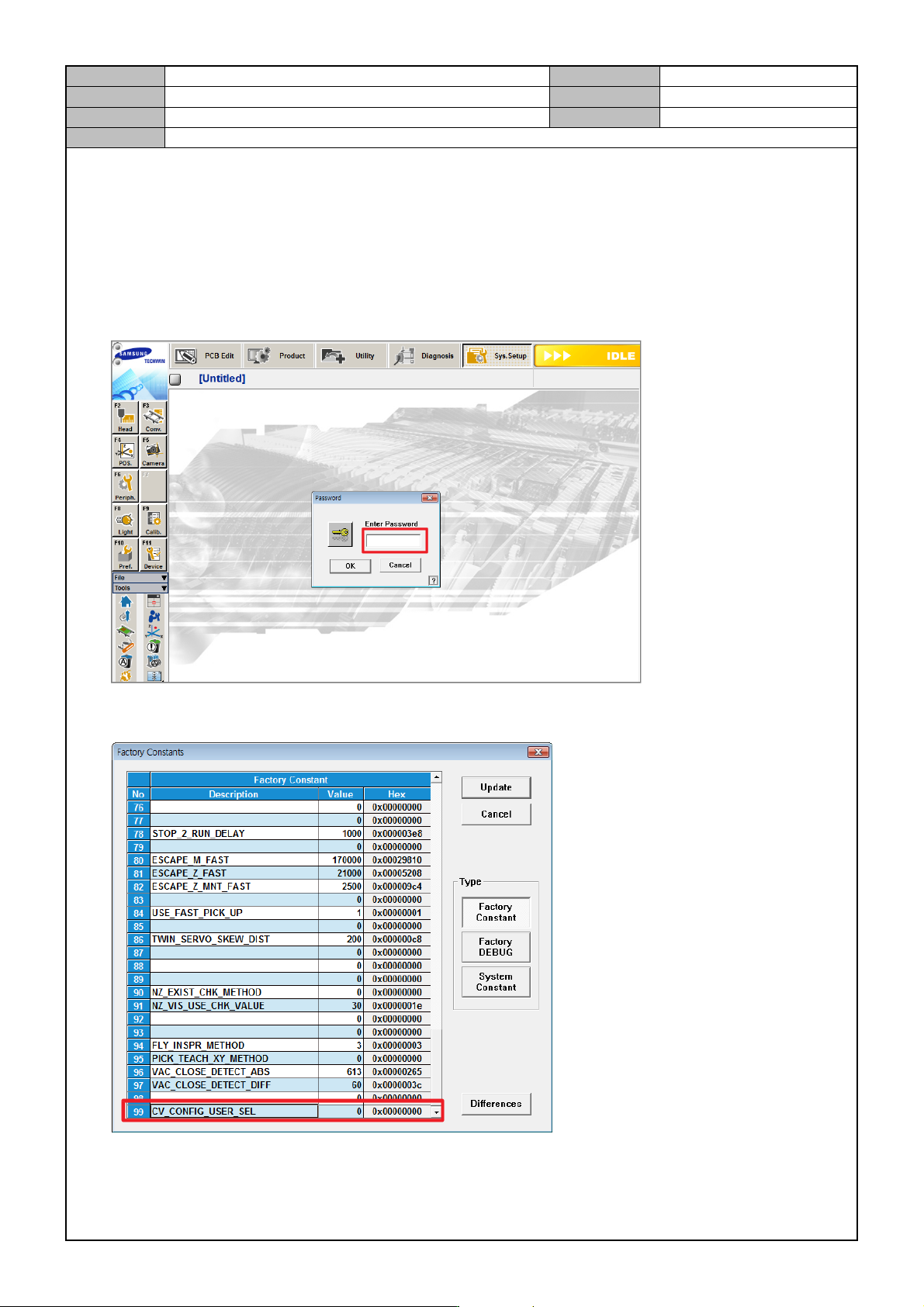
1. In the MMI's <Sys. Setup> menu, access the Factory mode.
ID: MARKFAC, Password: MARKFACTORY
2. In <Factory Setting Option>, set <CV CONFIG USER SEL> to "1".
3. Reboot the MMI.
Model
DECAN Series
Company
SAMSUNG TECHWIN
Module
3.5 CONVEYOR
Version
01
Title
CONVEYOR OPTION CHANGE(MMI)
Page
3-5-9
Note
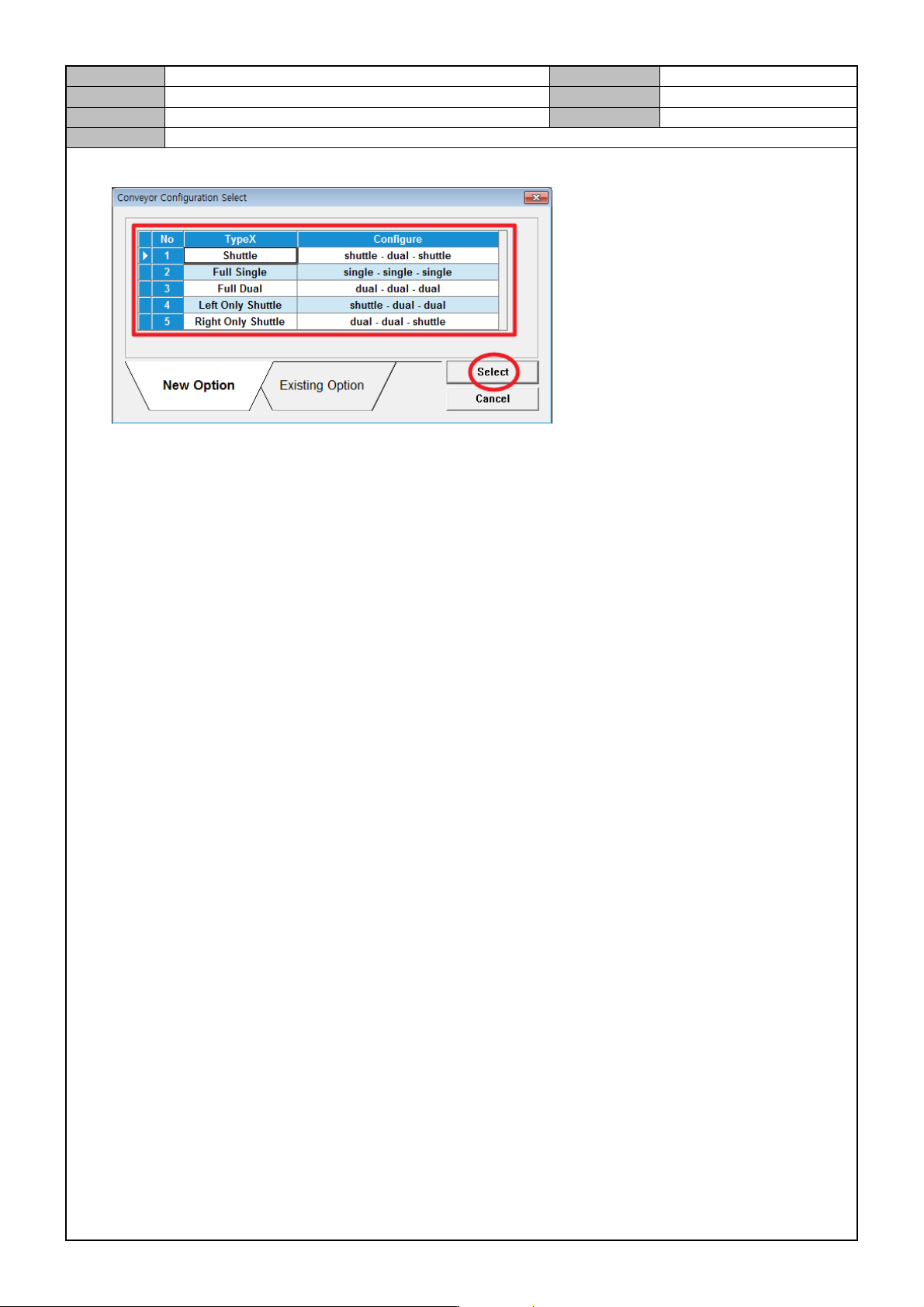
4. Conveyor option selection
Model
DECAN Series
Company
SAMSUNG TECHWIN
Module
3.5 CONVEYOR
Version
01
Title
EDGE FIXER OPERATION CHECK
Page
3-5-10
Note
[EDGE FIXER OPERATION CHECK]
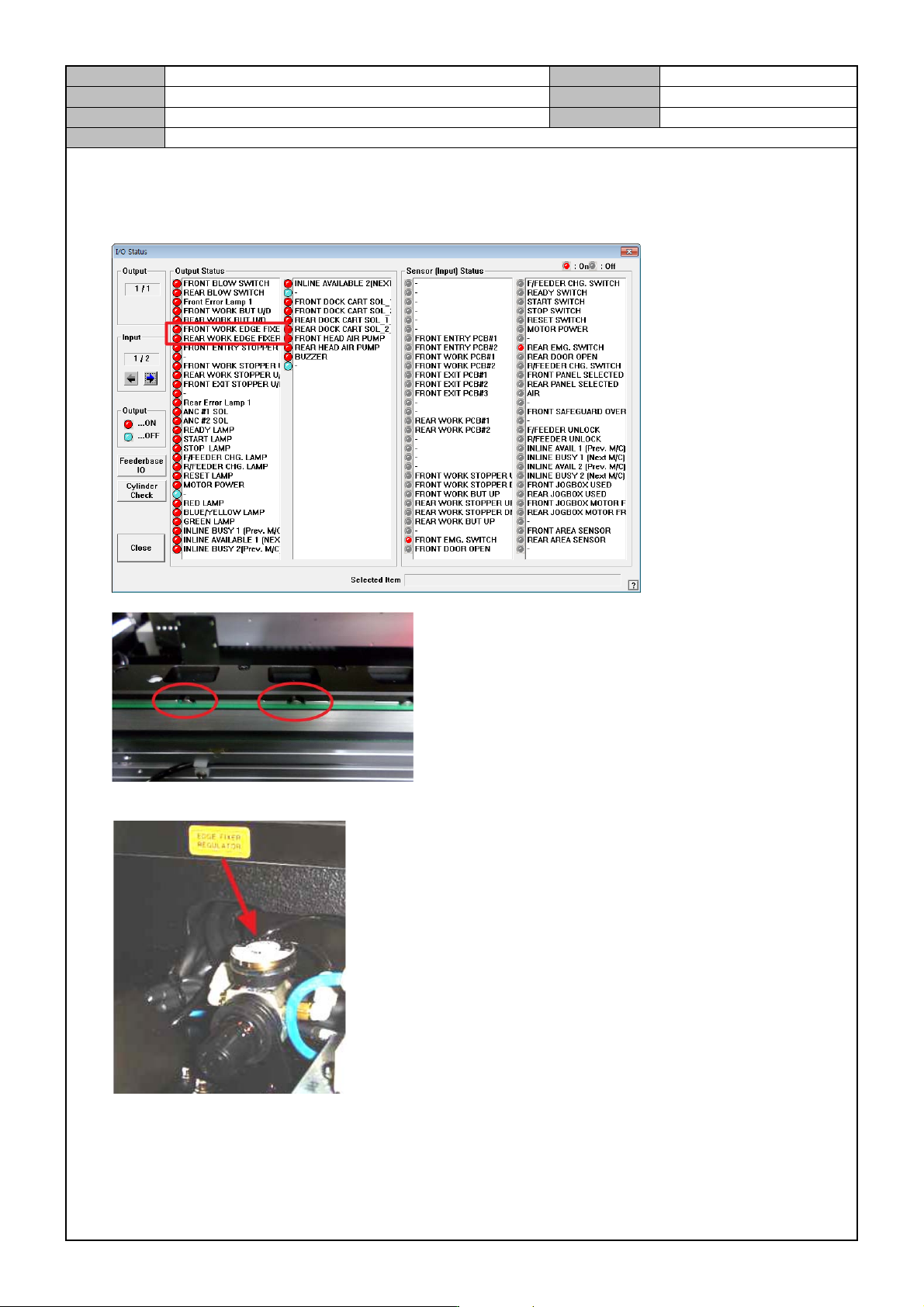
1. In the <Diagnosis → I/O Status> menu, check operation of the Edge Fixer.
2. Check if the Edge Fixer Regulator's air pressure is changed to “0.2”.
* Checkpoint
During I/O operation, see if the Edge Fixer operates properly.
When loading the max/min PCB suitable for the equipment spec, there should be no shaking or jams.
Edge Fixer Regulator should be securely fixed without shaking.