EN 3.pdf - 第74页
Model DECAN Series Company SAMSUNG TECHWIN Module 3.5 CONVEYOR V ersion 01 Tit le EDGE FIXER CONNEC T ION CHECK Page 3-5-1 1 Note [EDGE FIXER CONNECTION CHECK] - The Conve yor's W ork Zone Harness Assy should have s…
Model
DECAN Series
Company
SAMSUNG TECHWIN
Module
3.5 CONVEYOR
Version
01
Title
EDGE FIXER OPERATION CHECK
Page
3-5-10
Note
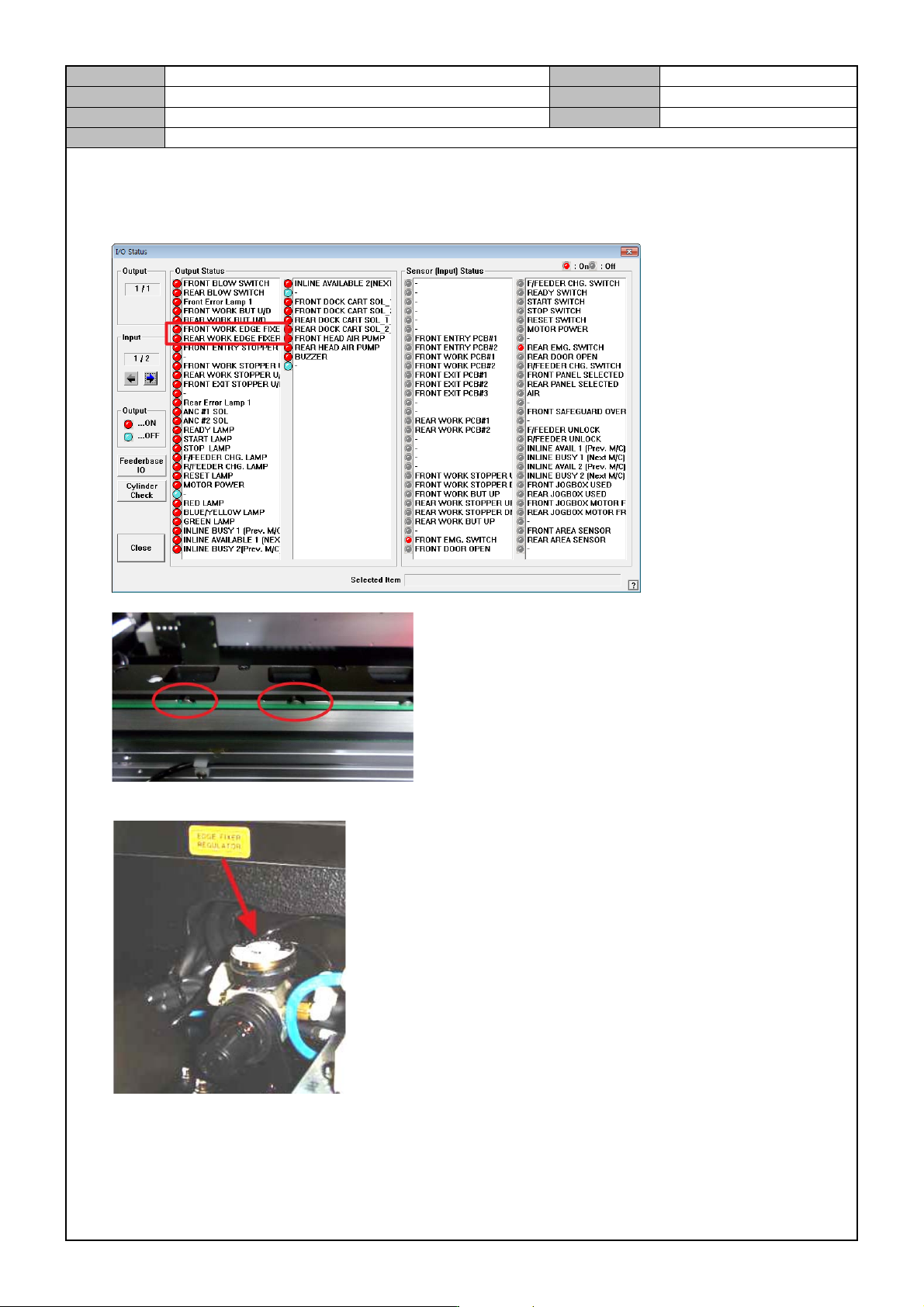
[EDGE FIXER OPERATION CHECK]
1. In the <Diagnosis → I/O Status> menu, check operation of the Edge Fixer.
2. Check if the Edge Fixer Regulator's air pressure is changed to “0.2”.
* Checkpoint
During I/O operation, see if the Edge Fixer operates properly.
When loading the max/min PCB suitable for the equipment spec, there should be no shaking or jams.
Edge Fixer Regulator should be securely fixed without shaking.
Model
DECAN Series
Company
SAMSUNG TECHWIN
Module
3.5 CONVEYOR
Version
01
Title
EDGE FIXER CONNEC TION CHECK
Page
3-5-11
Note
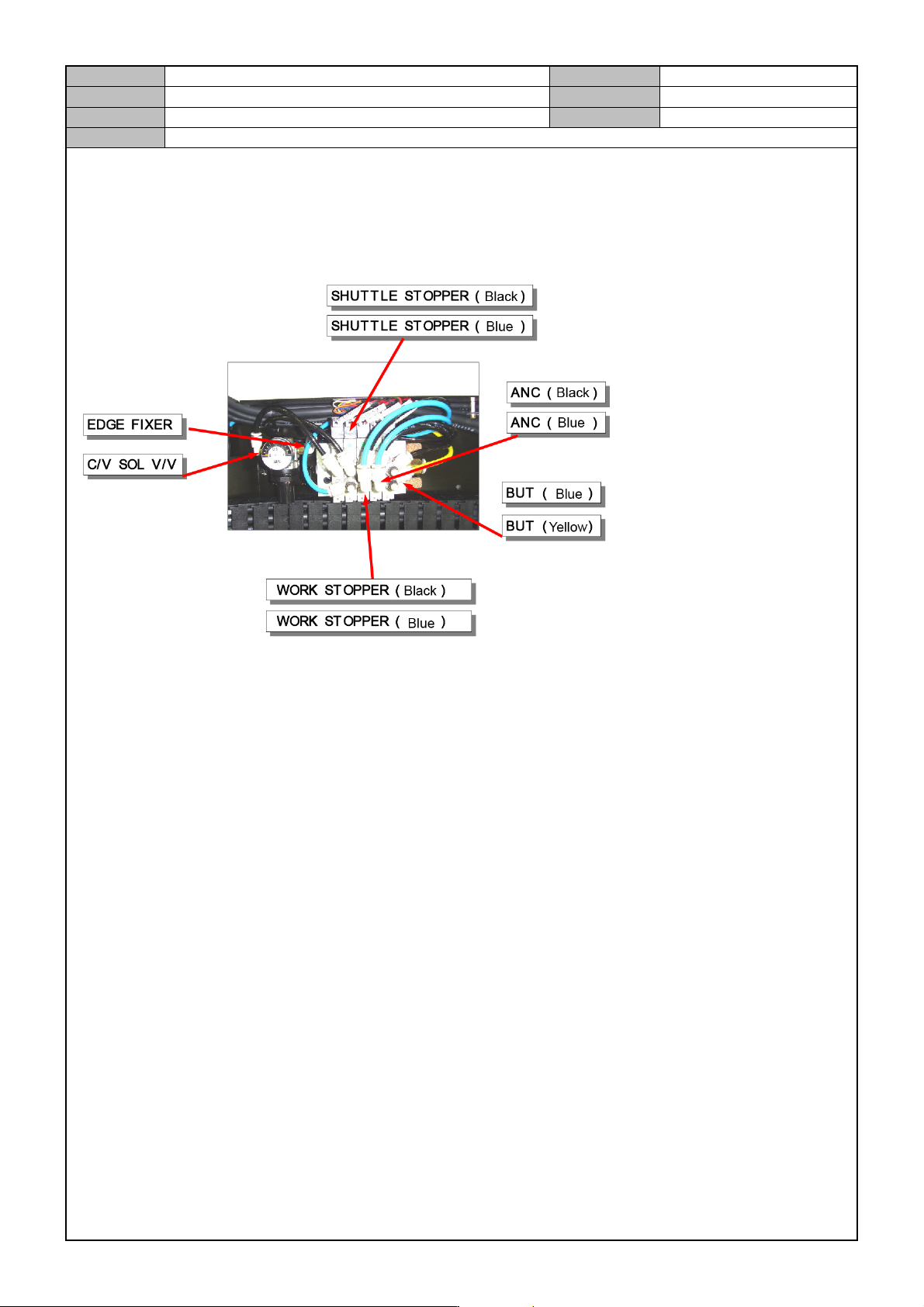
[EDGE FIXER CONNECTION CHECK]
- The Conveyor's Work Zone Harness Assy should have six solenoid values on the two sides.
- Check the edge fixer assembly in the Work Zone.
Model
DECAN Series
Company
SAMSUNG TECHWIN
Module
3.5 CONVEYOR
Version
01
Title
LONG CONVEYOR OPTION SETTING(MMI)
Page
3-5-12
Note
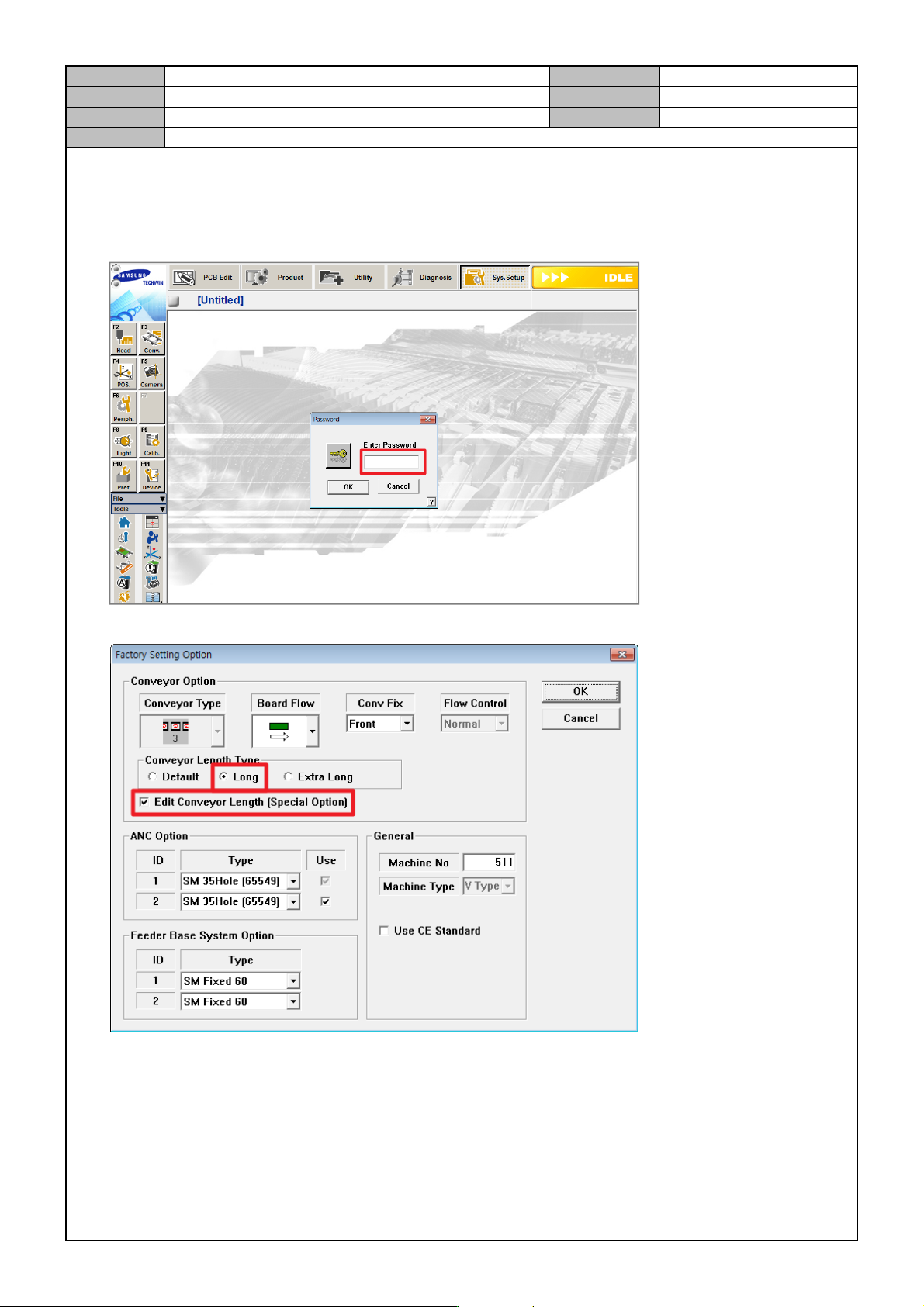
[LONG CONVEYOR OPTION SETTING(MMI)]
1. In the MMI's <Sys. Setup> menu, access the Factory mode.
ID: MARKFAC, Password: MARKFACTORY
2. In <Factory Setting Option>, set the Conveyor option.