EN 3.pdf - 第83页
Model DECAN Series Company SAMSUNG TECHWIN Module 3.5 CONVEYOR V ersion 01 Tit le WIDTH ADJ USTMENT MOTOR Z PHASE SETTING Page 3-5-20 Note 4. T u rn the Pulley assembled in the Screw CW clockwise by 120 degrees. 5. Separ…
Model
DECAN Series
Company
SAMSUNG TECHWIN
Module
3.5 CONVEYOR
Version
01
Title
WIDTH ADJUSTMENT MOTOR Z PHASE
SETTING
Page
3-5-19
Note
[WIDTH ADJUSTMENT MOTOR Z PHASE SETTING]
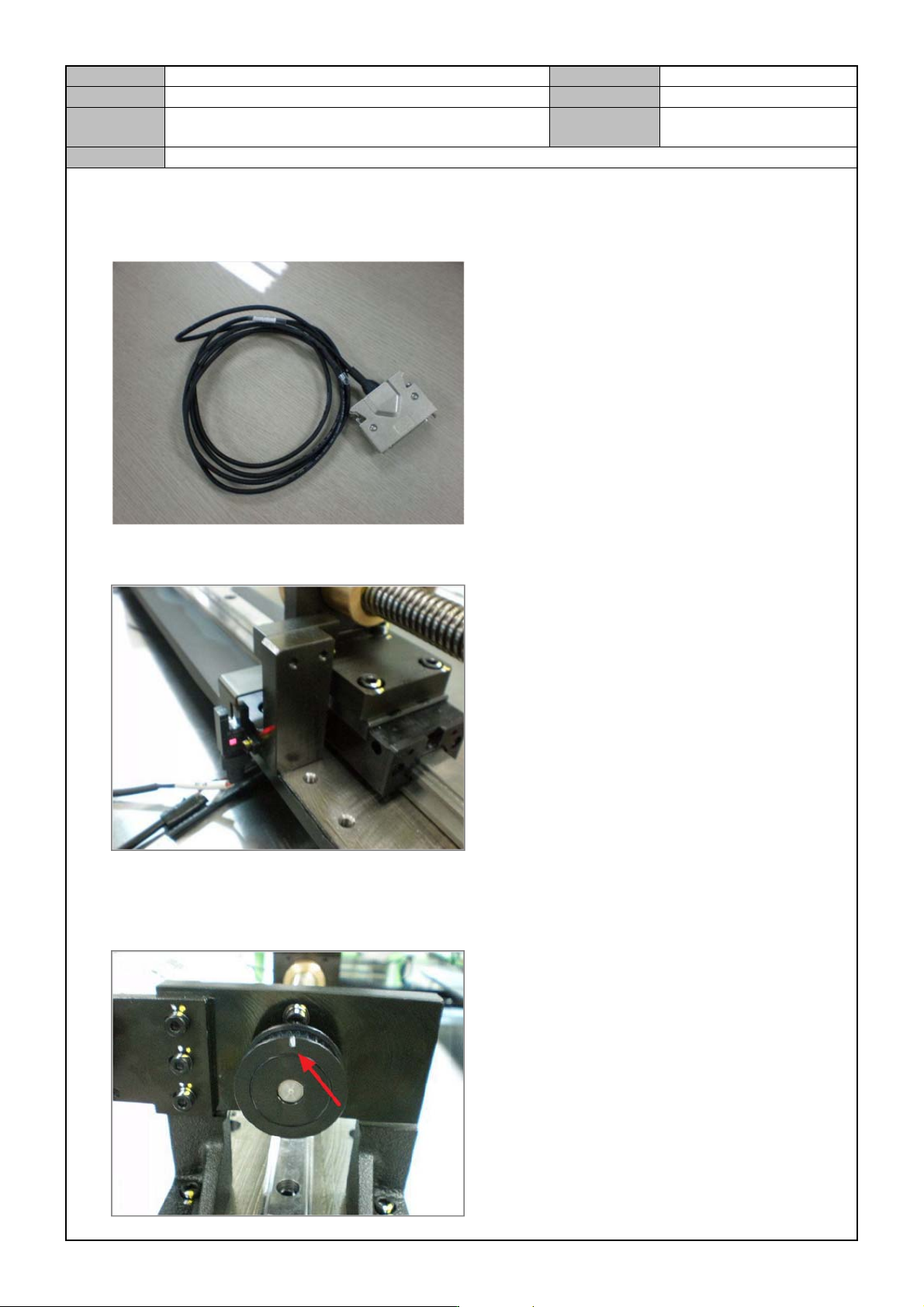
1. Connect the Motor ENC Cable.
2. Adjust the frame width until the Home Sensor detects it.
3. Fine tune the Home Sensor detection location, and when the Home Sensor's red LED is on, perform I
marking directly in line (at 12'o clock to as shown in the picture below) with the pulley assembled in the
screw.
Model
DECAN Series
Company
SAMSUNG TECHWIN
Module
3.5 CONVEYOR
Version
01
Title
WIDTH ADJUSTMENT MOTOR Z PHASE
SETTING
Page
3-5-20
Note
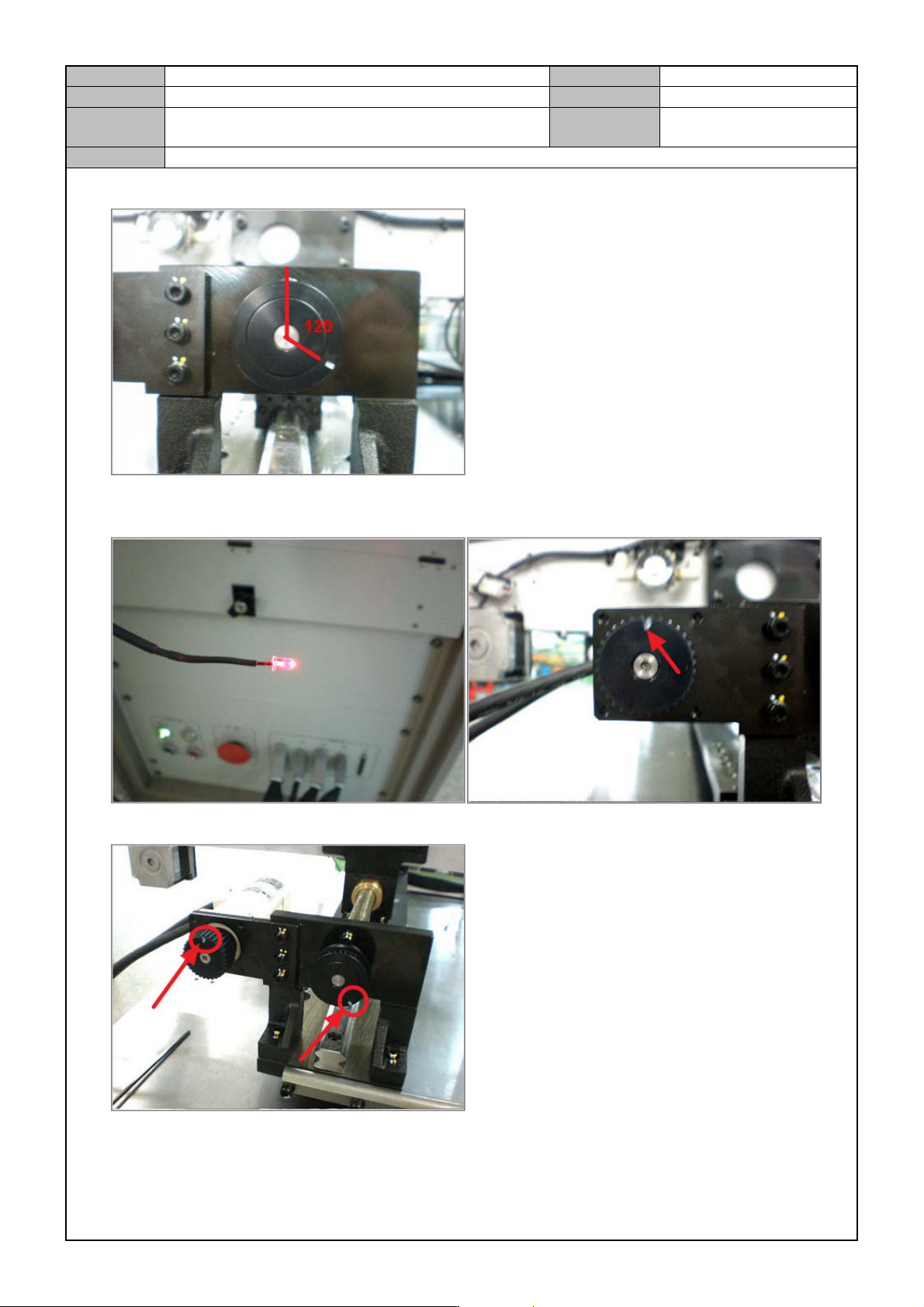
4. Tu rn the Pulley assembled in the Screw CW clockwise by 120 degrees.
5. Separate the Motor's Timing Belt and adjust the Motor Pulley only, and perform I marking on 12'o clock of
the motor pulley when Z phase is detected.
6. Fix the timing belt in such a way that the pulley angles are maintained.
Model
DECAN Series
Company
SAMSUNG TECHWIN
Module
3.5 CONVEYOR
Version
01
Title
MOTOR REPLACEMENT
Page
3-5-21
Note
[MOTOR REPLACEMENT]
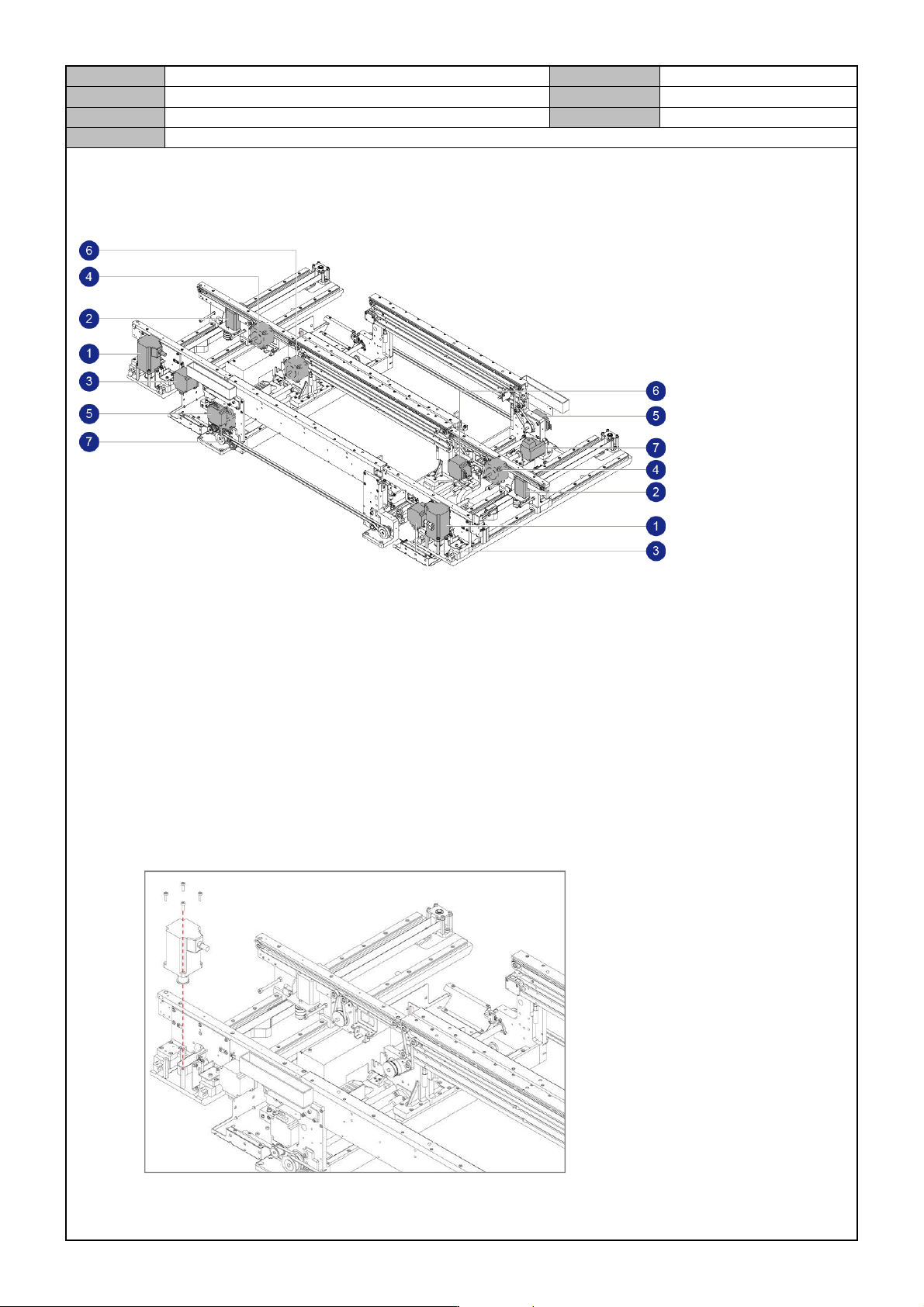
Motor locations and names
① Entry / Exit Zone Frame Width Adjustment Motor
② Entry / Exit Zone Rear Frame Width Adjustment Motor
③ Entry / Exit Zone Front Frame PCB Conveyance Motor
④ Entry / Exit Zone Rear Frame PCB Conveyance Motor
⑤ Work Zone Front Fix Frame PCB Conveyance Motor
⑥ Work Zone Front Move Frame PCB Conveyance Motor
⑦ Work Zone Power Delivery Motor
Entry / Exit Zone Frame Width Adjustment Motor replacement
1. Separate the cable connected to the motor.
2. Remove the fixing bolts for the motor to separate it.