EN 3.pdf - 第96页
Model DECAN Series Company SAMSUNG TECHWIN Module 3.6 COVER V ersion 01 Tit le SAFETY SENSOR OPERA TION CHECK(MMI) Page 3-6-2 Note [SAFETY SENSOR OPERA TION CHECK(MMI)] 1. In the MMI's <Sys. Setup> menu, acces…

Model
DECAN Series
Company
SAMSUNG TECHWIN
Module
3.6 COVER
Total Pages
4
Table of Contents
[SAFETY SENSOR OPERATION CHECK(MMI)] ................................................ 2
[MONITOR INSTALLATION] ............................................................................... 4
Model
DECAN Series
Company
SAMSUNG TECHWIN
Module
3.6 COVER
Version
01
Title
SAFETY SENSOR OPERATION CHECK(MMI)
Page
3-6-2
Note
[SAFETY SENSOR OPERATION CHECK(MMI)]
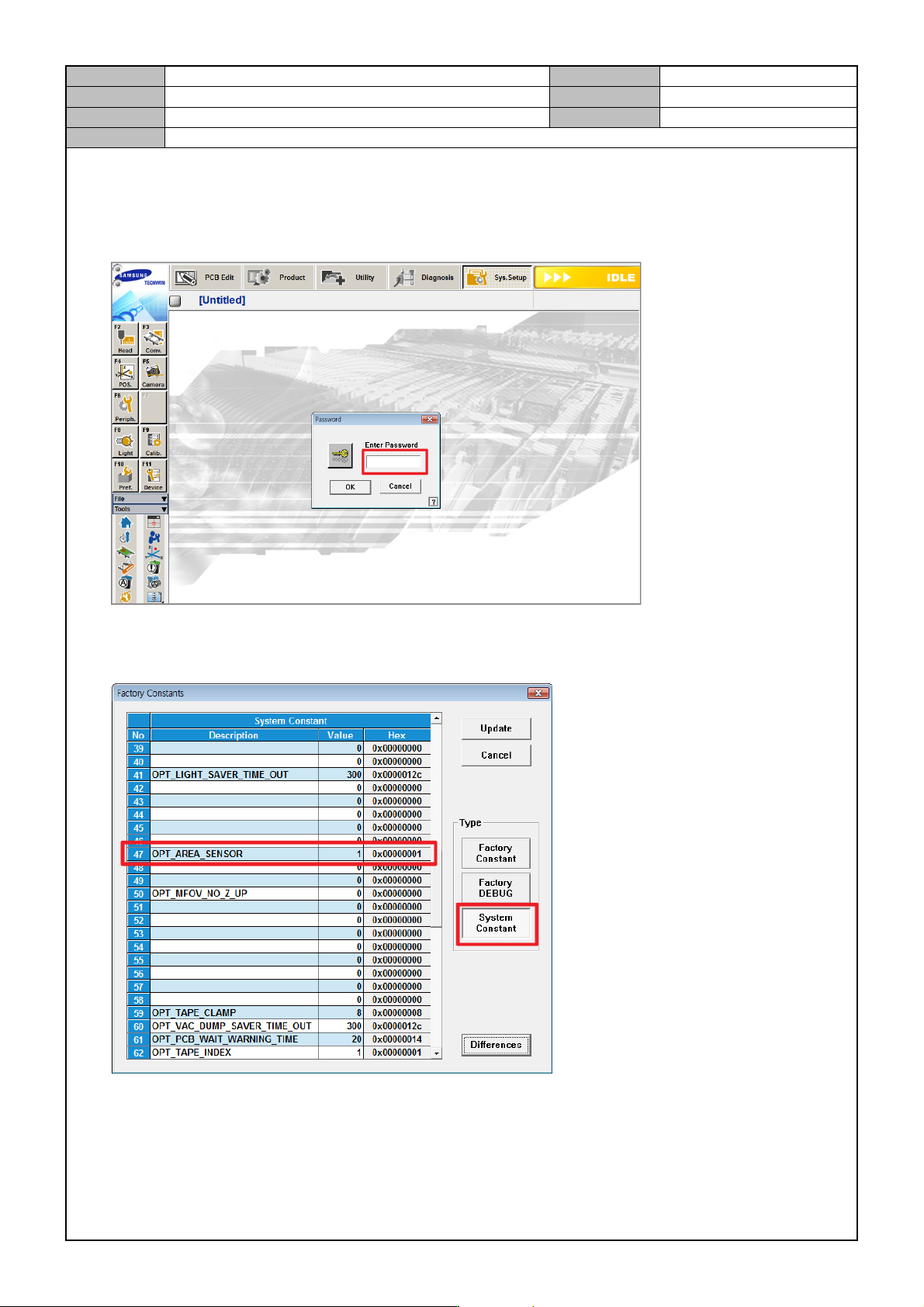
1. In the MMI's <Sys. Setup> menu, access the Factory mode.
ID: MARKFAC, Password: MARKFACTORY
2. In the <Factory Constants>menu, check the <OPT AREA SENSOR> setting. (If you use this function, set it
to "1".)
Model
DECAN Series
Company
SAMSUNG TECHWIN
Module
3.6 COVER
Version
01
Title
SAFETY SENSOR OPERATION CHECK(MMI)
Page
3-6-3
Note
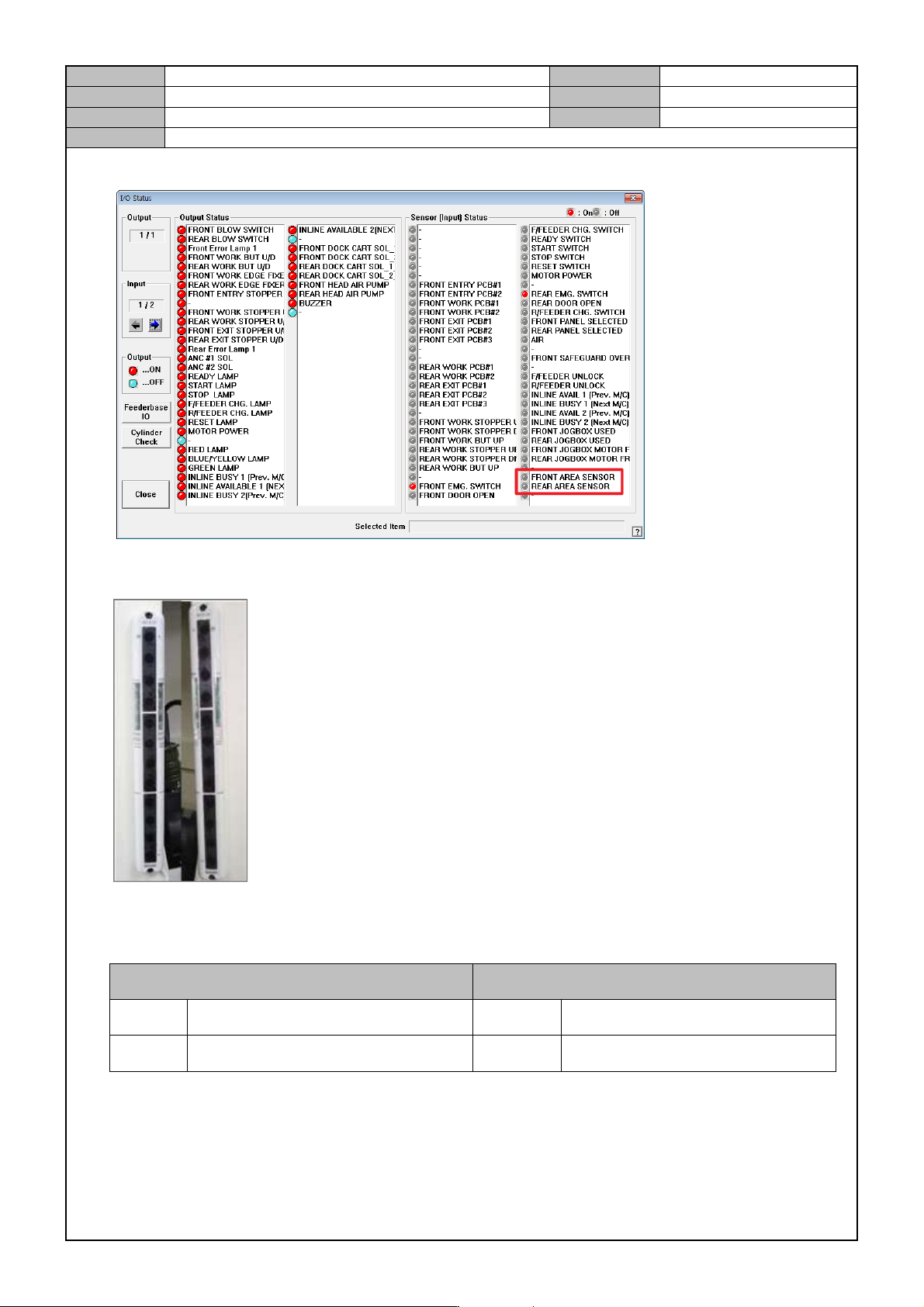
3. In the <Diagnosis → I/O → I/O Status>menu, check sensor operation.
4. While the equipment is operating, if the safety sensor detects an object, check whether the equipment stops
and an error occurs.
* Checkpoint
- Check the location of safety sensor
Front Rear
Left Light emission(EMITTER) Left Light emission(EMITTER)
Right Light receiving(RECEIVER) Right Light receiving(RECEIVER)
- When the equipment operates, if the safety sensor detects an object, the ready lamp will be turned off and
the error message will say " Safety sensor detection".
- Scratches, dents, wirings.