EN 3.pdf - 第99页
Model DECAN Series Company SAMSUNG TECHWIN Module 3.7 P ARAMETER T otal Pages 19 T able of Contents [MOTOR LOAD RATE CHECK] ........................................................................... 2 [MOTOR DRIVER PARA…
Model
DECAN Series
Company
SAMSUNG TECHWIN
Module
3.6 COVER
Version
01
Title
MONITOR INSTALLATION
Page
3-6-4
Note
[MONITOR INSTALLATION]
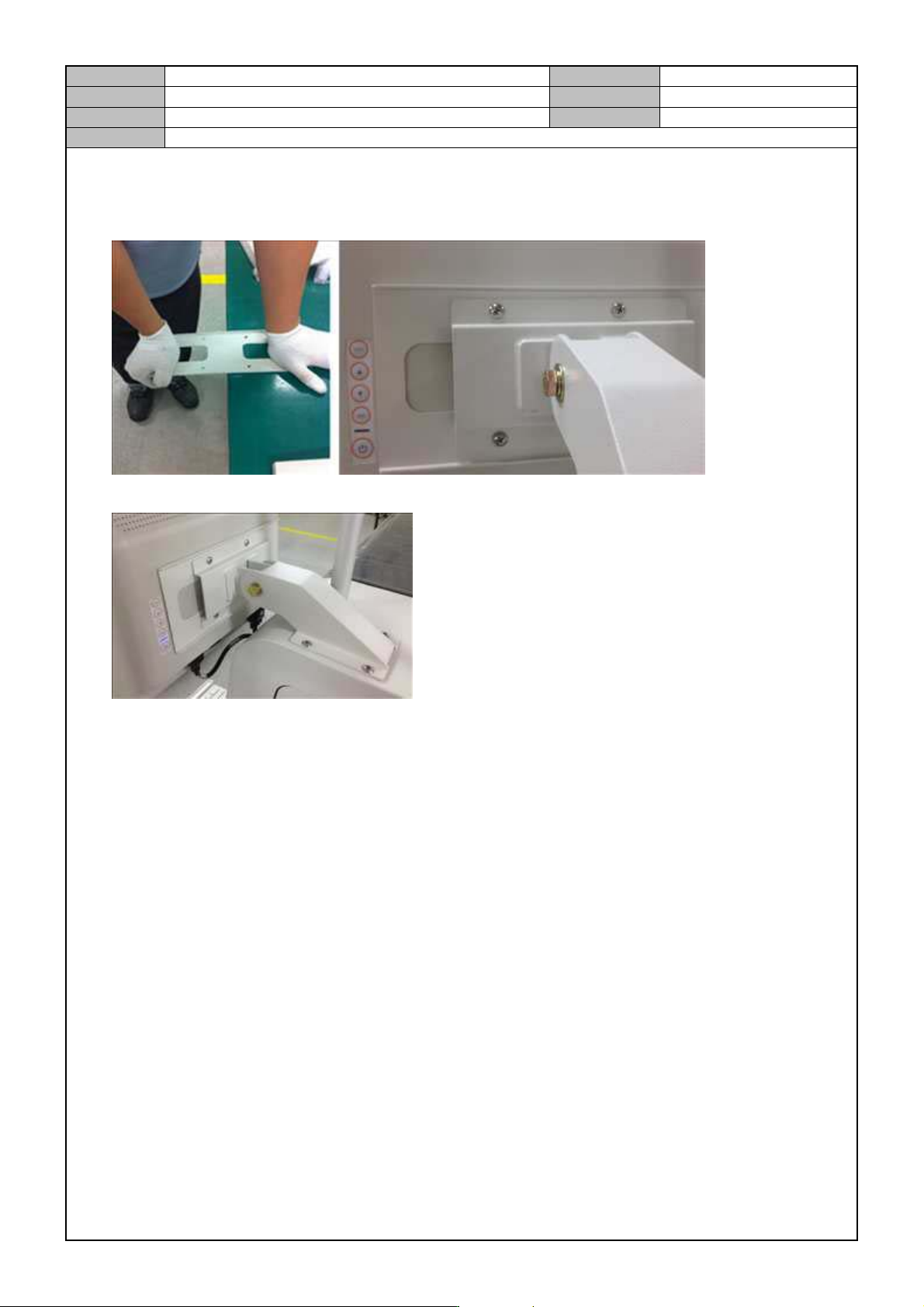
1. Slightly bend the middle part of the monitor bracket and attach it with the bracket arm to the monitor.
2. After attaching the monitor to the equipment, connect the signal and power cables.

Model
DECAN Series
Company
SAMSUNG TECHWIN
Module
3.7 PARAMETER
Total Pages
19
Table of Contents
[MOTOR LOAD RATE CHECK] ........................................................................... 2
[MOTOR DRIVER PARAMETER DOWNLOAD(X, Y, S)] .................................... 4
[MOTOR DRIVER PARAMETER DOWNLOAD(Z)] ............................................. 9
[STEP MOTOR DRIVER DIP SWITCH SETTING] ............................................ 12
[PARAMETER CHECK(Y1, Y2)] ........................................................................ 13
[COMMUTATION OFFSET MEASUREMENT] .................................................. 16
Model
DECAN Series
Company
SAMSUNG TECHWIN
Module
3.7 PARAMETER
Version
01
Title
MOTOR LOAD RATE CHECK
Page
3-7-2
Note
[MOTOR LOAD RATE CHECK]
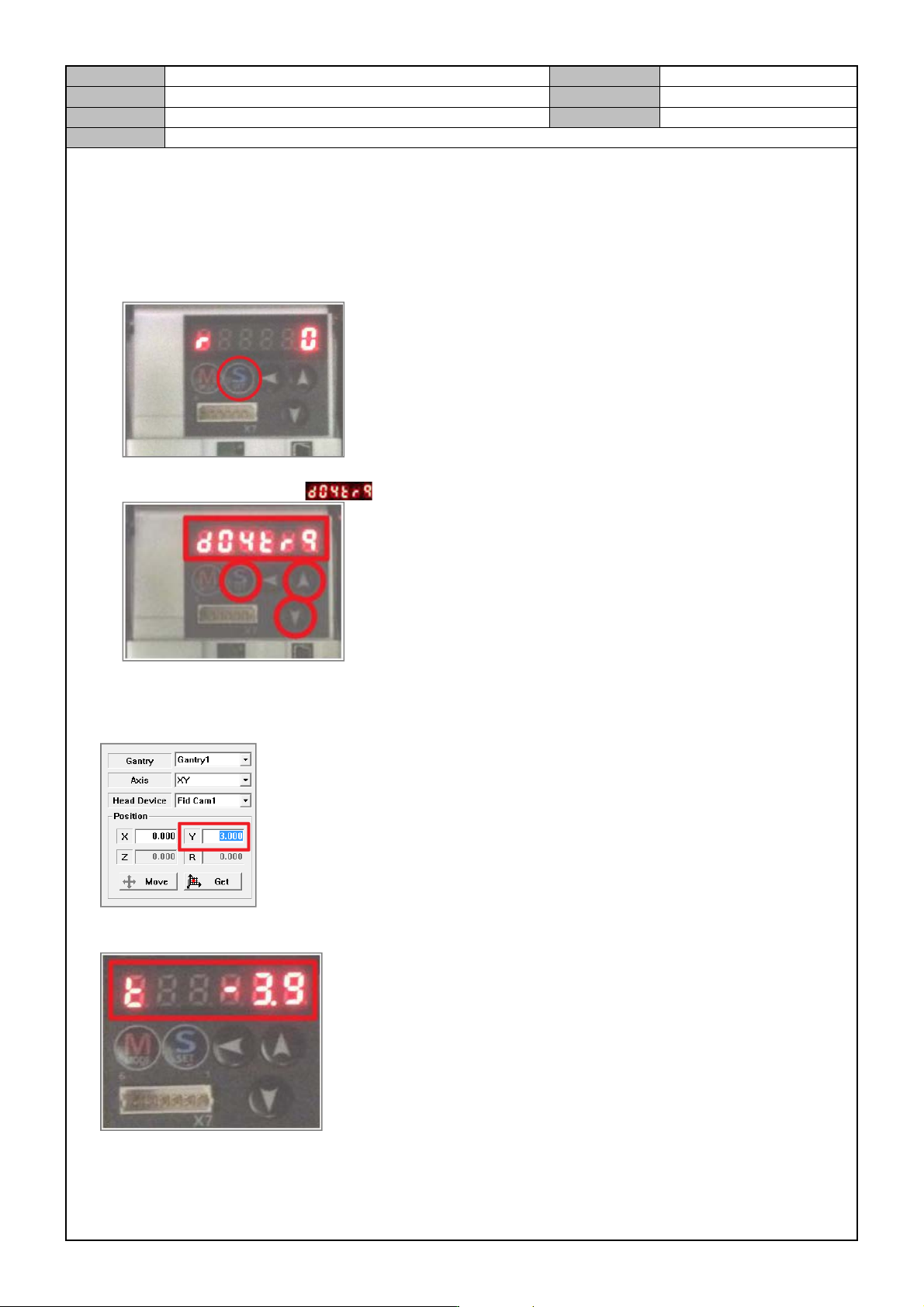
1. In the MMI, perform homing.
2. Motor Driver Setting (Front: FY1, FY2)
- Press [SET].
- Press [△,▽] to select the mode and then press [SET].
3. In the MMI, run the Manual Tool.
4. In the Manual Tool, select the Gantry1, XY axes and enter “3.0” for the Y location and select [MOVE].
5. To check if the load rates of FY1, FY2 are within 0±5, check the Motor Driver setting window.