LBO 27 Zoll.pdf - 第77页
LBO 27" 2 Assembly instructions LBO 27" SIPLACE X4 09/2007 Edition 77 2 2 Checking the correct adjus tment of the sensor 2 : Remove the PCB from the conveyor a nd place it sidewa ys across the conveyor side wal…
2 Assembly instructions LBO 27" SIPLACE X4 LBO 27"
09/2007 Edition
76
2.7 Settings
: Before you can start the settings, make sure that no tools or materials are left inside the ma-
chine. HEADCRASH!
: If you are sure that nothing is left inside the machine, turn on the machine and change to SI-
TEST after the boot up.
2.7.1 Calibration of the proximity switch
For calibrating the proximity sensor of the stopper, you need any test board. 2
: Adjust the conveyor to the width of this arbitrary board.
: Put in the test board and move it over the sensor of the stopper.
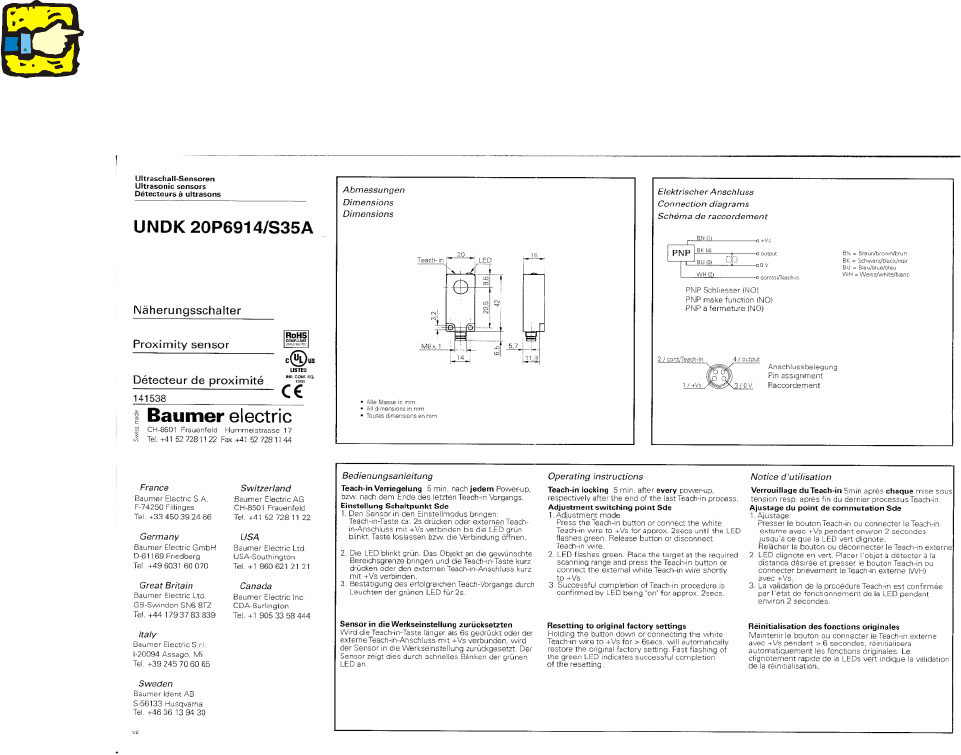
: Follow the instruction of the manufacturer of the sensor to calibrate it.
2
The sensor has a “teach-in locking”, which activates 5 minutes after every power-up, respectively
after the end of the last teach-in process. To deactivate the locking, the sensor has to be power-
less for a few seconds. Therefore disconnect the Sub-D-connectors for a few seconds and then
reconnect them again. Then the sensor can be calibrated for the next 5 minutes. 2
2
LBO 27" 2 Assembly instructions LBO 27" SIPLACE X4
09/2007 Edition
77
2
2
Checking the correct adjustment of the sensor 2
: Remove the PCB from the conveyor and place it sideways across the conveyor side walls
above the sensor.
The LED must not light up; the LED must only light up if there is a PCB on the conveyor.
2
2 Assembly instructions LBO 27" SIPLACE X4 LBO 27"
09/2007 Edition
78
2.7.2 Adjustment of the stopper position
: Adjust the stoppers to 236 mm between the stopper and the laser light barrier by using the ca-
libration board with 236 mm length.
: It is necessary to switch on the laser light barriers in each processing area with SITEST. To
allow that the laser light barrier can be activated whilst the cover of the machine is open, you
have to change the run option of the machine to the “safe mode”.
2
CAUTION:
Never look directly into the laser light! This can harm your eyes! 2
2
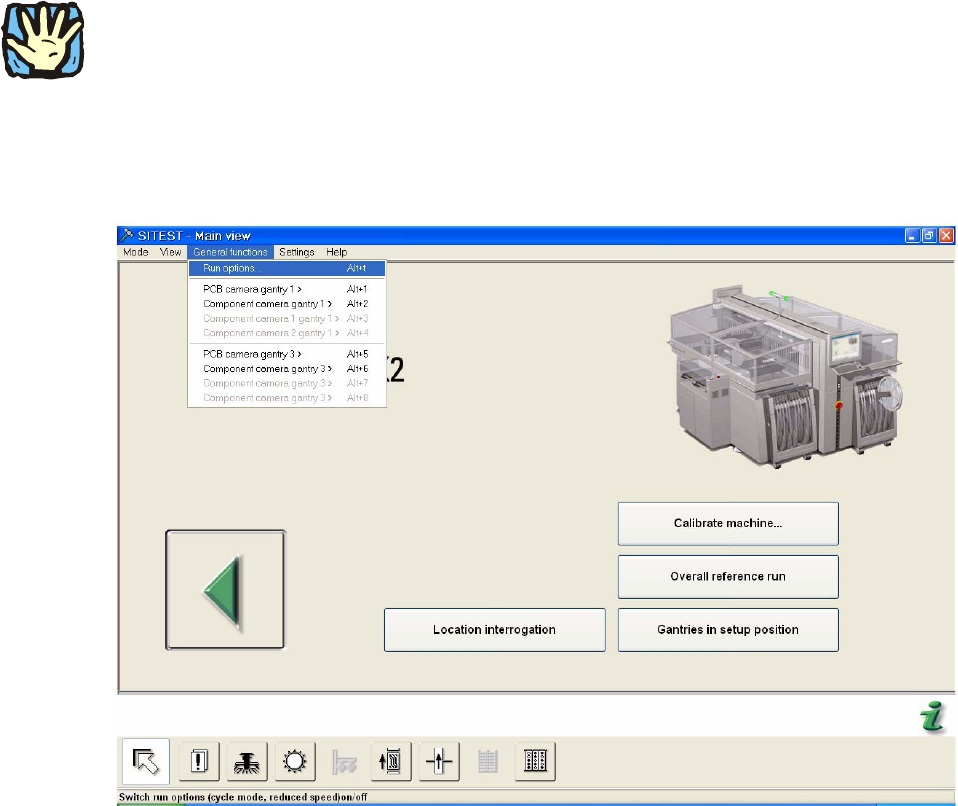
: Change to SITEST.
: Choose in “General functions” -> “Run options”.
2
2
2
2
2
2