2OM-1088-002.pdf - 第118页
Tg0699-PM-D2 Section 3 Menus for Management Data This section describes the functions and operations in each window (window which opens after a menu button is pressed at the "MANAGE. DA T A" window). 0207-001 C…
Tg0699-PM-D2
2.10 "Cleaning" Tab
0207-001 Chapter 1 2-58
2.10 "Cleaning" Tab
••
••
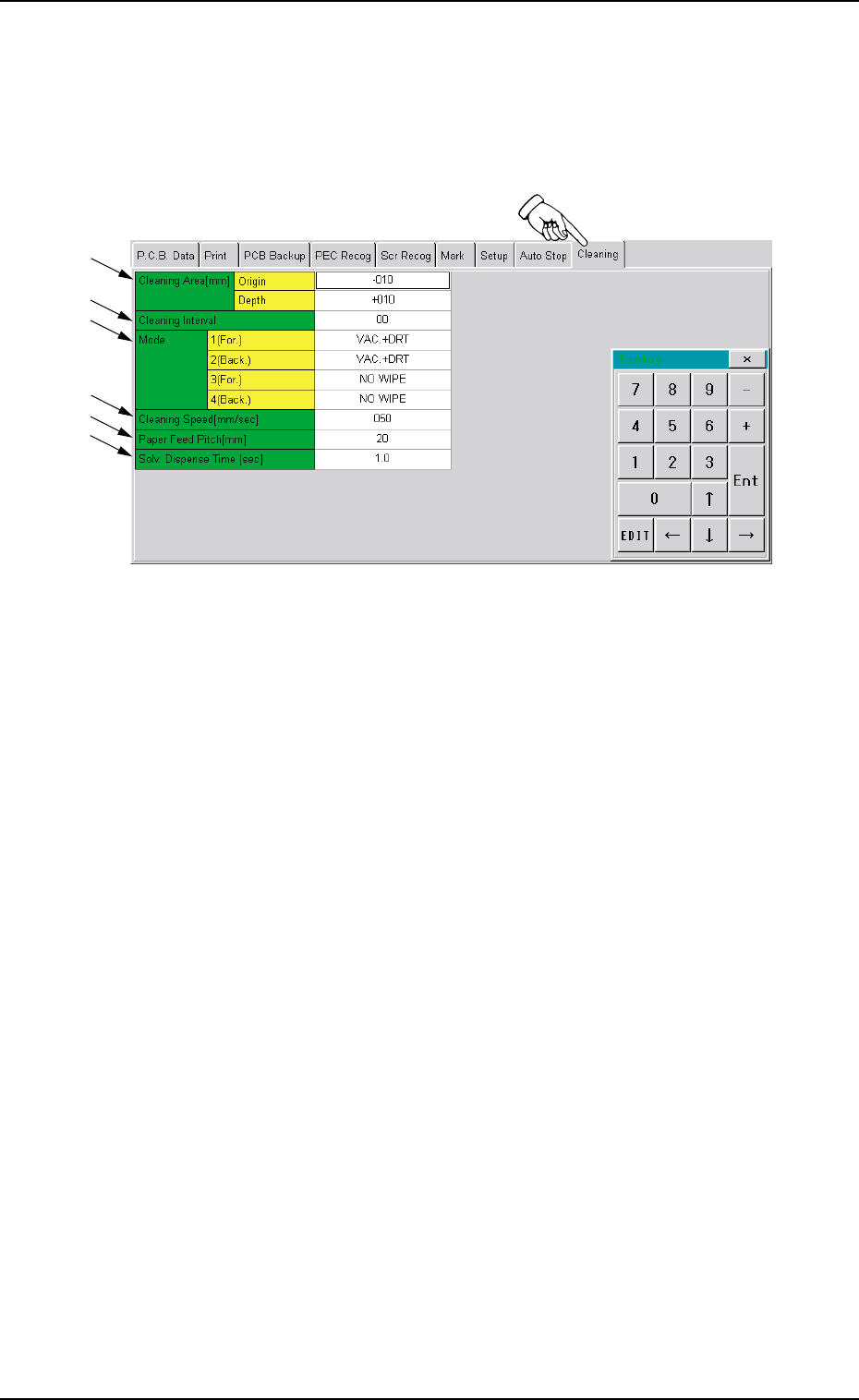
• Sheet Layout
When you push "Cleaning" tab in the "Pattern Program" edit win-
dow, the following tab sheet appears.
Fig. 3B95 "Cleaning" Tab Sheet
••
••
• Sheet Composition
*1 Cleaning Area
Make the ten-key window appear and enter values in the text
boxes.
*2 Cleaning Interval
Make the ten-key window appear and enter a value in the text
box.
*3 Mode
Push the text box twice. The text box changes to a combo box.
Push the down arrow to open the drop-down list. Select one of
the options from the drop-down list.
*4 Cleaning Speed [mm/sec]
Make the ten-key window appear and enter a value in the text
box.
*5 Paper Feed Pitch [mm]
Make the ten-key window appear and enter a value in the text
box.
*6 Solv. Dispense Time [sec]
Make the ten-key window appear and enter a value in the text
box.
*1
*2
*3
*4
*5
*6

Tg0699-PM-D2
Section 3
Menus for Management Data
This section describes the functions and operations in
each window (window which opens after a menu button
is pressed at the "MANAGE. DATA" window).
0207-001 Chapter 1 3-1
Tg0699-PM-D2
1. Scope of Menus for Management Data
0207-001 Chapter 1 3-2
*1
*4
*2
*3
1. Scope of Menus for Management Data
1.1 Composition of Menus for Management Data
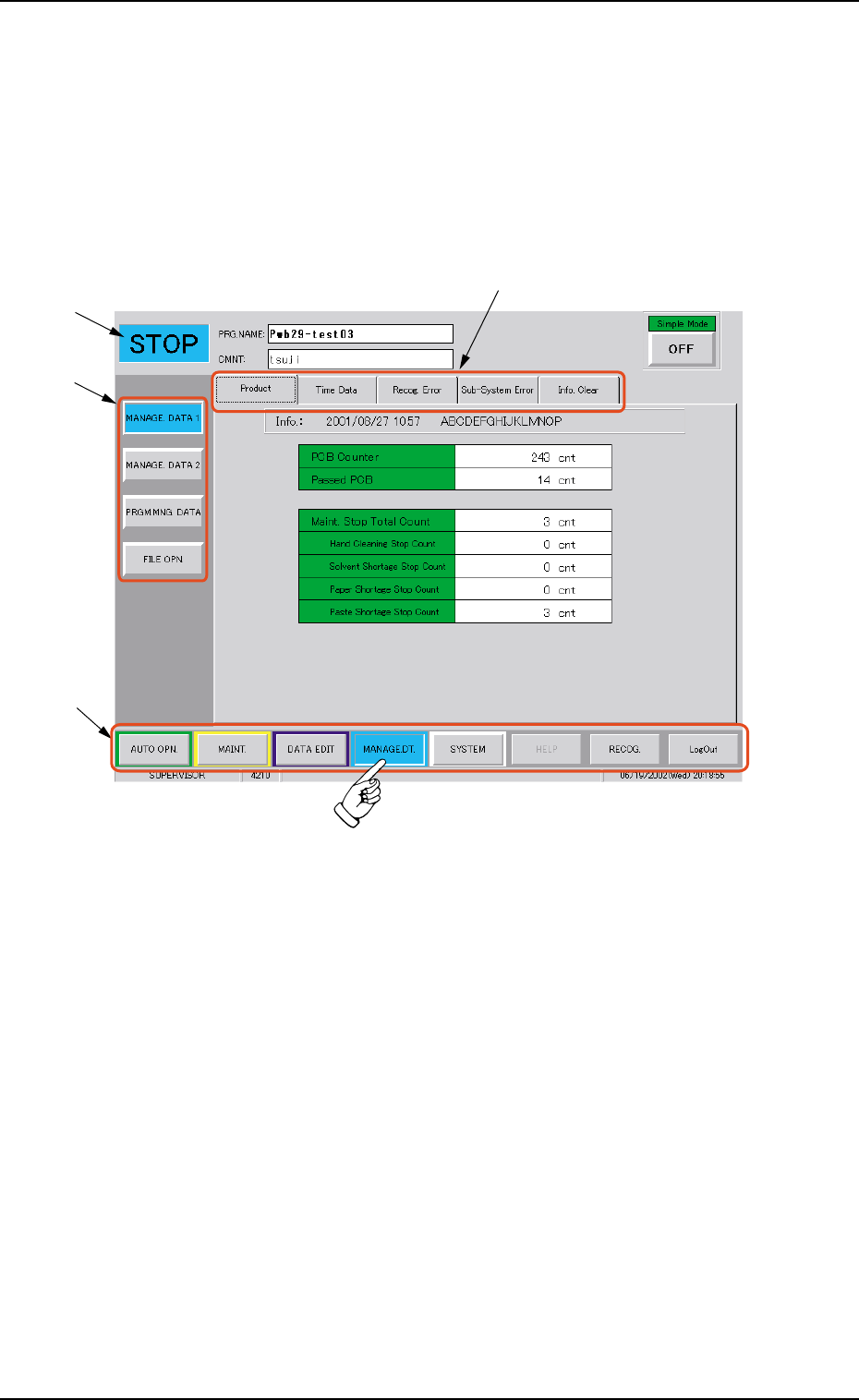
When the [MANAGE. DT.] button on the main menu bar is pressed,
the "MANAGE. DATA" window opens. The window is provided with
the submenu bar related to the management data.
Fig. 3C1 Menus for Management Data
••
••
• Window Composition
*1 Main Menu Bar
This bar is provided commonly for all operation windows. The
buttons on the bar are used to select the main menus.
*2 Submenu Bar
This bar is treated as part of the "MANAGE. DATA" window and
has the buttons to select the submenus.
When a button is selected, the corresponding submenu sheet
opens.
*3 Current Mode
The current mode of the machine is displayed.
*4 Tabs
Each submenu sheet has an extension called "tab".
When a tab is pressed, the corresponding tab sheet appears.