2OM-1088-002.pdf - 第146页
Tg0699-PM-D2 0207-001 Chapter 1 3-29 4. "FILE ON." Submenu Fig. 3C20 (4) Press the [Save >>] button. The selected data will be saved in the floppy disk. • • • • • Deletion procedure of the data saved on a…
Tg0699-PM-D2
0207-001 Chapter 1 3-28
4. "FILE ON." Submenu
••
••
• Saving procedure of the machine's recorded data onto a FD
(floppy disk)
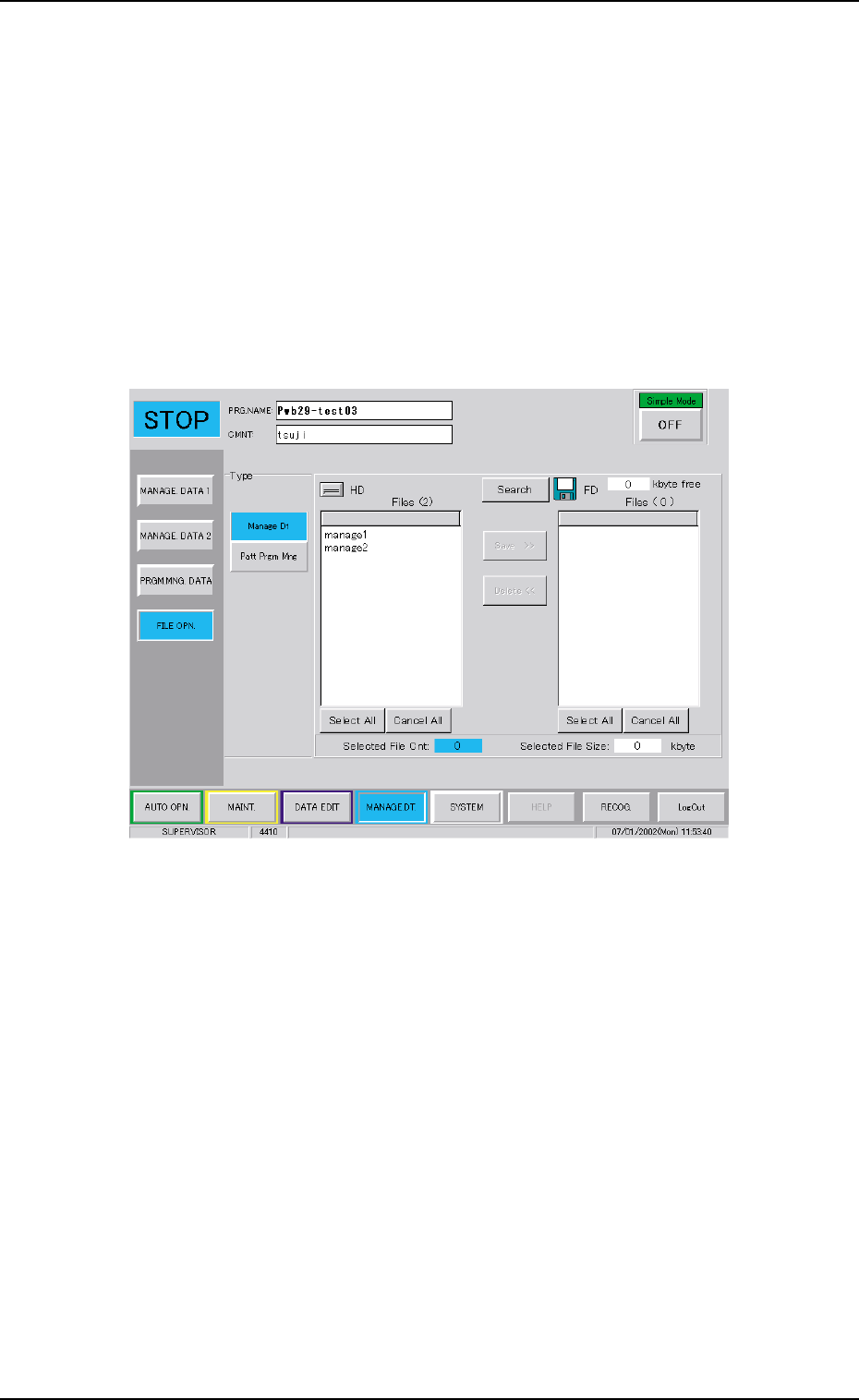
Saving Procedure
(1) Set the formatted 3.5 inch floppy disk in the FDD drive in the
front service panel.
(2) Press the Data Type button and select the data type to be read
in.
The selected data recorded in the machine will be indicated in
the HD data list.
Fig. 3C19
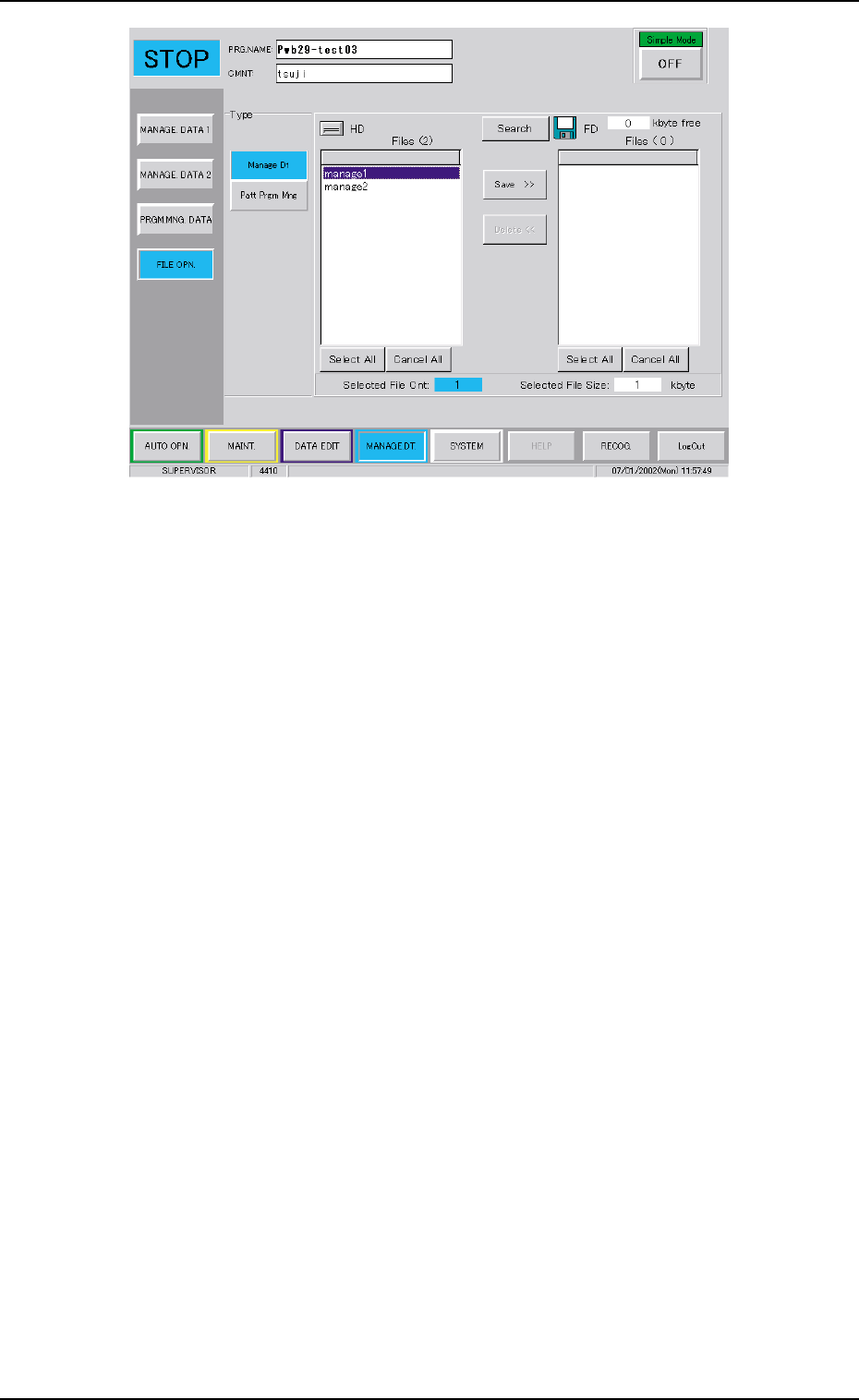
(3) Select the data to be saved in the floppy disk from the data
items indicated in the HD data list. The colour of selected data
line is changed to blue.
Tg0699-PM-D2
0207-001 Chapter 1 3-29
4. "FILE ON." Submenu
Fig. 3C20
(4) Press the [Save >>] button.
The selected data will be saved in the floppy disk.
••
••
• Deletion procedure of the data saved on a FD (floppy disk)
(1) Set the floppy disk containing the saved data into the floppy
disk drive.
(2) Select the data type to be deleted.
(3) Press the [Search] button.
The selected data file names are indicated in the FD data list.
Tg0699-PM-D2
0207-001 Chapter 1 3-30
4. "FILE ON." Submenu
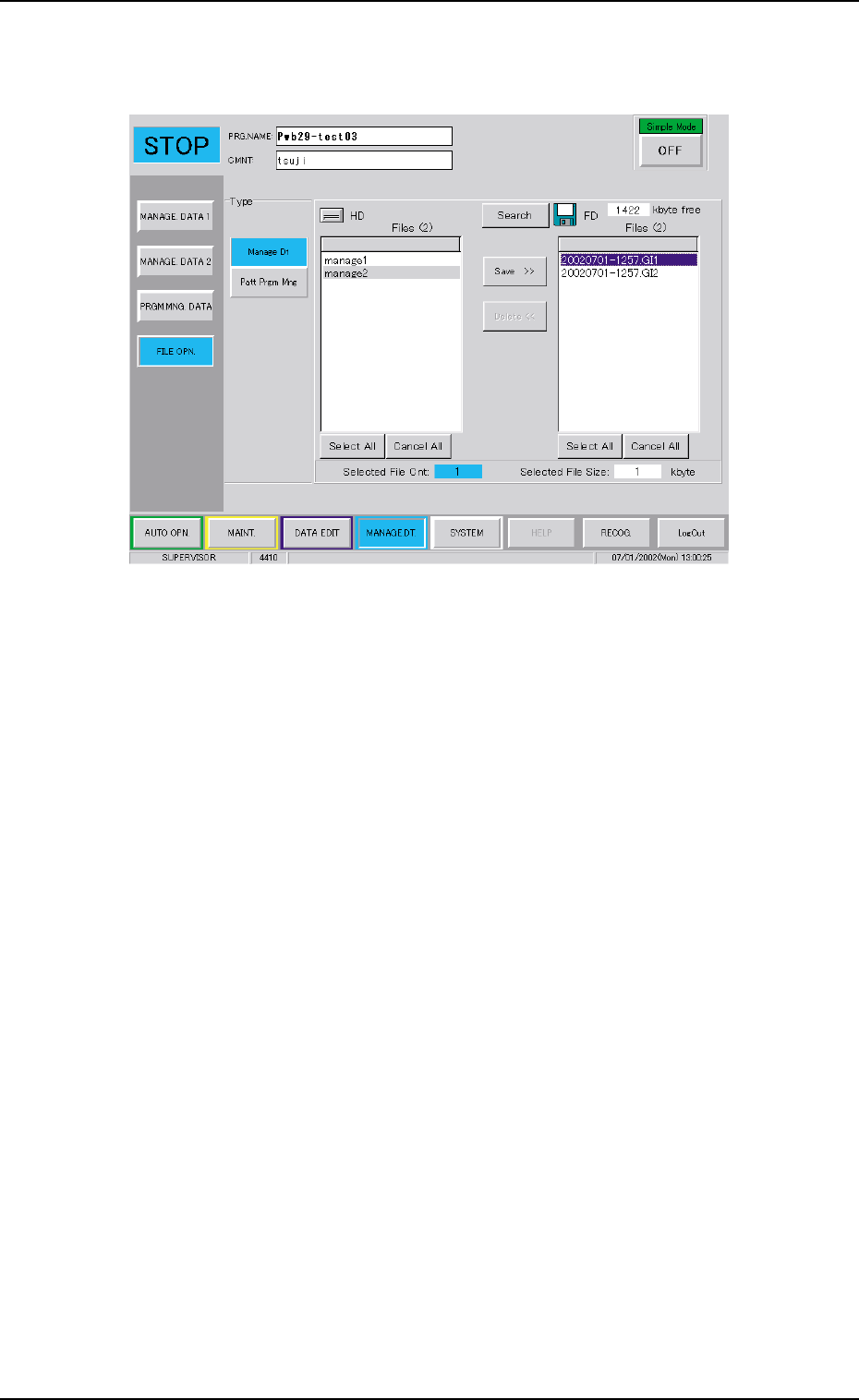
(4) Select the data file to be deleted.
The colour of the selected data box frame is changed to blue.
Fig. 3C21 Selection of Data to be Deleted
(5) When the [Delete <<] button is pressed, the deleting operation
is started.