2OM-1088-002.pdf - 第164页
Tg0699-PM-D2 0207-001 Chapter 1 4-17 2.4 "Date/T ime" T ab *4 [SET] Button When pressed, the current date and time are updated to the specified date and time. Setting Method T ouch the desired text box and sele…
Tg0699-PM-D2
0207-001 Chapter 1 4-16
2.4 "Date/Time" Tab
*3
*2
*1
*4
2.4 "Date/Time" Tab
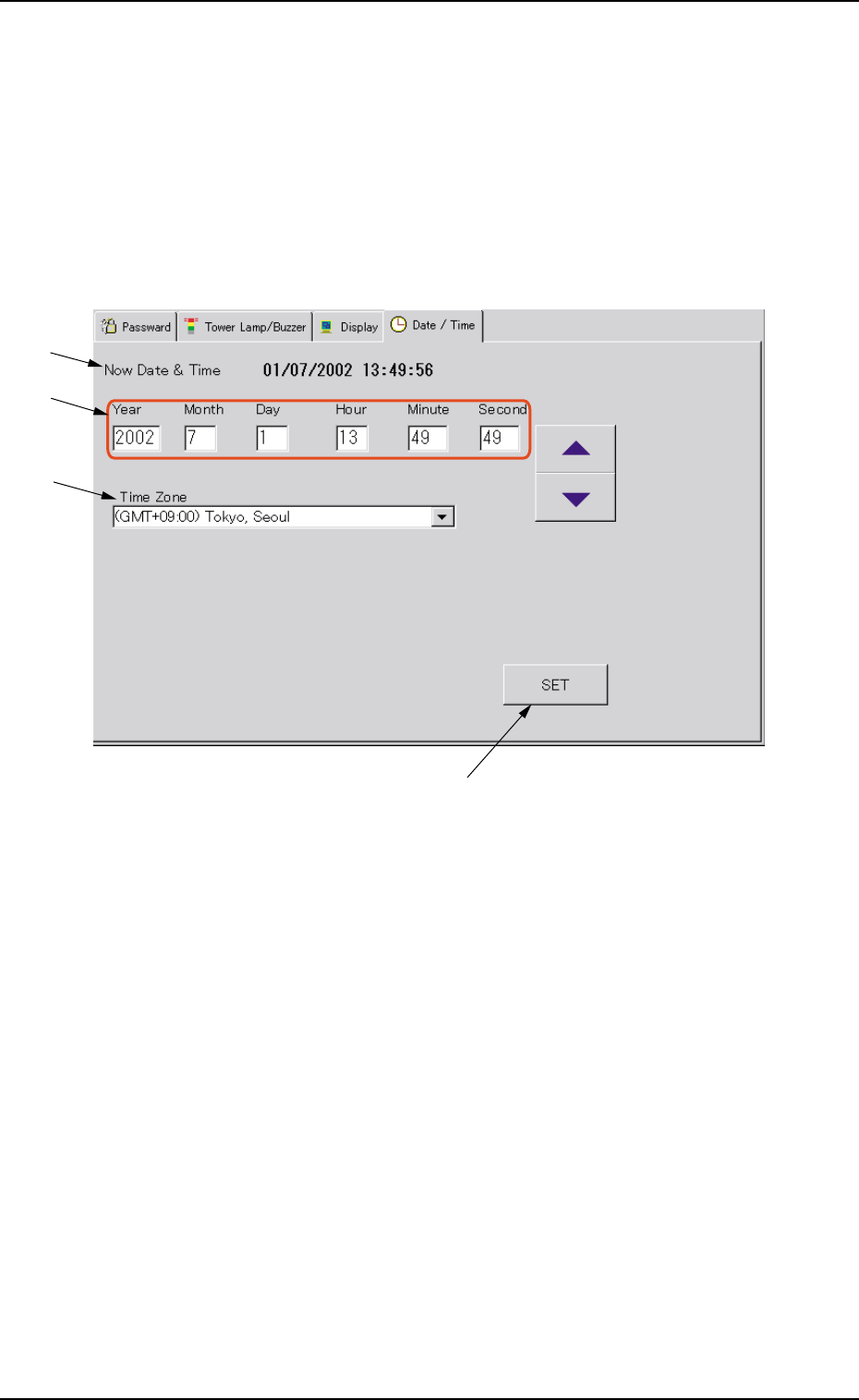
The corresponding tab sheet enables the operator to set the current
date and time.
••
••
• Sheet Layout
When the "Date/Time" tab is pressed in the "MAC. SET-UP" win-
dow (submenu), the following tab sheet appears.
Fig. 3D11 "Date/Time" Tab Sheet
••
••
• Sheet Composition
*1 Now Date & Time
Displayed are the current date and time.
*2 Year, Month, Day, Hour, Minute, Second
Set the date and time in each text box.
*3 Time Zone
Set the time zone in the text box.
Example : When the machine is used in Japan, select
"(GMT+09:00) Tokyo, Seoul" from the drop-down list
of the combo box.

Tg0699-PM-D2
0207-001 Chapter 1 4-17
2.4 "Date/Time" Tab
*4 [SET] Button
When pressed, the current date and time are updated to the
specified date and time.
Setting Method
Touch the desired text box and select the [ ] or the [ ] button
to change the value. After that, press the [SET] button.
Be sure to press the [SET] button after selecting the
time difference between the local time and GMT.
Tg0699-PM-D2
0207-001 Chapter 1 4-18
3. "Device Data" Submenu
3. "Device Data" Submenu
••
••
• Window Layout
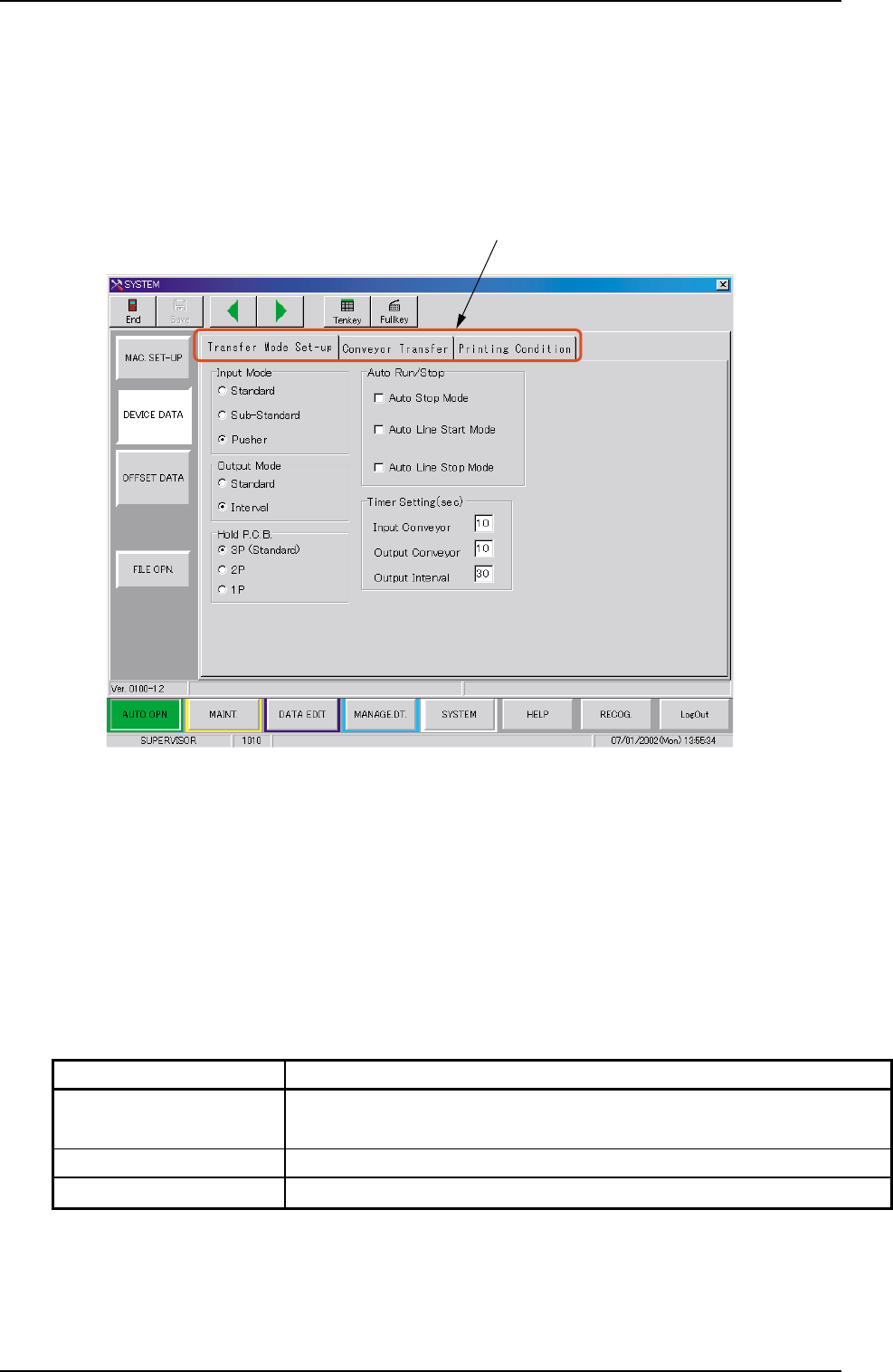
When the [DEVICE DATA] button is pressed in the "SYSTEM"
submenu bar, the following window appears.
Fig. 3D12 "DEVICE DATA" Window (Submenu)
••
••
• Window Composition
*1 Tabs
The "DEVICE DATA" window (submenu) is provided with 3 tabs.
Every time a tab is pressed, the corresponding tab sheet ap-
pears.
*1
Table 3D4
Tabs Description
Transfer Mode Set-up The corresponding tab sheet enables the operator to set
various data mainly for the in-line production.
Conveyor Transfer Set the various data items for the transfer conveyors.
Printing Condition Set the various data items for print mode.