2OM-1088-002.pdf - 第176页
Tg0699-PM-D2 The offset can automatically be set through the teaching operation. Screen Distance : Enter an offset value in the text box, based on the specified distance in the Z direction between the underside of the sc…
Tg0699-PM-D2
0207-001 Chapter 1 4-27
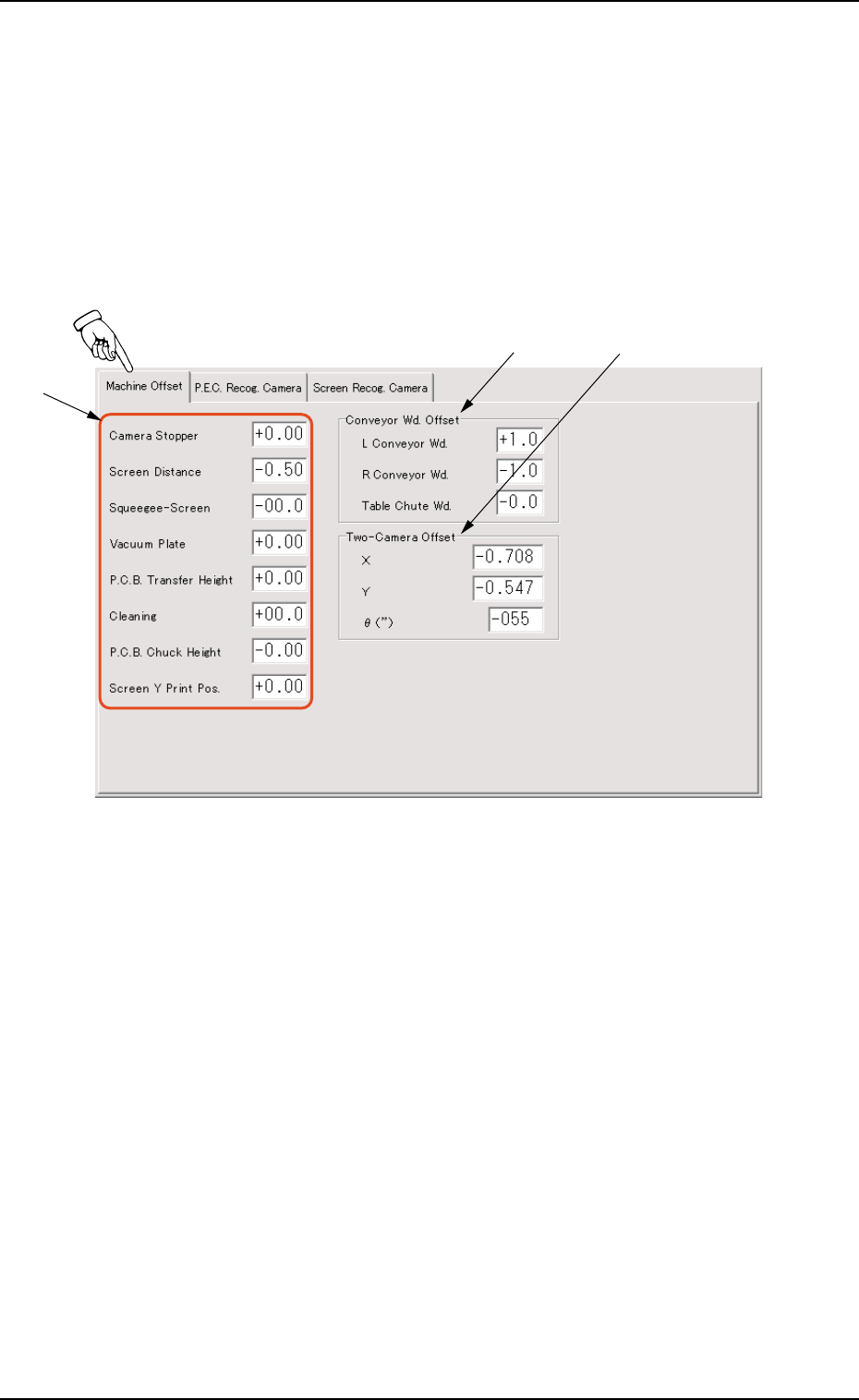
4.1 "Machine Offset" Tab
*1
*2 *3
4.1 "Machine Offset" Tab
This tab sheet enables the operator to set offset values for each
section of the machine.
••
••
• Sheet Layout
When "Machine Offset" tab is pressed at the "OFFSET DATA"
window (submenu), the following tab sheet appears.
Fig. 3D18 "Machine Offset" Tab Sheet
Tg0699-PM-D2
The offset can automatically be set
through the teaching operation.
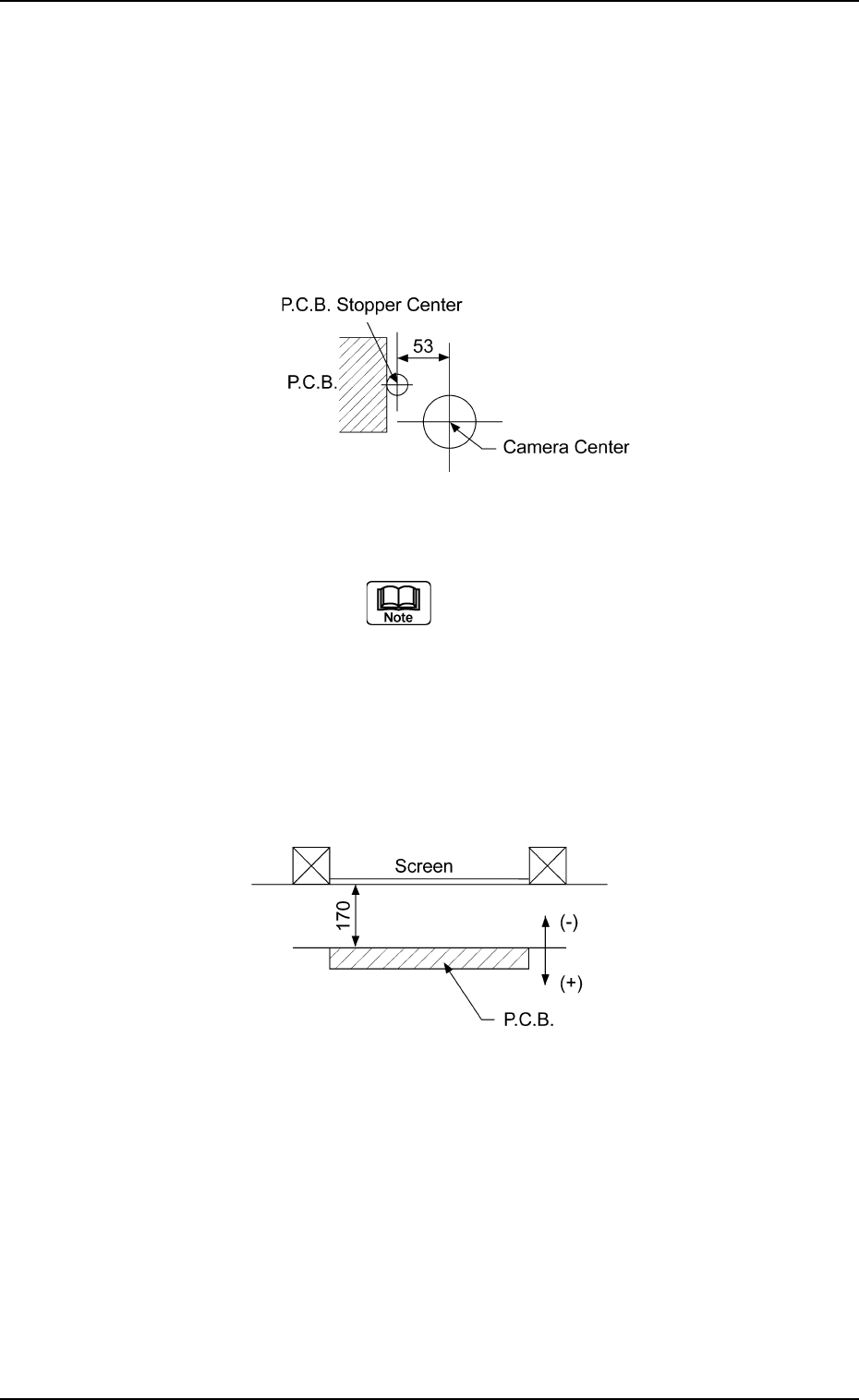
Screen Distance : Enter an offset value in the text box,
based on the specified distance in the Z
direction between the underside of the
screen and the upper surface of the P.C.B.
for printing.
0207-001 Chapter 1 4-28
4.1 "Machine Offset" Tab
••
••
• Sheet Composition
*1 Offset Entry Area for Each Unit
Offset values can be entered for each unit.
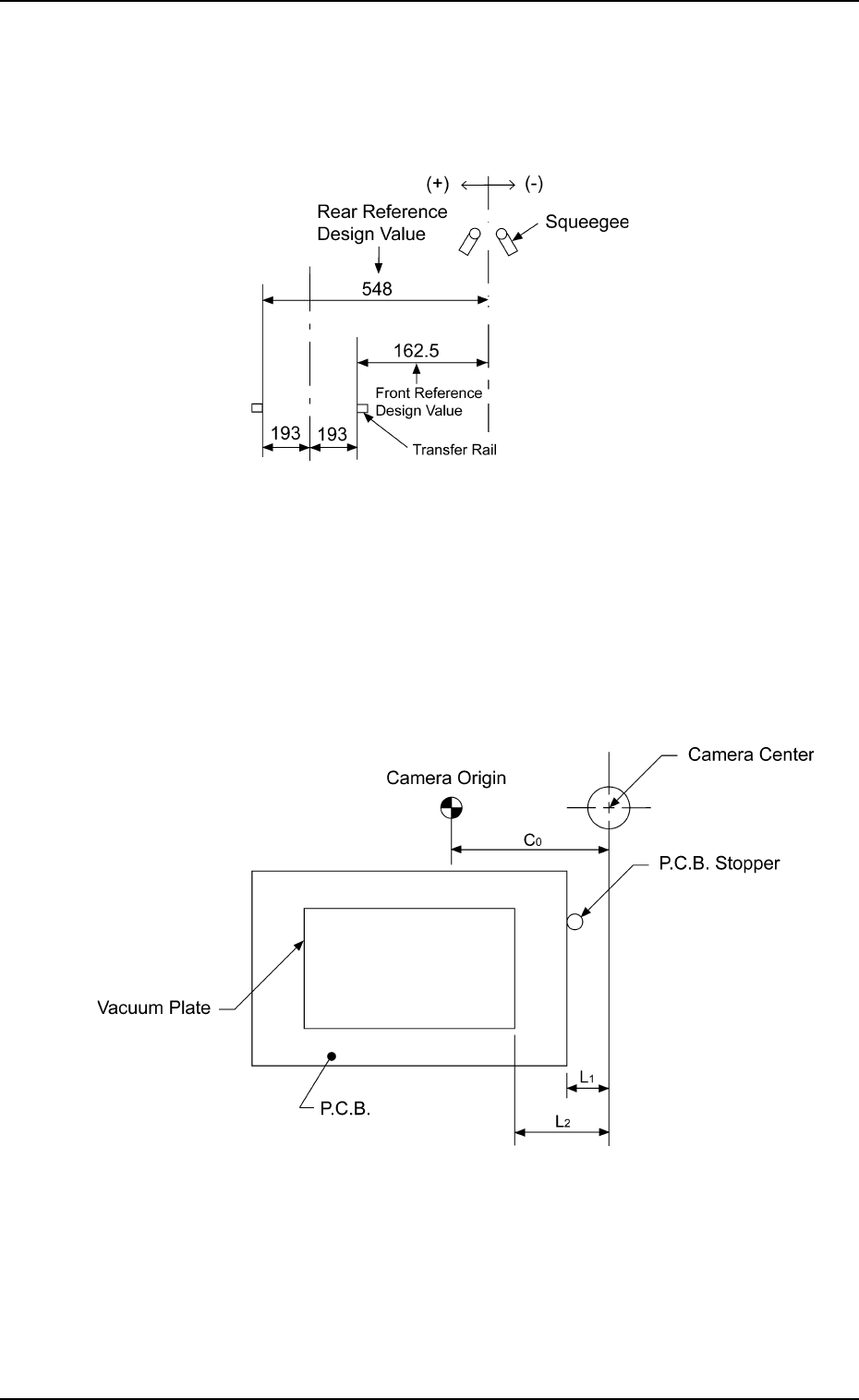
Camera Stopper : When the P.C.B. stop position has devi-
ated from the table center, set the offset
data for the correction.
Fig. 3D19
Fig. 3D20
Tg0699-PM-D2
0207-001 Chapter 1 4-29
4.1 "Machine Offset" Tab
Squeegee-Screen : Enter an offset value in the text box,
based on the specified distance in the Y
direction between the squeegee origin and
the screen center.
Fig. 3D21
Vacuum Plate : Enter an offset value in the text box,
based on the specified distance in the X
direction between the center of the P.E.C.
recognition camera and the end plane of
the P.C.B. vacuum jig.
Fig. 3D22