2OM-1088-002.pdf - 第180页
Tg0699-PM-D2 0207-001 Chapter 1 4-32 4.2 "P .E.C. Recog. Camera" T ab 4.2 "P .E.C. Recog. Camera" T ab This tab sheet enables the operator to set offset values and magnifi- cations of the P .E.C. reco…
Tg0699-PM-D2
0207-001 Chapter 1 4-31
4.1 "Machine Offset" Tab
Screen Y Print Pos. : Input the offset value of the screen Y-
axis against the distance in Y direction
on the table reference surface.
*2 Conveyor Wd. Offset
Enter dimensions (widths) in the Y direction of the L/R convey-
ors and the table chute through which a P.C.B. passes. The
entered values are used to change the specified ones in the
pattern program.
L Conveyor Wd. : Enter an offset value (the dimension
representing the width through which
a P.C.B. on the L conveyor passes)
based on the specified one in the
pattern program.
R Conveyor Wd. : Enter an offset value (the dimension
representing the width through which
a P.C.B. on the R conveyor passes)
based on the specified one in the
pattern program.
Table Chute Wd. : Enter an offset value (the dimension
representing the width through which
a P.C.B. on the table chute passes)
based on the specified one in the
pattern program.
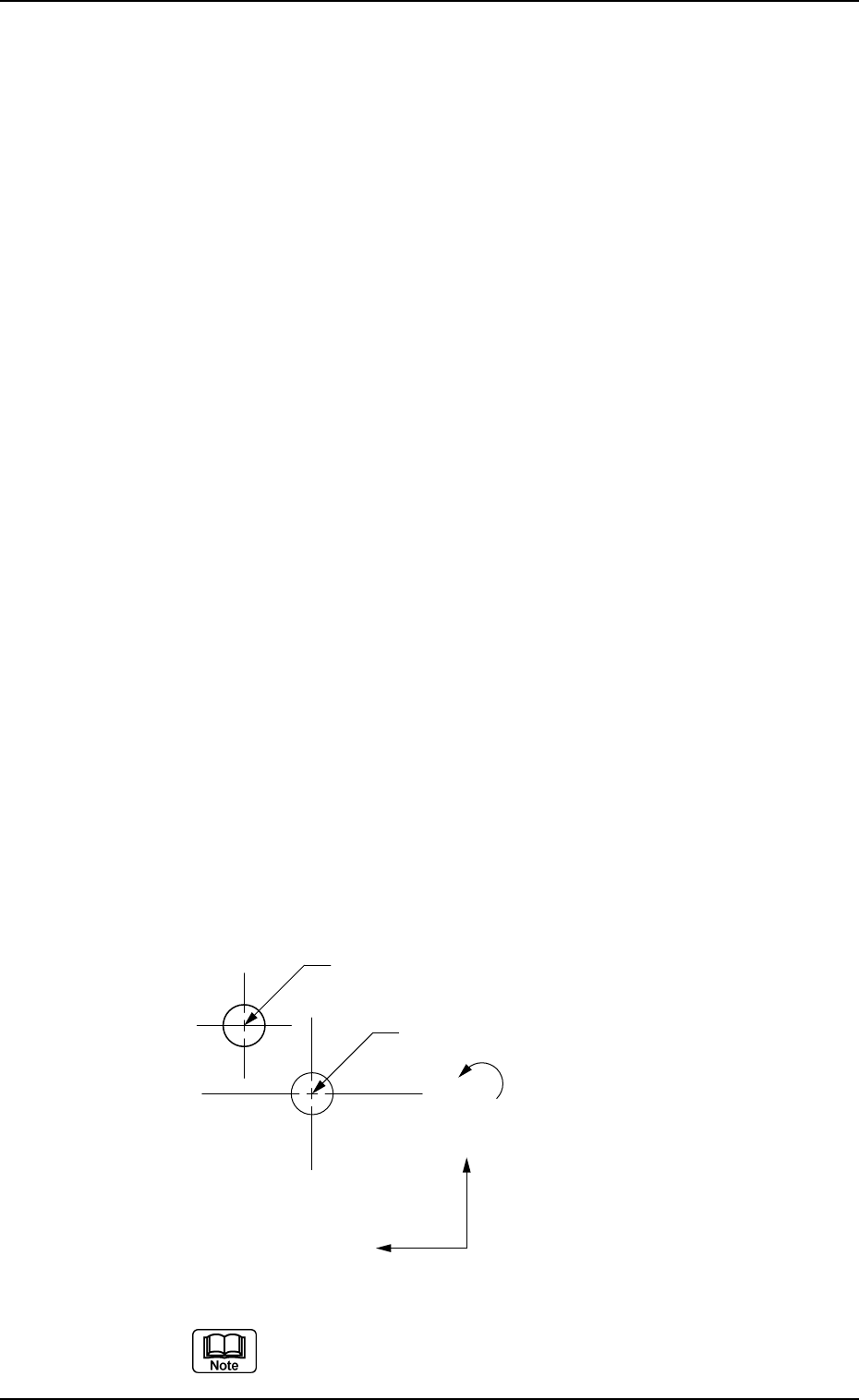
*3 Two-Camera Offset
Enter offset values in the text boxes based on the specified ones
for each axis, regarding the relative positional deviations be-
tween the P.E.C. and screen recognition cameras.
Fig. 3D26
When the 2-Camera Calibration operation is performed,
offset values can be entered automatically.
Center of P.E.C. Recognition Camera
Center of Screen Recognition Camera
X(+)
Y(+)
θ(+)
Tg0699-PM-D2
0207-001 Chapter 1 4-32
4.2 "P.E.C. Recog. Camera" Tab
4.2 "P.E.C. Recog. Camera" Tab
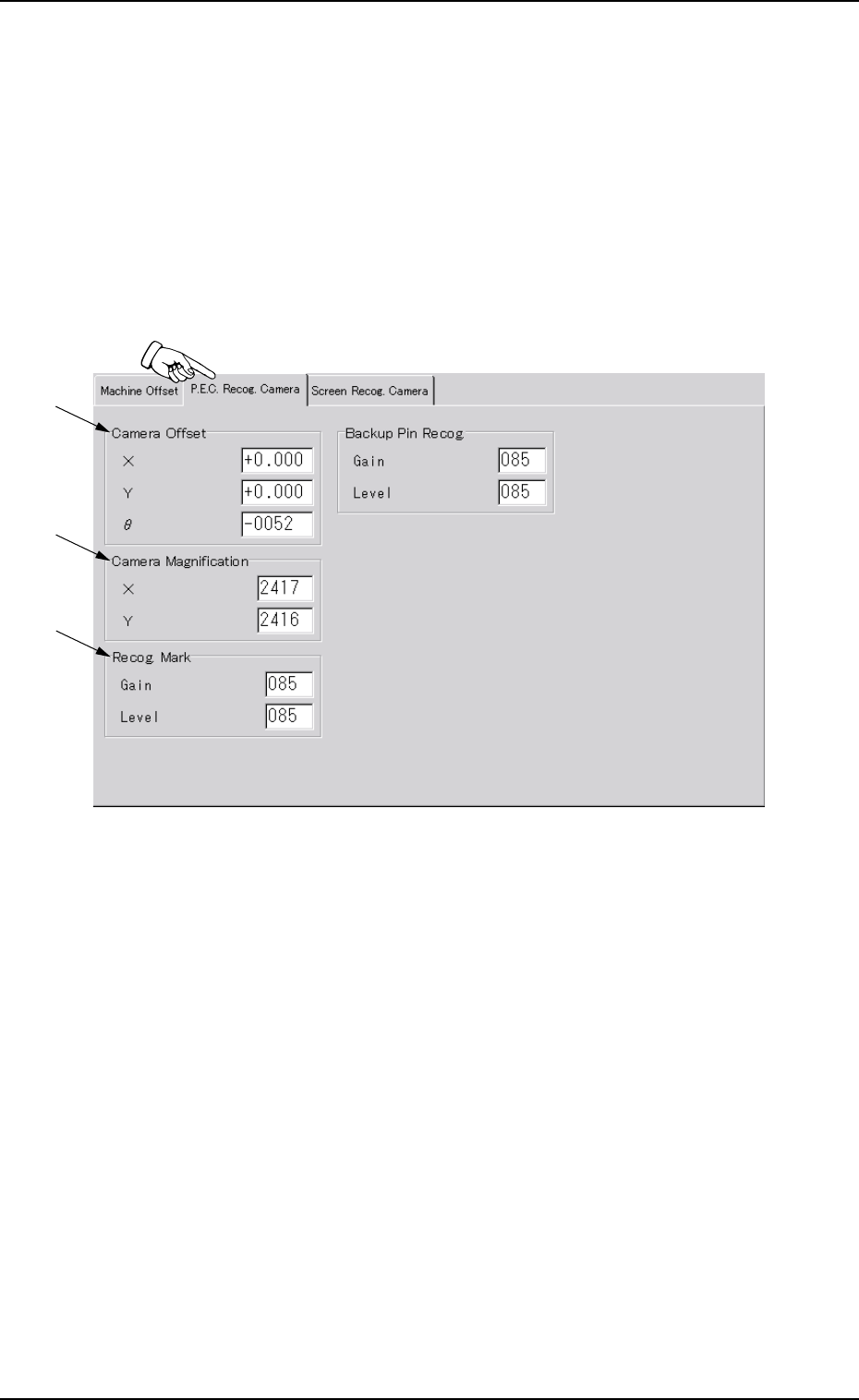
This tab sheet enables the operator to set offset values and magnifi-
cations of the P.E.C. recognition camera and gain & level (contrast
and brightness) of the fiducial mark.
••
••
• Sheet Layout
When the "P.E.C. Recog. Camera" tab is pressed in the "OFFSET
DATA" window (submenu), the following tab sheet appears.
Fig. 3D27 "P.E.C. Recog. Camera" Tab Sheet
*2
*3
*1
Tg0699-PM-D2
0207-001 Chapter 1 4-33
4.2 "P.E.C. Recog. Camera" Tab
••
••
• Sheet Composition
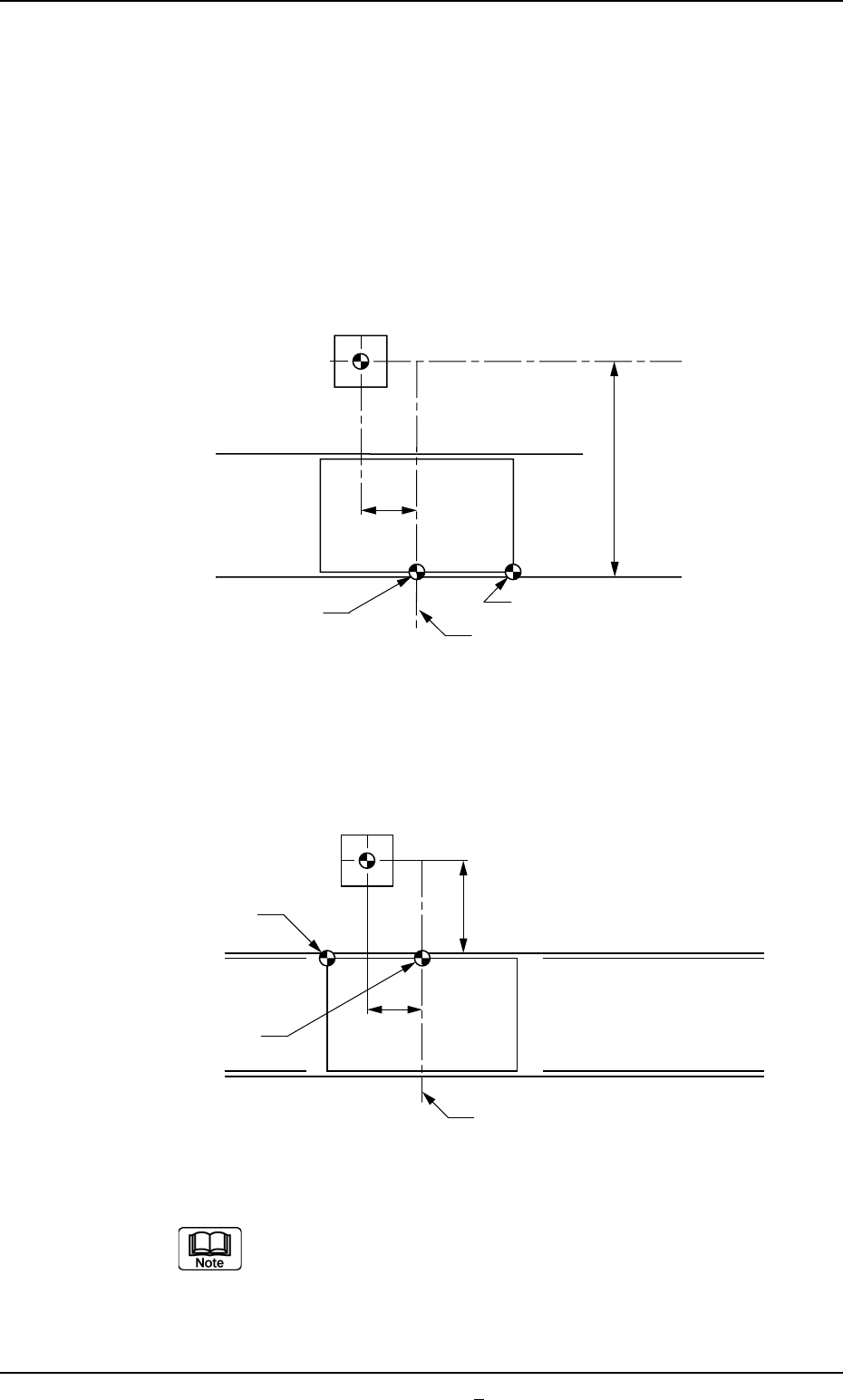
*1 Camera Offset
Enter offset values in the text boxes, regarding the difference in
the distance and angle of each axis between the centers of the
P.E.C. recognition camera and the table chute. The entered
values are used to change the specified ones.
With Front Reference
With Rear Reference
Make the ten-key window appear and enter the offset
values in the text boxes.
Fig. 3D28
P.C.B.
Table Center
310
Table Origin
P.E.C. Recognition Camera
P.C.B. Origin
479
P.C.B.
Table Center
310
Table Origin
P.E.C. Recognition Camera
P.C.B. Origin
98
Fig. 3D28-1