2OM-1088-002.pdf - 第208页
Tg0699-PM-D2 1.1 Power Operation Impossible 0207-001 Chapter 2 2-3 T able 4B2 (Remedy 3) Set the power breaker to "ON". Fig. 4B2 (Remedy 4) Refer to "1.1.1 Checking of Power Supply and Air Pressure" (…
Tg0699-PM-D2
1. Easy Troubleshooting
0207-001 Chapter 2 2-2
1. Easy Troubleshooting
Described below are the simple errors against which an operator (a
person in charge of machine operations) can take measures.
When an operator cannot solve a certain problem, contact the super-
visor (a person in charge of machine management) for his advice.
1.1 Power Operation Impossible
Table 4B1
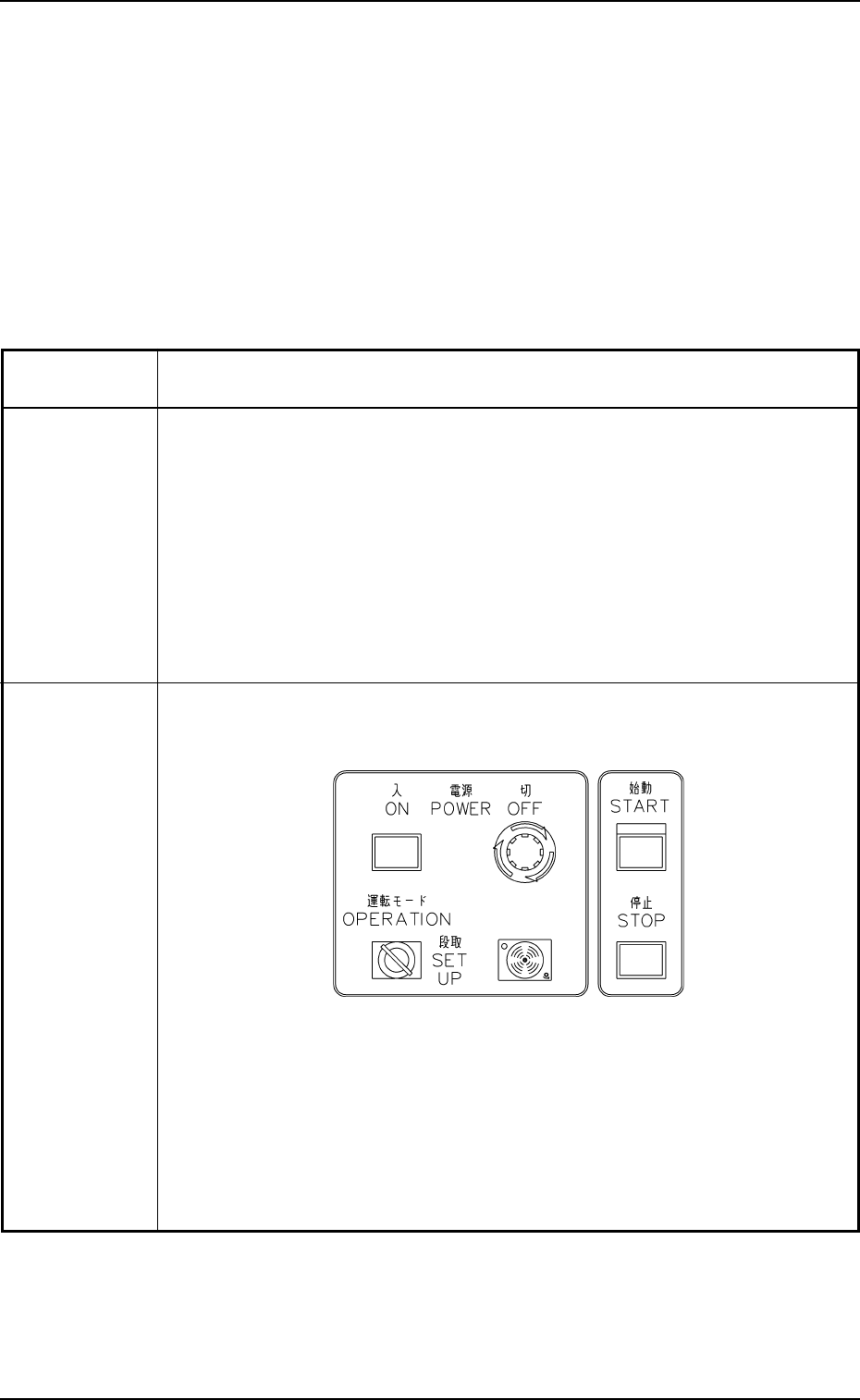
Symptom Although the [POWER ON] button on the front operation panel is pressed,
power is not supplied.
Cause (Cause 1) The [POWER ON] button was not pressed for more than 2
seconds.
(Cause 2) The [POWER OFF] button on the front operation panel is locked
in the "OFF" mode.
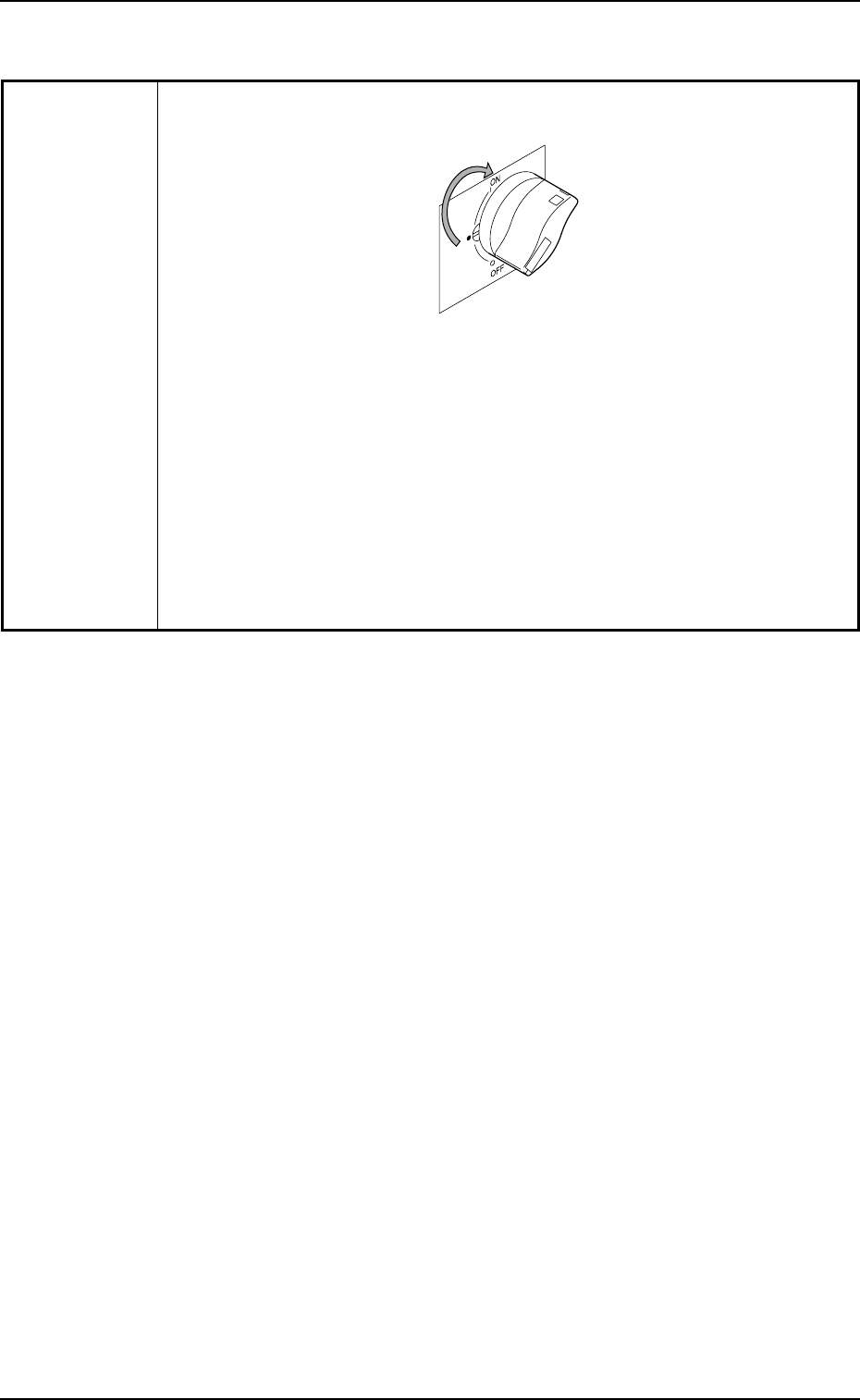
(Cause 3) The power breaker is turned "OFF".
(Cause 4) The air pressure has not reached the specified one (0.39 MPa
(4 kgf/cm
2
)).
Remedy (Remedy 1) Hold down the [POWER ON] button on the front operation
panel for more than 2 seconds.
Fig. 4B1
(Remedy 2) Turn the [POWER OFF] button on the front operation panel in
the arrow direction until it is unlocked and press and hold the
[POWER ON] button for more than 2 seconds.
Tg0699-PM-D2
1.1 Power Operation Impossible
0207-001 Chapter 2 2-3
Table 4B2
(Remedy 3) Set the power breaker to "ON".
Fig. 4B2
(Remedy 4) Refer to "1.1.1 Checking of Power Supply and Air Pressure"
(Section 2 of Chapter 1 in Volume 1) for details and supply air
to the machine.
If the air pressure has not reached the specified one, refer to
"Section 1 Periodic Maintenance" (Chapter 3 in Volume 2) for
details and adjust the pressure.

Tg0699-PM-D2
1.2 No Display on Touch Screen
0207-001 Chapter 2 2-4
1.2 No Display on Touch Screen
Table 4B3
Symptom Nothing appears on the touch screen.
Cause (Cause 1) The monitor protection function is working.
(Cause 2) Power is not supplied from the source.
Remedy (Remedy 1) Touch the touch screen to resume the screen you left and
continue working.
(Remedy 2) Refer to "1.1 Power Operation Impossible" for details.