2OM-1088-002.pdf - 第209页
Tg0699-PM-D2 1.2 No Display on T ouch Screen 0207-001 Chapter 2 2-4 1.2 No Display on T ouch Screen T able 4B3 Symptom Nothing appears on the touch screen. Cause (Cause 1) The monitor protection function is working. (Cau…
Tg0699-PM-D2
1.1 Power Operation Impossible
0207-001 Chapter 2 2-3
Table 4B2
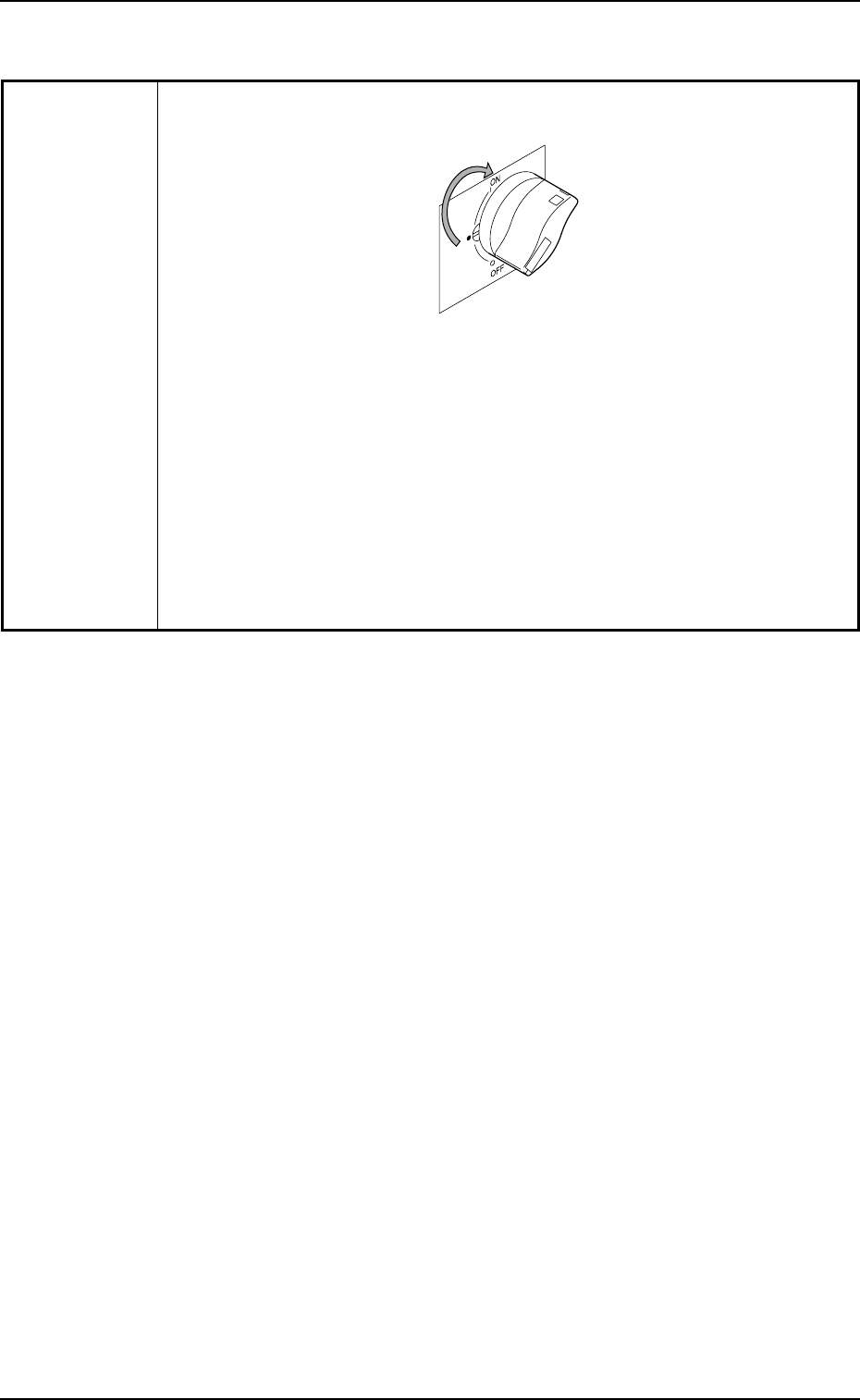
(Remedy 3) Set the power breaker to "ON".
Fig. 4B2
(Remedy 4) Refer to "1.1.1 Checking of Power Supply and Air Pressure"
(Section 2 of Chapter 1 in Volume 1) for details and supply air
to the machine.
If the air pressure has not reached the specified one, refer to
"Section 1 Periodic Maintenance" (Chapter 3 in Volume 2) for
details and adjust the pressure.

Tg0699-PM-D2
1.2 No Display on Touch Screen
0207-001 Chapter 2 2-4
1.2 No Display on Touch Screen
Table 4B3
Symptom Nothing appears on the touch screen.
Cause (Cause 1) The monitor protection function is working.
(Cause 2) Power is not supplied from the source.
Remedy (Remedy 1) Touch the touch screen to resume the screen you left and
continue working.
(Remedy 2) Refer to "1.1 Power Operation Impossible" for details.
Tg0699-PM-D2
2. Troubleshooting after Error Display
0207-001 Chapter 2 2-5
2. Troubleshooting after Error Display
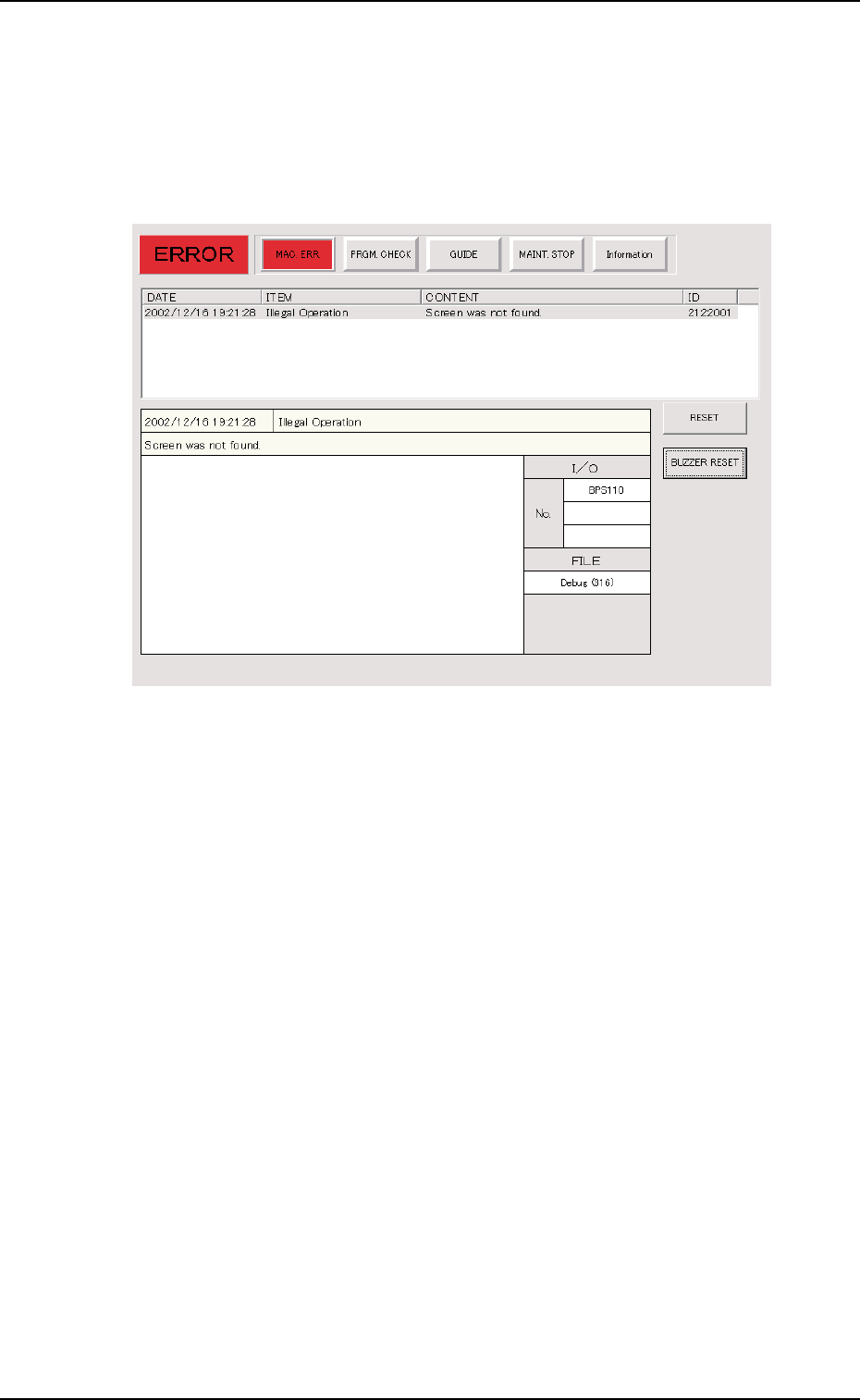
Assuming "ID/ITEM/CONTENT" in the "ERROR" window as an
index, retrieve the related page of the instruction manual.
Refer to "2.1 Typical Description" for the detailed description.
Fig. 4B3 Example of "ERROR" Window