2OM-1088-002.pdf - 第268页
Tg0699-PM-D2 2.3 Error IDs and Remedial Procedures 0207-001 Chapter 2 2-63 T able 4B61
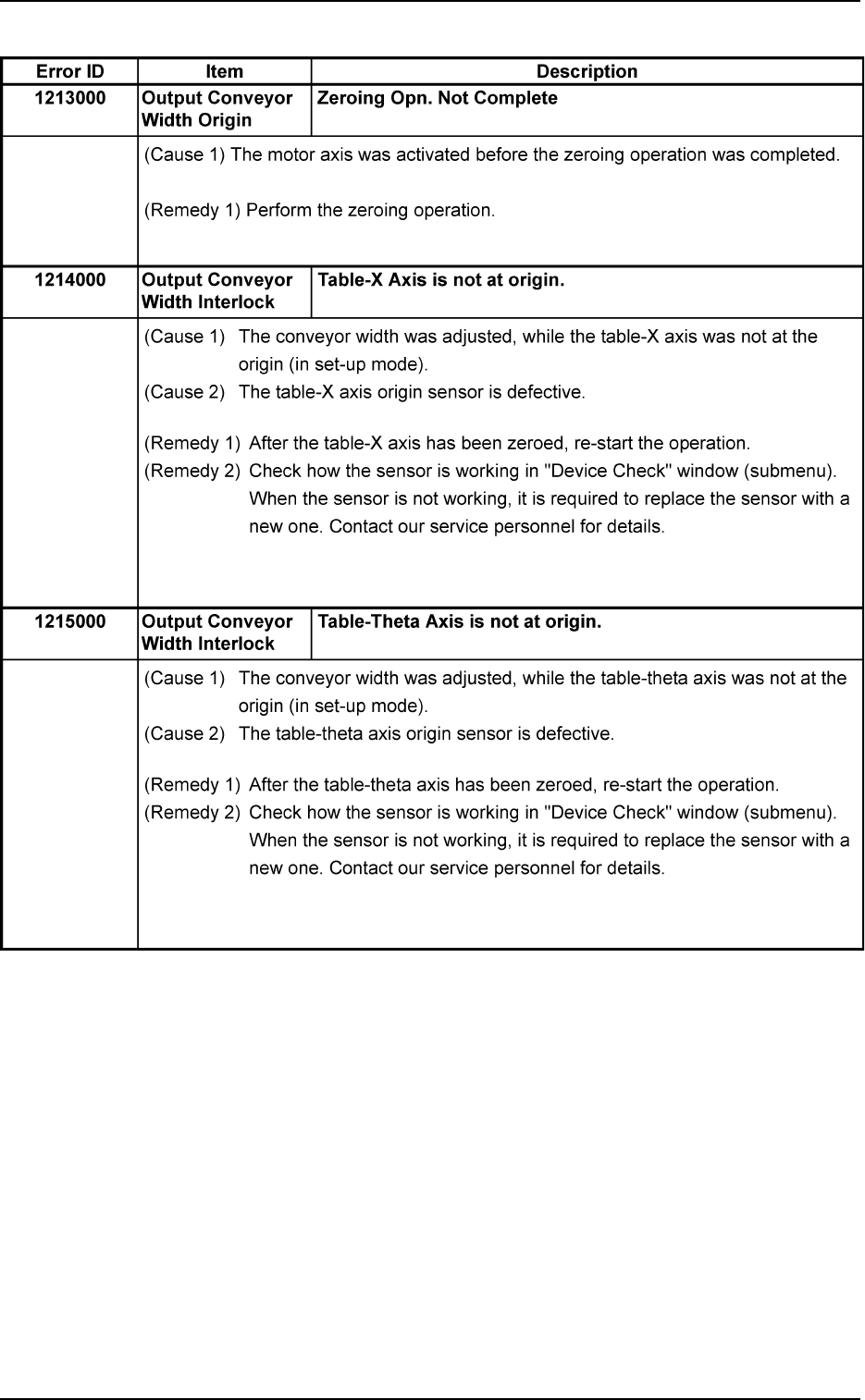
Tg0699-PM-D2
2.3 Error IDs and Remedial Procedures
0207-001 Chapter 2 2-62
Table 4B60
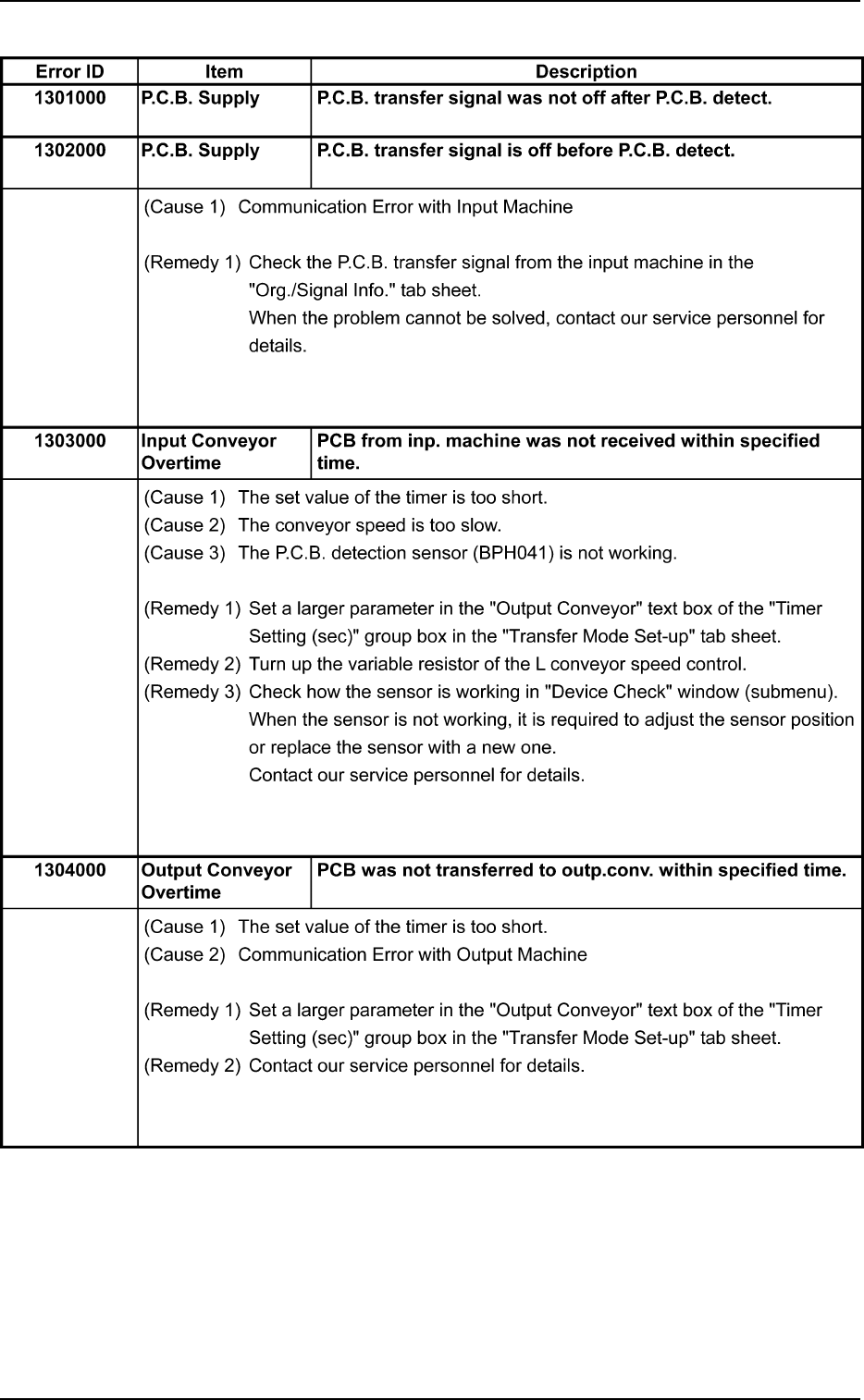
Tg0699-PM-D2
2.3 Error IDs and Remedial Procedures
0207-001 Chapter 2 2-63
Table 4B61

Tg0699-PM-D2
2.3 Error IDs and Remedial Procedures
0207-001 Chapter 2 2-64
Table 4B62
Error ID Item Description
1305000 P.C.B. Transfer PCB transfer from inp. conv. was not completed within speci-
Overtime fied time.
(Cause 1) The conveyor speed is too slow.
(Cause 2) The P.C.B. detection sensor (BPH071) is not working.
(Remedy 1) Turn up the variable resistor of the L conveyor speed control.
(Remedy 2) Check how the sensor is working in "Device Check" window (submenu).
When the sensor is not working, it is required to adjust the sensor posi-
tion or replace the sensor with a new one.
Contact our service personnel for details.
1306000 P.C.B. Transfer PCB transfer to outp.conv. was not completed within speci-
Overtime fied time.
(Cause 1) The P.C.B. arrival check sensor (BPH044) is not working.
(Remedy 1) Check how the sensor is working in "Device Check" window (submenu).
When the sensor is not working, it is required to adjust the sensor posi-
tion or replace the sensor with a new one.
Contact our service personnel for details.
1307000 P.C.B. Transfer PCB was not transferred from outp.conv. within specified
Overtime time.
(Cause 1) The P.C.B. passage check sensor (BPH045) is not set in the E/NR (Light
Emitted and Not Received) or the E/R (Light Emitted and Received) mode.
(Remedy 1) Check how the sensor is working in "Device Check" window (submenu).
When the sensor is not working, it is required to adjust the sensor posi-
tion or replace the sensor with a new one.
Contact our service personnel for details.