2OM-1088-002.pdf - 第364页
Tg0699-PM-D2 0207-001 Chapter 3 1-45 1 1. V acuum Source • The blower-type vacuum source is provided and used for the vacuum-type P .C.B. clamping unit and the automatic cleaning (suction type). (1) Adjustment of V acuum…
Tg0699-PM-D2
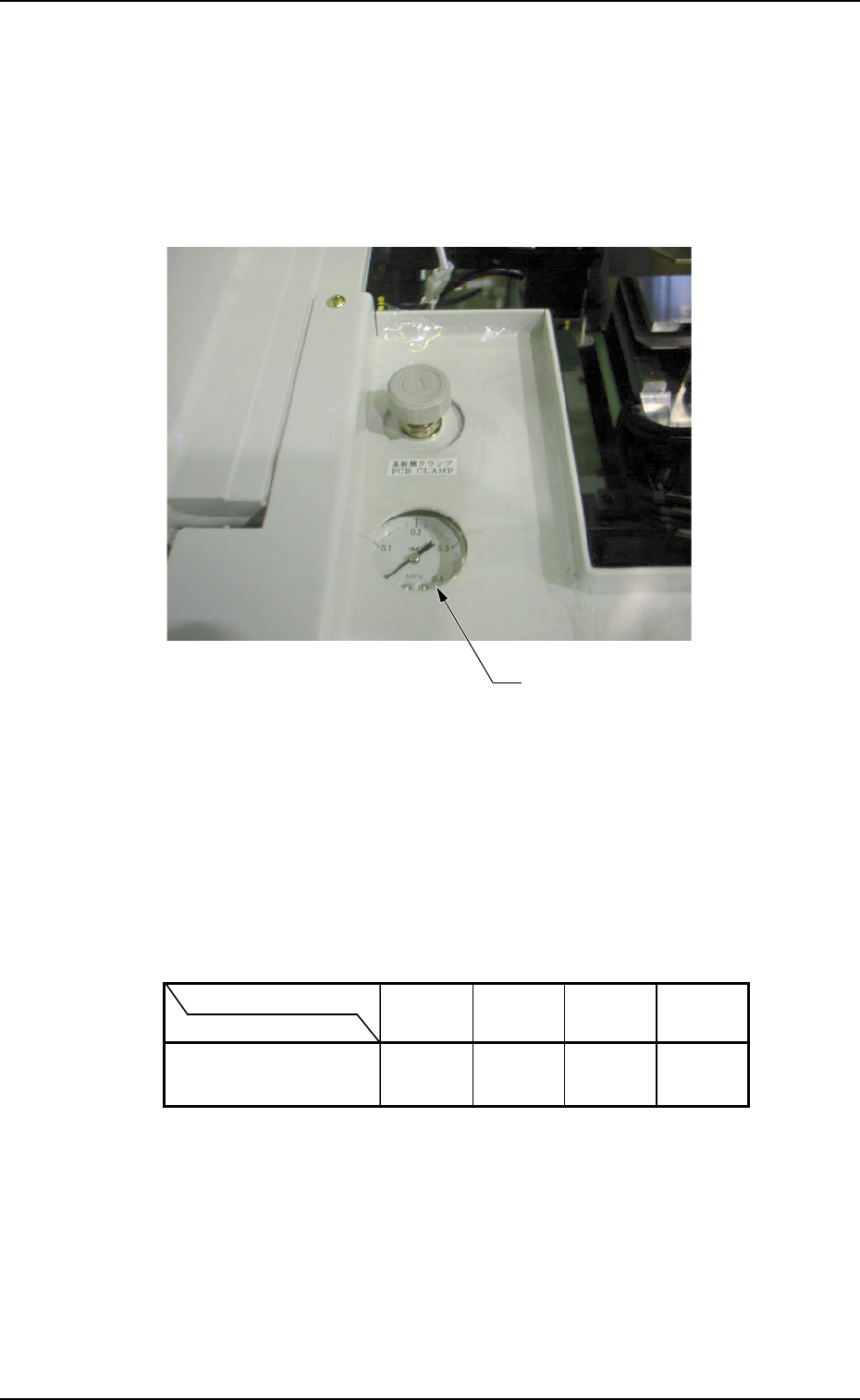
10. Adjustment of P.C.B. Horizontal Clamping
When a thin P.C.B. is used and the horizontal clamping force is
strong, it may be warped. To avoid this, adjust the force with the
pressure reducing valve which is located at the front left (operator
side) of the L conveyor.
Fig. 5A67
• Refer to the following table for the relation between the P.C.B.
thickness and air pressure.
The values indicate the pressures to be applied, assuming that a
P.C.B. (Dimensions: "150 × 100") is used without a P.C.B. stopper.
0207-001 Chapter 3 1-44
10. Adjustment of P.C.B. Horizontal Clamping
Pressure Reducing Valve
P.C.B. Thickness
Air Pressure
MPa
(kgf/cm
2
)
0.12
(1.2)
0.2
(2.0)
0.3
(3.0)
0.3
(3.0)
0.5 mm 1.0 mm 1.5 mm 2.0 mm
Tg0699-PM-D2
0207-001 Chapter 3 1-45
11. Vacuum Source
• The blower-type vacuum source is provided and used for the
vacuum-type P.C.B. clamping unit and the automatic cleaning
(suction type).
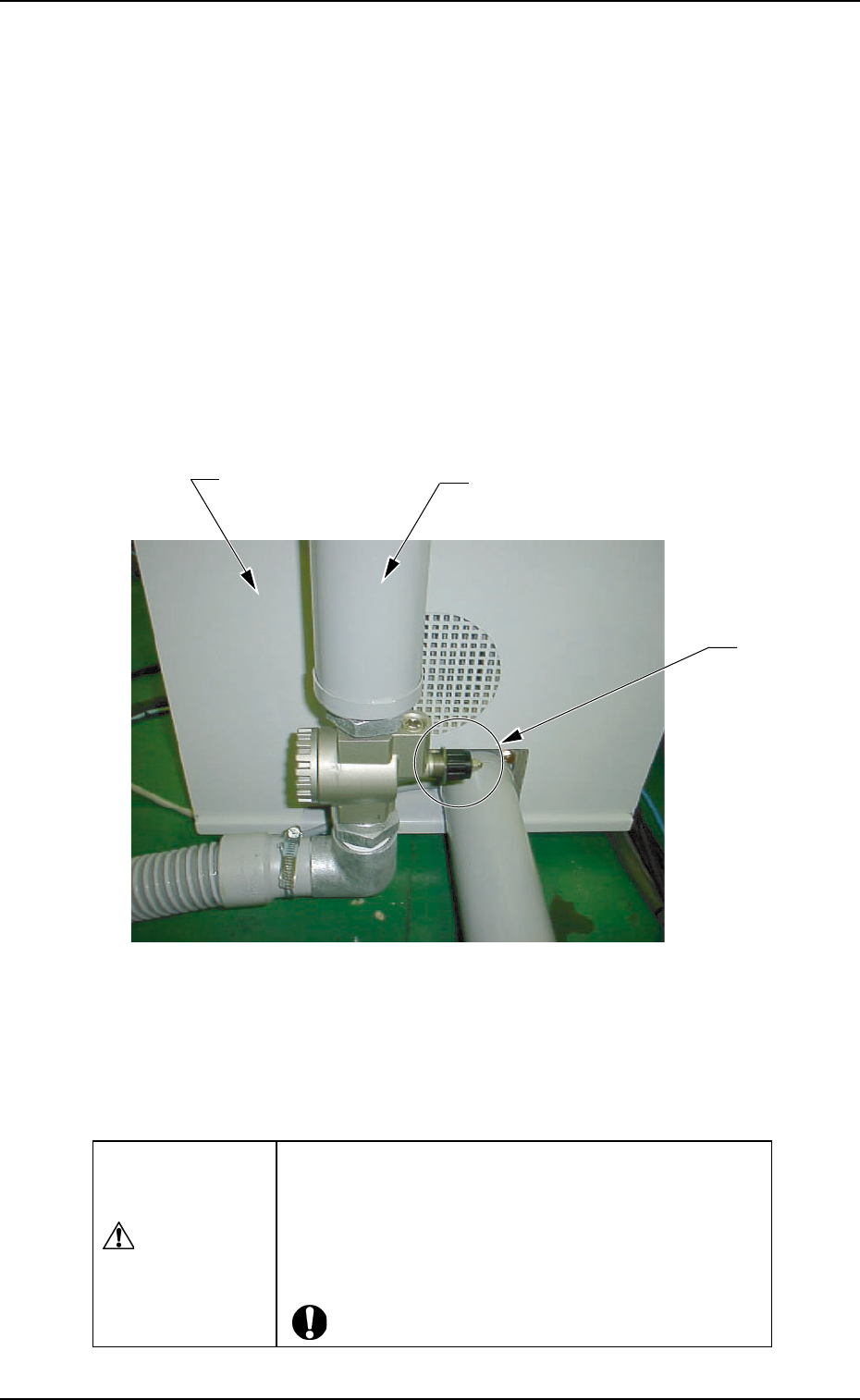
(1) Adjustment of Vacuum Suction Force
• The vacuum force can be adjusted with the vacuum control
valve.
When the valve is turned clockwise, the suction force weakens.
Turning it counterclockwise strengthens the suction force.
Fig. 5A68
• The vacuum control valve is factory-adjusted to the condition
that it is opened (turned 6 times counterclockwise) from the
"Max." position (fully-closed position).
11. Vacuum Source
CAUTION
Only use the valve after having 6 times turned it coun-
terclockwise from the fully-closed position. If the
vacuum control valve is used in fully-closed condition
during the PCB pick-up clamping operation, the blower
might be damaged.
Blower Unit
Muffler
Vacuum
Control Valve
Tg0699-PM-D2
0207-001 Chapter 3 1-46
12. Replacement of Cleaning Paper
(How to change the cleaning paper width)
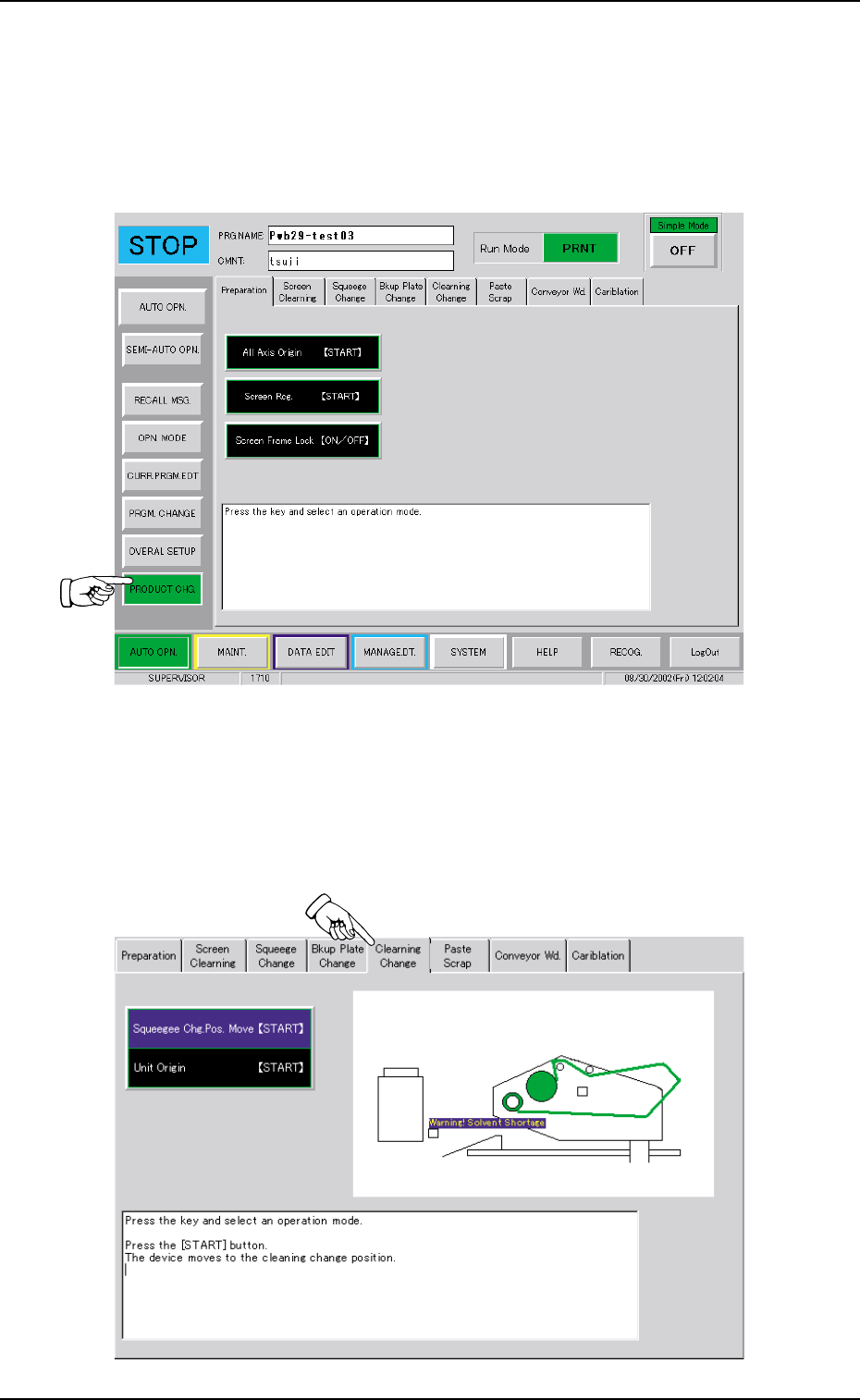
When the "PRODUCT CHG." button is pressed on the "AUTO OPN."
submenu bar, the following tab sheet appears.
Fig. 5A69
12. Replacement of Cleaning Paper (How to change the cleaning paper width)
Operation Procedure
(1) Press the "Cleang Chg." tab.
(2) Press the [Squeegee Chg. Pos. Move [START] ] button.
The background color turns blue.
Fig. 5A70