2OM-1088-002.pdf - 第367页
Tg0699-PM-D2 0207-001 Chapter 3 1-48 12. Replacement of Cleaning Paper (How to change the cleaning paper width) (6) Open the two safety doors on the rear side of the machine. Fig. 5A73 (7) T urn the knobs of both take-up…
Tg0699-PM-D2
0304-003 Chapter 3 1-47
12. Replacement of Cleaning Paper (How to change the cleaning paper width)
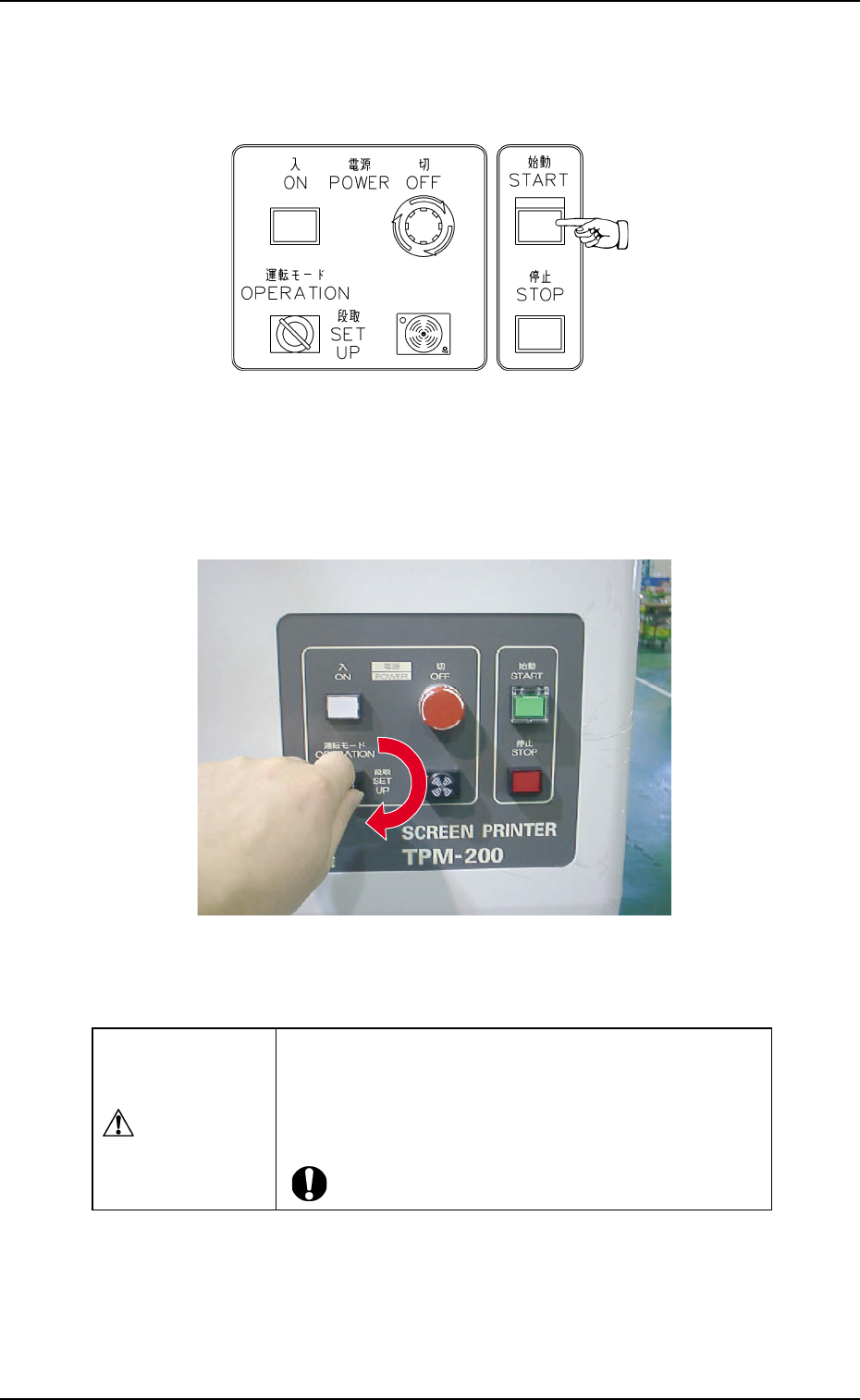
(3) Press the [START] button on the front operation panel.
The P.E.C. recognition and screen holder sections move
toward the front side of the machine.
Fig. 5A71Fig. 5A71
Fig. 5A71Fig. 5A71
Fig. 5A71
(4) Set the [OPERATION/SET UP] switch on the front operation
panel to the "SET UP" side.
Fig. 5A72Fig. 5A72
Fig. 5A72Fig. 5A72
Fig. 5A72
(5) Move to the rear side of the machine.
CAUTIONCAUTION
CAUTIONCAUTION
CAUTION
Set the [OPERATION/SET UP] switch to "SET UP"
before work.
Only the person in charge of maintenance should
perform this work.
Tg0699-PM-D2
0207-001 Chapter 3 1-48
12. Replacement of Cleaning Paper (How to change the cleaning paper width)
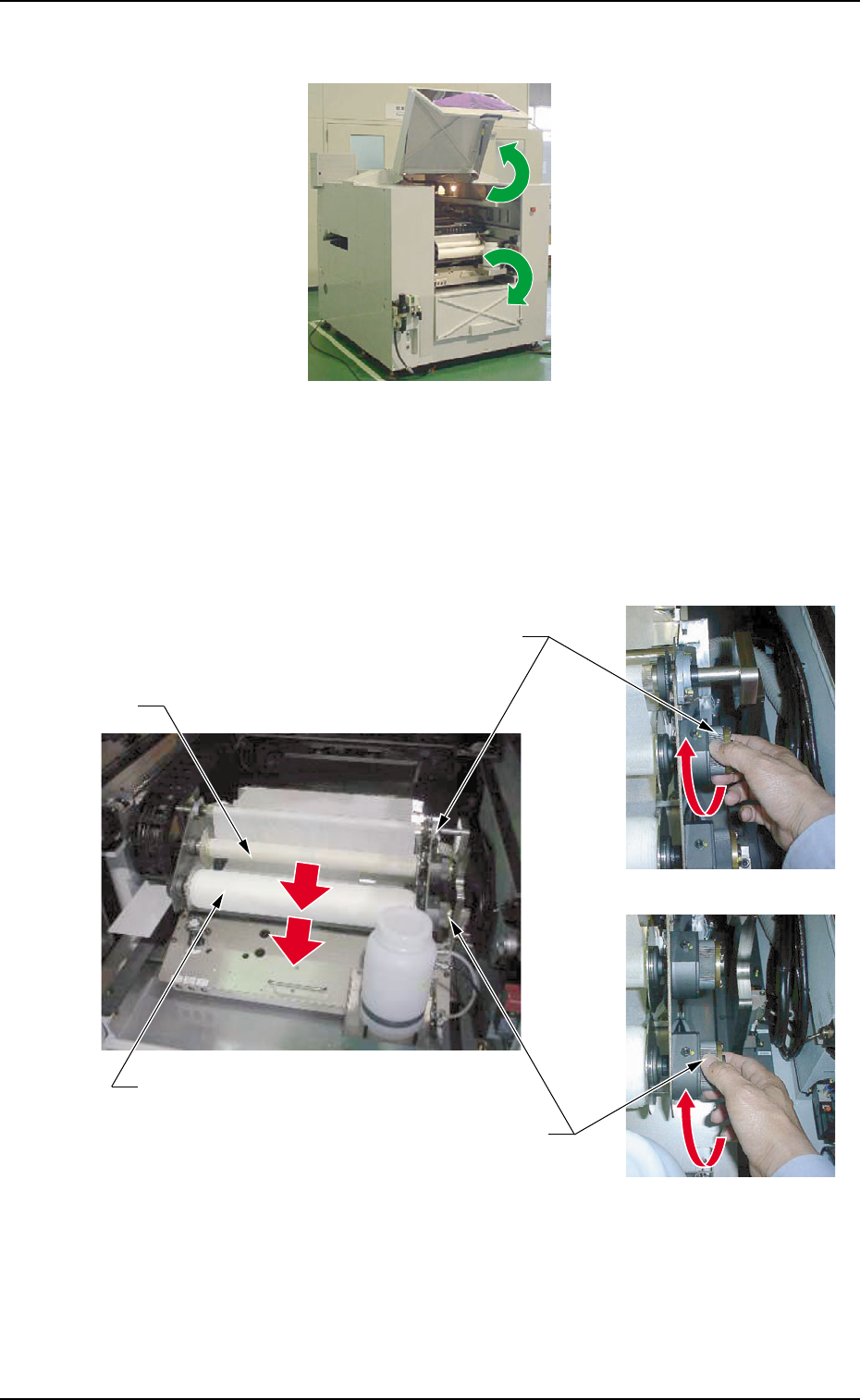
(6) Open the two safety doors on the rear side of the machine.
Fig. 5A73
(7) Turn the knobs of both take-up and supply rollers clockwise and
pull out each roller forward to detach from the cleaning unit.
Fig. 5A74
Supply Roller
Take-Up Roller
Knob
Knob
Tg0699-PM-D2
0207-001 Chapter 3 1-49
12. Replacement of Cleaning Paper (How to change the cleaning paper width)
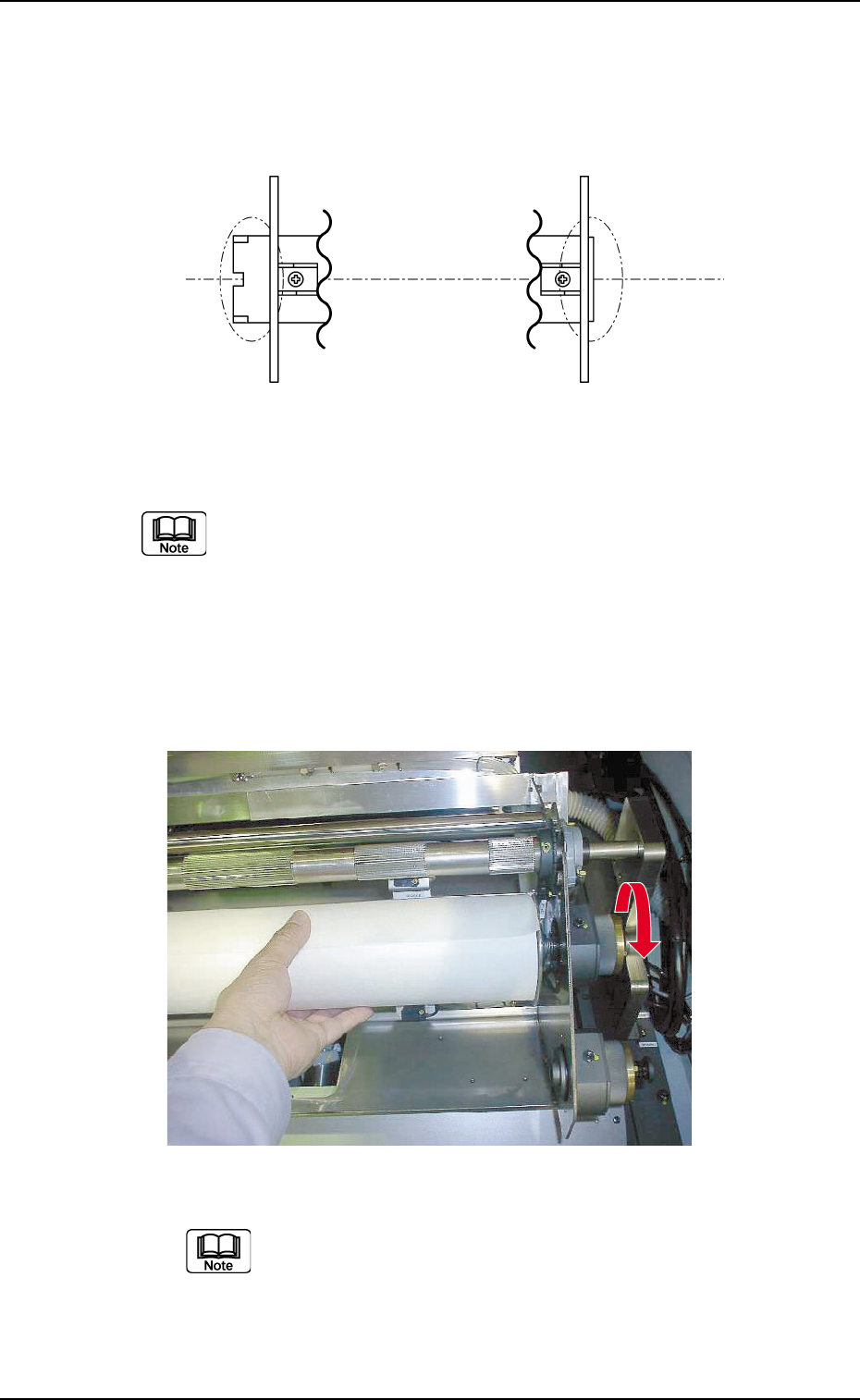
(8) Attach the adapters to both ends of the new supply roller shaft.
Press-fit the left adapter to the roller shaft so that the end of the
shaft is held in close contact with the ring of the left adapter.
Fig. 5A75
Select the correct adapters for both ends of the shaft.
(9) Turn the knob counterclockwise with the new supply roller
supported so that the flange pin on the left side of the cleaning
unit is securely set in the cutout on the adaptor on the left and
then set the new supply roller.
Fig. 5A76
Left Adapter Right Adapter
As the adaptor on the right is easily come out from the
roll shaft, set it with the adaptor inclined to the upper
right.