2OM-1088-002.pdf - 第377页
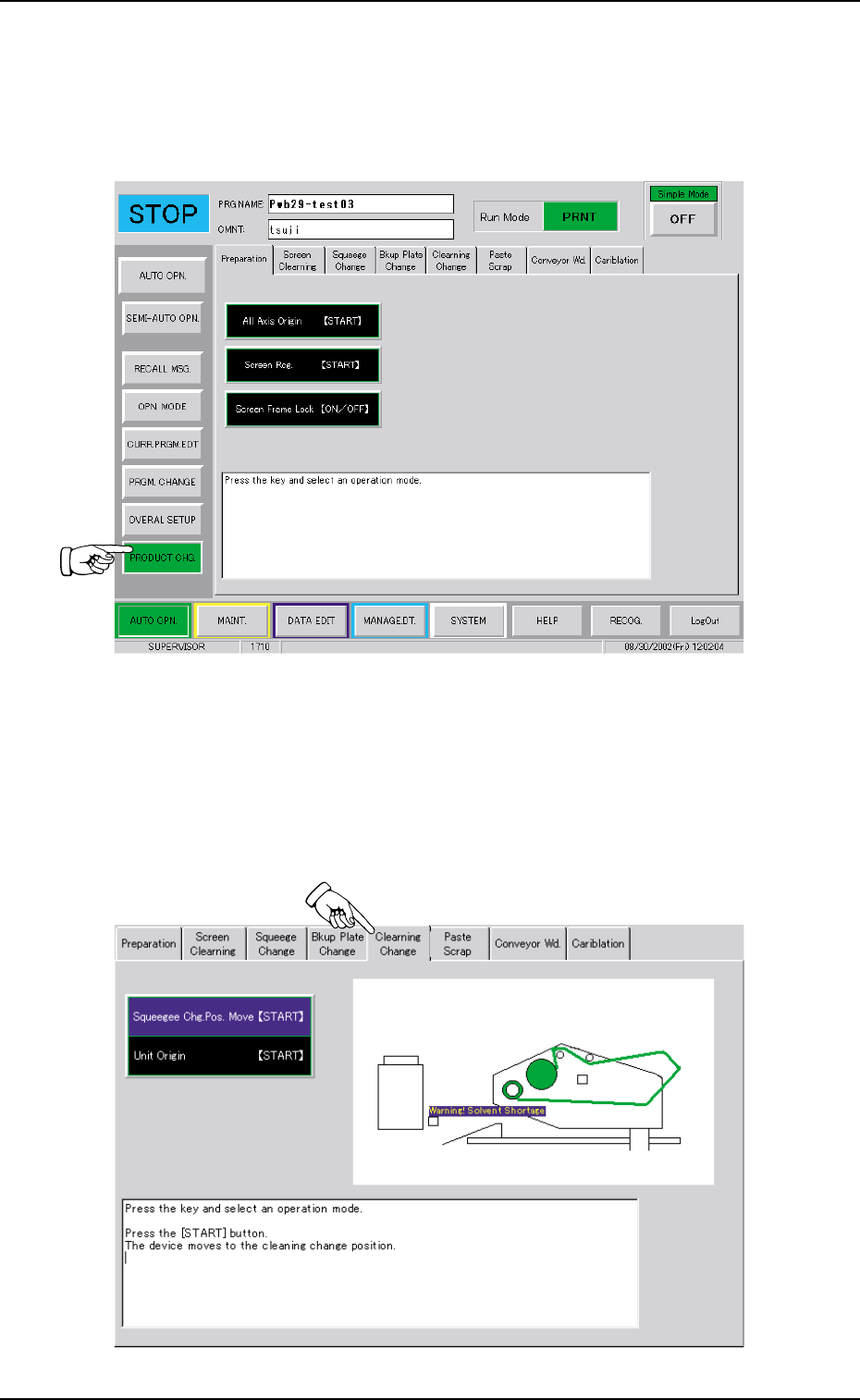
Tg0699-PM-D2 0207-001 Chapter 3 1-56 13. Cleaning Unit Cleaning Procedure When the "PRODUCT CHG." button is pressed on the "AUTO OPN." submenu bar , the following tab sheet appears. Fig. 5A85 Operatio…

Tg0699-PM-D2
0509-002 Chapter 3 1-55
12.3 Cleaning Consumables
One of the sizes (width: 280 mm, 350 mm or 465 mm) can be se-
lected for both cleaning paper and roller shaft (cylindrical device to
take up the cleaning paper) on the customer side and the selected
pair is factory-assembled upon shipment of the machine.
Consult the marketing department or sales agency of Hitachi High-
Technologies for the detailed information on which pair of cleaning
paper and roller shaft is required.
12.3 Cleaning Consumables
Part No.
630 091 1619
630 091 1633
630 116 8050
-
Type No.
TS507 Width: 280mm, Diameter: φ100mm
TS507 Width: 350mm, Diameter: φ100mm
TS507 Width: 465mm, Diameter: φ100mm
Industrial Alcohol (Solvent)
Cleaning Paper
Cleaning Paper
Solvent
Q’ty
1
1
1
-
Table 5A10
Tg0699-PM-D2
0207-001 Chapter 3 1-56
13. Cleaning Unit Cleaning Procedure
When the "PRODUCT CHG." button is pressed on the "AUTO OPN."
submenu bar, the following tab sheet appears.
Fig. 5A85
Operation Procedure
(1) Press the "Cleang Chg." tab.
(2) Press the [Squeegee Chg. Pos. Move [START] ] button. The
background color turns blue.
Fig. 5A86
13. Cleaning Unit Cleaning Procedure
Tg0699-PM-D2
0304-003 Chapter 3 1-57
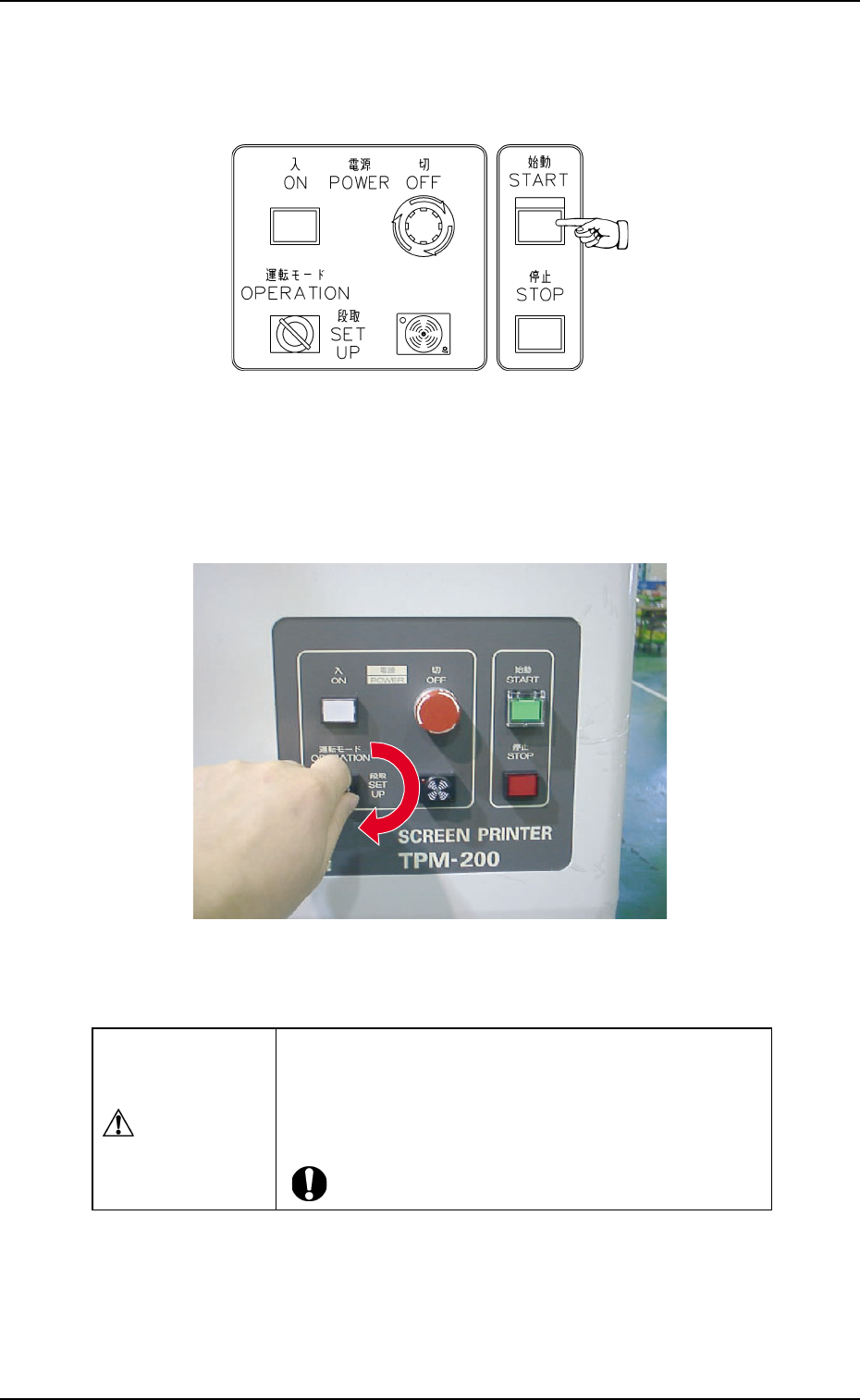
(3) Press the [START] button on the front operation panel.
The P.E.C. recognition and screen holder sections move
toward the front side of the machine.
Fig. 5A87Fig. 5A87
Fig. 5A87Fig. 5A87
Fig. 5A87
(4) Set the [OPERATION/SET UP] switch on the front operation
panel to the "SET UP" side.
Fig. 5A88Fig. 5A88
Fig. 5A88Fig. 5A88
Fig. 5A88
(5) Move to the rear side of the machine.
13. Cleaning Unit Cleaning Procedure
CAUTIONCAUTION
CAUTIONCAUTION
CAUTION
Set the [OPERATION/SET UP] switch to "SET UP"
before work.
Only the person in charge of maintenance should
perform this work.