00198442-04_UM_TX-V2_EN.pdf - 第193页
Instruction manual SIPLACE TX 4 Setting up and commissioning From software version 714.0 12/2020 4.4 Infrastructure at the ins tallation location 193 F1 1 CSB si gnal 6.3 A T 24 F12 CSB supply 6.3 A T 24 F13 Diagnostic S…
4 Setting up and commissioning Instruction manual SIPLACE TX
4.4 Infrastructure at the installation location From software version 714.0 12/2020
192
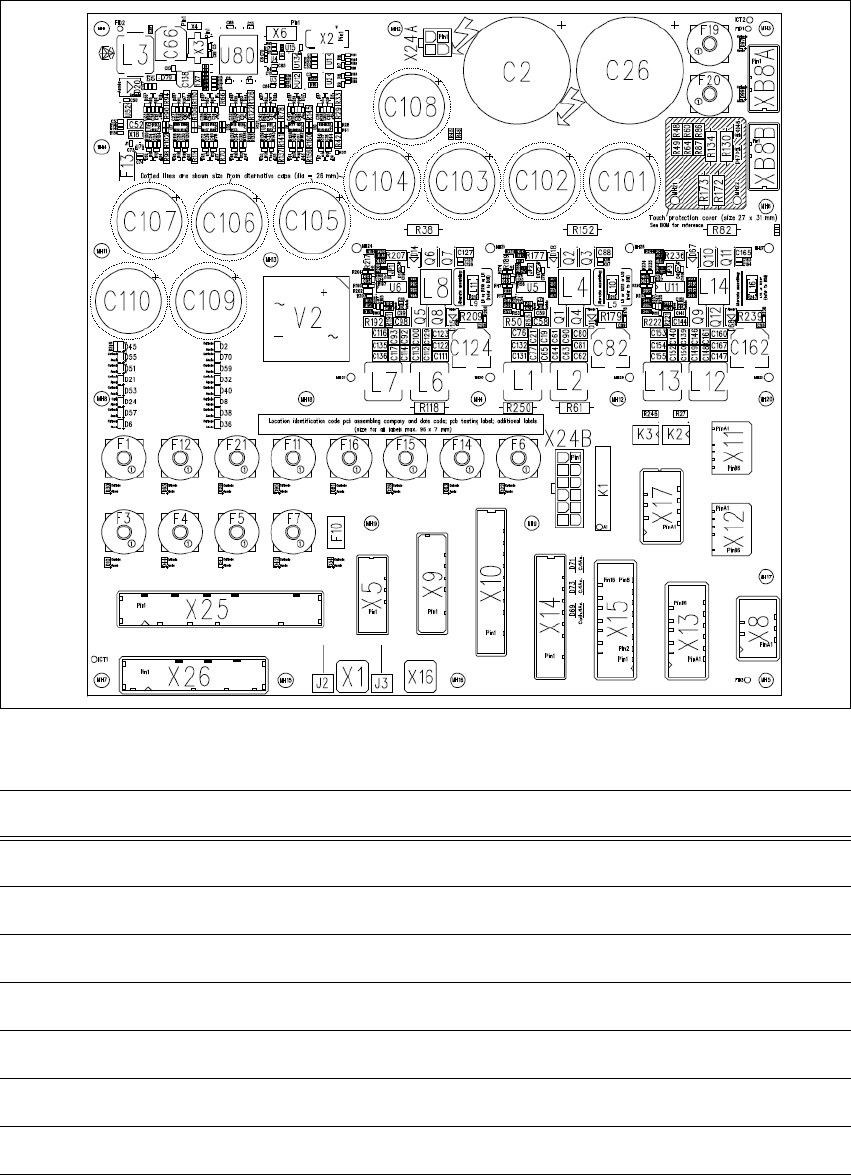
4.4.4 Overview of the microfuses
4
Fig. 4.4 - 7 Overview of the microfuses
4
Fuse Components Electricity Voltage [V]
F1 Shuttle 6.3 AT 42
F3 Shuttle & Option 6.3 AT 24
F4 Distributor 4.0 AT 24
F5 Monitor 1&2 /CIN 6.3 AT 24
F6 MGCU Supply 6.3 AT 42
F7 Conveyor control 6.3 AT 24
F10 Internal Polyfuse 24

Instruction manual SIPLACE TX 4 Setting up and commissioning
From software version 714.0 12/2020 4.4 Infrastructure at the installation location
193
F11 CSB signal 6.3 AT 24
F12 CSB supply 6.3 AT 24
F13 Diagnostic Supply 3.0 (SMD) 24
F14 Gantry/Head 1 6.3 AT 42/24
F15 Gantry/Head 2 6.3 AT 42/24
F16 Conveyor drives 10.0 AT 42
F19 Gantry 1 6.3 AT 160
F20 Gantry 2 6.3 AT 160
F21 Vision (not used) 6.3 AT 42
F31 FCU 1 16 AC
(external)
27,5
F32 FCU 2 16 AC
(external)
27,5
F33 Station PC 10 AC
(external)
27,5
Fuse Components Electricity Voltage [V]
4 Setting up and commissioning Instruction manual SIPLACE TX
4.5 Setting up the placement machine From software version 714.0 12/2020
194
4.5 Setting up the placement machine
4.5.1 Fitting attached parts
The placement machine is delivered with the monitor and indicator lamp dismantled. To fit the in-
dicator lamps and the monitors, proceed as follows.
4.5.1.1 Fitting the indicator lamp
Insert the indicator lamp into the hole until the lamp tube projects sufficiently into the terminal
beneath.
Pull the connector slightly out of the lamp base.
Plug the connector into the bottom of the upper section of the lamp.
Turn the signaling lamp, until it engages.
4.5.1.2 Fixing the monitors
Use the two fastening screws to fix the monitor to the monitor mount and then connect the
monitor cable (voltage, signal, USB and earth).
Check the cable connections.
Fasten the monitor cable to the monitor with a strain relief.