00198442-04_UM_TX-V2_EN.pdf - 第289页
Instruction manual SIPLACE TX 6 Station exte nsions From software version 714.0 12/2020 6.2 Reject plate 289 6.2 Reject plate Item no. 031 17664-xx Component deposit (r eject plate) If components are recogniz ed as defec…
6 Station extensions Instruction manual SIPLACE TX
6.1 Nozzle changer From software version 714.0 12/2020
288
6.1.5.1 Reject bin and nozzle station, TH/CPP (optional)
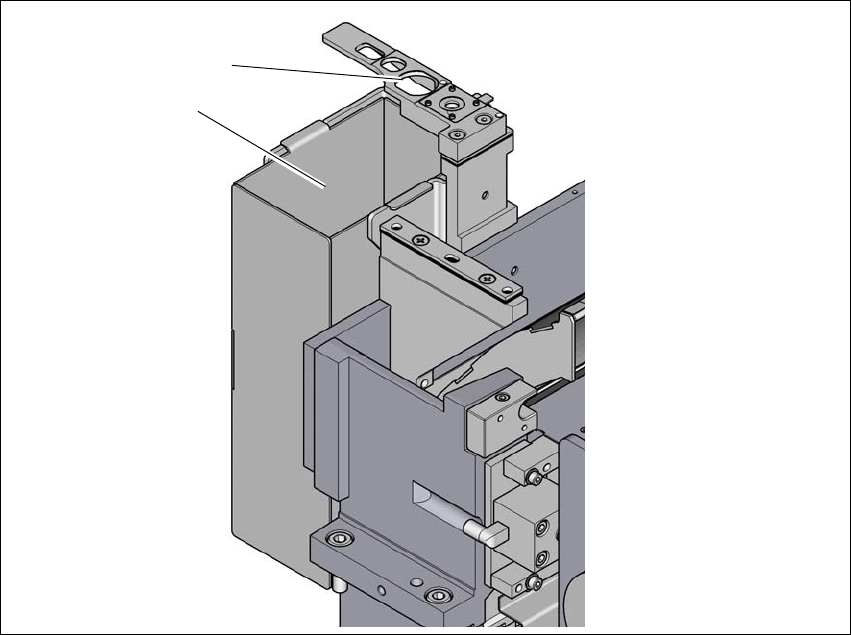
Item no. 03112806-xx Reject bin and nozzle station, TH/CPP
A component reject bin can be installed for the SIPLACE TwinStar and SIPLACE CPP with sta-
tionary camera. This is positioned next to the stationary camera.
6
Fig. 6.1 - 15 Reject bin and nozzle station TH/CPP
(1) Reject bin
(2) Nozzle station
(1)
(2)
Instruction manual SIPLACE TX 6 Station extensions
From software version 714.0 12/2020 6.2 Reject plate
289
6.2 Reject plate
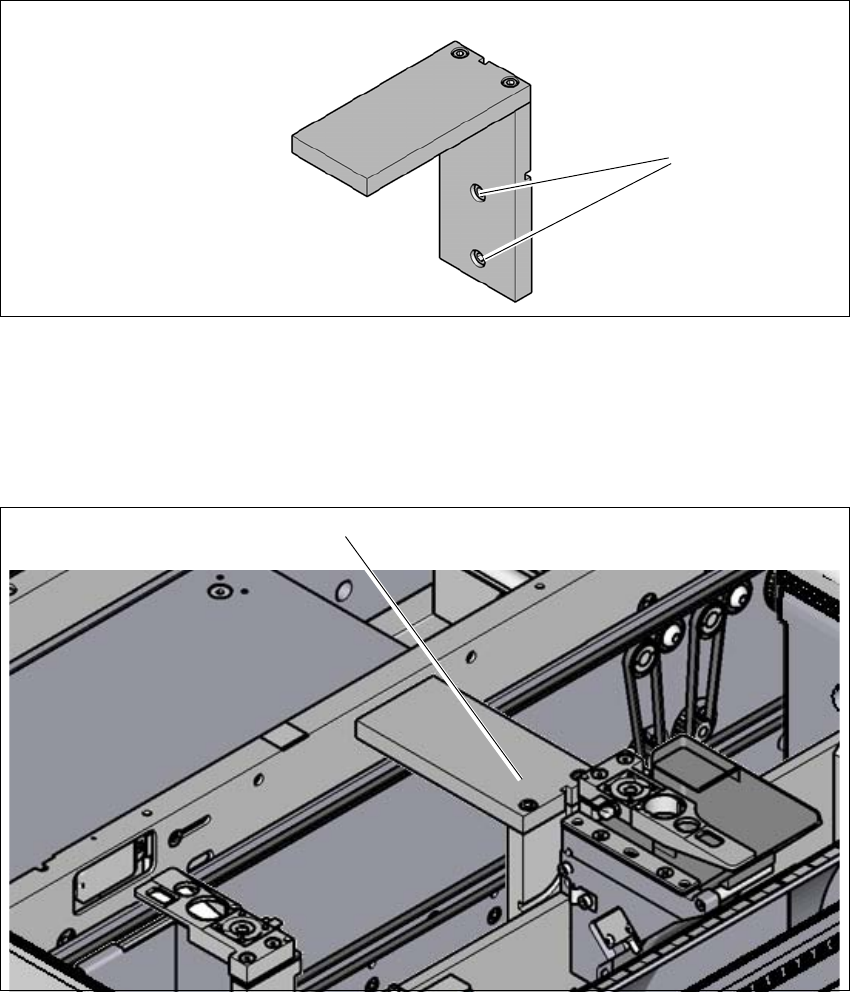
Item no. 03117664-xx Component deposit (reject plate)
If components are recognized as defective by the Vision system, these components will be placed
on the reject plate. The operator can then take these components from there.
6
Fig. 6.2 - 1 Component deposit (reject plate)
(1) Fastening screws
6.2.1 Installation position
6
Fig. 6.2 - 2 Reject plate - installation position
(1) Installation position in the placement machine
(1)
(1)
6 Station extensions Instruction manual SIPLACE TX
6.2 Reject plate From software version 714.0 12/2020
290
6.2.2 Configuration
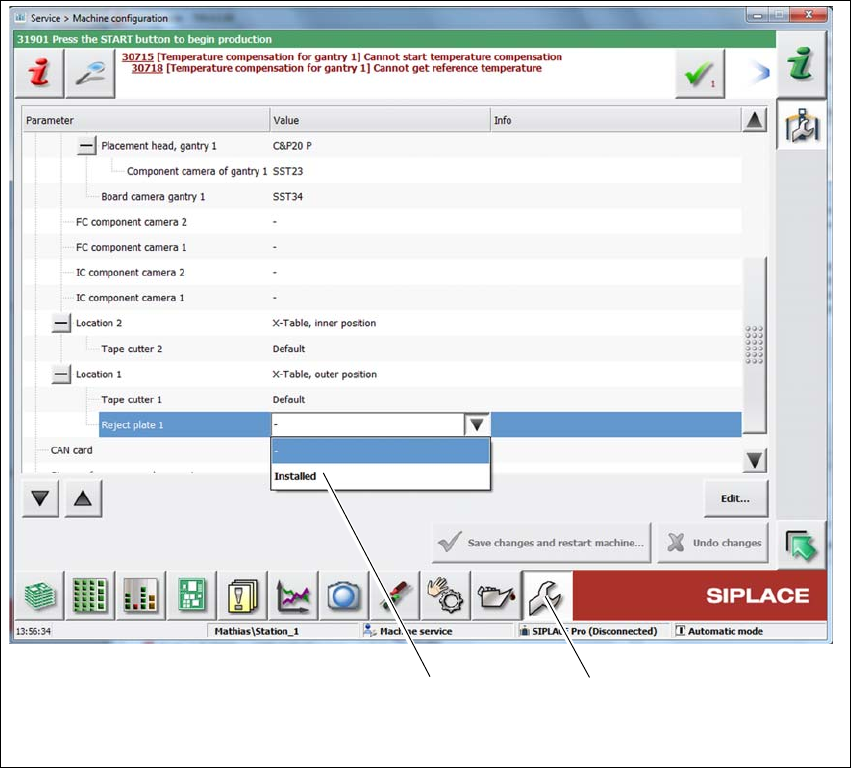
If the reject plate has been fitted, it will need to be configured.
6
Fig. 6.2 - 3 Configuration - reject plate
Select Service (1)
Select the location and then Reject plate => Installed (2).
(2) (1)