00198442-04_UM_TX-V2_EN.pdf - 第82页
2 Operational safety Instruction manual SIPLACE TX 2.5 Safety features From software version 714.0 12/2020 82 2.5.2 Switches and buttons 2.5.2.1 Positions of switches and buttons 2 Fig. 2.5 - 2 Position of switches and b…

Instruction manual SIPLACE TX 2 Operational safety
From software version 714.0 12/2020 2.5 Safety features
81
Function 2
If one of the protective covers is opened upwards, the power supply to the gantry axes will be im-
mediately interrupted. The gantry axes stop moving. The message "Close cover" is displayed on
the screen.
Close the protective covers and press the START button (item 2 in fig. 2.5 - 2), to continue
placement.
2 Operational safety Instruction manual SIPLACE TX
2.5 Safety features From software version 714.0 12/2020
82
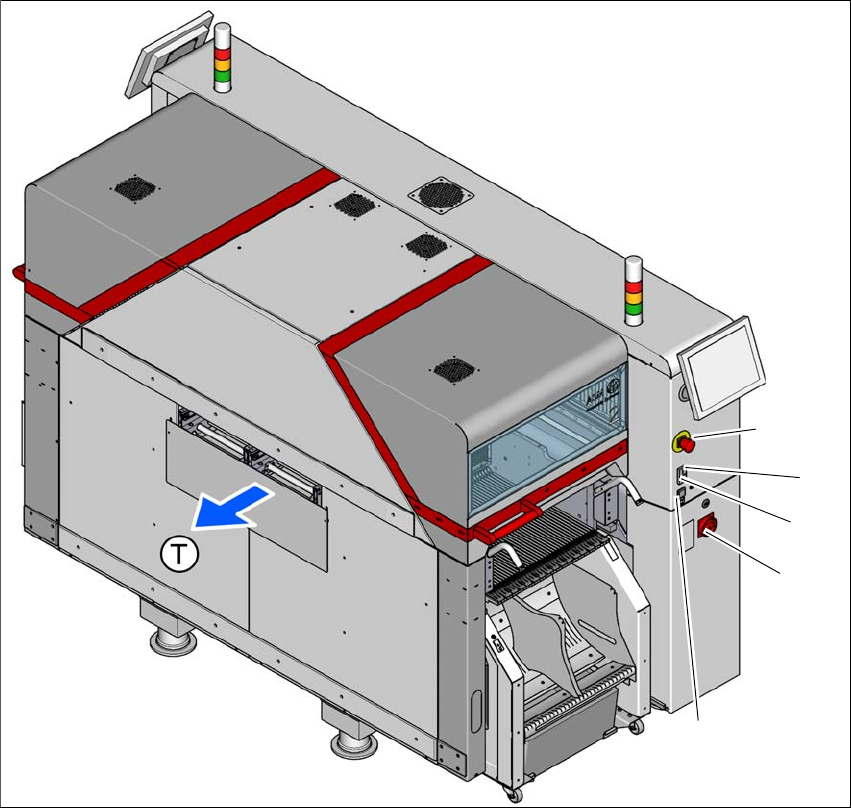
2.5.2 Switches and buttons
2.5.2.1 Positions of switches and buttons
2
Fig. 2.5 - 2 Position of switches and buttons - PCB output end (location 2)
(1) EMERGENCY STOP button
(2) Start button (white)
(3) Stop button (black)
(4) Main switch
(5) Button for docking and undocking the component trolley at the respective location
(T) PCB transport direction
(3)
(1)
(4)
(2)
(5)
Instruction manual SIPLACE TX 2 Operational safety
From software version 714.0 12/2020 2.5 Safety features
83
2
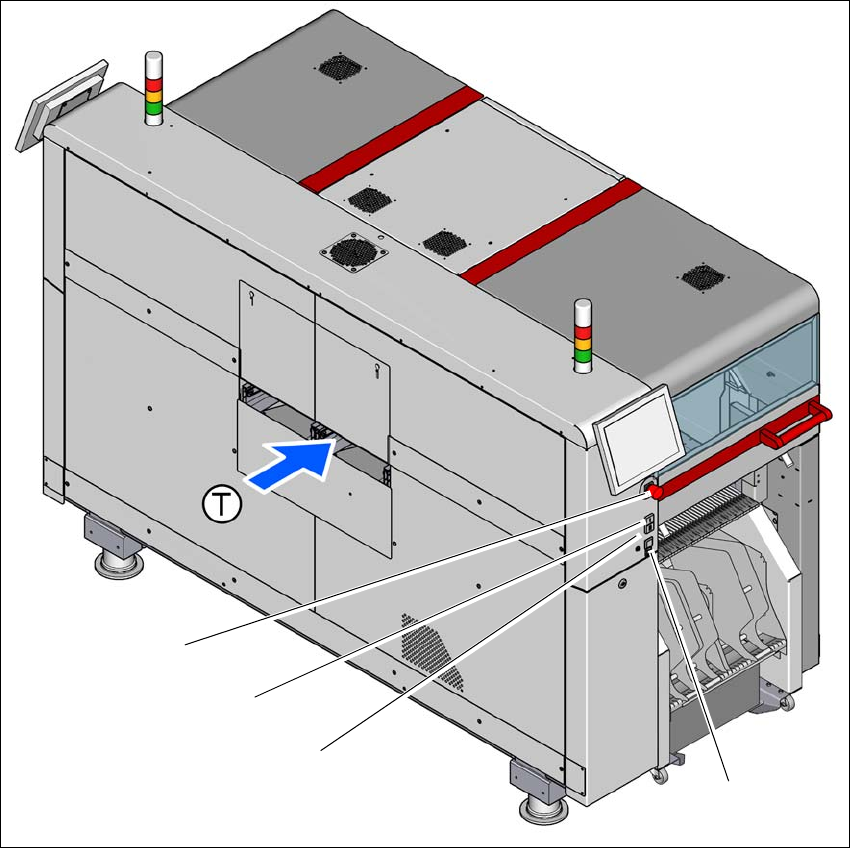
Fig. 2.5 - 3 Position of switches and buttons - PCB input end (location 1)
(1) EMERGENCY STOP button
(2) Start button (white)
(3) Stop button (black)
(4) Button for docking and undocking the component trolley at the respective location
(T) PCB transport direction
(3)
(1)
(4)
(2)