00191369-01.pdf - 第127页
User’s Manual SIPLACE HS-50 4 Placement Functions Software Vers ion SR.501.xx E dition 01/99 125 3ODFHPHQW)XQFWLRQV

3 Introduction and Basic Concepts User’s Manual SIPLACE HS-50
3.3 User Interface - Views and Menus Software Version SR.501.xx Edition 01/99
124
+HOS0HQX
This menu gives you access to all the functions required to call the help system and general
information concerning the station computer or the software.
&RQWHQW &WUO)
This calls on-line help.
+HOS $OW)
Help information relating to the current view is displayed.
8VHKHOS
Information on how to use Help is displayed.
,QIR
This displays information on the currently installed software version (SC , MC, WPC, GEM
version) together with general information on the station computer.
NOTE
You can use the key combination &75/+)to call the on-line Help function from within any
view in the user interface.
You can use the key combination $OW+) to call up help on the current view and the key combi-
nation 6KLIW+) to access help on menu items, icons and buttons.
For a detailed description of the functions in the Help menu, refer to Chapter 9.
Å Click the required menu item in the "Help" menu or press the corresponding key combi-
nation.
r
User’s Manual SIPLACE HS-50 4 Placement Functions
Software Version SR.501.xx Edition 01/99
125
3ODFHPHQW)XQFWLRQV
4 Placement Functions User’s Manual SIPLACE HS-50
4.1 Setup Display Software Version SR.501.xx Edition 01/99
126
6HWXS'LVSOD\
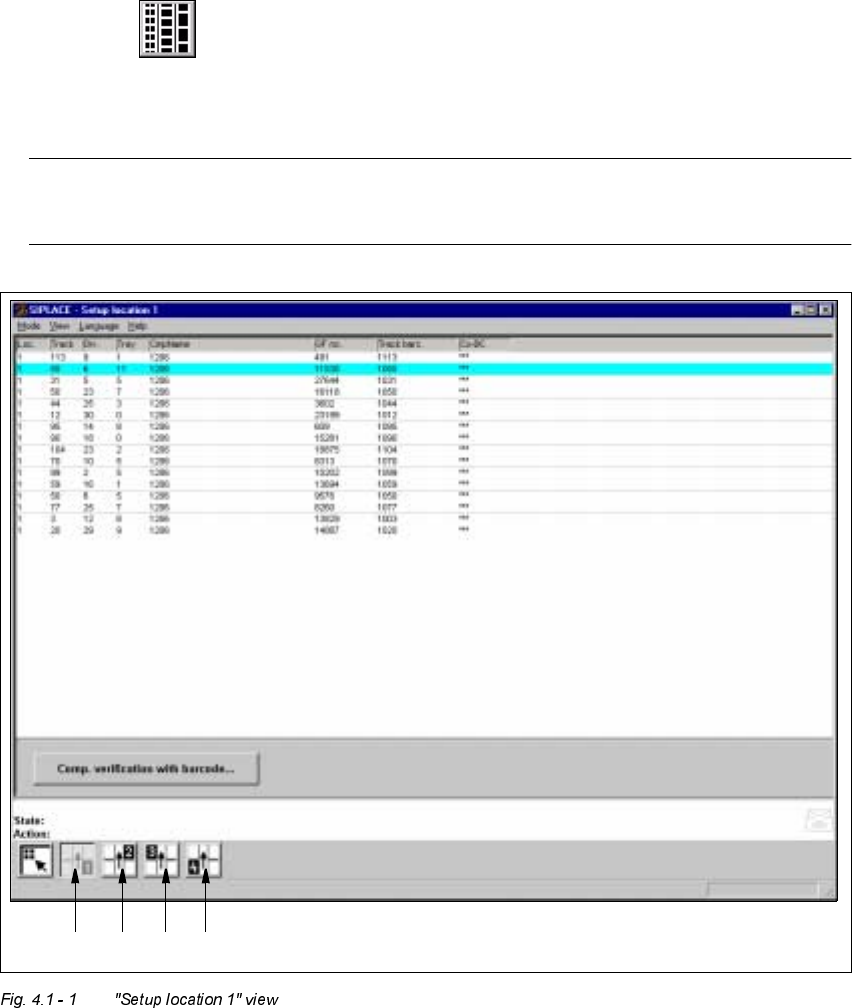
If the cluster has been specified with its corresponding setup, then the setup of each of the 4
locations can be displayed in this view.
6HWX SORFDWLRQ[9LHZ
Å Click on the icon in the toolbar in the Main view.
The user interface switches to the "Setup location x" view.
The setup data for the current location is presented in the display area in tabular form.
NOTE
The view is the same for each location.
1234