00191369-01.pdf - 第204页
6 Vision functions User Manual HS-50 6.4 Access to the ’Teach Fiducial’ and ’Test Component’ Options Software-Version 5.01 Edition 01/99 202 Y ou can se lect t he followi ng menu s from th e 7 HVWFRPSRQHQW option ei…
User Manual HS-50 6 Vision functions
Software-Version 5.01Edition 01/99 6.4 Access to the ’Teach Fiducial’ and ’Test Component’ Options
201
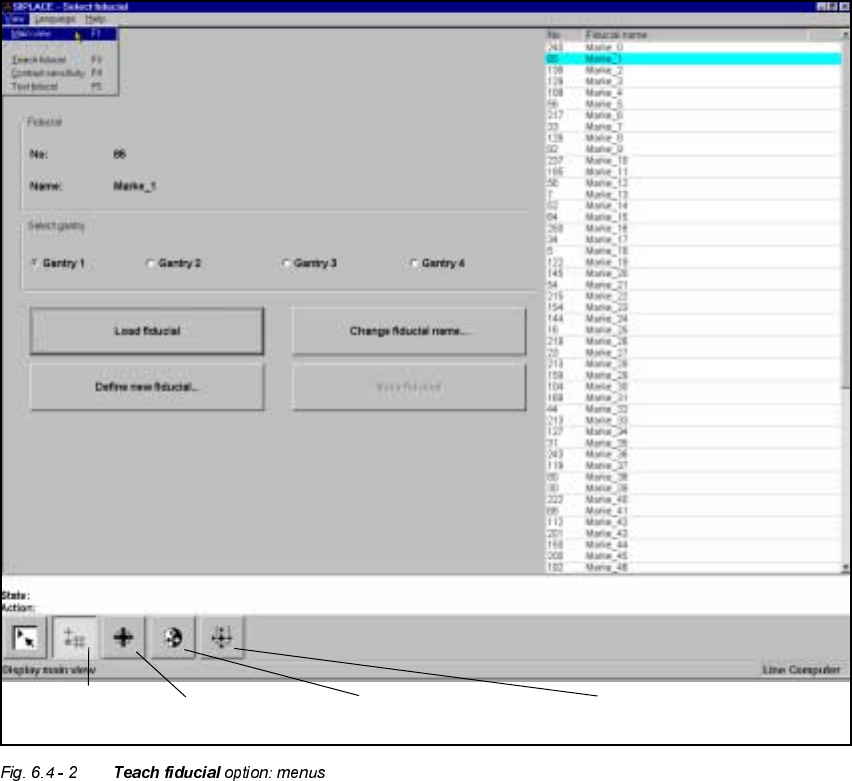
Again, depending on your choice, you can access further menus for the 7HDFKILGXFLDO option or
the 7HVWFRPSRQHQWoption.
You can select the following menus from the 7HDFKILGXFLDO option either by clicking on the icons
in the symbols bar or by using function keys F2 to F5:
– Select fiducial
– Teach fiducial
– Contrast sensitivity, and
– Test fiducial.
You can return to the 0DLQYLHZmenu either by clicking on the 0DLQYLHZicon or by pressing
function key F1.
Contrast sensitivity
icon
Test fiducial
icon
Select fiducial
icon
Test fiducial
icon
6 Vision functions User Manual HS-50
6.4 Access to the ’Teach Fiducial’ and ’Test Component’ Options Software-Version 5.01 Edition 01/99
202
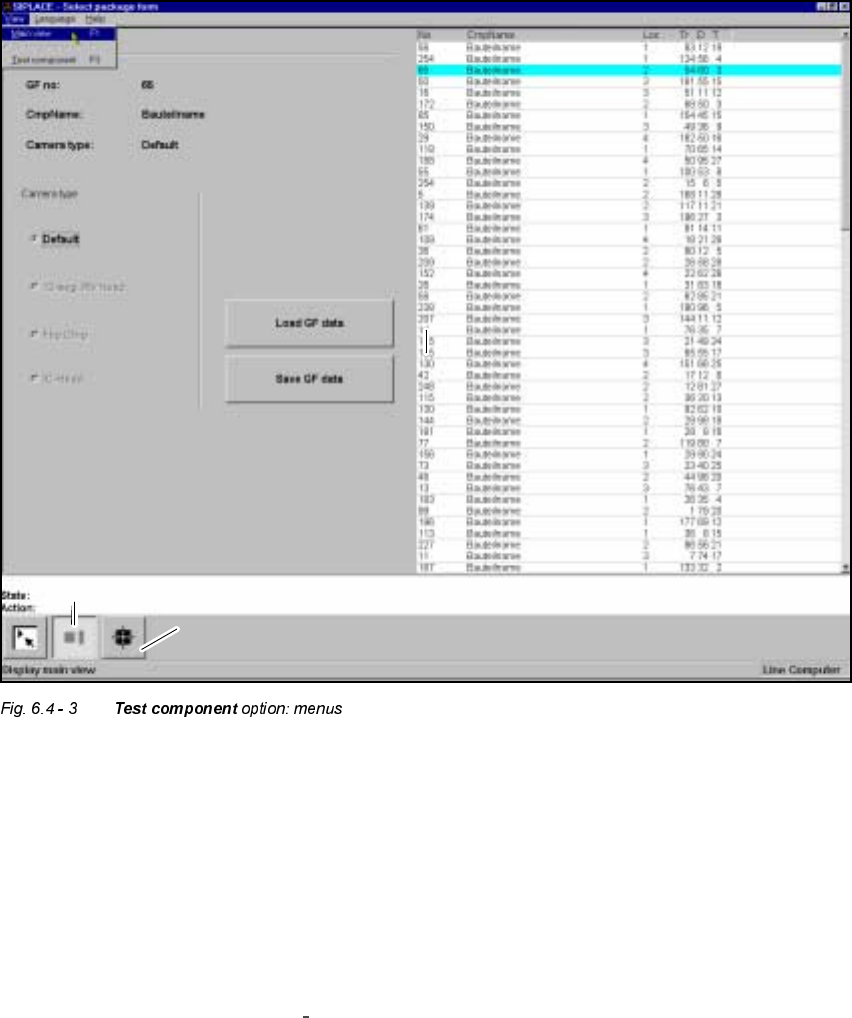
You can select the following menus from the 7HVWFRPSRQHQWoption either by clicking on the
icons (buttons) or by pressing function keys F2 to F3:
– Select package form
– Test component
You can return to the 0DLQYLHZmenu either by clicking on the 0DLQYLHZicon or by pressing
function key F1.
The options 7HDFKILGXFLDO and 7HVW F RPSRQHQWare described in Section 6.5 from page 6 - 203
and Section 6.6 from page 6 - 235.
To provide you with some orientation, at the start of each section you will find a flow chart and a
brief description for the 7HDFK ILGXFLDOand 7HVW FRPSRQHQW options. Each flow chart begins with
0DLQYLHZ menu and shows you the hierarchical structure of all of the menu options.
’Select package form’ icon
’Test component’ icon

User Manual HS-50 6 Vision functions
Software-Version 5.01Edition 01/99 6.5 Teach Fiducial
203
NOTE
Section 3 includes a general description of
– using the menus with trackball, touch screen and function keys F1 to F12.
– the layout of the screen.
– the screen displays.
7HDFK)LGXFLDO
7HDFK)LGXFLDO)ORZ&KDUW
The 7HDFKILGXFLDOflow chart shows in graphic form all menu options together with their sub-func-
tions. The menus are indicated by being bordered with a solid line, while the option boxes use a
dashed line and the input boxes a dotted line.
,QIRUPDWLRQRQWKH)ORZ&KDUW
0HQXV
The 7HD FKILGXFLDO option includes the following menus:
– Select fiducial
– Teach fiducial
– Contrast sensitivity
– Test fiducial
The 6DYHILGXFLDOGDWD option box will be displayed each time you quit the 7HDFKI LGXFLDO option
after having created or modified fiducial data. You are thus given the choice of saving these fidu-
cial parameters or of discarding them.
You can quit the individual menus by clicking on either the icon of another menu or on the 0DLQ
YLHZicon.
,QSXW%R[HV2SWLRQ%R[HV
The system provides the following input boxes for entering data, for displaying values and for ex-
ecuting actions:
– Define new fiducial
– Change fiducial name