00191369-01.pdf - 第218页
6 Vision functions User Manual HS-50 6.5 Teach Fiducial Software-V ersion 5.01 E dition 01/99 216 6DYH)LGXFLDO2SWL RQ With this option y ou can save fi ducials together wit h their m odified para meters. Th e …
User Manual HS-50 6 Vision functions
Software-Version 5.01Edition 01/99 6.5 Teach Fiducial
215
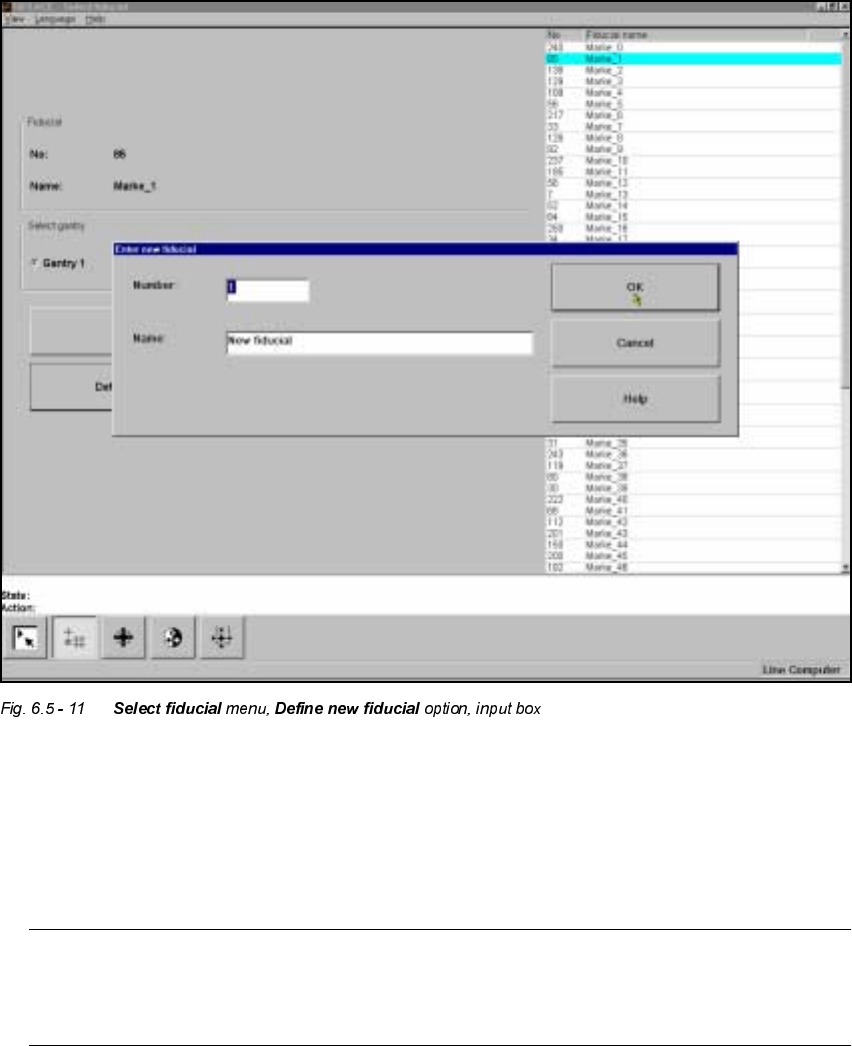
'HILQH1 HZ)LGXFL DO2SWLRQ
With this option you can generate a new fiducial.
– Click on the 'HILQHQHZILGXFLDO button.
The input box for the fiducial number and the fiducial name will appear on the screen.
– Input a fiducial number and the fiducial name.
– Conclude your input with 2. or discard your input with &DQFHO.
– The new fiducial can also be taught with standard values and further processed.
– When finished save the fiducial by clicking on the 6DYHILGXF LDO button.
NOTE
If a fiducial number already exists after clicking on 2. you will be asked if you want to over-
write the existing fiducial.
6 Vision functions User Manual HS-50
6.5 Teach Fiducial Software-Version 5.01 Edition 01/99
216
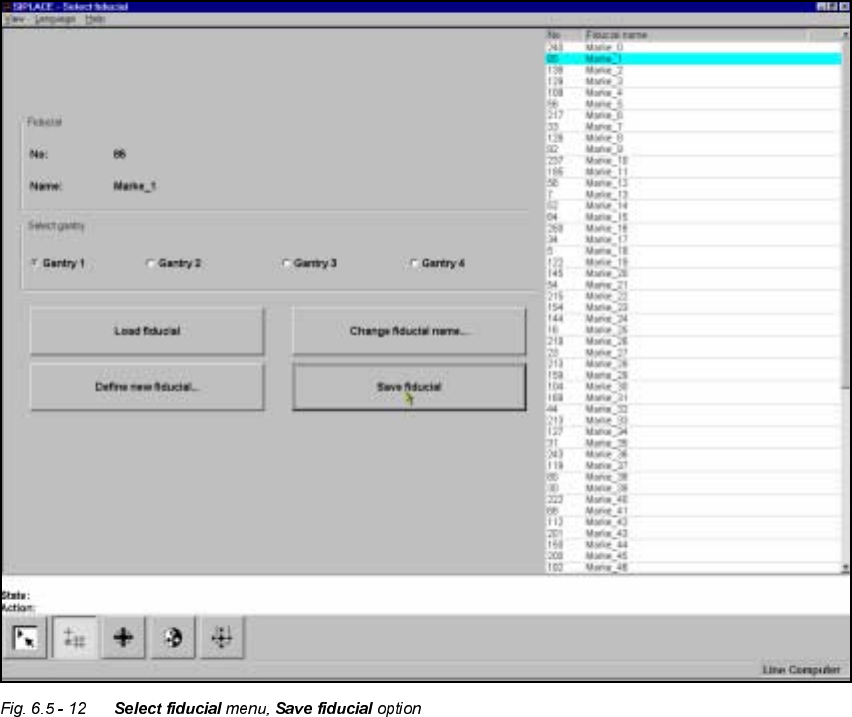
6DYH)LGXFLDO2SWLRQ
With this option you can save fiducials together with their modified parameters. The button will
only become activated if you have
– changed the fiducial name or
– generated a new fiducial.
User Manual HS-50 6 Vision functions
Software-Version 5.01Edition 01/99 6.5 Teach Fiducial
217
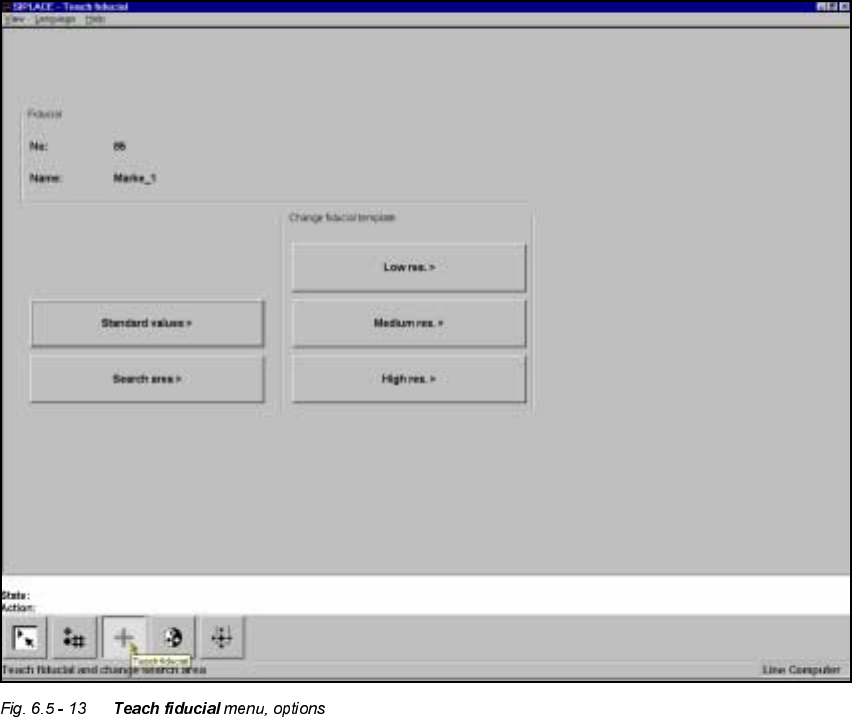
7HDFK)LGXFLDO0HQX
As the diagram shows, the 7HDFKILGXFLDO menu offers the following options:
– Standard values
– Search area
– Change search area with
– low resolution,
– middle resolution and
– high resolution