00191369-01.pdf - 第226页
6 Vision functions User Manual HS-50 6.5 Teach Fiducial Software-V ersion 5.01 E dition 01/99 224 &RQWUDVW6HQVLWLY LW\0HQX The &RQWUDVWVHQVLWLYLW\ menu provid es opti ons for optim izing the c ontrast be…

User Manual HS-50 6 Vision functions
Software-Version 5.01Edition 01/99 6.5 Teach Fiducial
223
The uniqueness value appears as the measurement results. This may vary between 0 (= unsat-
isfactory) and 100 (= very good) differentiation capability.
Practice shows that a uniqueness value of at least 60 must be achieved for fiducials and ink dots.
Å Repeat the teaching process a number of times with changed field sizes. In this way you can
optimize the uniqueness value.
Å Press (VF to quit this option.
NOTE
If you wish to use a fiducial despite the fact that it has a low uniqueness value, you should
ensure that the fiducial has a good quality value (see Section 6.5.6.2 on page 6 - 231).
If the quality is bad as well, it would be better to select another fiducial (see Criteria for Cre-
ating Fiducials in Section 6.2.5 on page 6 - 190).
6 Vision functions User Manual HS-50
6.5 Teach Fiducial Software-Version 5.01 Edition 01/99
224
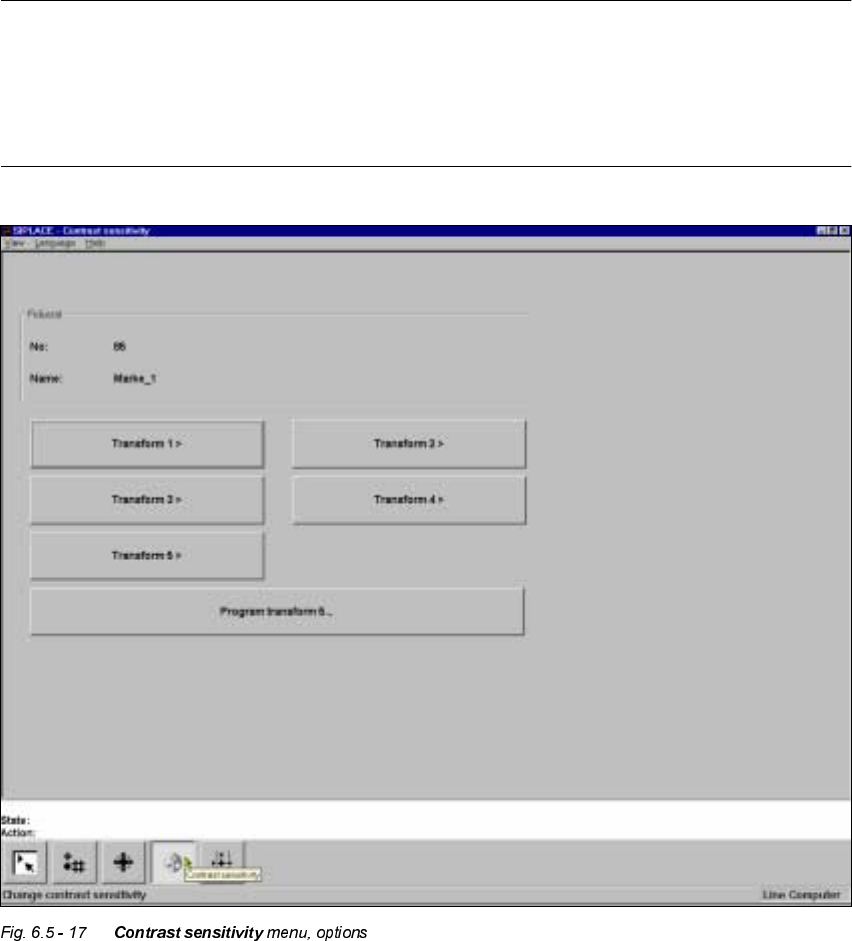
&RQWUDVW6HQVLWLYLW\0HQX
The &RQWUDVWVHQVLWLYLW\ menu provides options for optimizing the contrast between the fiducial
and its surroundings.
NOTE
All of the options in this menu are only accessible if you have loaded a fiducial beforehand. If you
have done so, this will be indicated by the text on the button being black (rather than grayed out).
The fiducial number and fiducial name are displayed in the )LGXFLDO display field.
If you have not loaded a fiducial you will only be able to select the 3URJU DP WUDQVIRU P option.
Each pixel of the video camera contains one unit of 8-bit gray-scale information. The significance
of the values is as follows:
0 = black and
255 = white

User Manual HS-50 6 Vision functions
Software-Version 5.01Edition 01/99 6.5 Teach Fiducial
225
To make it easier for you to assess the range of brightness or the contrast, these gray-scale values
have been converted with the help of transformation tables into color as is shown below:
NOTE
In order to achieve a good uniqueness value the contrast difference between the fiducial and its
surroundings should be at least 75. For example, if the background is green the fiducial should be
orange.
If the contrast is unsatisfactory you can select in the menu between five pre-programmed trans-
formation tables in order to obtain a color image which is capable of supplying the necessary in-
formation. In addition, you can also program a transformation table yourself.
NOTE
When the color presentation is changed the fiducial will be taught at the same time.
7UDQVIRUPV WR 2SWLRQ
When you select this options,
– the menu closes,
– the video image is displayed,
Gray scale Allocated color
0black
30 violet
50 blue
77 blue-green
100 green
127 brown
150 red
175 orange
200 yellow
255 white
Tab. 6.5.1