00191369-01.pdf - 第317页
User’s Manual SIPLACE HS-50 7 What schould you do ... Software Vers ion SR.501.xx E dition 01/99 7.1 Switching on the SIPLACE line 315 6ZLWFKLQJ RQ WKH VW DWL RQ VW DUWLQJ WKH XVHU LQWHUIDFH RI WKH VWD…

7 What schould you do ... User’s Manual SIPLACE HS-50
7.1 Switching on the SIPLACE line Software Version SR.501.xx Edition 01/99
314
6ZLWFKLQJRQWKH6,3/$ & (OLQH
6ZLWFKLQJRQWKHOLQHFRPSXWHUVWDUWLQJWKHXVHULQWHUIDFHRIWKHOLQH
FRPSXWHUSURJUDP
Å Switch on the uninterruptible power supply (UPS).
The line computer software is uploaded.
The login dialog window appears on the screen after approximately 2 minutes.
Å Enter SOUin the "login" box and confirm your entry by pressing the RETURN key.
Å Enter the password in the "Password" box and press the RETURN key. If no password is re-
quired, then just press the RETURN key
The desktop (starting window) will appear on screen after approximately 3 minutes with the
overlying login box.
Å Enter the user name defined for your user account in the "User" box, and enter the correspond-
ing password in the "Password" box.
Å Click on 2N to confirm. The functions of the line computer program can now be executed ac-
cording to your access rights.
:KDW\RXVKRXOGFKHFNEHIRUHVZLWFKLQJRQWKHVWDWLRQV
ATTENTION
Carry out the steps described in the following before you switch on the stations.
Å Check to make sure that the stations are connected to power and to the compressed air supply.
Å Carry out a visual inspection of the stations. In particular, make sure that there are no obstruc-
tions in the traveling range of the gantries.
Å Make sure that the z-axes of all the heads are in the top end position.
Å Close the feeder covers and the protective covers.
Å Make sure that there is no diskette in the floppy drive of the station computer.
User’s Manual SIPLACE HS-50 7 What schould you do ...
Software Version SR.501.xx Edition 01/99 7.1 Switching on the SIPLACE line
315
6ZLWFKLQJRQWKHVW DWL RQVW DUWLQJWKHXVHULQWHUIDFHRIWKHVWDWLRQFRPSXWHU
SURJUDP
ATTENTION
Switch on the station only after the desktop is displayed on the line computer monitor. Otherwise,
communication problems may occur.
Å Switch on the station on the main switch and check to see if the manometer displays the re-
quired operating pressure after you have switched the station on.
The station computer software is uploaded. When the line computer is connected and commu-
nication is error-free, the Main view of the station computer user interface appears for the "Op-
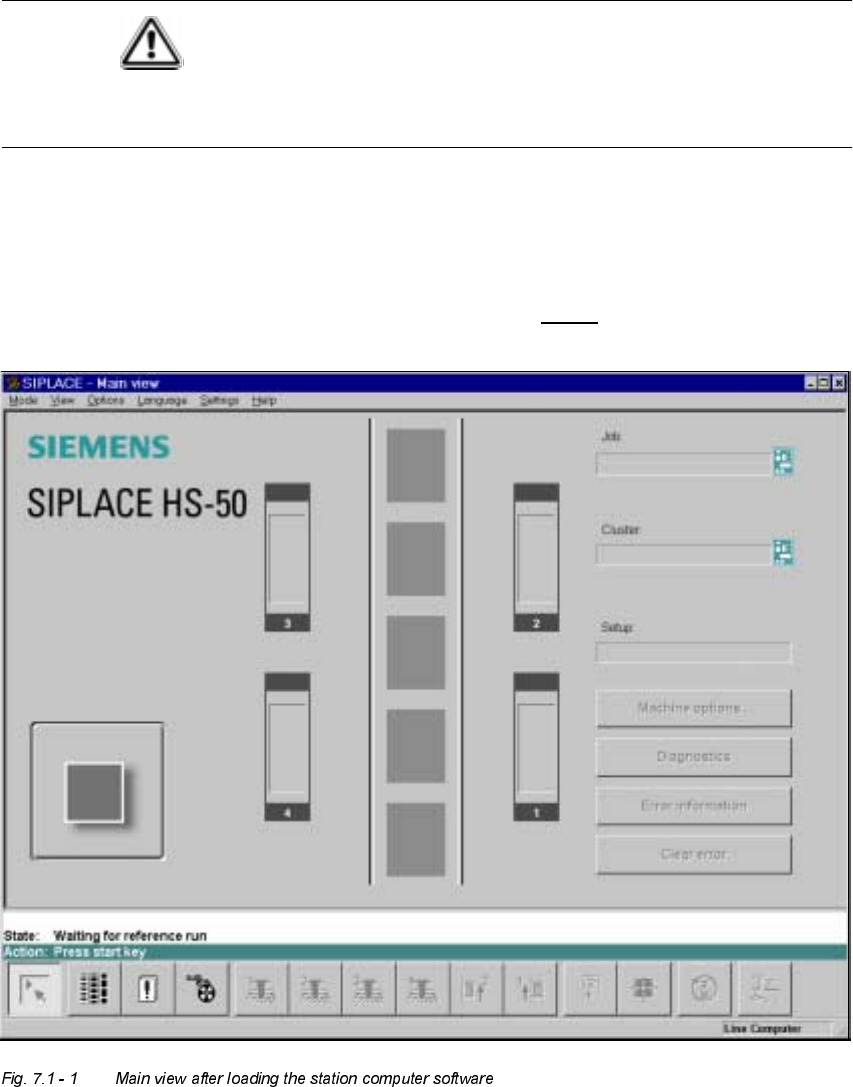
erator" user class after approximately 2 minutes (see Fig. 7.1 - 1
).
7

7 What schould you do ... User’s Manual SIPLACE HS-50
7.1 Switching on the SIPLACE line Software Version SR.501.xx Edition 01/99
316
NOTE
The current state of the station is displayed in the status field in the "State" line, and the action you
are to execute is displayed in the "Action:" line (see Fig. 7.1 - 1).
Å Press one of the start keys (white) when prompted with "Press start key".
(The start keys are located on the input side, output side and on the control panels on the left
and right sides of the station.)
A reference sequence is executed on all axes. The station is ready for operation after the ref-
erence sequence has completed.
The symbol is displayed in the work area of the user interface.
6ZLWFKLQJRQWKH6,3/$ &(OLQHIORZFKDUW
The following flow chart shows the actions executed be the line computer, station and operator
while the SIPLACE line is being switched on and started up.