00191369-01.pdf - 第345页
User’s Manual SIPLACE HS-50 8 E rror In formation Software Vers ion SR.501.xx E dition 01/99 8.2 Calling error information 343 Å In the e rror table, sel ect the ent ry for t he error a bout whi ch you w ant to be inform…
8 Error Information User’s Manual SIPLACE HS-50
8.2 Calling error information Software Version SR.501.xx Edition 01/99
342
'LVSOD\LQJLQIRUPDWLRQRQWKHFXUUHQWHUURU
Å In the main view, click the (UURULQIRUPDWLRQ button.
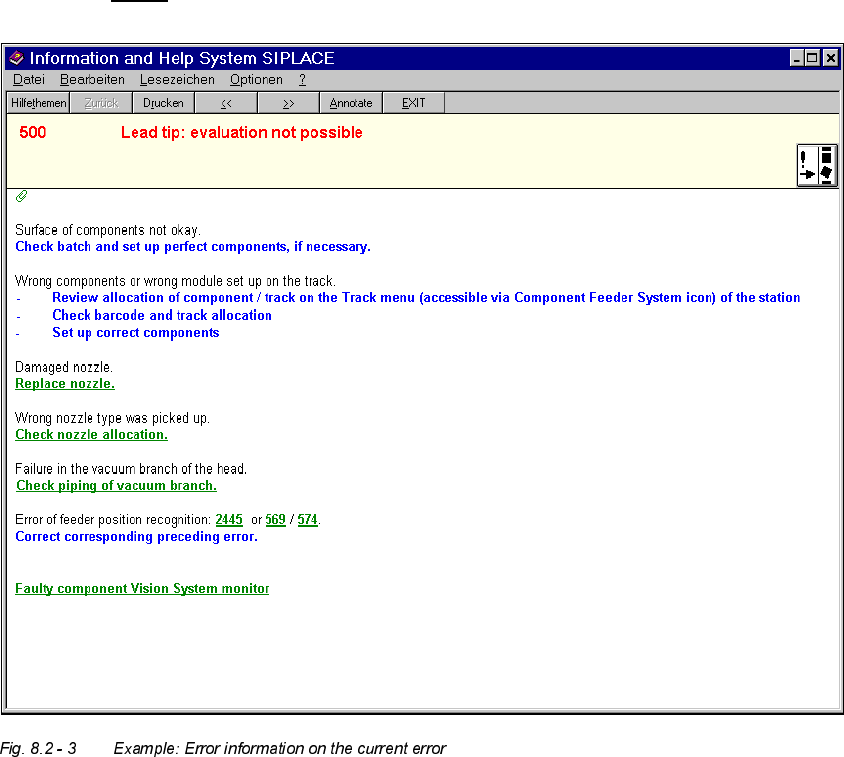
The main help system window is opened with error information on the current error (see
example in Fig. 8.2 - 3
).
'LVSOD\LQJLQIRUPDWLRQRQDVHOHFWHGHUURU
Å Click the icon in the toolbar in main view.
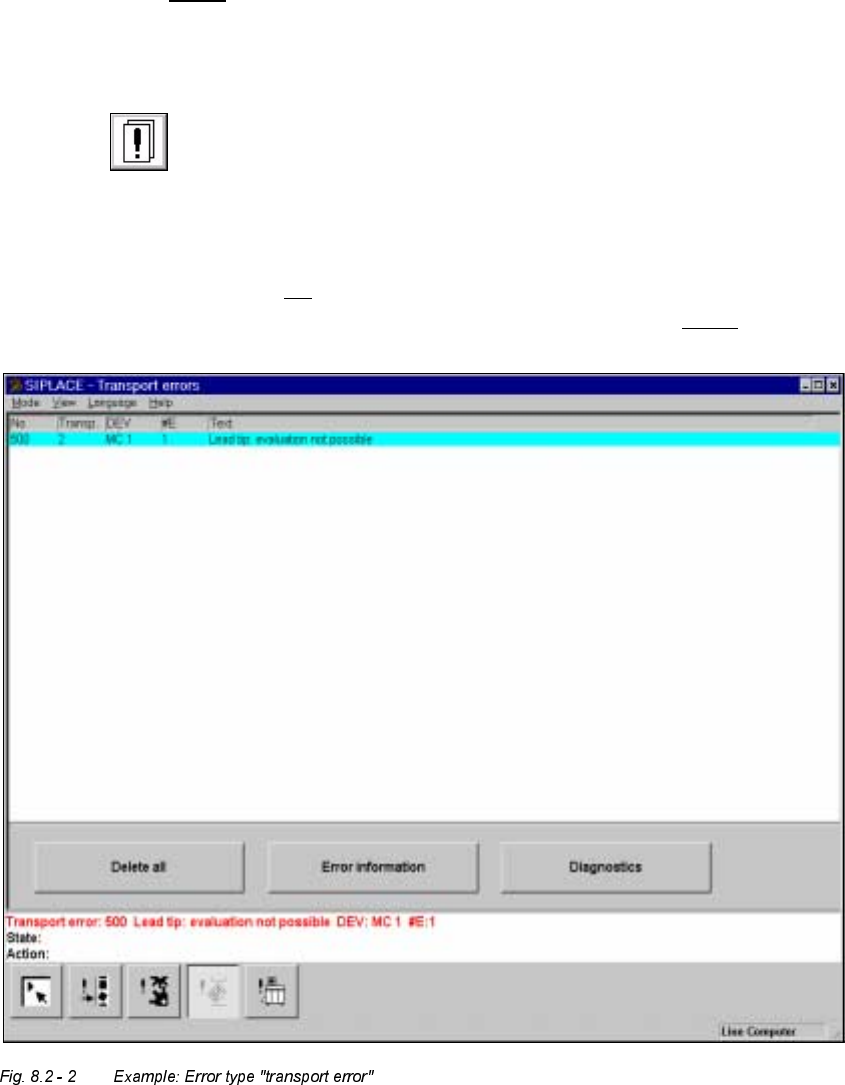
The user interface switches to the error display for the last error type to be active. All the
errors of the current error type which have occurred are listed in the display area.
Å If necessary, use the corresponding toolbar icon to switch the view to the required error
type (see Chapter 4, section 4.2
).
The display area is switched to the selected error type (see example in Fig. 8.2 - 2
).
User’s Manual SIPLACE HS-50 8 Error Information
Software Version SR.501.xx Edition 01/99 8.2 Calling error information
343
Å In the error table, select the entry for the error about which you want to be informed. The
selected line is displayed in light blue in the table. The "Error information" button is now
active.
Å Click the (UURULQIRUPDWLRQ button.
The main help system window is opened with information on the currently selected error
(see Fig. 8.2 - 3
).
0HDQLQJRIWKHFRORUVLQWKHHUURULQIRUPDWLRQGLVSOD\
– Red text Error number and error message
– Black text Possible cause(s) of the error
– Blue text Instructions on how to eliminate the error
– Green, underlined text Click to call up additional information on the cause of the
error
and further instructions on how to handle the error
8 Error Information User’s Manual SIPLACE HS-50
8.2 Calling error information Software Version SR.501.xx Edition 01/99
344
NOTE
In addition, the icon for the current error type is displayed to the right of the error message
(red text) (see Chapter 4, section 4.2).
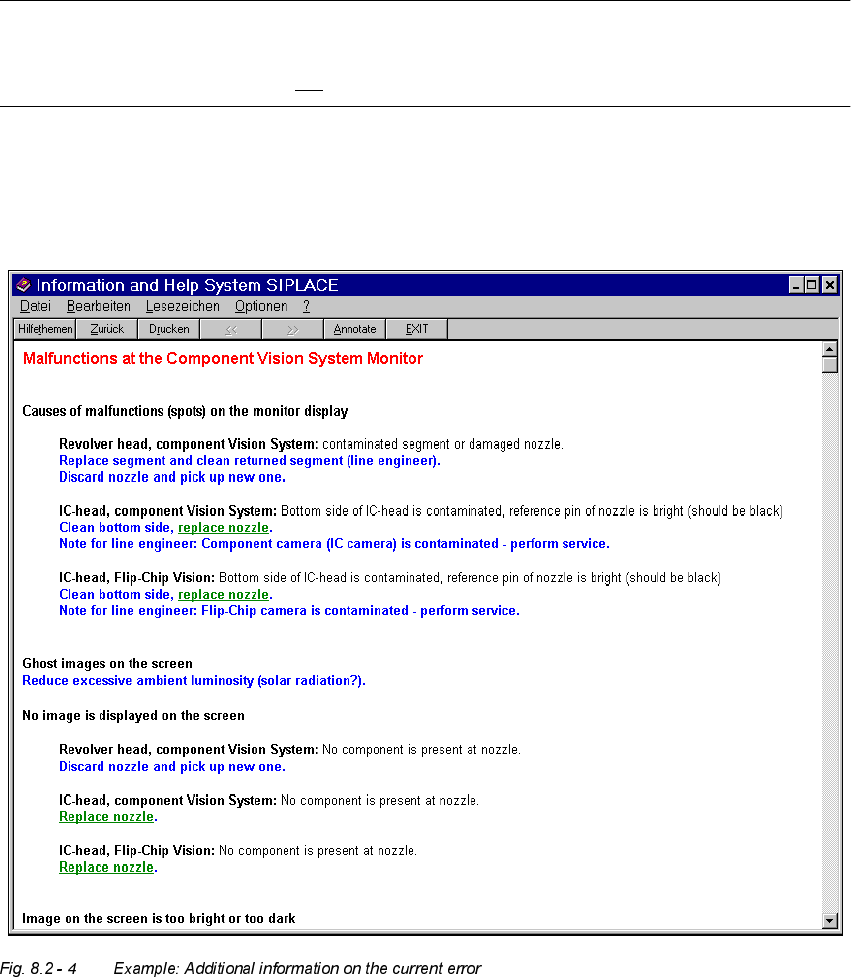
Å If necessary, click on a green, underlined text in order to call up special supplementary
information on the current error.
The display area switches to the information corresponding to the selected entry.