00191369-01.pdf - 第361页
User’s Manual SIPLACE HS-50 9 Online Help System Software Vers ion SR.501.xx E dition 01/99 9.1 General 359 r
9 Online Help System User’s Manual SIPLACE HS-50
9.1 General Software Version SR.501.xx Edition 01/99
358
Å Click the 'LVSOD\ button.
If there are no help topics associated with the selected index entry, the "Help Topics"
window closes and the corresponding topic is immediately displayed in the main help
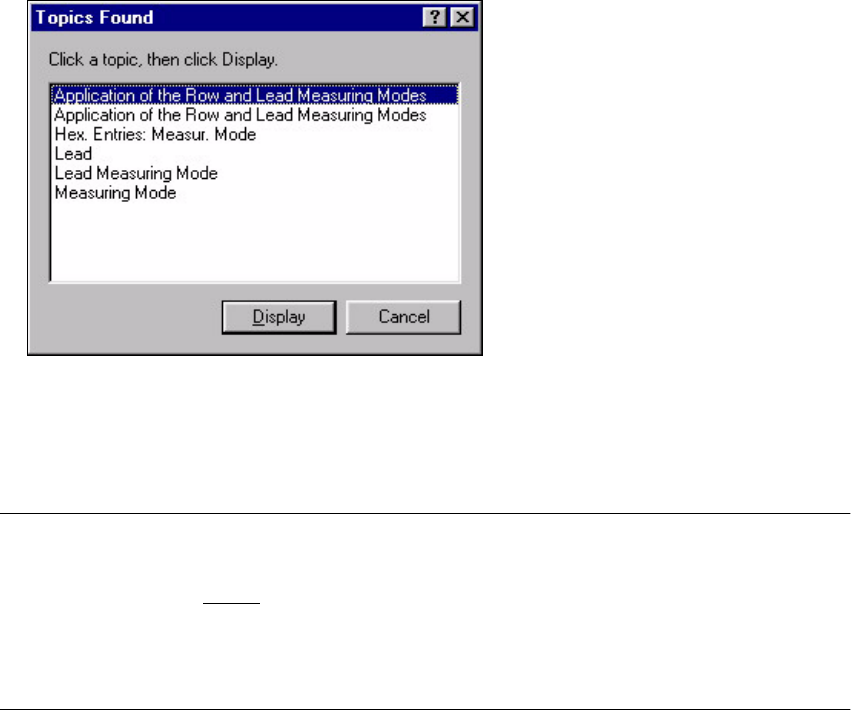
system window. If further help topics are associated with the selected index entry, the
following window is first opened.
Å Select the entry for the required topic and click the 'LVSOD\ button. Both windows are
closed and the selected topic is displayed in the main help system window.
NOTE
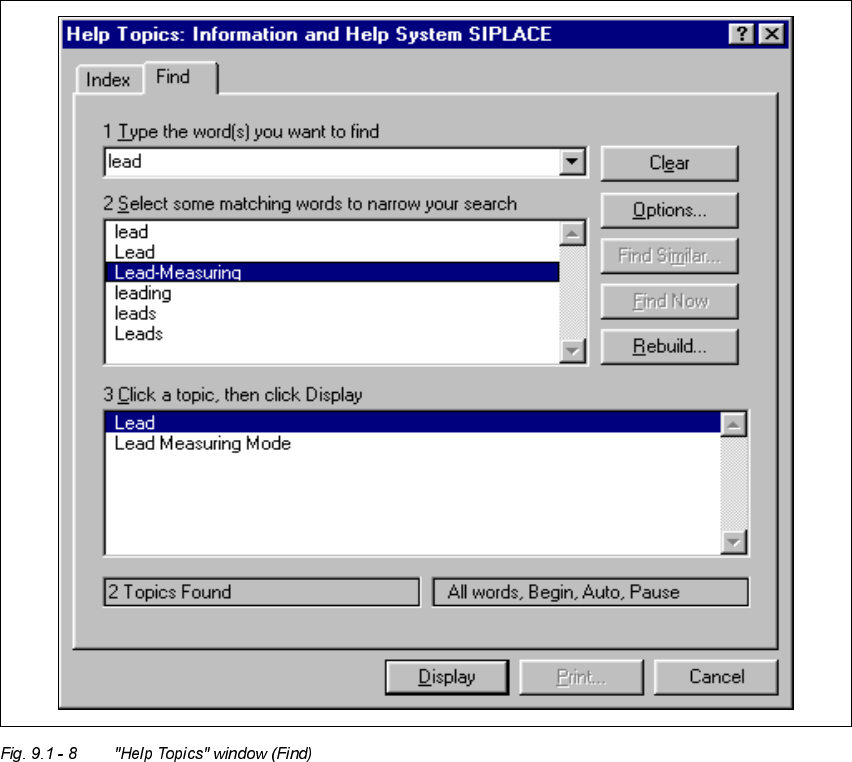
If you click the "Find" tab in the "Help Topics" window, the extended search functions are
displayed (see section 9.1 - 8
). You can use these functions to search for words or composite
expressions which are present in the help topics.
By clicking the "?" button (top right of window), you can call up a description of or help on the
different objects in this window
User’s Manual SIPLACE HS-50 9 Online Help System
Software Version SR.501.xx Edition 01/99 9.1 General
359
r
9 Online Help System User’s Manual SIPLACE HS-50
9.1 General Software Version SR.501.xx Edition 01/99
360