00191369-01.pdf - 第391页
User Manual HS-50 11 Station extensions / options Software Vers ion 5.0101/99 Issue 11.3 Dual conveyor 389 'XDOF RQY H \ RU 6WUXFWXUHRIWKHGXDOFRQY H\ RU The conveyor belts are dri ven by DC mo to…

11 Station extensions / options User Manual HS-50
11.2 Component barcode Software Version 5.01 01/99 Issue
388
2SWLRQVLQWKHHYHQWRIDQLOOHJLEOHEDUFRGH
Å Deactivate the refill check from the Machine options menu.
Å Enter the Barcode manually.
2SHUDWLRQ
Å Select the "Empty tracks" view from the Set-up menu.
Å Use the barcode reader to scan the desired track barcode.
If the track is contained in the set-up and the component has a barcode, the "Set-up check with
barcode" dialog will appear, specifying the corresponding track.
PLEASE NOTE
You can open the dialog by clicking on the desired track or by clicking on the "Set-up check
with barcode" button.
The track can be filled once the comparison has been carried out and the return barcode has been
scanned.
7 HFKQLFDOGDWD
&RPSRQHQWEDUFRGH
Max. resolution 0.13 mm
Scanning speed 36 scans/sec.
Laser class IEC class 2
Degree of protection IP 64
Compatible barcode types
Code 39 (normal / FULL ASCII)
EAN/UPC (family with/without ADD ON
CODABAR
INTERLEAVED 2/5
NORMAL 2/5 (5 bars)
(others available upon request)
User Manual HS-50 11 Station extensions / options
Software Version 5.0101/99 Issue 11.3 Dual conveyor
389
'XDOFRQYH\RU
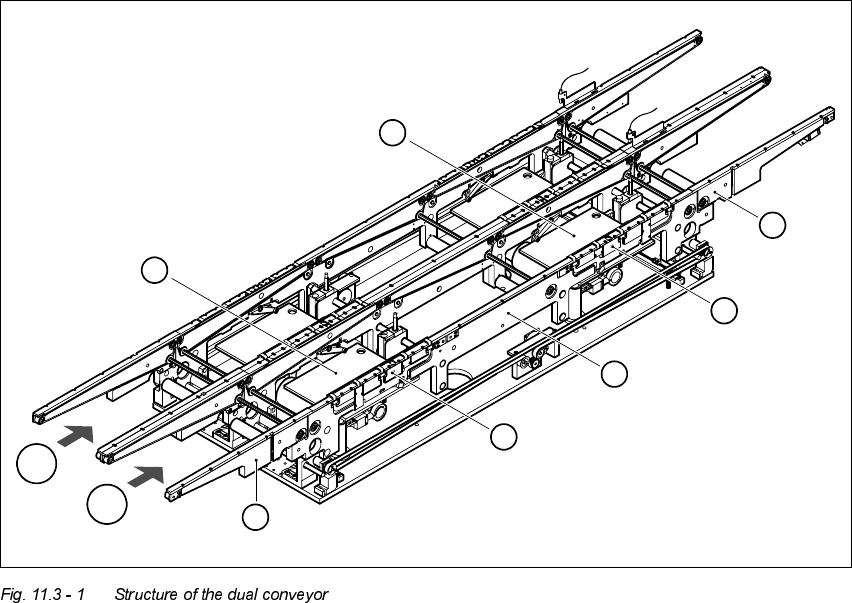
6WUXFWXUHRIWKHGXDOFRQYH\RU
The conveyor belts are driven by DC motors. There is a lifting table for holding the PCBs in each
processing area. The width of the PCB conveyor can be adjusted either via the menu or using the
line computer.
(1) Feeding area (2) Processing area 1
(3) Intermediate area (4) Processing area 2
(5) Output area (6) Lifting table, processing area 1
(7) Lifting table, processing area 2 T1 Transport track 1
T2 Transport track 2
6
7
5
4
3
2
1
T2
T1
11 Station extensions / options User Manual HS-50
11.3 Dual conveyor Software Version 5.01 01/99 Issue
390
*HQHUDO
As the name suggests, the dual conveyor has two transport tracks, which are electrically and me-
chanically independent of one another. In the Standard version, the right-hand side is the fixed
side. There is another version, however, in which the left-hand side is the fixed side.
There are two conveyor modes: "Dual conveyor synchronous" and "Dual conveyor asynchronous.
Enter the conveyor mode you wish to use in the machine data (real.ma).
'HILQLQJWKHWUDQVSRUWWUDFNV
The right transport track (viewed in the transport direction) is designated "Transport 1" and the left
as "Transport 2" (see Fig. 11.3 - 1).
&KDQJLQJWKHFRQYH\R UPRGH
$V\QFKURQRXVFRQYH\RUPRGH
'HVFULSWLRQ
In asynchronous mode, only one PCB in a transport track is processed. At the same time, another
PCB in the second transport track is moved into the placement position. This saves the full con-
veying time of one PCB, thus considerably increasing performance, particularly for PCBs with a
short cycle time.
)XQFWLRQ
Once the machine has received the job data (cluster, set-up), the PCBs on the feeding belts are
continuously transported to the available processing belt (provided that the belt is free) throughout
the placement operation. The placement sequence starts as soon as a PCB has moved onto the
relevant processing belt. The PCBs are processed one after another.
PLEASE NOTE
The components to be placed and the width of the PCBs must be identical on transport track 1
and 2.
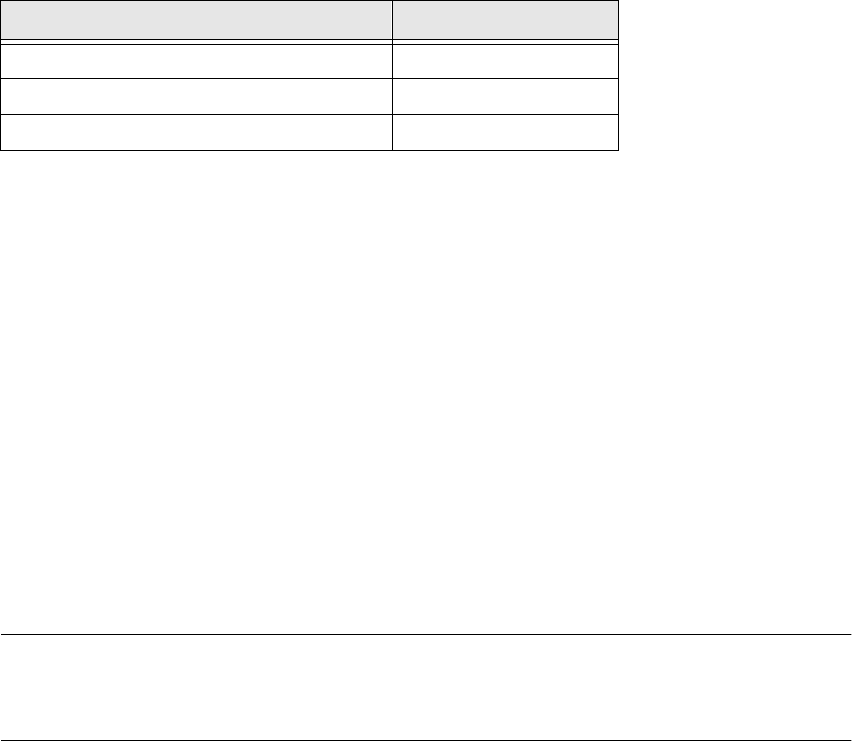
&RQYH\RUPRGH ,QSXWLQUHDOPD
Single conveyor 0
Dual conveyor synchronous 1
Dual conveyor asynchronous 2