00191369-01.pdf - 第59页
User Manual HS-50 2 Operational Safety Software-Version 5.01Edition 01/99 2.1 Safety instructions 57 6DIHW\ LQVWUXFWLRQVIRUWKH3&%EDUFRGHUHDGHURSWLRQ CAUTION The radiant po wer of the ba rcode r eader…
2 Operational Safety User Manual HS-50
2.1 Safety instructions Software-Version 5.01 Edition 01/99
56
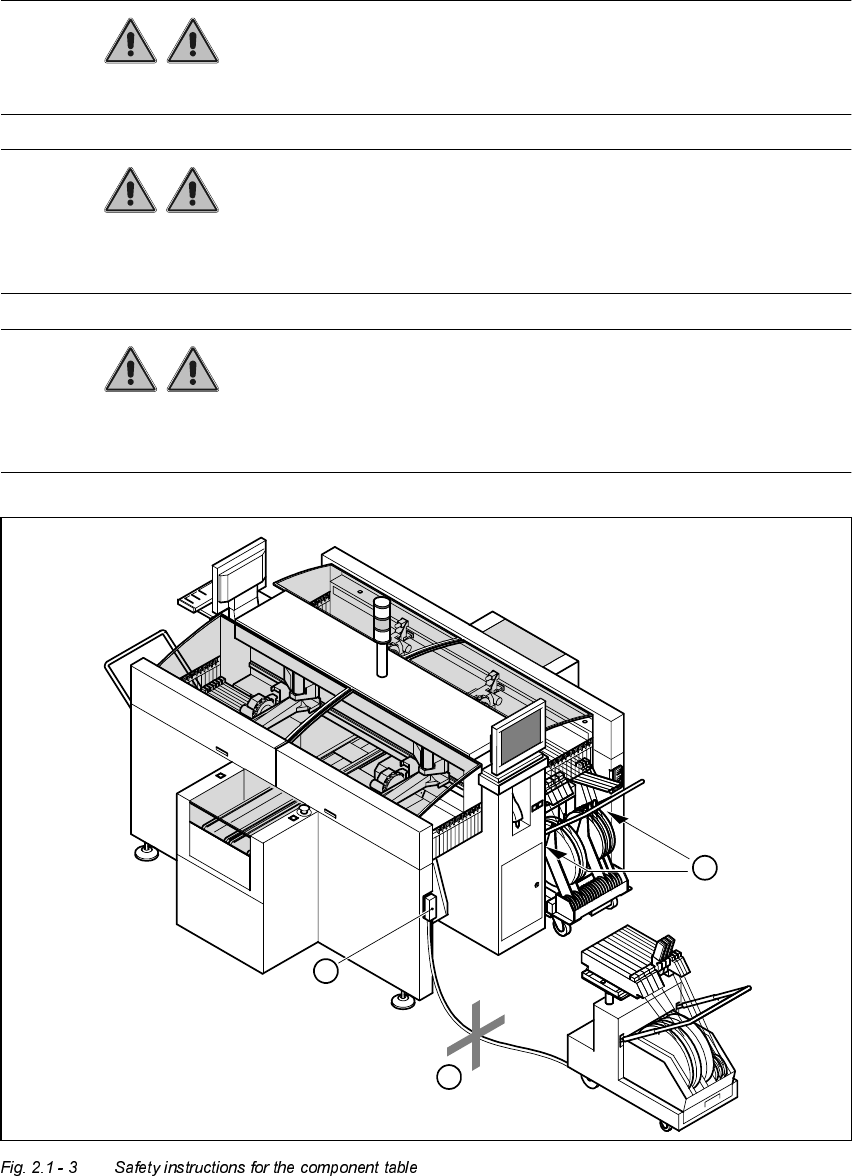
6DIHW\LQVWUXFWLRQVIRUFKDQJLQJWKHFRPSRQHQWWDEOH
WARNING Never reach into the gaps between the component changeover table
and the placement system frame while the machine is running (item 1 in Fig. 2.1 - 3).
WARNING Always check that the component table is docked on the placement sy-
stem before connecting or disconnecting the power cable for the component changeover table at
the socket on the placement system (item 2 in Fig. 2.1 - 3).
WARNING NEVER connect the connecting cable for the component table to the
socket on the placement system and then operate the component table outside the machine via
the compressed air control unit (item 3 in Fig. 2.1 - 3).
2
1
3
User Manual HS-50 2 Operational Safety
Software-Version 5.01Edition 01/99 2.1 Safety instructions
57
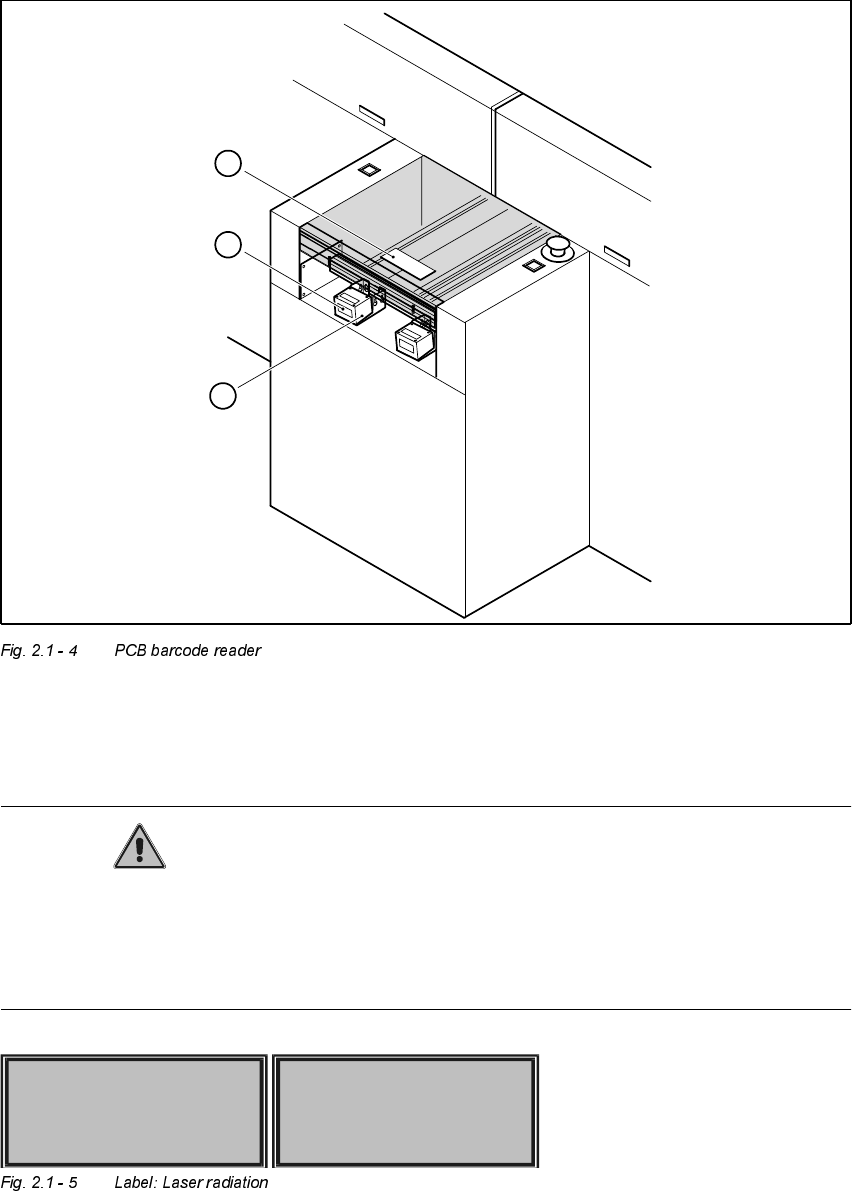
6DIHW\ LQVWUXFWLRQVIRUWKH3&%EDUFRGHUHDGHURSWLRQ
CAUTION The radiant power of the barcode reader’s scanning beam is less than 1 mW.
This means that the barcode reader conforms to laser class 2 and, according to DIN EN 60825-
1, requires no special safety equipment or protective measures. NEVER look into the laser beam.
There is also a safety circuit that switches off the laser diode if the polygon wheel stops or turns
too slowly.
1. PCB barcode reader
2. Label: LASER RADIATION...
3. Label: CAUTION ...
1
3
2
LASER RADIATION
DO NOT LOOK INTO BEAM
CLASS 2 LASER PRODUCT
ATTENTION
LASER RADIATION IF THE COVER
IS OPENED AND THE SAFETY
INTERLOCK IS BYPASSED
DO NOT LOOK INTO BEAM
2 Operational Safety User Manual HS-50
2.2 Safety equipment Software-Version 5.01 Edition 01/99
58
6DIHW\HTXLSPHQW
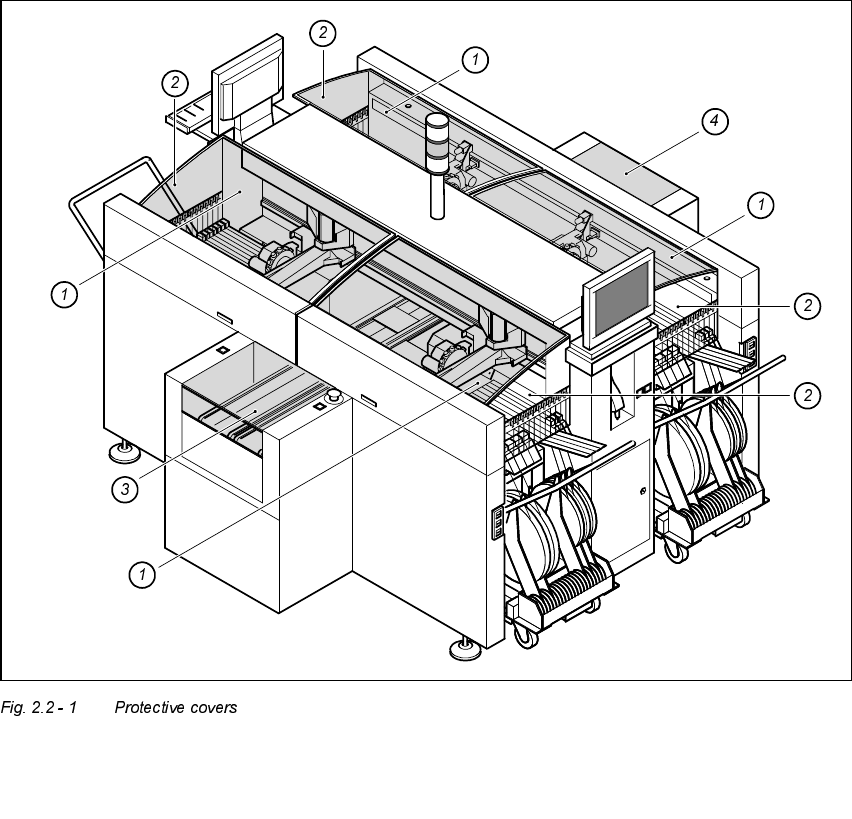
3URWHFWLYHFRYHUV
The travelling range of the gantries is covered by four protective covers which can be folded up.
Side screens prevent access to the inside of the placement system from the side. The covers over
the input and output belts of the PCB conveyor and the guards on the input and output belts pre-
vent access to the PCB conveyor.
1. Protective covers 2. Safety screens
3. Cover and guard on the input belt 4. Cover and guard on the output belt