00191369-01.pdf - 第97页
User’s Manual SIPLACE HS-50 3 Introduction and Basic Concepts Software Vers ion SR.501.xx E dition 01/99 3.1 Mac hine Displays and Controls 95 %DUFRGH5HDGHU The barco de reade r is avail able as an opti on. It is …
3 Introduction and Basic Concepts User’s Manual SIPLACE HS-50
3.1 Machine Displays and Controls Software Version SR.501.xx Edition 01/99
94
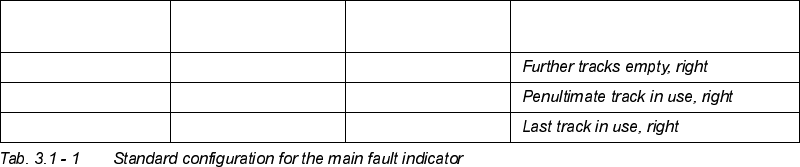
flashes (5,20) unchanged unchanged
flashes (5,5) unchanged unchanged
flashes (1,2) unchanged unchanged
/
7RSODPS
/
0LGGOHODP S
/
%RWWRP ODPS 0HDQLQJ
User’s Manual SIPLACE HS-50 3 Introduction and Basic Concepts
Software Version SR.501.xx Edition 01/99 3.1 Machine Displays and Controls
95
%DUFRGH5HDGHU
The barcode reader is available as an option. It is very helpful, particularly under production
conditions, since component barcodes on component reels and track barcodes can be read
in quickly and reliably from the barcode strip on the machine.
An acoustic signal sounds each time a data record is successfully read in.
NOTE
For a detailed description of the function, connection and operation of the bar code reader,
refer to chapter 12 "Station Extensions/Hardware".
6WDWLRQ&RPSXWHU
The station computer is located in a midi tower housing and is equipped with a 3 ½" floppy
disk drive and CD-ROM drive.
NOTE
The SC software is installed under the NT 4.0 operating system. To prevent damage to the
operating system in the event of a power failure, the station computer is connected to an
uninterruptible power supply (UPS, see Section 3.1.6).
8QLQWHUUXSWLEOH3RZHU6XSSO\836
The UPS is located directly next to the station computer. It is used to boost insufficient mains
power supplies and bridge over mains voltage failures. This guarantees that the connected
devices can continue to function even if the power supply fails and that a controlled power-
down of the station computer can be performed.
CAUTION
Before the UPS is used for the first time, it must be charged for approximately 24 hours
(because of charge loss due to storage) in order to guarantee secure computer system
operation.
NOTE
A separate manual is supplied with the UPS.
Please refer to this manual for a description of the connections, displays and setting options.
3 Introduction and Basic Concepts User’s Manual SIPLACE HS-50
3.1 Machine Displays and Controls Software Version SR.501.xx Edition 01/99
96
Pay close attention to the safety instructions and warnings it contains.
0RQLWRUV
The 13.8" monitors (TFT-LCD flat screens) with integrated touch screen which are installed
on either side of the machine act as the display and operating tool for the graphic user
interface of the SC software. You select functions using your finger which guides the mouse
pointer over the screen itself.
Actions can be executed by touching the corresponding object (e.g. button or icon) on the
screen.
CAUTION
Protect the monitor from humidity and excessive heat (sunlight, room heating).
Never obstruct the ventilation slots.
Never try to remove the cover.
Make sure that no moisture is able to penetrate the inside of the monitor.
Make sure that the operating voltage is set correctly.
Make sure that the brightness and contrast of the screen display are set to medium values
since these greatly prolong the lifetime of the screen.
NOTE
Each monitor is supplied with a separate User Manual and you should follow the warnings and
safety instructions it contains.
Please refer to the Manual for a description of the connections and setting options. By default,
the resolution of the screen display is set to 1024 x 768 pixels.