00194705-0102_AI_1WireBus_DE+EN.pdf - 第58页
Retrofit instructions: New 1-wire wiring for the SIPLACE X-series 11/2005 Edition 58 2.8.5 Cable and hose carrier interface : Detach the machine CAN bu s cable from the cable and hose carrier interface. : Remove the smal…
Retrofit instructions: New 1-wire wiring for the SIPLACE X-series
11/2005 Edition
57
2.8.4 PCB, 1-wire CAT5 gantry
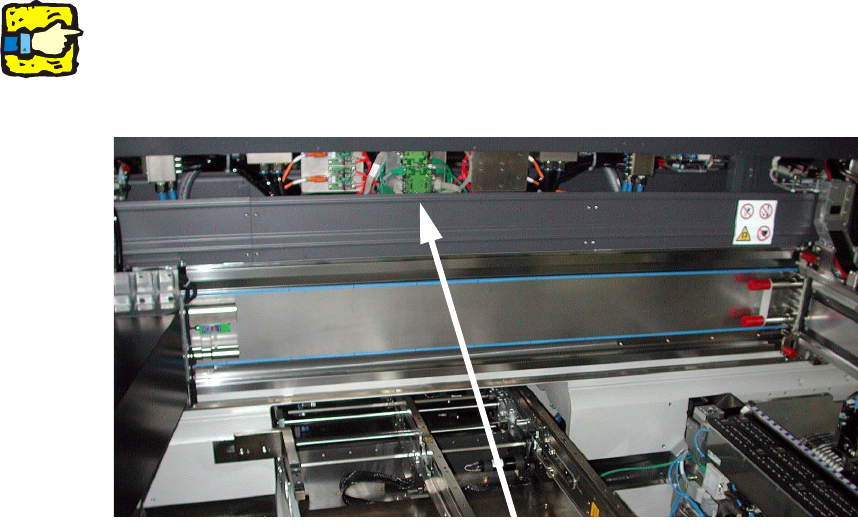
: Fit the 1-wire CAT5 gantry module in the cross-beam.
Use 2 screws to fix the module to the top-hat rail beside the vision filter boards (see photo-
graph).
: Make sure that the module is in the correct position.
Fix the module in place and push it towards the input belt.
2
The gantry cable and hose carrier must never touch or brush against the module during travers-
ing. 2
2
2
2
: Connect the CAT5 cable from the 1-wire CAT5 distributor to the 1-wire CAT5 gantry board for
gantry 1 or PA2 for gantry 2.
2
2
2
2
2
2
2
2
Position 1-Wire CAT5 temp
Retrofit instructions: New 1-wire wiring for the SIPLACE X-series
11/2005 Edition
58
2.8.5 Cable and hose carrier interface
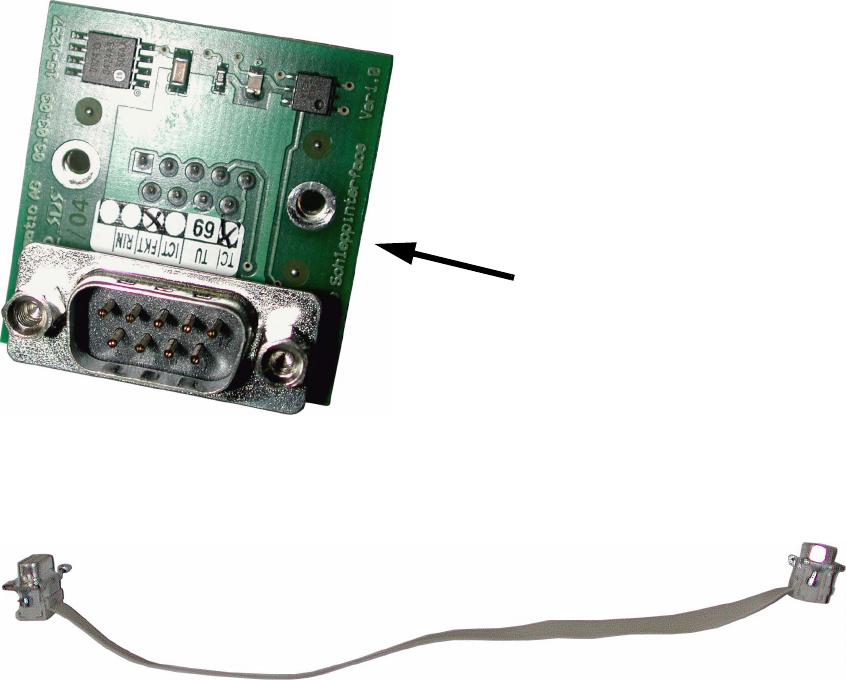
: Detach the machine CAN bus cable from the cable and hose carrier interface.
: Remove the small PCB beneath it (1-wire switch) as it is not needed for this variant.
2
2
: Plug the CAN bus cable from the machine in to the 1-wire CAT5 gantry module.
2
2
: Plug the short CAN bus cable from the 1-wire CAT5 gantry module in to the cable and hose
carrier interface.
2
2
2
2
2
2
2
1-wire switch
Retrofit instructions: New 1-wire wiring for the SIPLACE X-series
11/2005 Edition
59
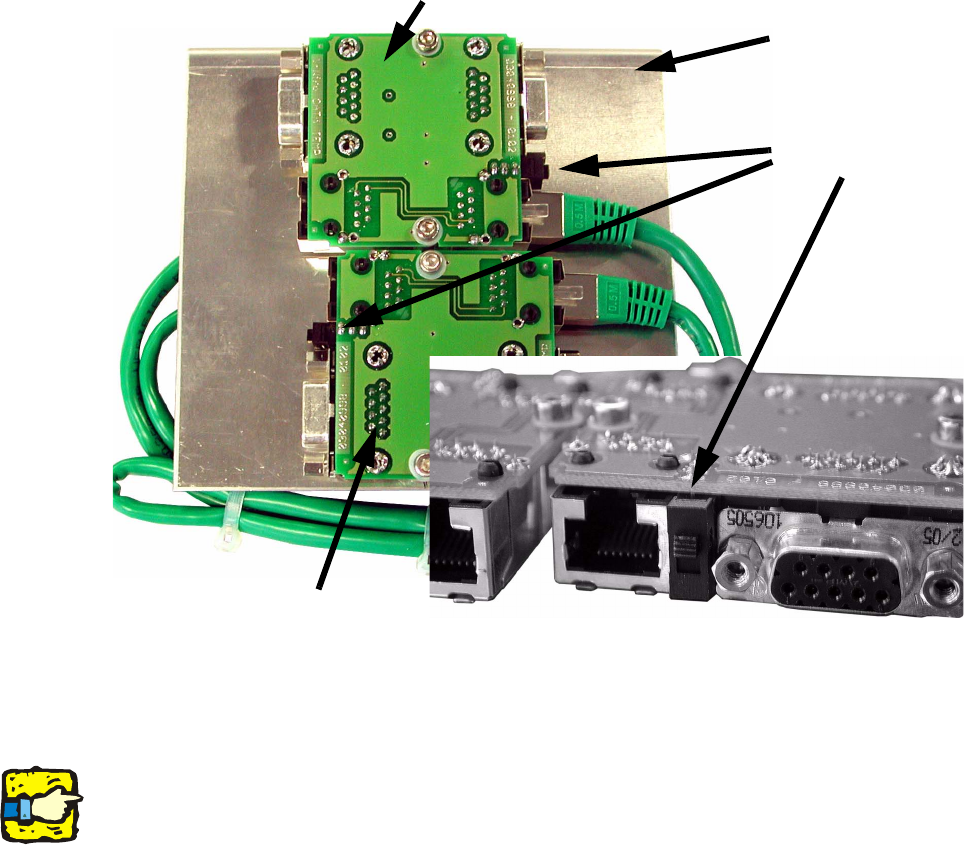
: Check that the switches on both sides of the 1-Wire CAT 5 temp are in the top position (the
position on the PCB), and move them up if necessary.
2
2
2
2
The 1-wire CAT5 gantry module will later be connected directly to the CAN bus module of the ca-
ble and hose carrier interface as a small board (see variant 2). 2
2
Switch
1-wire CAT5 temp
Locations 4/3
Locations 1/2
Processing area 1: 4 + 1
Processing area 2: 3 + 2