00194705-0102_AI_1WireBus_DE+EN.pdf - 第77页
Retrofit instructions: New 1-wire wiring for the SIPLACE X-series 11/2005 Edition 77 2.9.2.4 1-wire CA T5 gantry 2 Fig. 2.9 - 17 1-wire CA T5 gantry : Replace the 1-wire temp boa rd with the 1-wire CA T5 temp board (item…
Retrofit instructions: New 1-wire wiring for the SIPLACE X-series
11/2005 Edition
76
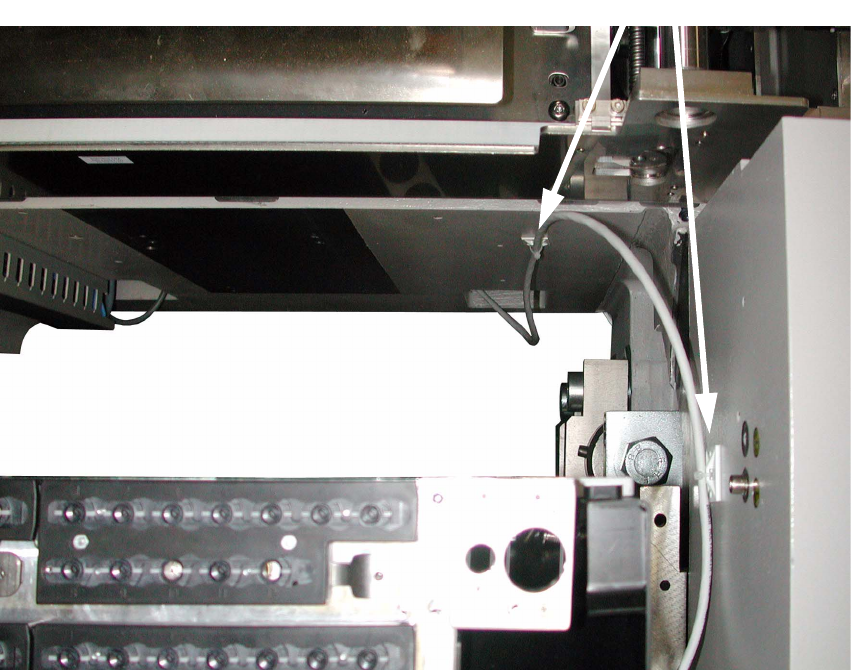
: Fix the CAT5 cable from the 1-wire CAT5 splitter to the 1-wire CAT5 hub as shown in
Fig. 2.9 - 16 using two large cable clips and cable ties.
Clean the bonding points first using alcohol.
2
Fig. 2.9 - 16 Strain relief for round cables
2
Cable clips
Retrofit instructions: New 1-wire wiring for the SIPLACE X-series
11/2005 Edition
77
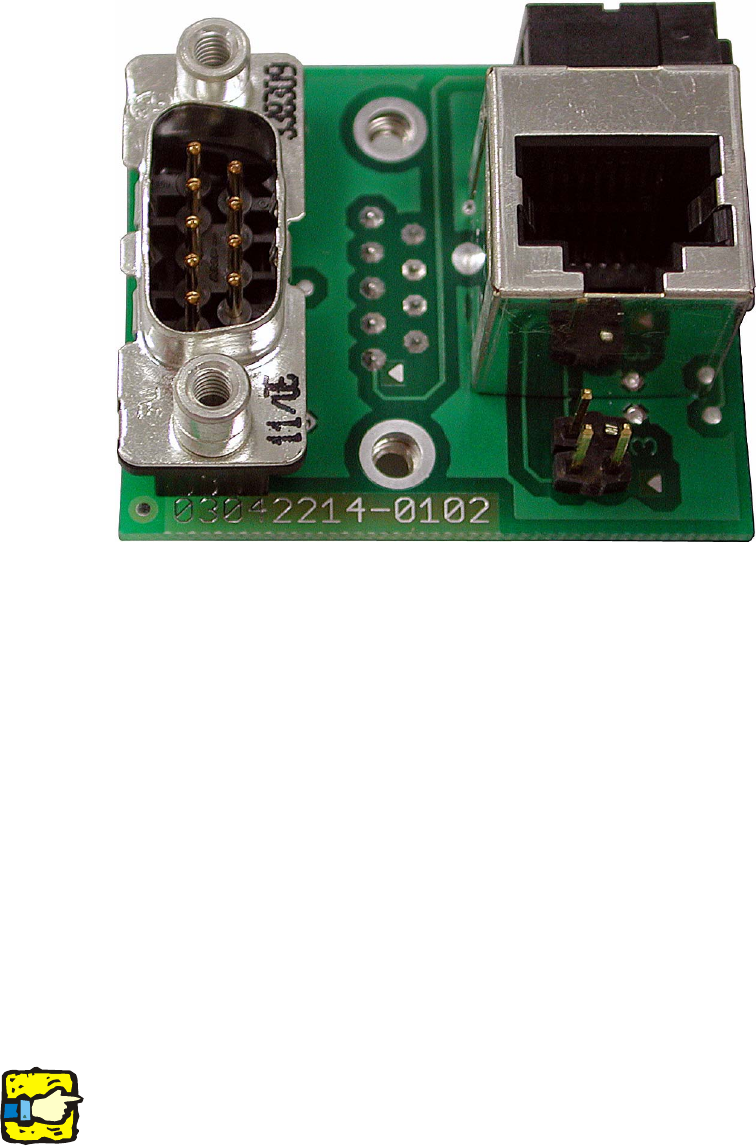
2.9.2.4 1-wire CAT5 gantry
2
Fig. 2.9 - 17 1-wire CAT5 gantry
: Replace the 1-wire temp board with the 1-wire CAT5 temp board (item no..:03042214-0101).
2
Four 1-wire CAT5 gantry boards /item no.: 03040998-01) are needed in total for a
SIPLACE X4. One board for each cable and hose carrier interface. 2
: Make the following switch settings:
Up for gantry 3 and 4, down for gantry 1 and 2.
: Run the CAT5 cable for temperature sensors, gantry 1 and 4 (PA1) from the 1-wire CAT5 split-
ter up to the pneumatic unit (the cables are already pulled in at Bruchsal).
Plug the CAT5 cable (gantry 1) into the CAT5 socket in the 1-wire CAT5 gantry board.
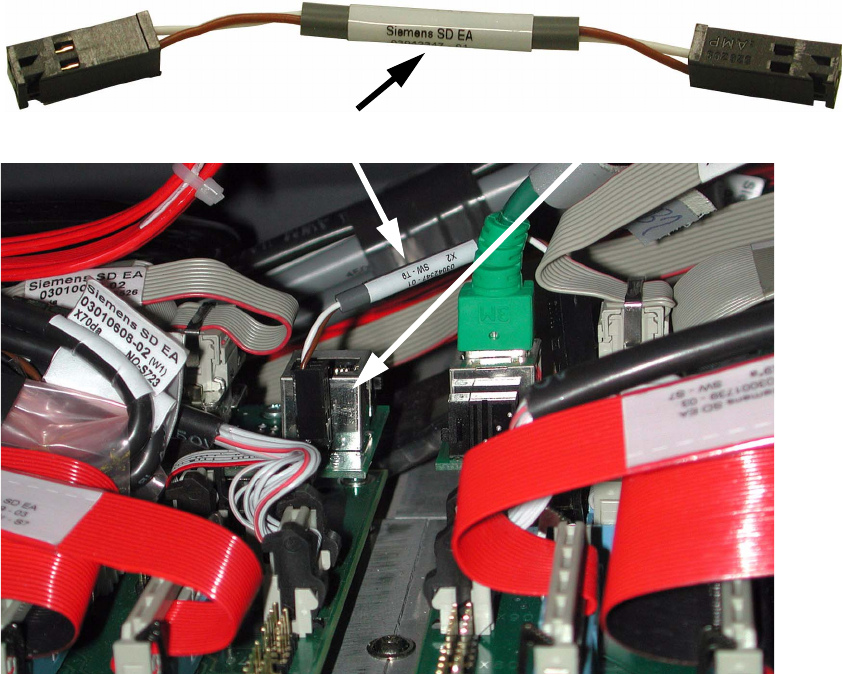
: Use the 2-wire cable (see picture below) to connect the CAT5 gantry board,
gantry 1, to the board for gantry 4 (for PA1) or
gantry 2 to the board for gantry 3 (for PA2).
The CAT5 connection is not used on gantry 4 or 3.
2
IMPORTANT: When you switch on the machine, the 1-wire LED on the C500 head board must
light up green. 2
Retrofit instructions: New 1-wire wiring for the SIPLACE X-series
11/2005 Edition
78
2
2
2
2
2
2
2
2
2
2
2
2
2
2-wire cable
2-wire cable
Gantry board