SM321 Service-CHI.pdf - 第119页
Head Module 1 2 3 4 点击 < Move> 按钮后 , 再点击 <Prepare Al igne T est> 按钮。 5 4-15
Samsung Component Placer SM321 Service Manual
1
2
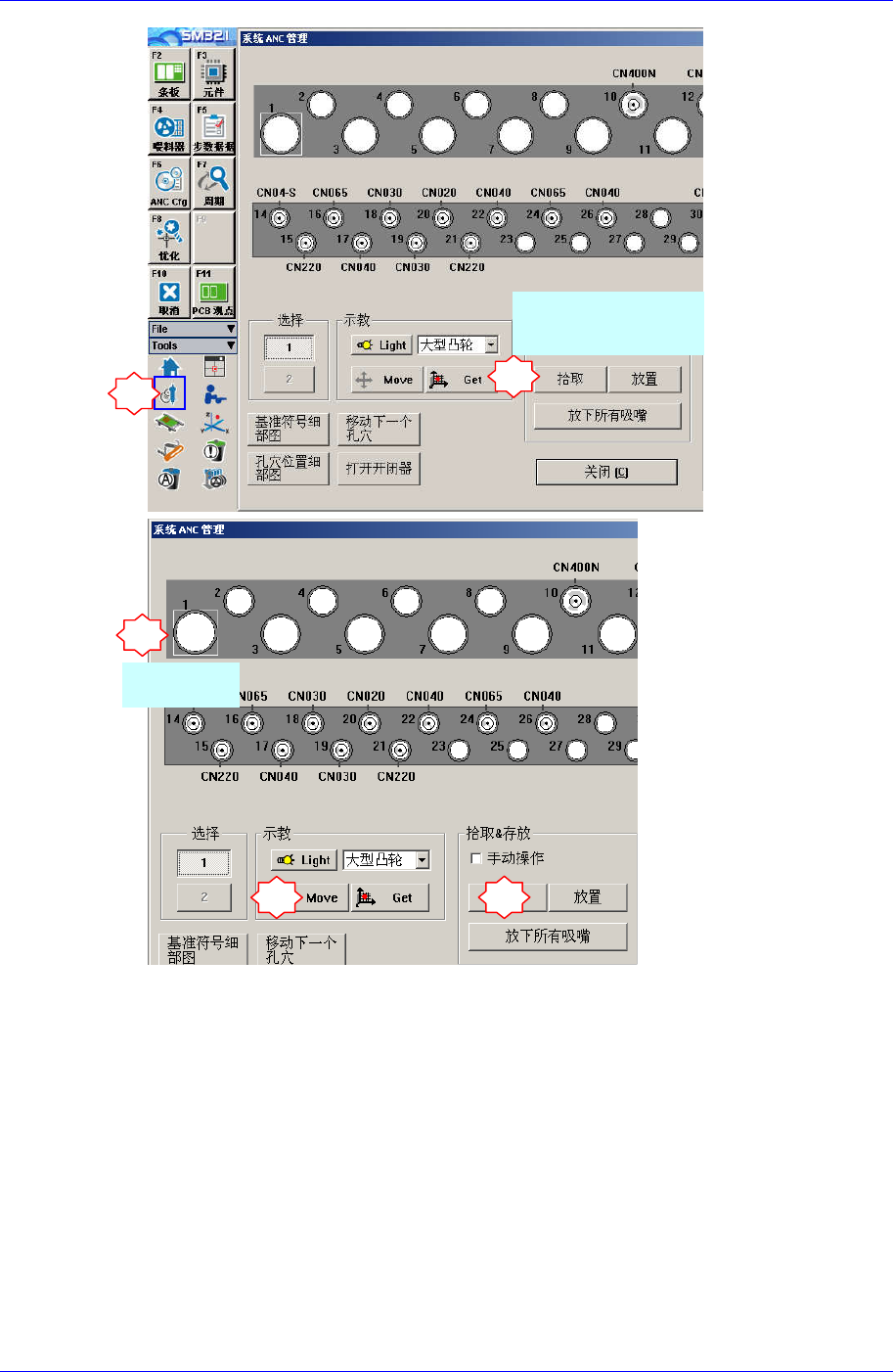
选 择 替 换 的 摄 像 机
相应的头部
4
3
选择CNT20
5
8. 为了把Calibration Tool移动到Align高度,请执行如下过程。
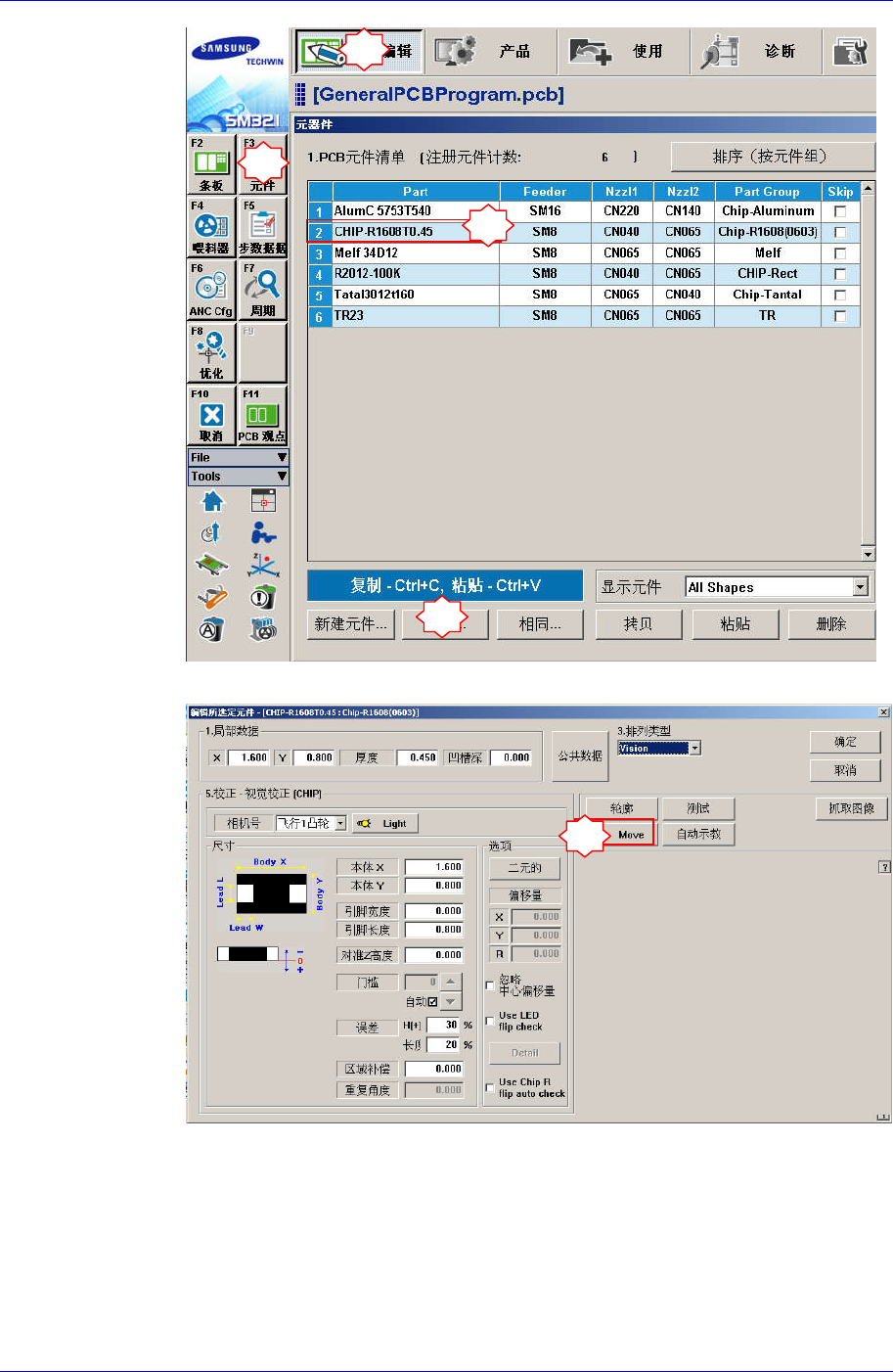
“Parts” 对话框中选择任意部件(1005)后点击<Edit>按钮,执行“Part Editor”
对话框。
4-14
Head Module
1
2
3
4
点击<Move> 按钮后, 再点击<Prepare Aligne Test>按钮。
5
4-15
Samsung Component Placer SM321 Service Manual
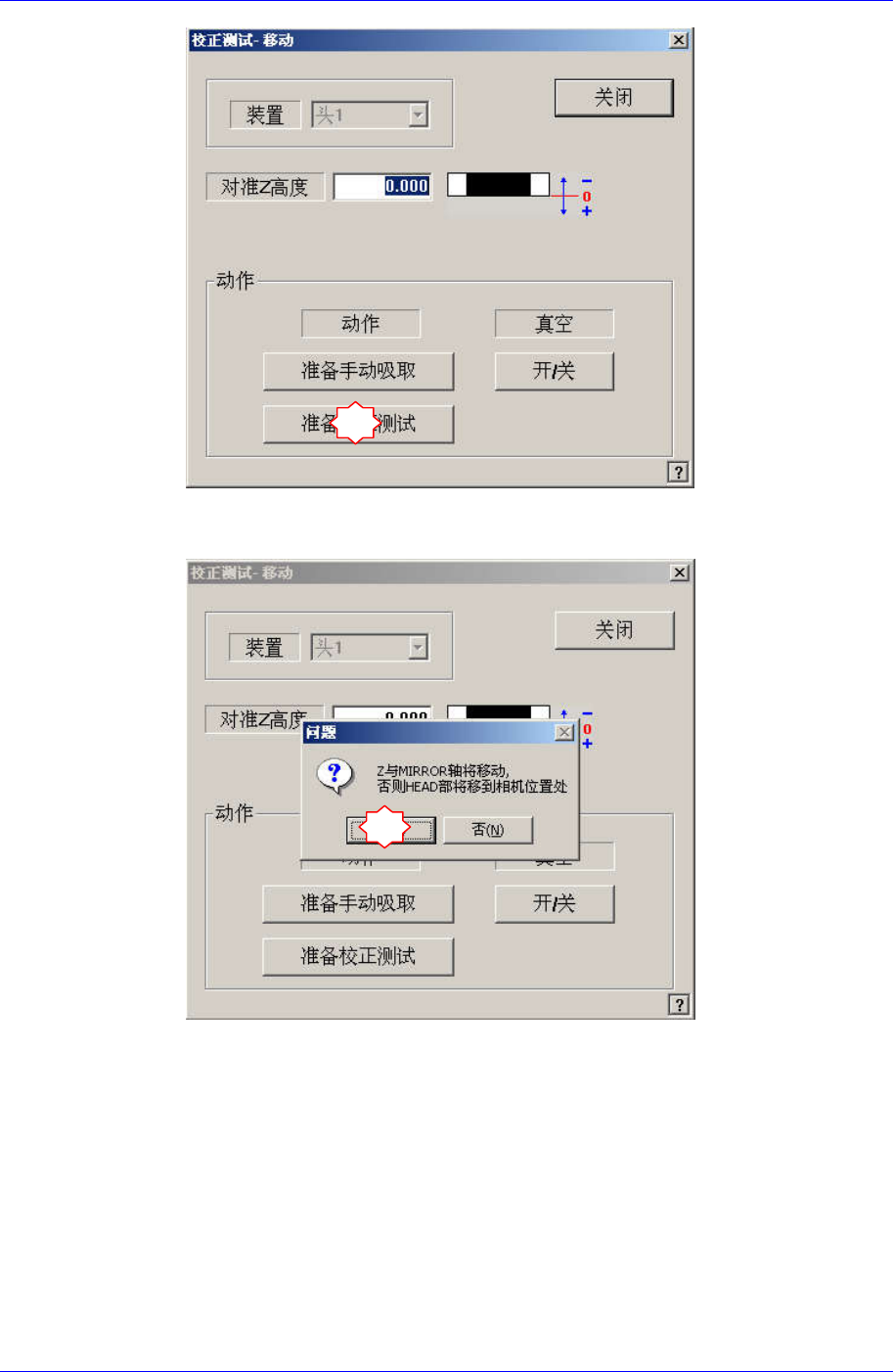
如果显示“Z and Mirror axis will move or Head Block will move tothe Fix
Camera Position”信息,请点击Yes。
那么, Z轴和Mirror移动到识别位置。
6
7
4-16