Technical_reference - 第75页
Technical Service Manual 75 Revision Dat e: August 2004 DRIVE MOT OR SERVICE & REPLACEMENT CONVEYOR DRIVE MOT OR REPLACEMENT MOTOR LOCAT ION There ar e only tw o locations f or the conveyor motor on all Vitr onics-So…

Technical Service Manual 74 Revision Date: August 2004
REMOVE AND REPLACE CONVEYOR RAILS AND CHAINS
DISCONNECTING RAILS AND CHAINS
1. At the off-load end of the oven, remove the chain guard from each chain by removing the 1/8" hex key head screws.
2. Run the conveyor until the master link for one or both chains comes up just under the rail. Remove the master link(s)
from the chain(s). Unthread the chain from all of the pulleys that it wraps around on its way under the oven. Make sure
that the chain is off the drive sprocket and tie wrap it to the idler shaft just below the end of the oven. Be sure to note the
position of the chain around all pulleys. Go to the on-load end of the oven and remove the chain guards. Pull the chains
out of the rails in the direction of the on-load end of the oven. Let the chains drop down and tie wrap them to the idler
shaft below the end of the oven.
3. If only one master link came into position, run the conveyor until the second chain master link shows up. When it
does, remove it as you did on the other chain.
4. Remove the 5/32" hex head screws holding each rail onto the conveyor assemblies.
5. Remove the rails. DO NOT to let them bend or they may be permanently deformed.
RECONNECTING RAILS AND CHAINS
1. Reconnect each rail to its end assembly using the 5/32" hex head screw.
3. Install the chains in the rails making sure the long pins face in toward the center of the oven. Be careful not to twist
the chains.
4. Slide the chains through the rails until they reach the off-load end of the oven.
5. Rethread the chains on the sprockets and idler pulleys at the on-load end of the oven. Reinstall the chain guards with
the 1/8" hex key head screws.
6. At the off-load end of the Oven, rethread the chains through the sprockets and idler pulleys. Reconnect the master
links in both chains. Make sure the closed end of the keeper clip is facing the direction of conveyor travel (off-load end).
Reinstall the chain guards on the rails with the 1/8" hex key head screws.
7. Make sure the chains are not hung up or twisted anywhere on top or underneath the Oven.
Technical Service Manual 75 Revision Date: August 2004
DRIVE MOTOR SERVICE & REPLACEMENT
CONVEYOR DRIVE MOTOR REPLACEMENT
MOTOR LOCATION
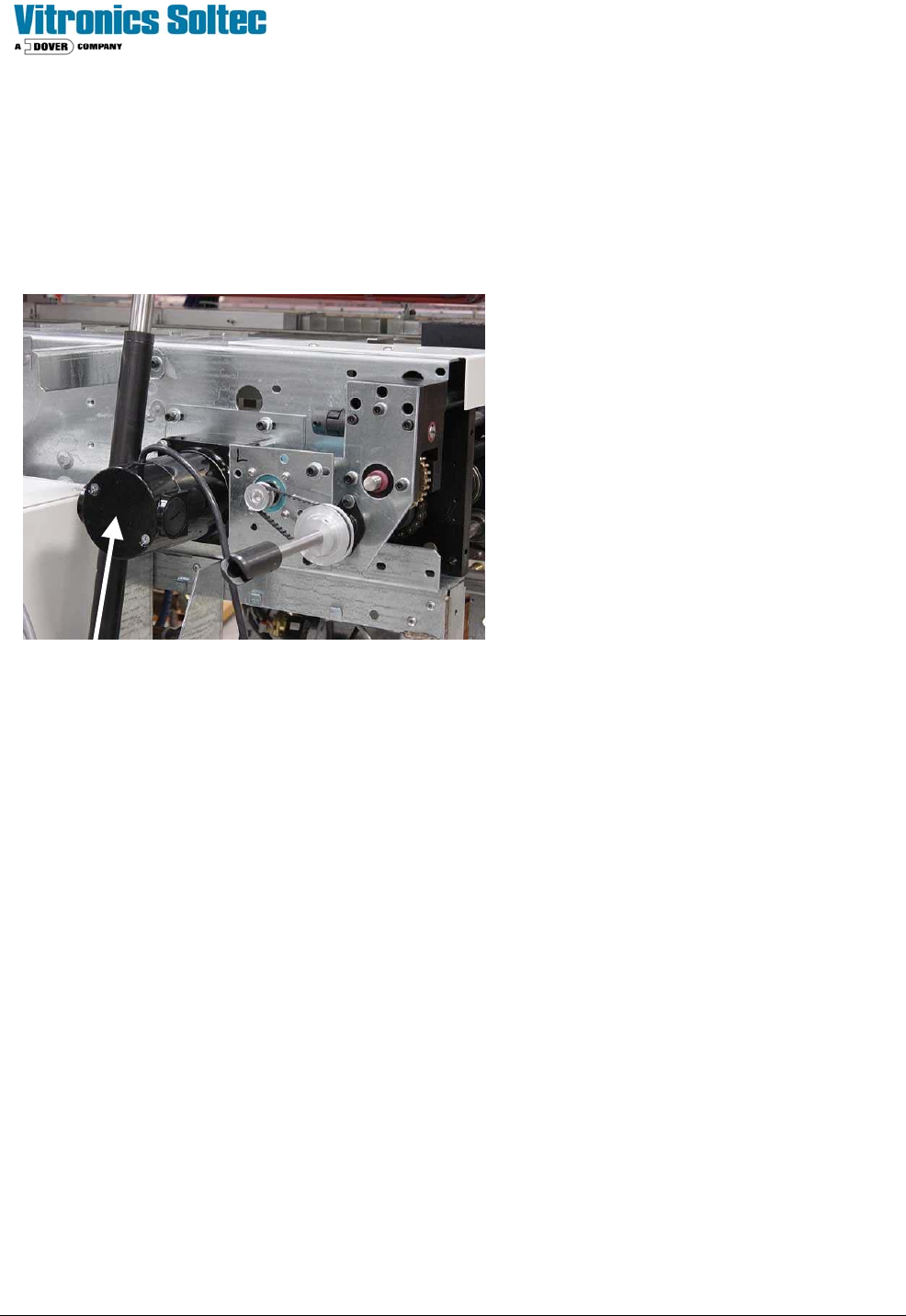
There are only two locations for the conveyor motor on all Vitronics-Soltec Reflow Ovens. On an oven with a left to
right conveyor, the motor assembly is in the front right corner of the oven. On an oven with a right to left conveyor
system, the motor assembly is on the front left corner of the oven.
CONVEYOR MOTOR
To remove/replace the Conveyor Drive Motor:
1. Open the Hood
2. Turn off the U.P.S. and disconnect all power from the oven.
3. Remove the long sheet metal piece around the Operator’s Control Panel on the end the oven.
4. The Motor is mounted with four bolts on the Oven Frame “C” Channel. Loosening the four bolts will allow the
Chain to be removed from the Clutch Drive Sprocket without removing the Master Link from the Chain.
5. Unplug the Motor power leads.
6. While supporting the Motor, remove the four bolts. Remove the motor, mounting plate and clutch sprockets from
the Oven.
7. Rotate the Motor to permit access to the setscrews that secure the Clutch Assembly to the Motor Drive Shaft.
Loosen the setscrews and remove the Clutch Assembly, then remove the Motor from the mounting plate.
8. Reverse steps 7 through 1 to replace the Conveyor Drive Motor
THE “MOTOR REPLACEMENT” IS NOT COMPLETE UNTIL YOU:
Check the tension of the Drive Chain as well as the alignment between the Clutch Drive Sprocket and the End Assembly
Drive Sprocket. The chain should have some slack, but not enough to remove the chain from the sprocket(s).
The alignment of the two (2) sprockets should be as exact as possible.
1. Run the oven to verify that the MIN/MAX speed settings with the new motor are similar to the speed settings with the
old motor.
Left To Right Conveyor
Technical Service Manual 76 Revision Date: August 2004
2. Do the “conveyor calibration” described in the Oven Operation Program Manual after the clutch assembly is properly
adjusted.
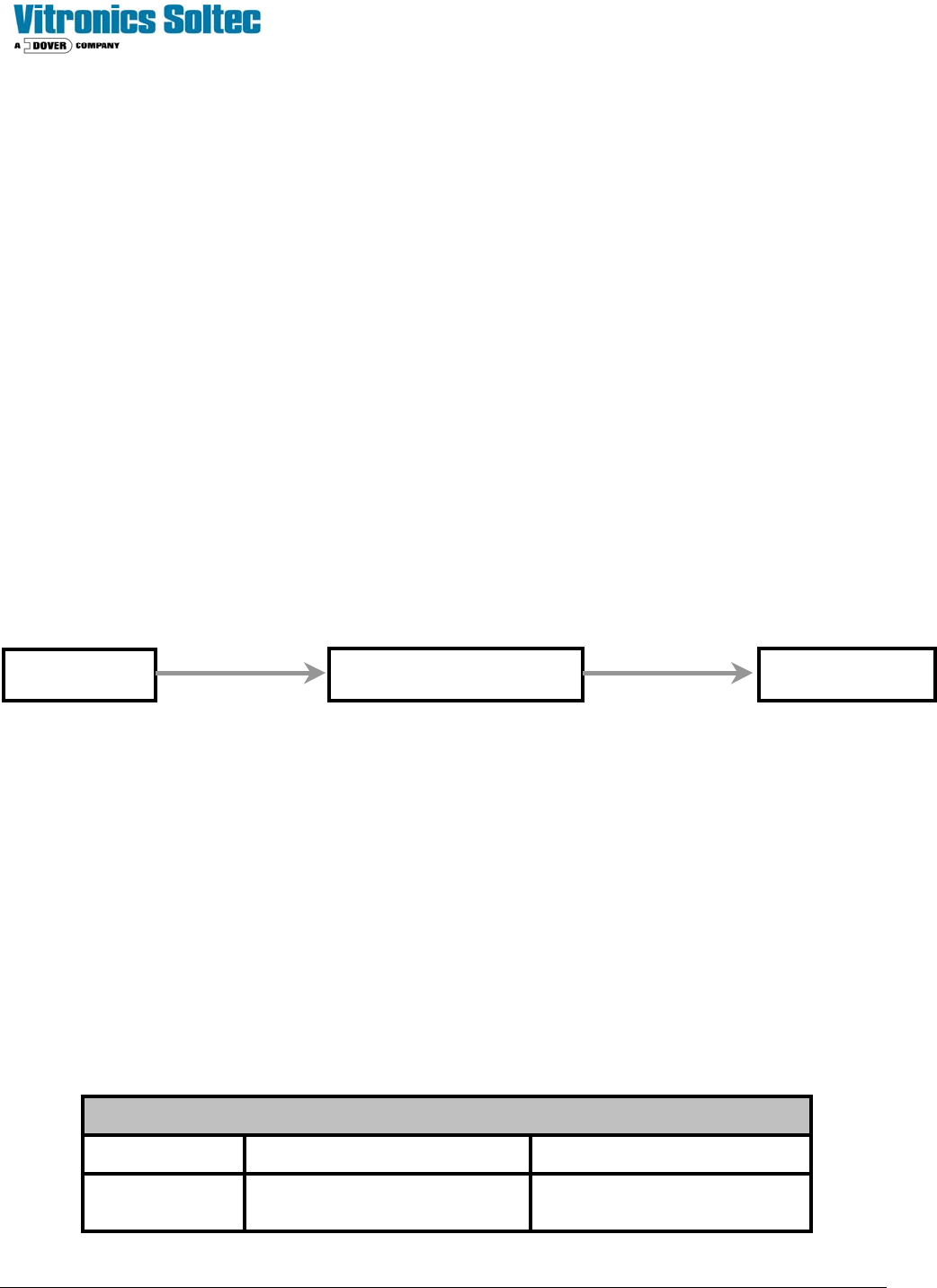
CONVEYOR DRIVE SYSTEM
The controller supplies an analog signal corresponding to the desired conveyor speed. The DC drive card sends an
amplified signal to the conveyor drive motor.
(The motor has a slip clutch connected to the conveyor shaft that drives the encoder.)
The encoder generates +5 VDC pulses as the motor drive system operates. The pulses go to the controller, which
modifies the analog signal to the DC drive card to compensate for any conveyor speed.
Set up the Conveyor Drive within the Oven Operation Program.
NOTE: This operation may require a password.
If the conveyor motor does not turn, check the following:
1 - Determine that K37 & K38 are energized
2 - Check for 120 VAC at the DC drive board (between terminals L1 and L2). If there is no 120VAC there, make sure that
A1-K12 is energized at the I/O board. Next, check the signal to the DC drive board. The signal should be +10 VDC
between DC drive terminals + and – signal input. If there is no signal at those terminals, make sure the oven
controller card cage is receiving +/– 15 VDC. If the cage is receiving +/– 15 VDC, but the drive is not receiving +10
VDC, there is either a wiring error or the DI board is faulty, or a poor wire connection.
3 - After all electrical signals are present and correct, adjust the IR COMP potentiometer to it's mid-point and adjust the
SIGNAL ADJUST potentiometer on the DC drive board to a level which produces a +90 VDC armature voltage
while under manual computer control. The armature voltage is measured between terminals A1 and A2 on the DC
drive board using a DC Voltmeter.
4 - At this point the MIN SPEED potentiometer should be adjusted to generate an armature voltage of approximately +12
VDC between terminals A1 and A2. This should keep the conveyor running slowly at a 0 VDC signal level.
5 - After the conveyor system has been tested, run the conveyor calibration routine in the Oven Control Program.
The conveyor system should be adjusted for the following speeds:
Conveyor Speed Table
MOTOR TYPE MINIMUM SPEED MAXIMUM SPEED
Analog Drive
motor
10.0 inch/min
( 25.4 cm/min)
75.0 inch/min
(178 - 203 cm/min)
MIOP
Oven I/O Board DC Drive
Ribbon Cable Round Cable