00197457-01_IM_EDM_2.2_en.pdf - 第23页
EDM V2.2 / I nstal lation M anual 10/2013 Edit ion 23 C AU T I O N It is nec essar y to define th is s etting if: – T he EDM VDM BLO B funct ions are to be us ed (esp eciall y for the Ex tended Diff erence Editor) . – Pr…
EDM V2.2 / Installation Manual 10/2013 Edition
22
● The OIB Integration group contains settings needed in connection with OIB:
Enable comments at the (originating) station
Option to globally enable or disable the feature to display the EDM comment dialog at the
station triggering the change (e.g. when teaching a component shape). This feature requires
the OIB Display Service and Viewer to be installed according to the OIB Installation Manual.
NOTICE
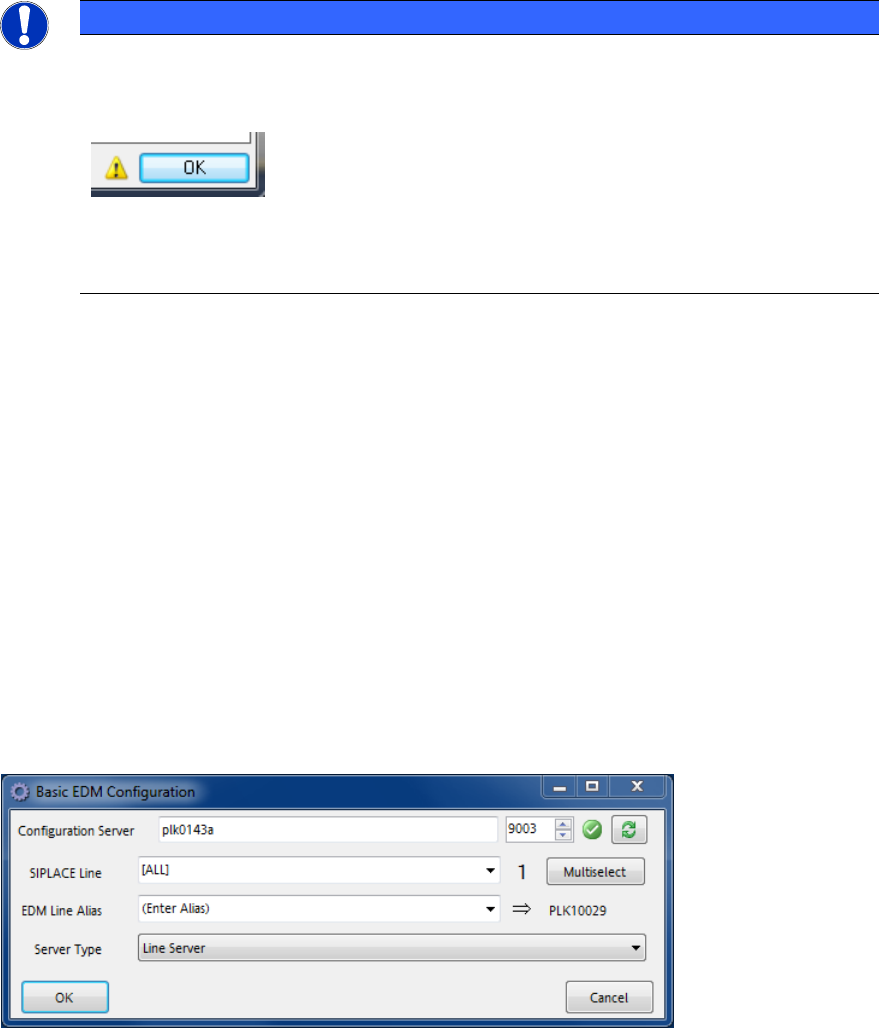
If the dialog cannot be displayed at the station, the normal EDM comment dialog will be
displayed at the corresponding EDM Line Server. The issue will be indicated by a yellow
warning icon next to the OK button:
The tool tip of the warning icon may contain additional information about the cause.
The comment behavior for individual stations can be configured by specifying a
processing rule filter to change the behavior.
Enable EDM Data Transfer (Push) API
Option to enable or disable the EDM Push API Web Service. If the option is enabled, EDM will
try to register the service with OIB (as "SIPLACE.EDM.DataTransfer"). If the OIB Service
Locator is unavailable, this may increase the startup time of the EDM service.
OIB Service Locator endpoint
The endpoint Uri of the OIB Service Locator (part of the OIB Core). If the OIB Core is installed
on the EDM Master Server, there is no need to change the default value. The host name part of
the endpoint can be replaced by two special tokens:
– "{EdmMasterServer}" which will be replaced by the host name of the EDM Master
Server (as configured in the MachineConfig)
and
– "{EdmConfigServer}" which will be replaced by the host name of the EDM
Configuration Server (as configured during installation (in the EDM registry)).
6.2.1.2 Basic Configuration for EDM Client Computers
Figure 6-2: Basic EDM Configuration for Clients dialog
● Each EDM-Service needs access to a Configuration Server. The user might change it in the
Configuration Server text box.
● The SIPLACE Line control contains the SIPLACE Pro names of the (physical) lines that are
assigned to this Client computer. If needed, multiple lines may be selected via the Multiselect
button.
EDM V2.2 / Installation Manual 10/2013 Edition
23
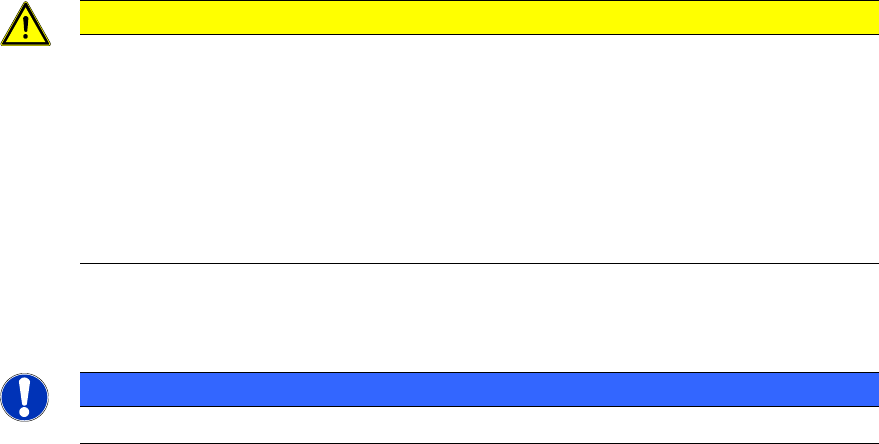
CAUTION
It is necessary to define this setting if:
– The EDM VDM BLOB functions are to be used (especially for the Extended
Difference Editor).
– Protection against overwriting current product data is activated in push mode.
Otherwise, BLOBs will be accepted for all SIPLACE Pro lines present in the local
SIPLACE Pro database.
See EDM User Guide.
● The EDM Line Alias text box defines the alias name used to identify this Client computer.
NOTICE
The alias name should always be defined for EDM Line Servers.
● The Server type combo box lets the user select the computer's role, which usually should be
set to Line Server.
EDM V2.2 / Installation Manual 10/2013 Edition
24
7 Uninstalling the SIPLACE EDM Software
NOTICE
You must be logged in as Administrator to uninstall the software.
► Open the Start menu and select Control Panel – Programs – Programs and Features –
Uninstall a program.
► Click with the right mouse key on the SIPLACE EDM entry in the list of installed programs.
► Select Uninstall from the context menu.
A confirmation dialog is displayed.
► Click on Yes to confirm uninstalling the EDM software.
NOTICE
The EDM database will not be deleted by the uninstalling procedure!