00197457-01_IM_EDM_2.2_en.pdf - 第9页
EDM V2.2 / I nstal lation M anual 10/2013 Edit ion 9 4 Instal l ing the SIPL A CE EDM Software This c hapter descr ibes the steps to be f ollowed to install the SIPL ACE E DM system c omponents. NOTICE If y ou are migrat…

EDM V2.2 / Installation Manual 10/2013 Edition
8
With some effort, it is possible to change the configuration server location (see EDM User Guide).
CAUTION
Though feasible, it is not recommended to run more than one configuration server in an
organizational unit, e.g. within a plant or on line computers connected to the same EDM
Master server (except during an upgrade scenario, see chapter 5
). Otherwise, there is a
high risk to get an inconsistent EDM environment and a poor overview over the EDM
components.
EDM V2.2 / Installation Manual 10/2013 Edition
9
4 Installing the SIPLACE EDM Software
This chapter describes the steps to be followed to install the SIPLACE EDM system components.
NOTICE
If you are migrating from an earlier version of EDM to EDM 2.2, please refer to chapter 6
for details of the installation procedure.
4.1 Starting the Installation
► Run the Setup.Exe program on the installation media.
► Click on the Next button of the dialog box that appears.
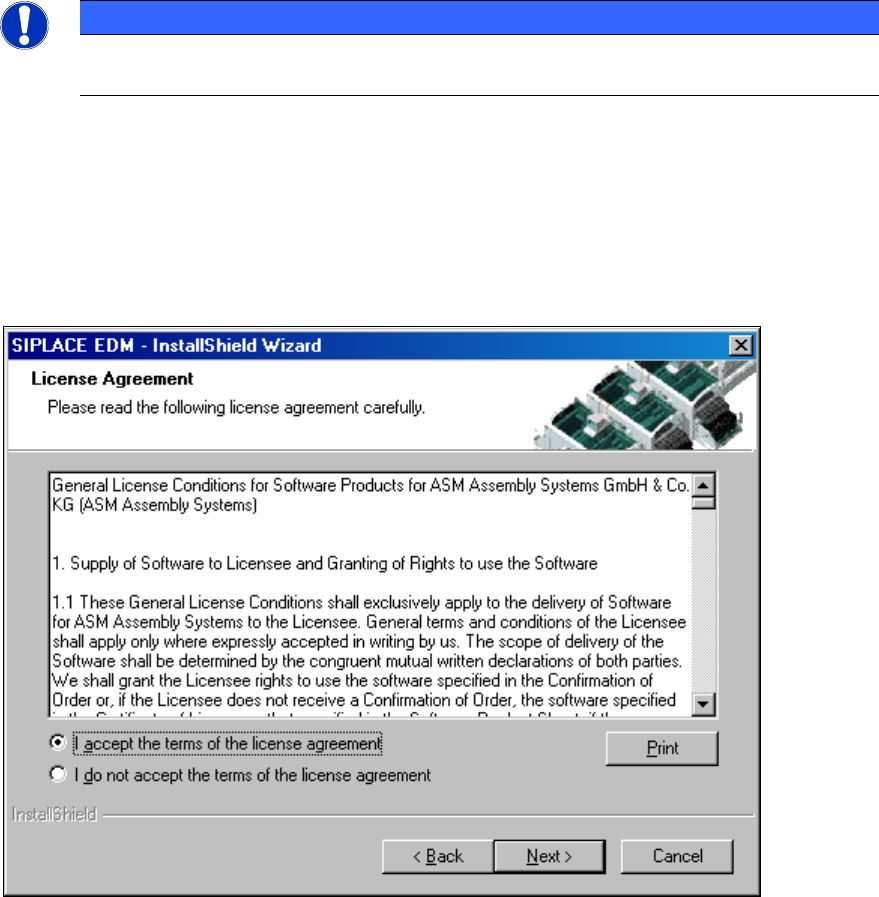
► Read and accept the License Agreement.
Figure 4-1: License agreement
► Click the Next button.
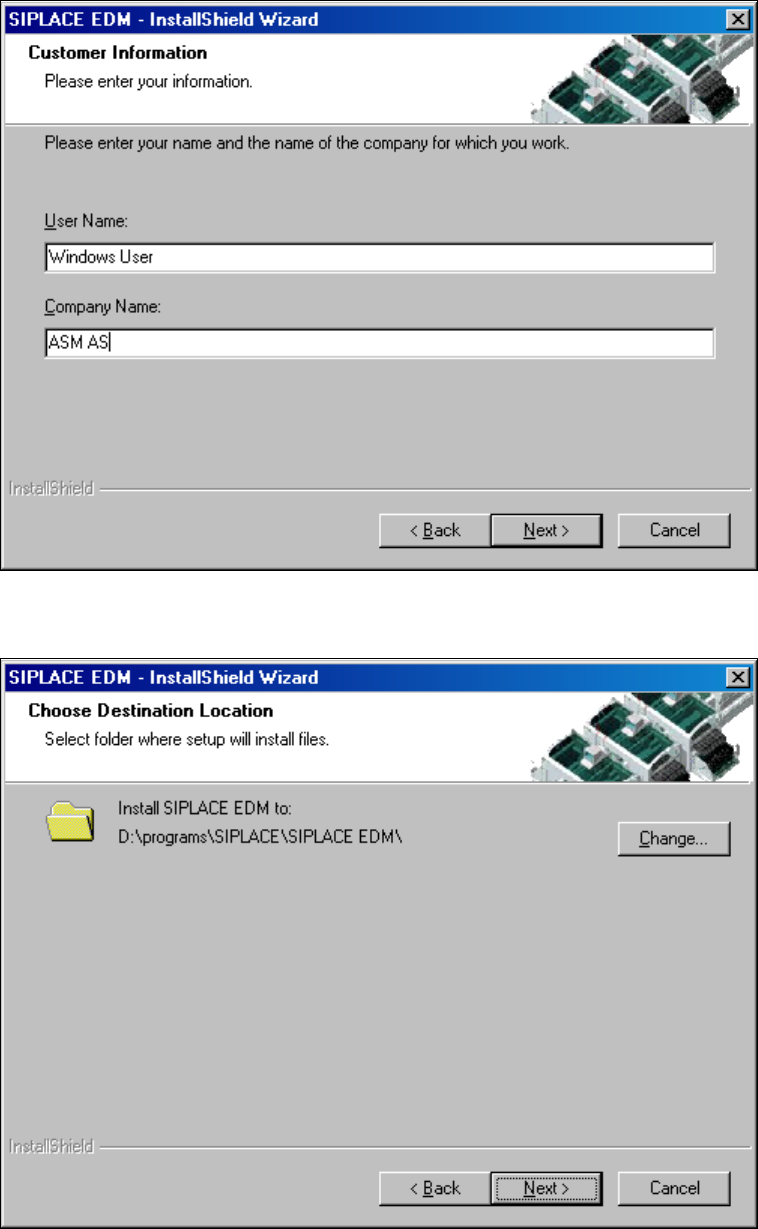
The following dialog box asks you to enter your contact information.
► Enter this information and click the Next button.
EDM V2.2 / Installation Manual 10/2013 Edition
10
Figure 4-2: Contact information
► Select the target folder for the SIPLACE EDM installation.
Figure 4-3: Target folder for installation
Since SIPLACE EDM comprises several applications whose installation procedure depends on the
role of the workstation, you must select the type of installation you want to perform.