Preventive Maintenance.pdf - 第64页
PREVENTIVE MAINTENANCE CLEANING, LUBRICATION AND MAINTENANCE D IAGRAMS 35.64 Technical Reference Manu al Chapter Issue 3 Jan 08 VF35i V acuum Filtration Unit T o replace any of the filters in the V acuum Filtration Unit,…
PREVENTIVE MAINTENANCE
CLEANING, LUBRICATION AND MAINTENANCE DIAGRAMS
Chapter Issue 3 Jan 08 Technical Reference Manual 35.63
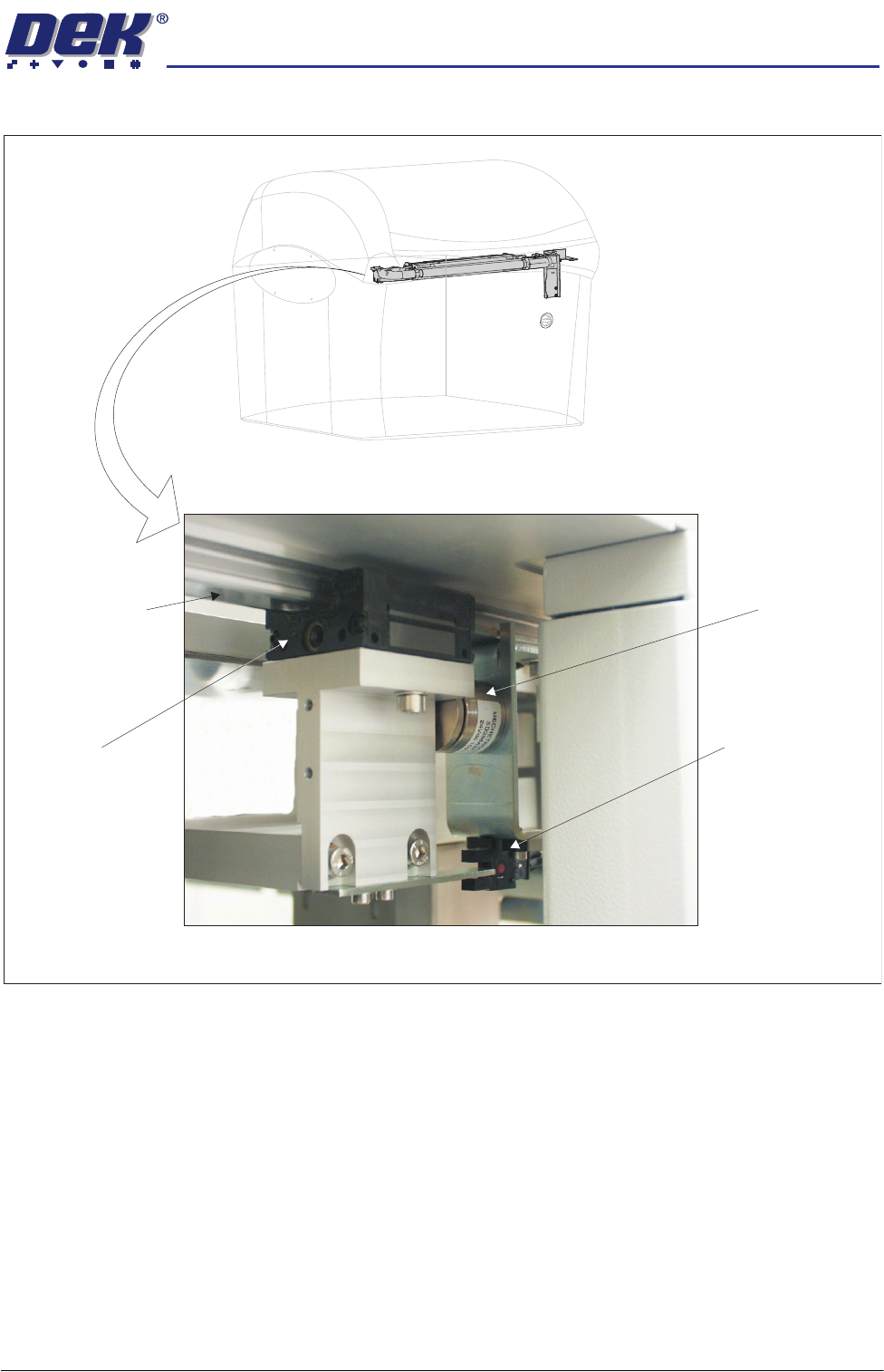
Figure 35-16 Underscreen Cleaner
View from Left Side of Machine
Camera Y Linear
Bearing Guide Rail
(in 2 positions)
USC Linear
Bearing Block
(in 2 positions)
USC Magnet
(in 2 positions)
USC Home Sensor
PREVENTIVE MAINTENANCE
CLEANING, LUBRICATION AND MAINTENANCE DIAGRAMS
35.64 Technical Reference Manual Chapter Issue 3 Jan 08
VF35i Vacuum
Filtration Unit
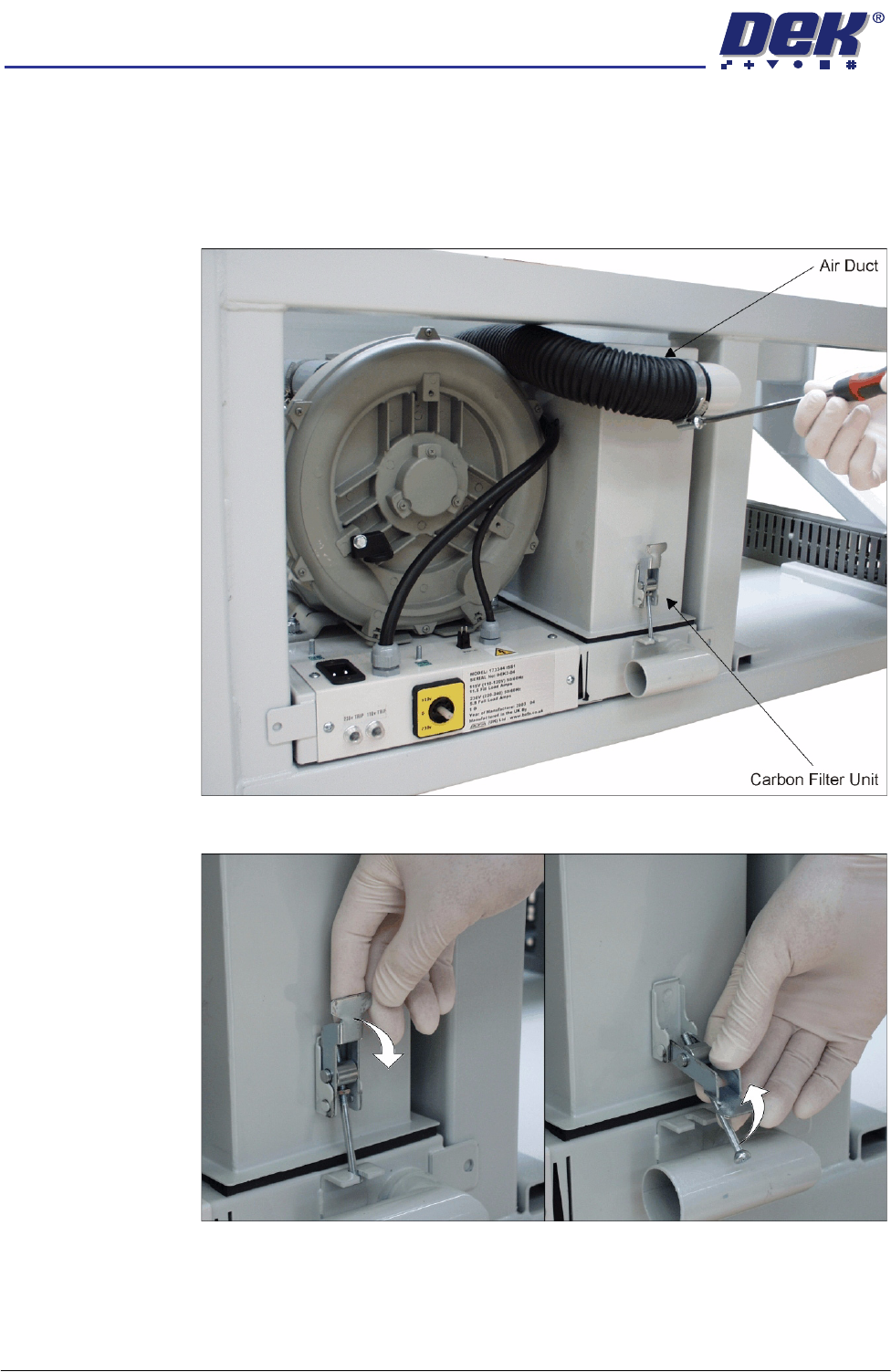
To replace any of the filters in the Vacuum Filtration Unit, carry out the following:
1. Ensure the machine is switched OFF.
2. Remove the machine front panel.
3. Remove the air duct from the carbon filter unit using a screwdriver or box
spanner to release the securing clip.
4. Release the filter retaining clip to detach the filters from the base unit.
PREVENTIVE MAINTENANCE
CLEANING, LUBRICATION AND MAINTENANCE DIAGRAMS
Chapter Issue 3 Jan 08 Technical Reference Manual 35.65
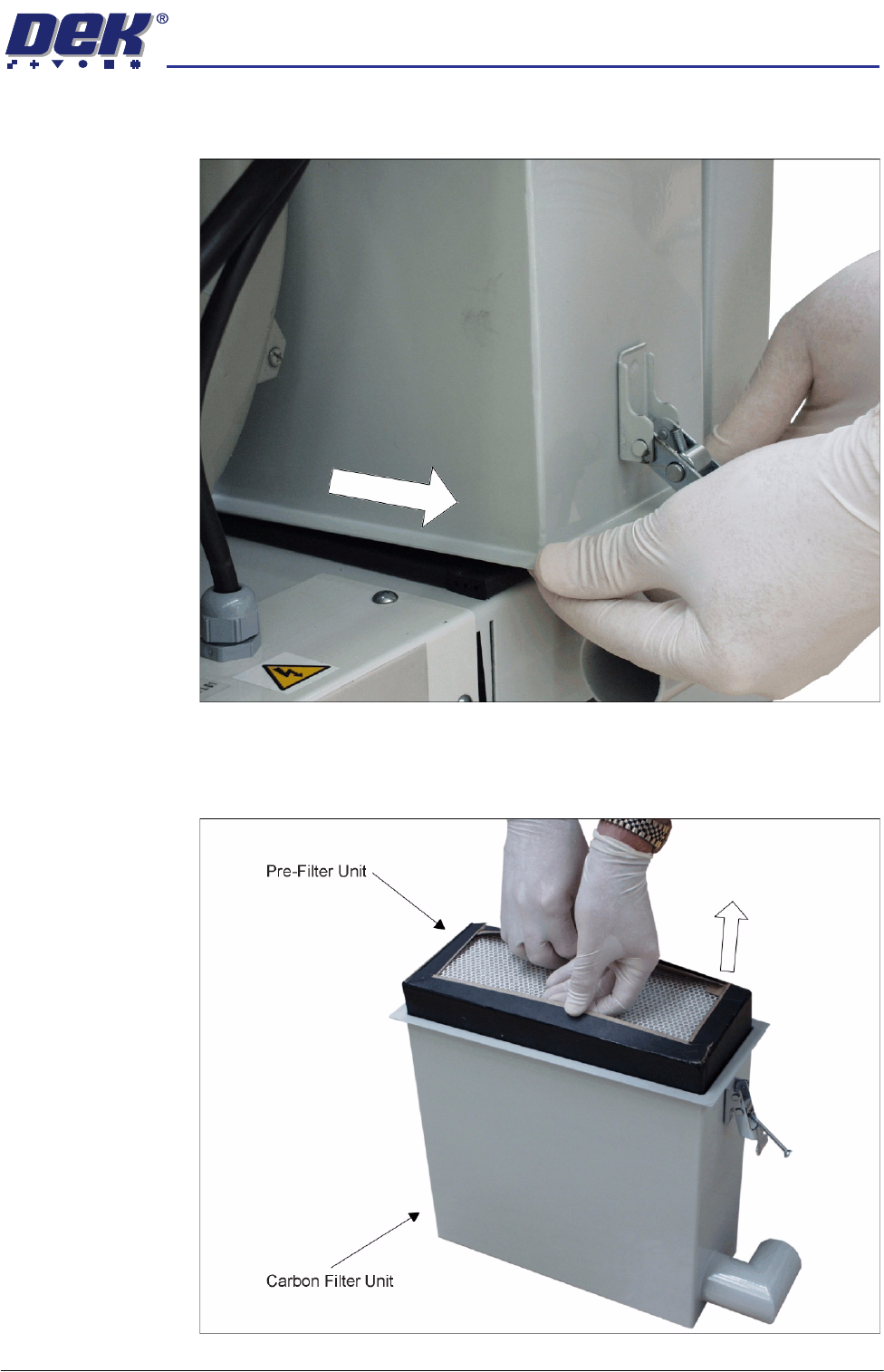
5. The back of the carbon filter unit is secured beneath a filter securing bracket.
To remove the filter, lift the front and pull the filter out of the machine.
6. Turn the filter unit upside down.
7. To separate the pre-filter unit from the carbon filter unit, pull the pre-filter
upwards using the pre-filter frame.