Printer 710_810 v8 High Throughput Conveyor Module.pdf - 第12页
HIGH THROUG HPUT CONVEY OR (HTC) MOD ULE ADJUS TMEN TS AND SE TTINGS 17.12 Technical Reference Manual Chapter Issue 3 Oct 06 Print S t ation Front Rail Paral lelism WARNING BOARD CLAMPS. EXTREME CAR E MUST BE EXERCISED W…
HIGH THROUGHPUT CONVEYOR (HTC) MODULE
ADJUSTMENTS AND SETTINGS
Chapter Issue 3 Oct 06 Technical Reference Manual 17.11
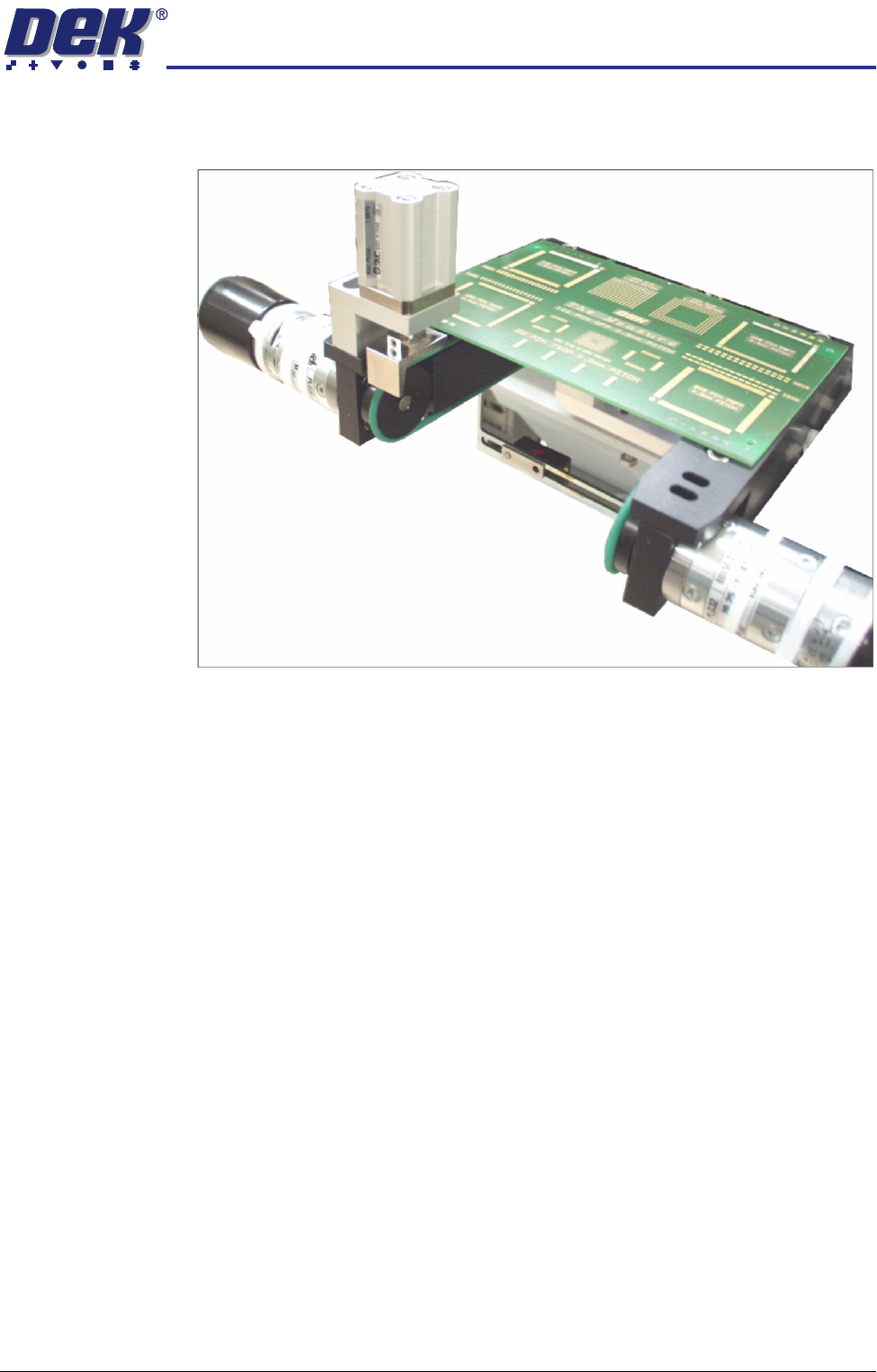
5. Turn the board 90° and position back onto the rail system, (so that the board
lies on top of the rail system as shown in the figure below).
6. Confirm that the amber LED is extinguished. If the amber LED illuminates,
turn the sensitivity control anti-clockwise until the amber LED extinguishes.
7. Remove the board.
8. Position the board back on the rail system, as in Step 1, and confirm that the
amber LED illuminates.
9. Remove the board from the rails and confirm that the amber LED extin-
guishes.
10. This completes the adjustment. If the board has holes or cut-outs, continue
with this procedure.
11. Slide the board backward and forward across the sensor ensuring that the
LED is only triggered by the leading and trailing edges of the board.
12. If the LED flickers when encountering holes or cut-outs, turn the sensitivity
control clockwise a further quarter turn.
13. Repeat Steps 11 and 12 until the correct setting is achieved.
14. Remove the board from the rails and confirm that the amber LED extin-
guishes.
HIGH THROUGHPUT CONVEYOR (HTC) MODULE
ADJUSTMENTS AND SETTINGS
17.12 Technical Reference Manual Chapter Issue 3 Oct 06
Print Station Front Rail Parallelism
WARNING
BOARD CLAMPS. EXTREME CARE MUST BE EXERCISED WHEN WORKING IN
THE TOOLING AREA OF THE MACHINE TO AVOID INJURY. THE FOILS ON THE
FRONT AND REAR BOARD CLAMPS ARE VERY SHARP.
NOTE
The Print Station Front Rail Parallelism is factory set and shouldn’t normally
need to be adjusted.
1. In Rising Table Diagnostics, select Raise Table to Vision Height.
2. In Rail System Diagnostics, select Toggle Board Clamp, to release the
clamps.
3. Open the front printhead cover/shutter.
4. Remove the board clamp from the front transport rail.
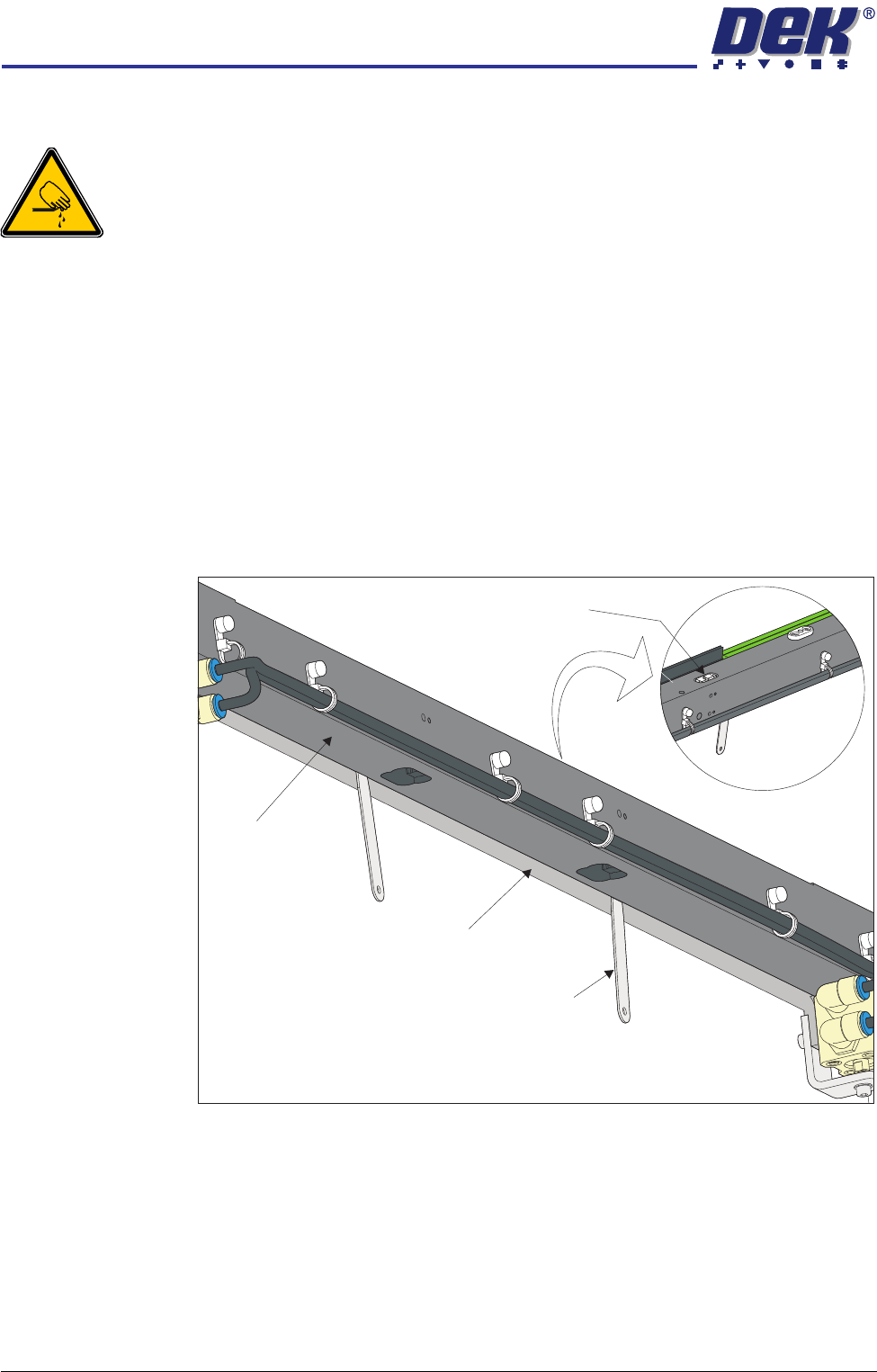
5. Using feeler gauges from the underside of the front rail, check the gap
between the belt support plate and the main rail, as close as possible to both
linear guides. Make a note of the measured gaps (0.65mm ±0.15mm).
6. Place appropriate feeler gauges (the measured gap) in the gap between the
belt support plate and the main rail as close as possible to the board clamp
View on Top of Front Rail
View on Underside of Front Rail
Linear Guide
Feeler Gauge
(in 2 positions)
Belt Support Plate
Main Rail
HIGH THROUGHPUT CONVEYOR (HTC) MODULE
ADJUSTMENTS AND SETTINGS
Chapter Issue 3 Oct 06 Technical Reference Manual 17.13
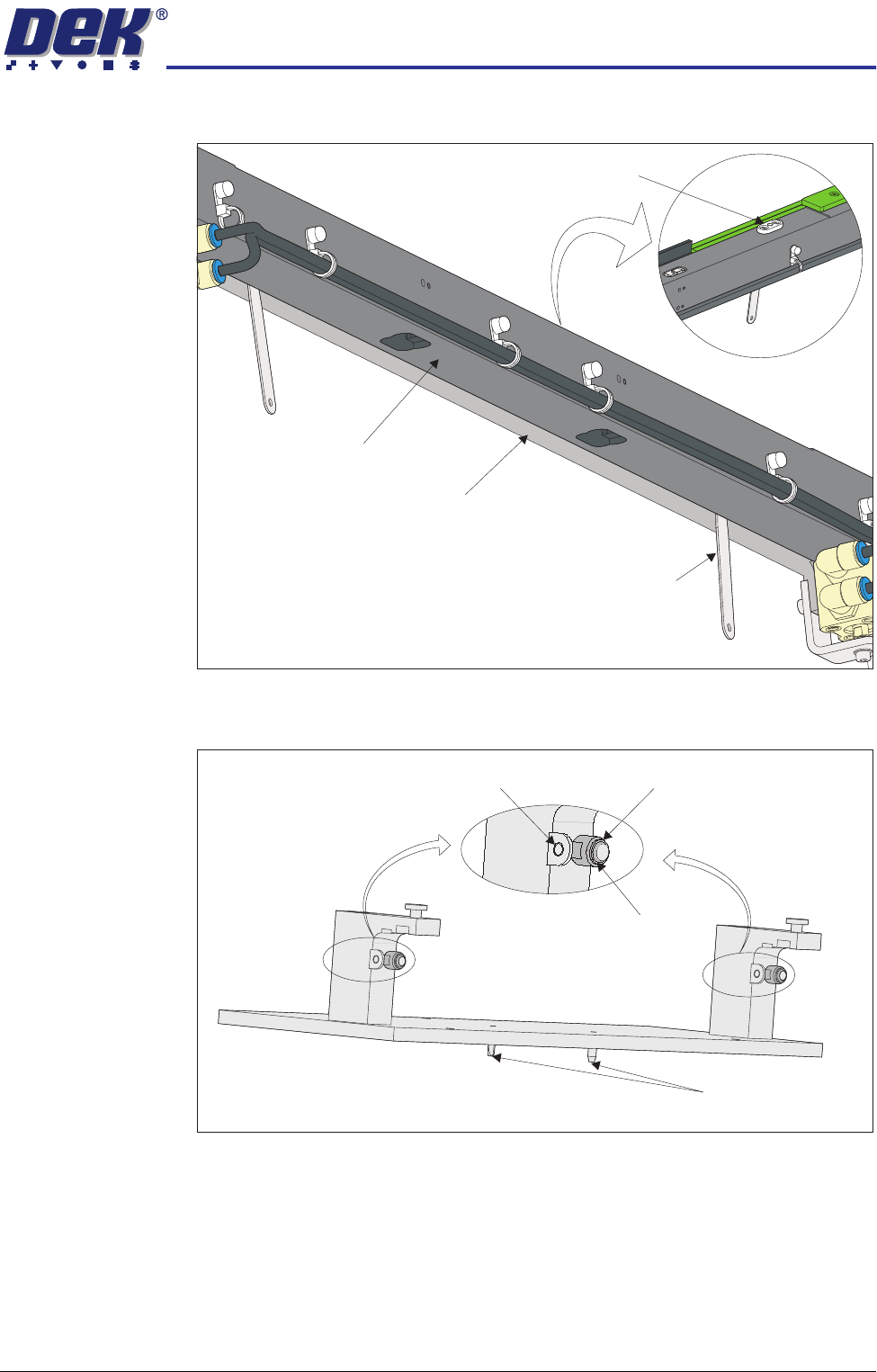
locating plates. This prevents any flexing of the belt support plate.
7. On the rail location jig (DEK Pt No 183288) ensure the alignment pads are
fitted in the correct position.
View on Underside of Front Rail
View on Top of Front Rail
Board Clamp Locating Plate
Feeler Gauge
(in 2 positions)
Belt Support Plate
Main Rail
Location Jig
6mm Locating Pins
Alignment Pad
Heavy Board
Rails Position
Standard Rails
Position