Printer 710_810 v8 High Throughput Conveyor Module.pdf - 第24页
HIGH THROUG HPUT CONVEY OR (HTC) MOD ULE ADJUS TMEN TS AND SE TTINGS 17.24 Technical Reference Manual Chapter Issue 3 Oct 06 18. If the rai l width is incorr ect, close the pr inthead cover/ shutte r , press the System b…
HIGH THROUGHPUT CONVEYOR (HTC) MODULE
ADJUSTMENTS AND SETTINGS
Chapter Issue 3 Oct 06 Technical Reference Manual 17.23
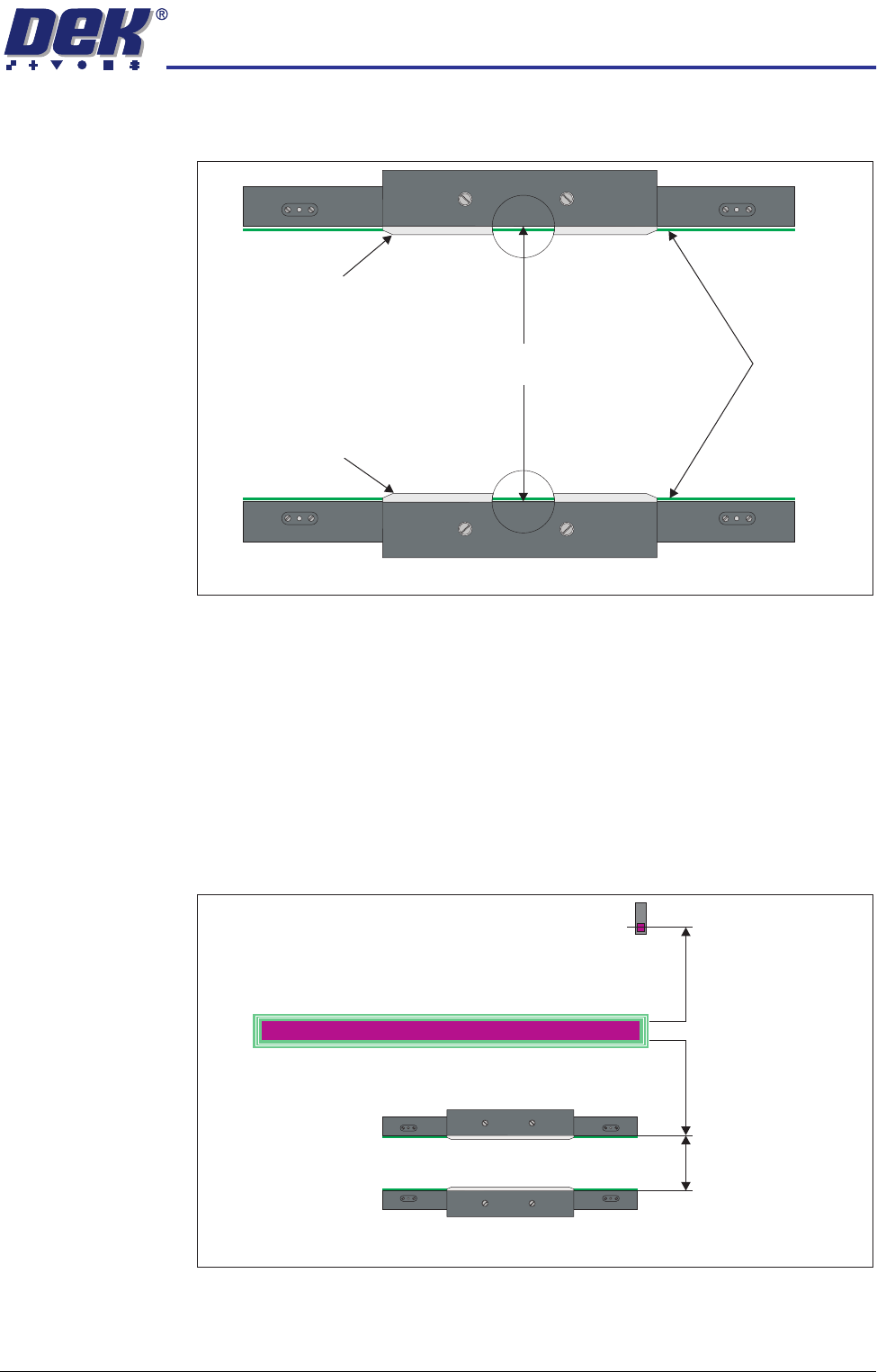
10. Place a vernier gauge above the transport belts in the centre of the board
clamps and check that the vernier reads between 250.25mm ±0.10mm.
11. If the rail width is correct, go to Step 21.
12. Close the printhead cover/shutter and press the System button.
13. Select Set Rail Board Width Calibration.
14. Select Run Diagnost to open the Rail Width Offset window.
15. Use Incr. or Decr. to set the offset required to achieve the dimension in Step
10.
NOTE
Increasing the offset increases the dimension between the rear rail and the
home position therefore, decreasing the width between the front and rear
rails.
16. Select Move.
17. Open the front printhead cover/shutter and recheck the measurement.
250.25mm ±0.10mm
Rear Board Clamp
Plan View of Board Clamps
Transport Belts
Front Board Clamp
Plan View of Transport Rails (centre section)
Home Position
Rail Width
RAIL WIDTH OFFSET 0.00 mm
+/- 3.00mm
HIGH THROUGHPUT CONVEYOR (HTC) MODULE
ADJUSTMENTS AND SETTINGS
17.24 Technical Reference Manual Chapter Issue 3 Oct 06
18. If the rail width is incorrect, close the printhead cover/shutter, press the
System button and repeat Steps 15 to 17.
19. If the rail width is correct, close the printhead cover/shutter, press the
System button and select Set.
20. Select Yes to save the information.
21. Using a suitable test board, with the rail width programmed to the board size,
select Cycle Board on Belts.
22. Select Run and ensure the board runs through the entire length of the rail
system for 10 complete cycles, without jamming or excessive clicking of the
board edges.
NOTE
If any jamming occurs investigate the position of the board/snugger clamps
before repeating the check.
Auxiliary Rail to
Print Station Gap
To check and if required adjust the gaps between the print station rail and the
auxiliary conveyors carry out the following procedure:
NOTE
To carry out this procedure on the front rail, the board stops between the print
station and the auxiliary conveyors must be removed prior to and refitted on
completion of this procedure.
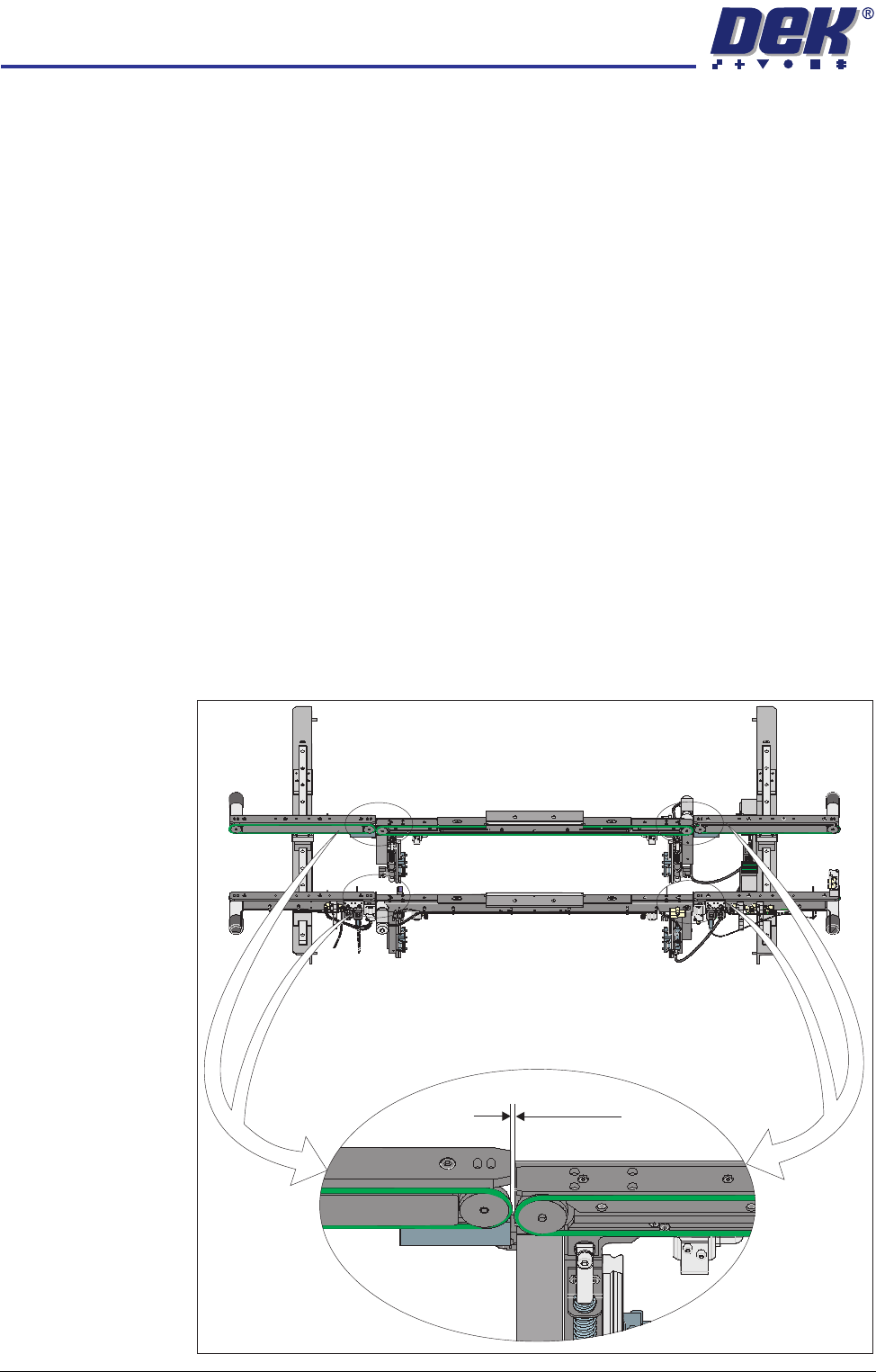
1. Using feeler gauges, ensure that the gap between the print station and the
auxiliary conveyors (in four positions) is 3.5mm ±0.5mm.
Front View of HTC Rails
3.5 ±0.5mm
HIGH THROUGHPUT CONVEYOR (HTC) MODULE
ADJUSTMENTS AND SETTINGS
Chapter Issue 3 Oct 06 Technical Reference Manual 17.25
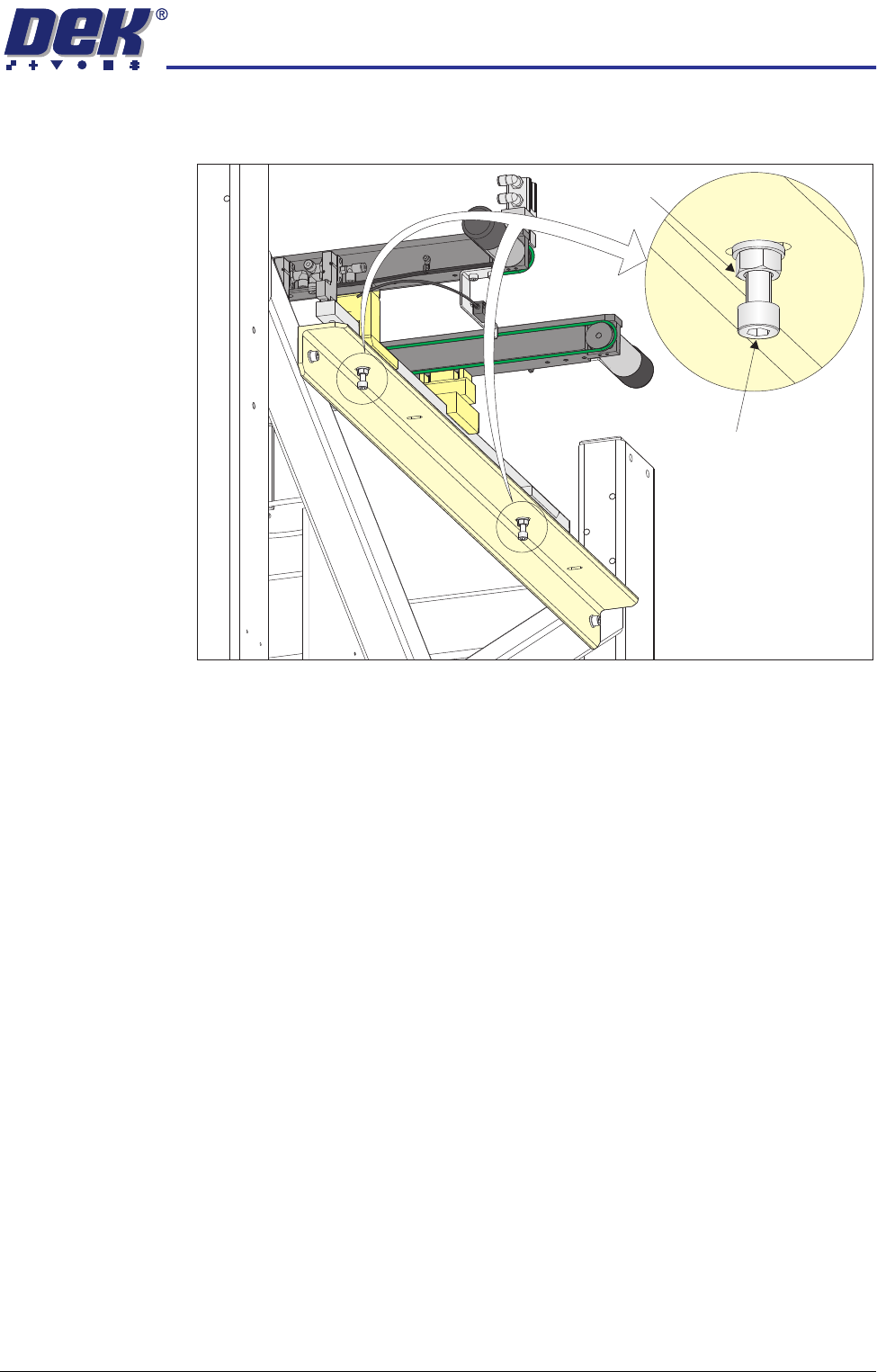
2. If adjustment is required, loosen the locking nuts on the two auxiliary
conveyor height adjustment bolts.
3. Adjust the position of the conveyor to obtain the 3.5mm ±0.5mm gap
between the front and rear rails of the auxiliary conveyor and the front and
rear rails of the print station.
4. Re-tighten the locking nuts disturbed in Step 2 and recheck the gap meas-
urement.
5. On completion, carry out Auxiliary Conveyor Front Rail Parallelism check.
Auxiliary Conveyor
Levelling
To check and if required adjust the levelling of the auxiliary conveyors, carry out
the following procedure:
1. Manually adjust the auxiliary conveyor rail width to 250mm.
2. Place a Board Clamp Setting Plate Pt No 140403 onto the auxiliary conveyor
transport belts.
Auxiliary Conveyor
Height Adjustment
Bolt
Locking Nut